Firewall configuration cleanup
Firewall Analyzer's configuration cleanup feature enables users to maintain an efficient and clean configuration storage repository. Using this feature, one can schedule routine configuration cleanups to remove all the outdated and unwanted configurations. Using this feature one can ensure only the latest and up-to-date configurations are maintained to guarantee operational efficiency and prevent accumulation of obsolete configurations.
Note: Firewall Analyzer offers a default storage space of 20GB collectively to store all your firewall device configurations.
To access this feature, go to Settings -> Admin -> Data Storage -> Configs
- Choose Now to run this feature immediately, or Schedule to run it later, at a specified time.
- When you click on Now, you will get a list of all the latest cleanup actions performed.
Note: This feature is not supported when you add the firewall device rule using Fetch through -> File option.
The list shows one instance of the latest configuration cleanup performed for each firewall device.

| Column | Description |
| Device Name | Name of your firewall device |
| Oldest Config | Oldest configuration recorded in configuration storage |
| Latest Config | Latest configuration recorded in configuration storage |
| Last Cleanup Triggered On | Recent configuration cleanup performed |
| Triggered By | User that triggered the cleanup |
| Status | Indicates the result of config cleanup |
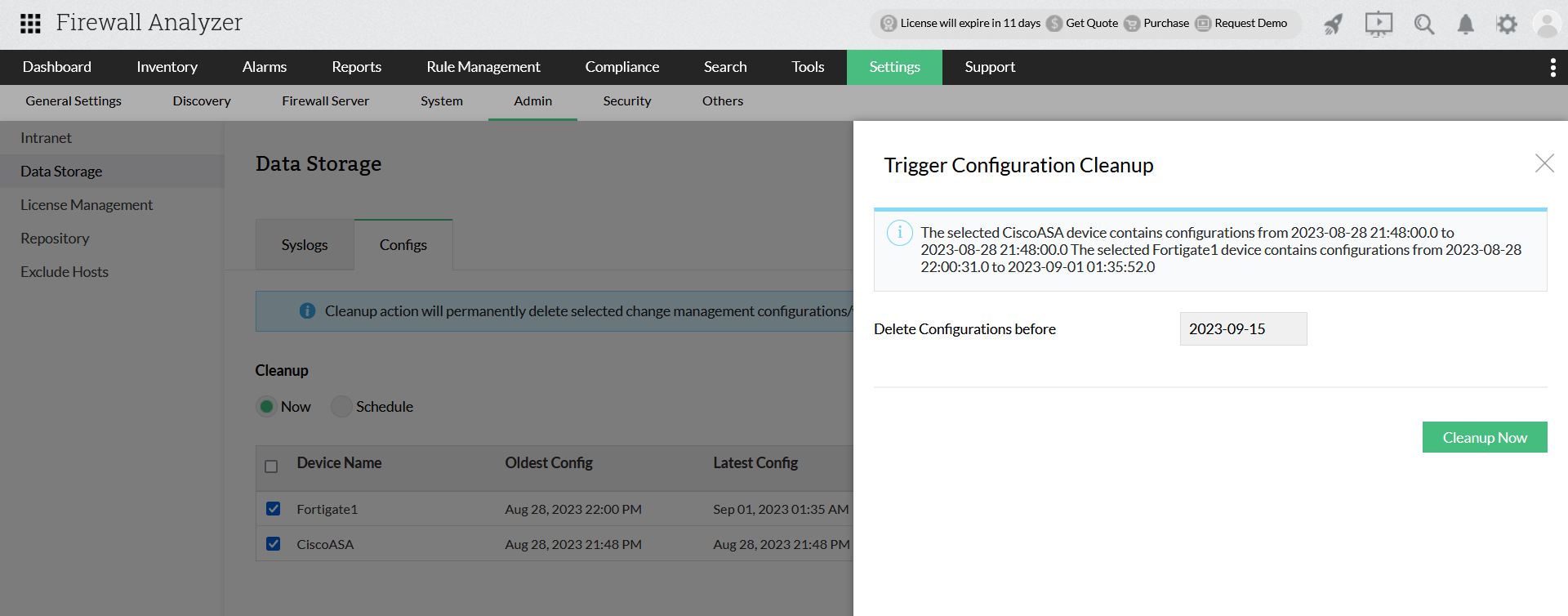
Select the Firewall device for which the configuration files need to be removed and select Cleanup.
In the side window, you can see the stored configurations respective to each firewall device. Choose the Delete configurations before data and click Cleanup Now to proceed with removing the stored configuration files.
The Schedule option allows you to run the configuration clean up at preset intervals. To perform this operations, select Delete older configurations from database and choose between Days and Versions.
Days:

Delete configuration older than - allows you to remove configurations created prior to the specified days.
Run the Cleanup schedule everyday at - allows you to check if the 'Configuration older than' limit has been exceeded the specified days and if it has, the configurations exceeding it will be scheduled to be deleted.
Save - click save to proceed
Versions:
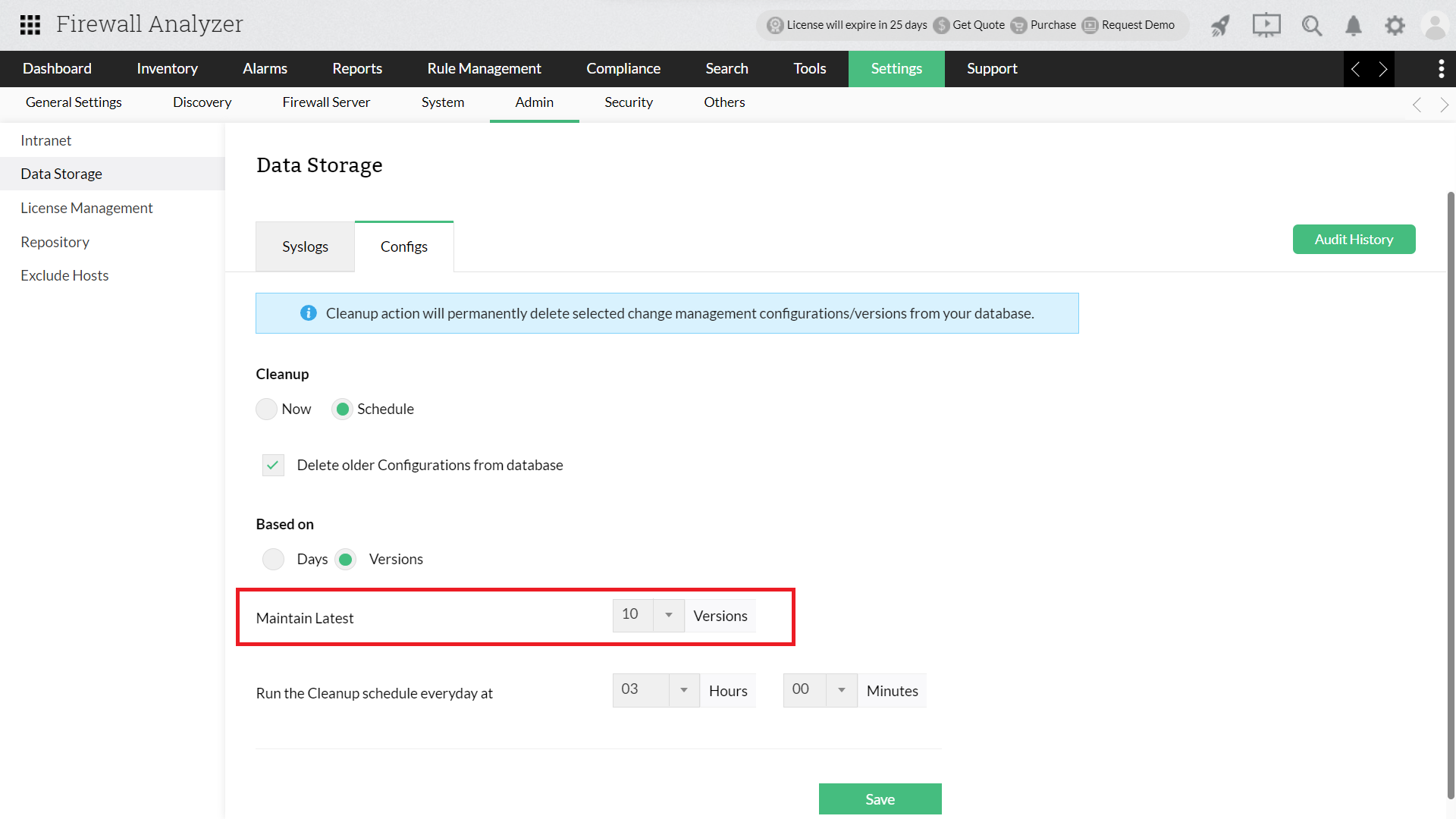
Maintain Latest - Allows you to maintain only the specified versions of configuration. The configurations exceeding this will be scheduled to be deleted.
Run the Cleanup schedule everyday at - allows you to check if the 'Maintain latest' version limit has been exceeded and if it has, the configurations exceeding it will be scheduled to be deleted.
Save - click save to proceed
Audit History:
This feature showcases the complete list of all the Configuration cleanups that have been triggered in the past.
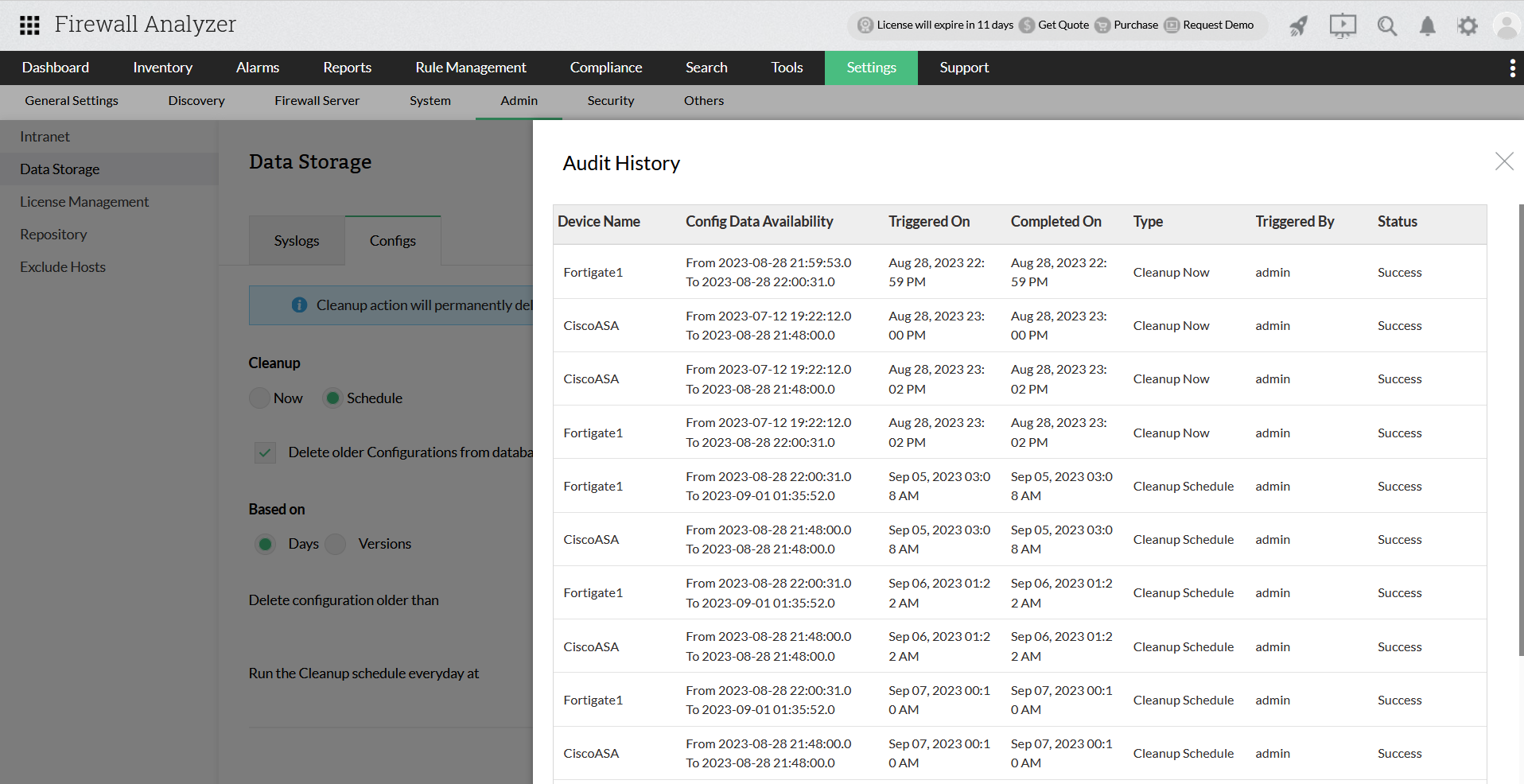
| Column | Description |
| Device Name | Name of your firewall device |
| Config Data Availability | Details of stored configuration files |
| Triggered On | Cleanup start time |
| Completed On | Cleanup end time |
| Type | How the configuration cleanup was initiated |
| Triggered By | User that triggered the cleanup |
| Status | Indicates the result of config cleanup |
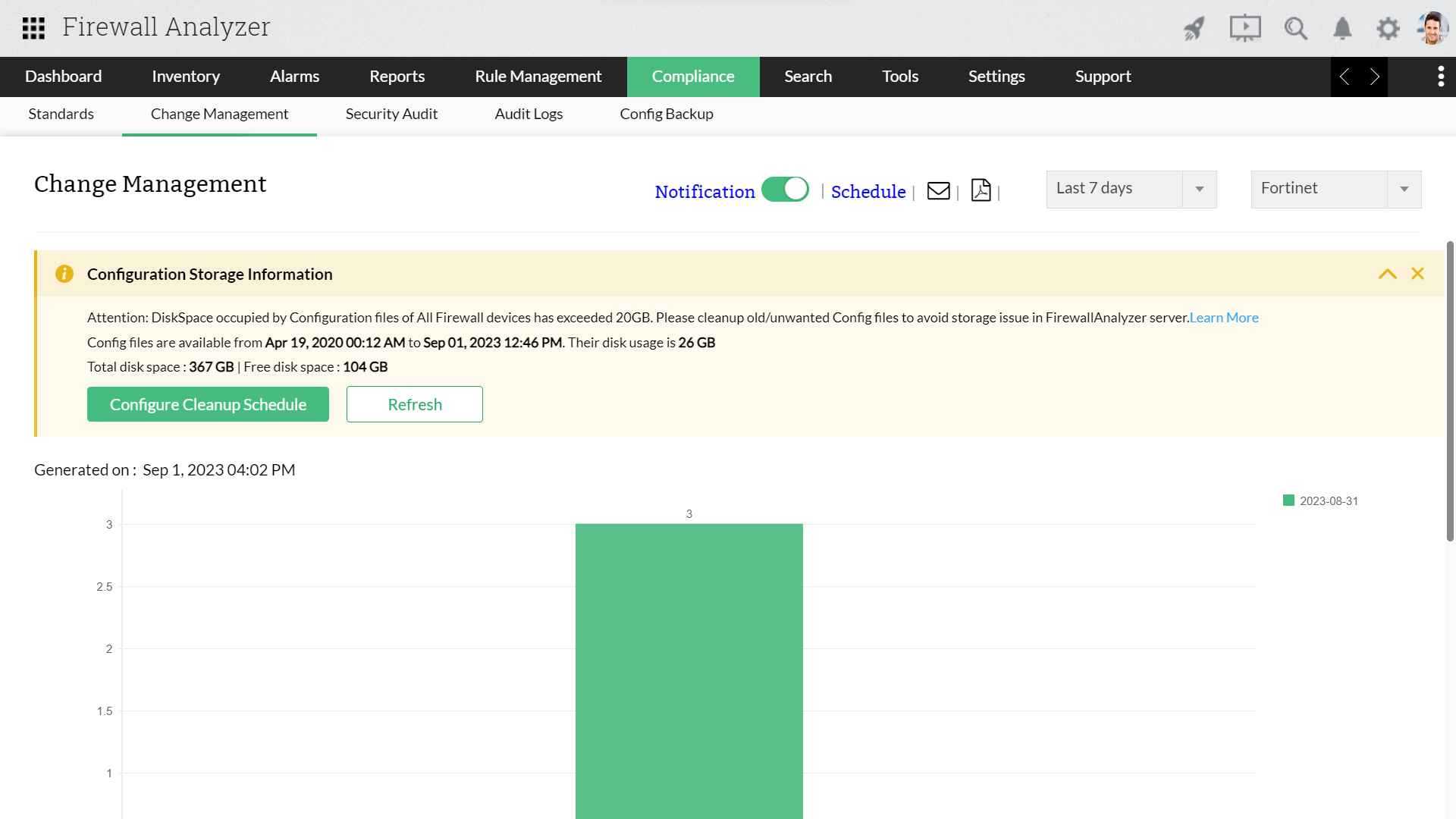
As soon as the sum of stored configuration files exceeds 20GB, a warning message will be triggered. This section will contain the total size of all your configuration files, configuration file availability dates, total disk space, and free disk space.
To view this information go to Compliance -> Change Management
Note: The files scheduled for cleanup will be removed and storage space will be updated only after your PGSQL/MSSQL runs its database cleanup operation (Ghost cleanup, Vacuum operation etc,)