Firewall Rule Expiry Notification Report
The Rule Expiry feature helps security administrators monitor scheduled firewall rules and track rules that are active, expiring soon, expired, or recurring. By ensuring that temporary access rules are reviewed and removed on time, this feature helps reduce security risks and maintain compliance.
When schedule information is available from supported Device/ Device Group, the expiry tracking capability is automatically enabled. Select a device to view its Rule Expiry Notification Report.
The Rule Expiry dashboard provides visibility into:
- All scheduled rules
- Currently active rules
- Rules that will become active in the future
- Rules that have expired
- Recurring rules
This enables administrators to track temporary access, identify unused or expired rules, and take timely action.
Rule details displayed for all rule categories:
- Rule Number/ID
- Schedule Name
- Schedule Type
- Days of week
- Time
- Start time
- End time
- Range
Rule Categories
- All Scheduled Rules
Displays all firewall rules that have a schedule configured. Active Rules
Displays all currently active scheduled firewall rules.Actions available:
Use the Show option to view:
- All Active Rules
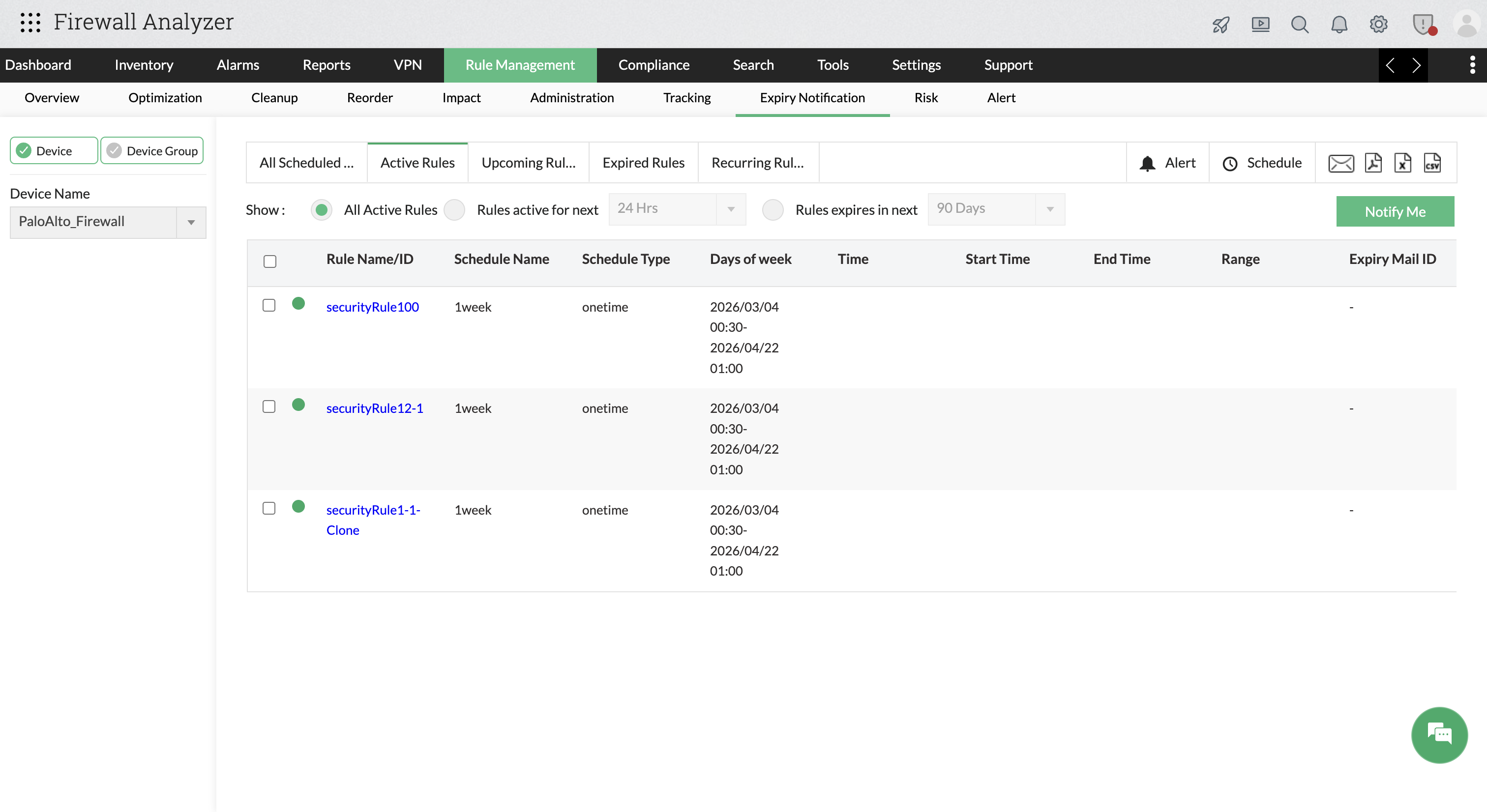
- Rules active in the next 24 hours / 7 days / 30 days / 90 days
- Rules expiring in the next 24 hours / 7 days / 30 days / 90 days
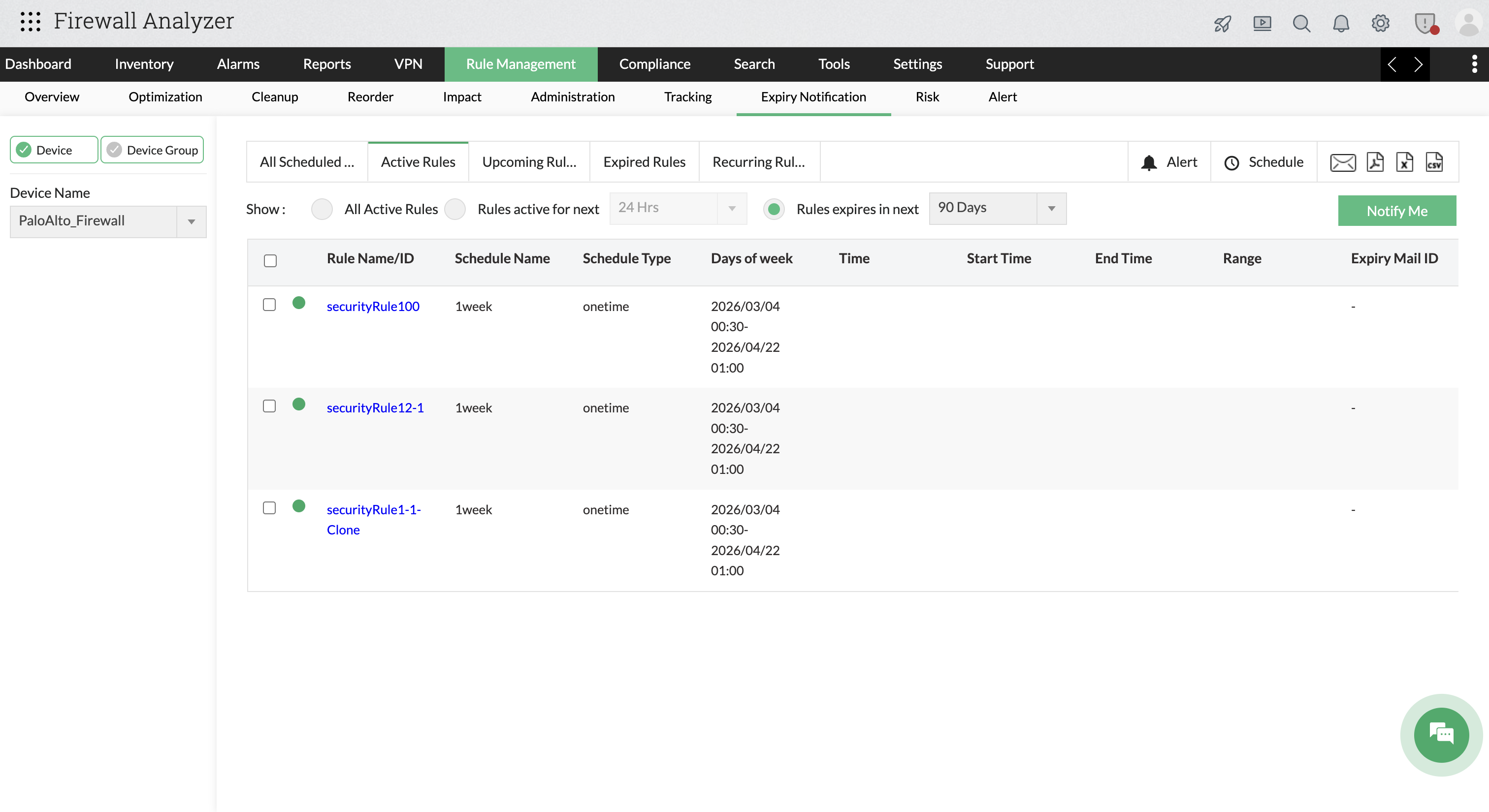
Select a rule and click Notify Me to receive an email alert when the rule expires. You can also configure the Expiry Mail ID to receive these notifications.
- All Active Rules
- Upcoming Rules
Displays rules that are scheduled to become active in the future. Expired Rules
Displays rules that have already expired.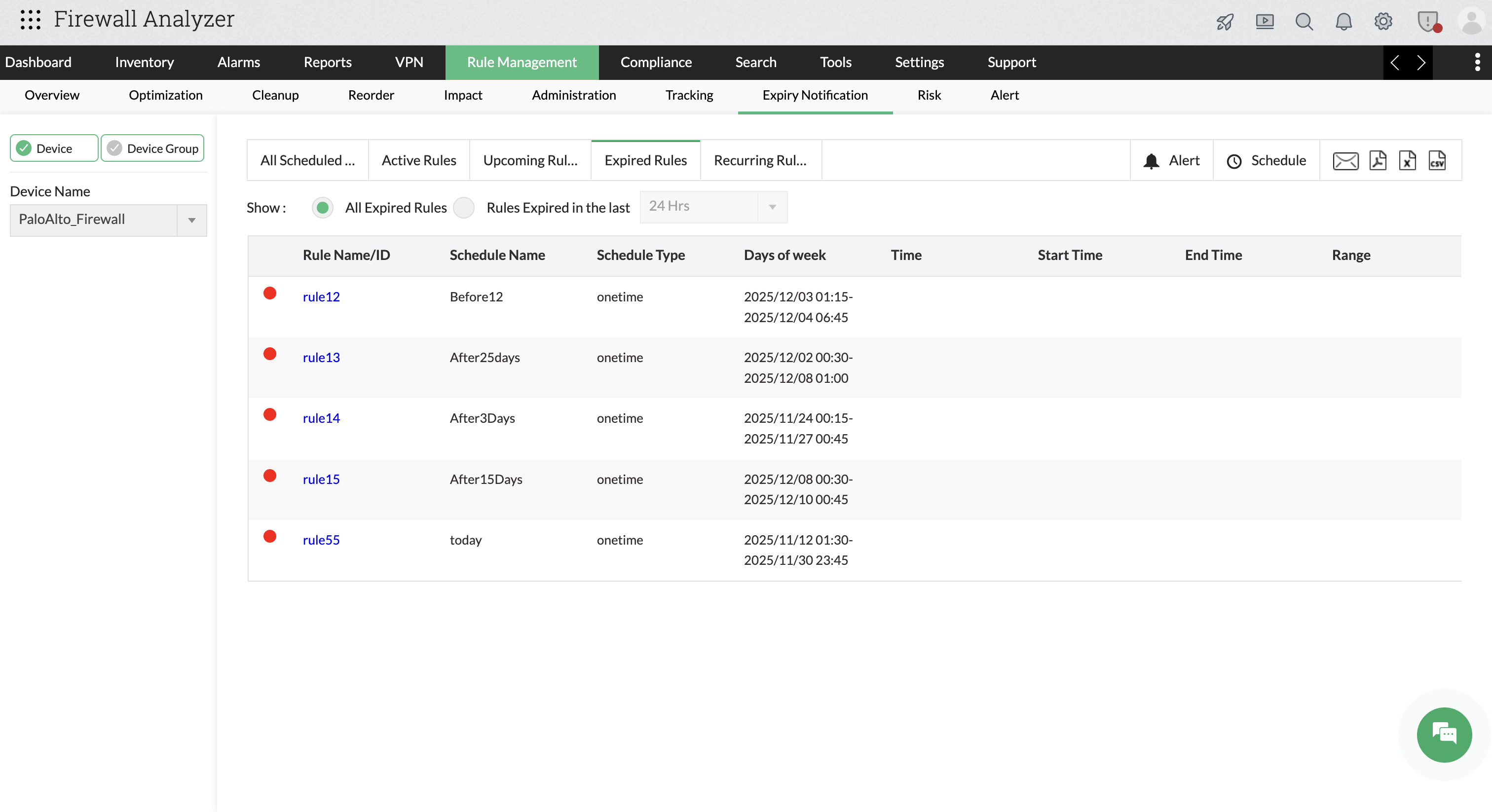
Actions available:
Use the Show option to view:
- All Expired Rules
- Rules expired in the last 24 hours / 7 days / 30 days / 90 days
- Recurring Rules
Displays rules that are scheduled to be repeatedly activated based on a defined schedule.
Reporting and Notifications
You can automate and share rule expiry insights using the following options:
- Schedule periodic report generation
- Email reports to stakeholders
- Export reports in PDF, XLS, CSV, or HTML formats