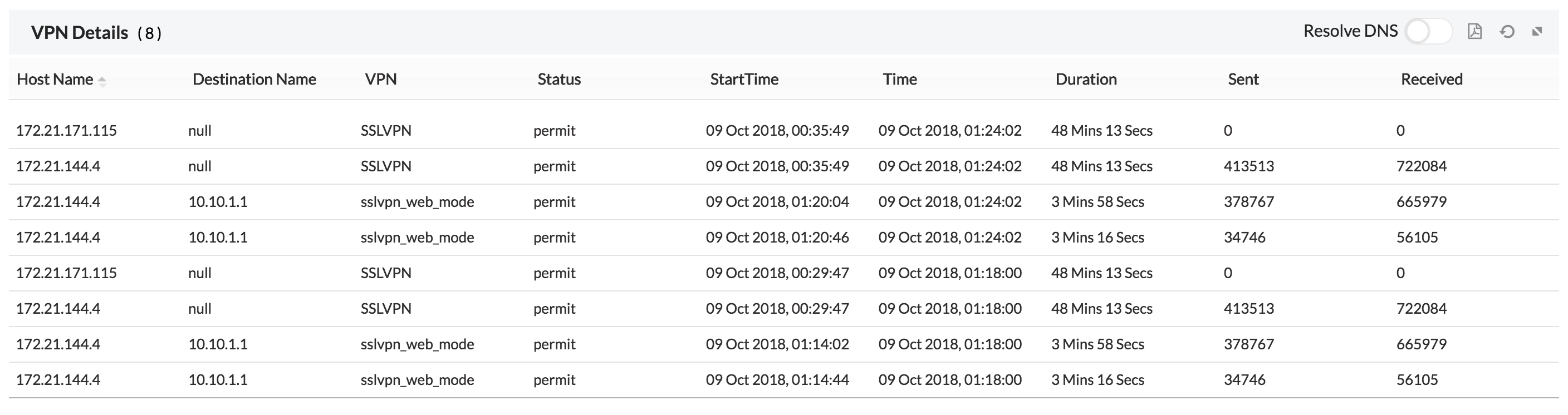
Firewall Analyzer - Inventory - Users
The Users tab shows the users that have accessed the internet through the added firewall devices. It also shows the number of users, using less and greater than 20% of the bandwidth capacity along with the protocol used. By default, the users are listed in table view, click on the view menu to change to list view. The users can also be searched for using the search menu.
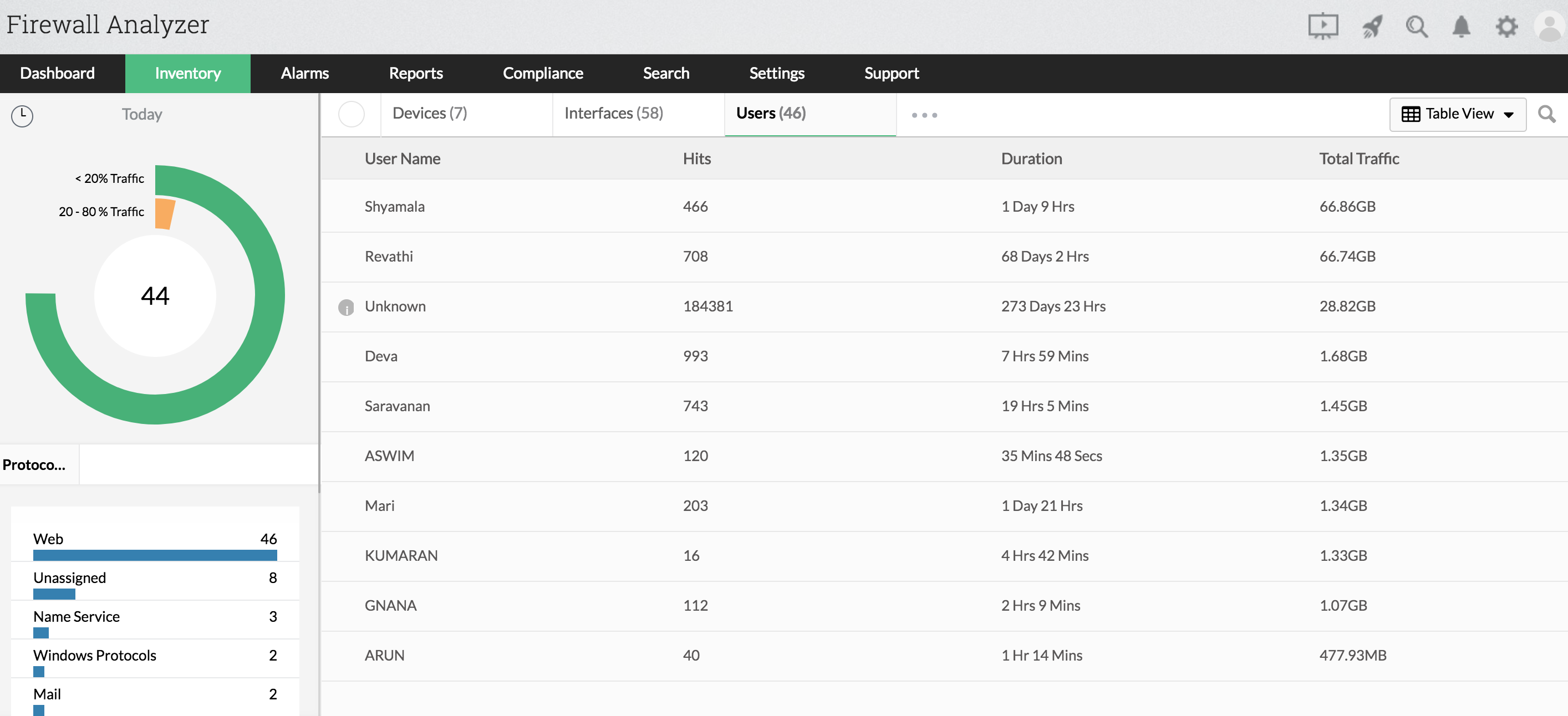
The following data is shown in the Users tab
| User Name | Name of the user. |
| Hits | Number of hits by that specific user. |
| Duration | Number of hours the user has been active. |
| Total Traffic | Total traffic consumed by the user. |
On clicking on any one of the user, a short summary for that live traffic is shown.
On expanding the short summary, you get access to in depth reports which has the following graphs.
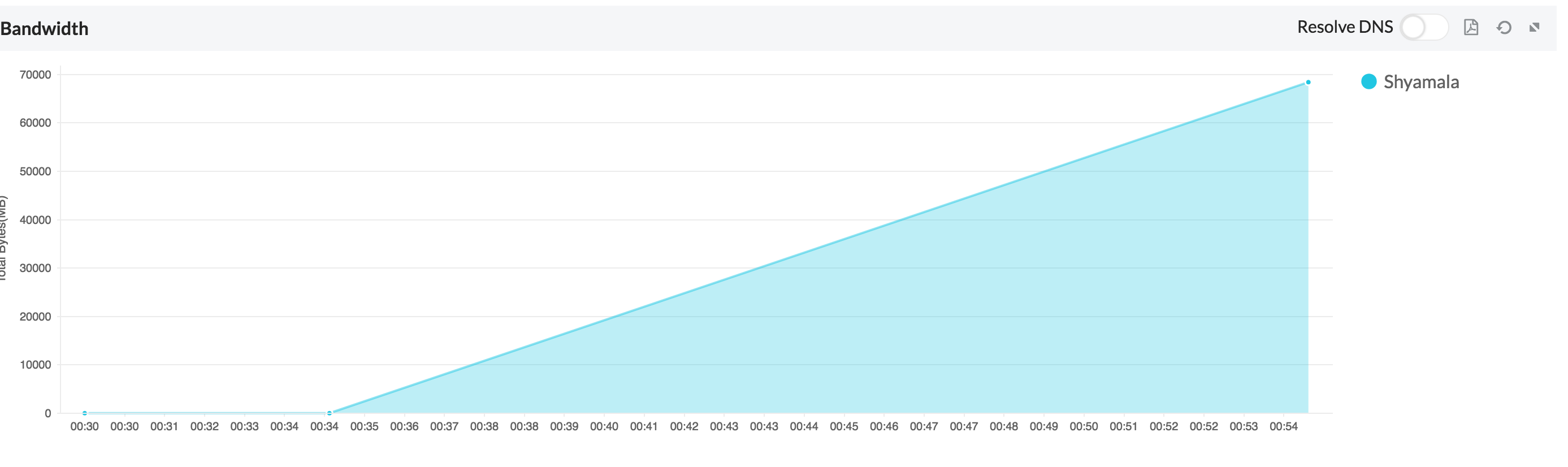
1. The total bandwidth consumed by that user.
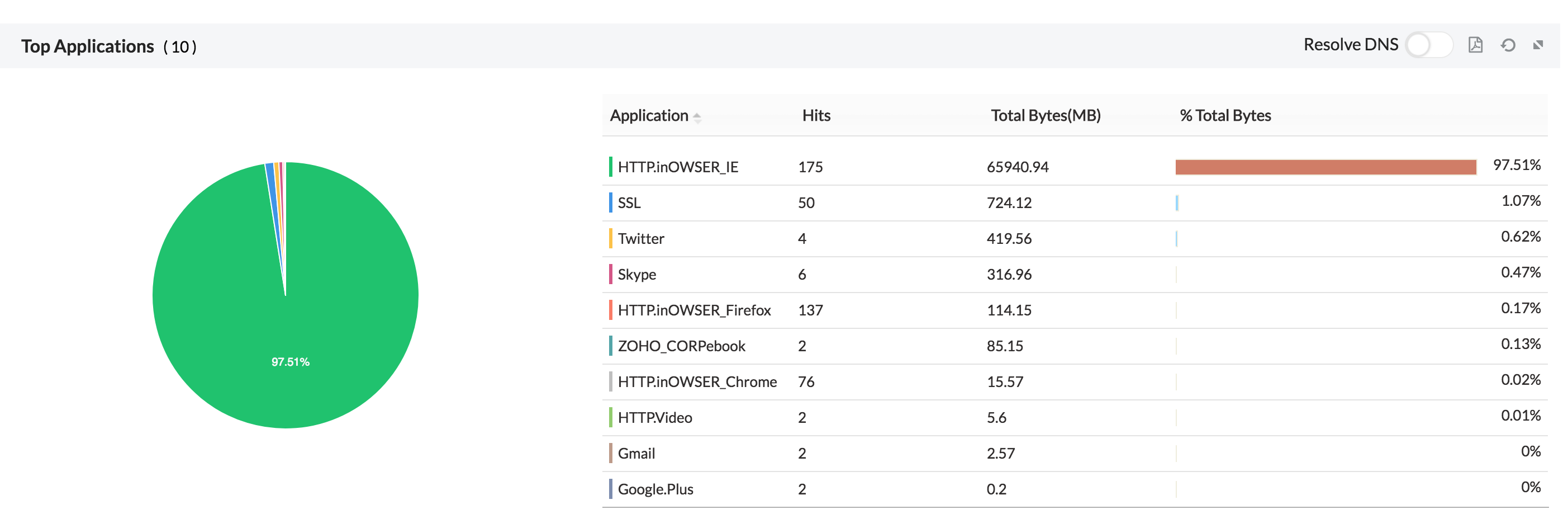
2. The top 10 applications used by the user.
3. The top 10 cloud services used by the user.
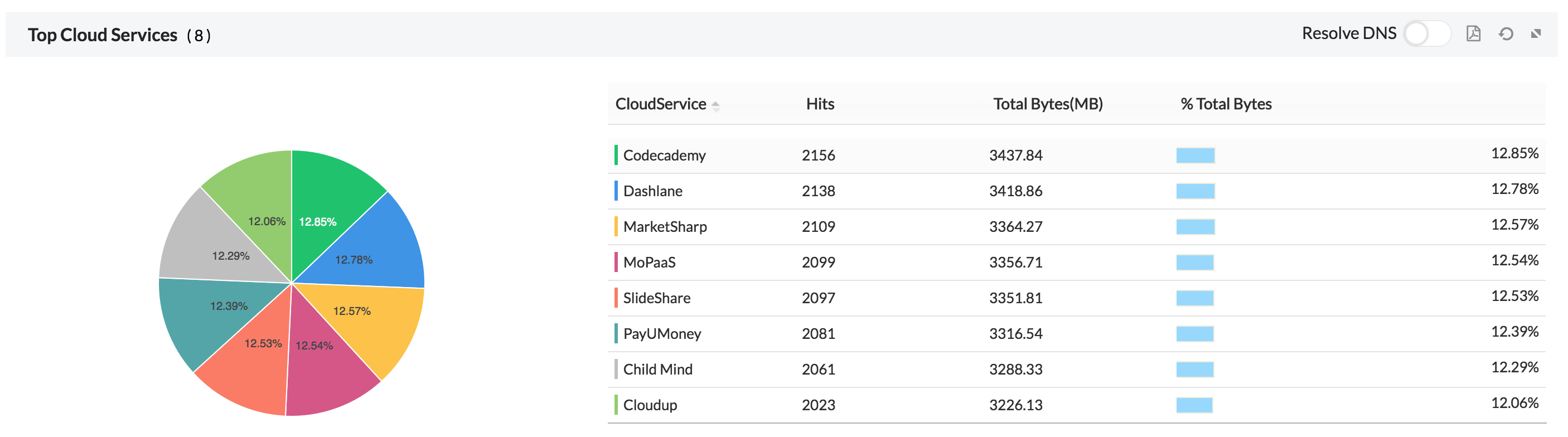
4. The top 10 rules used by the user.
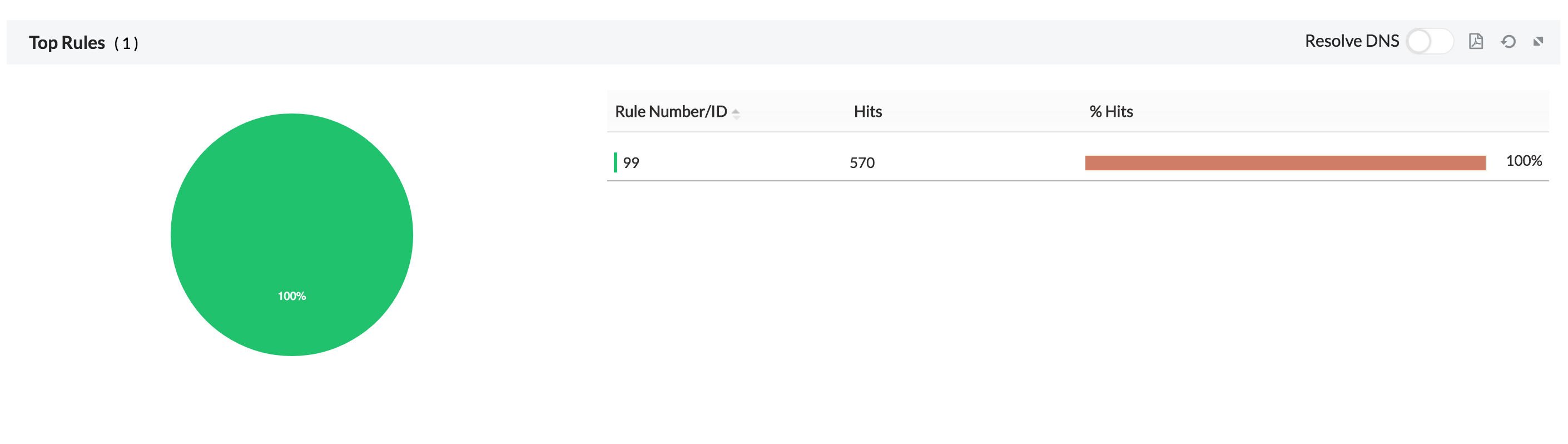
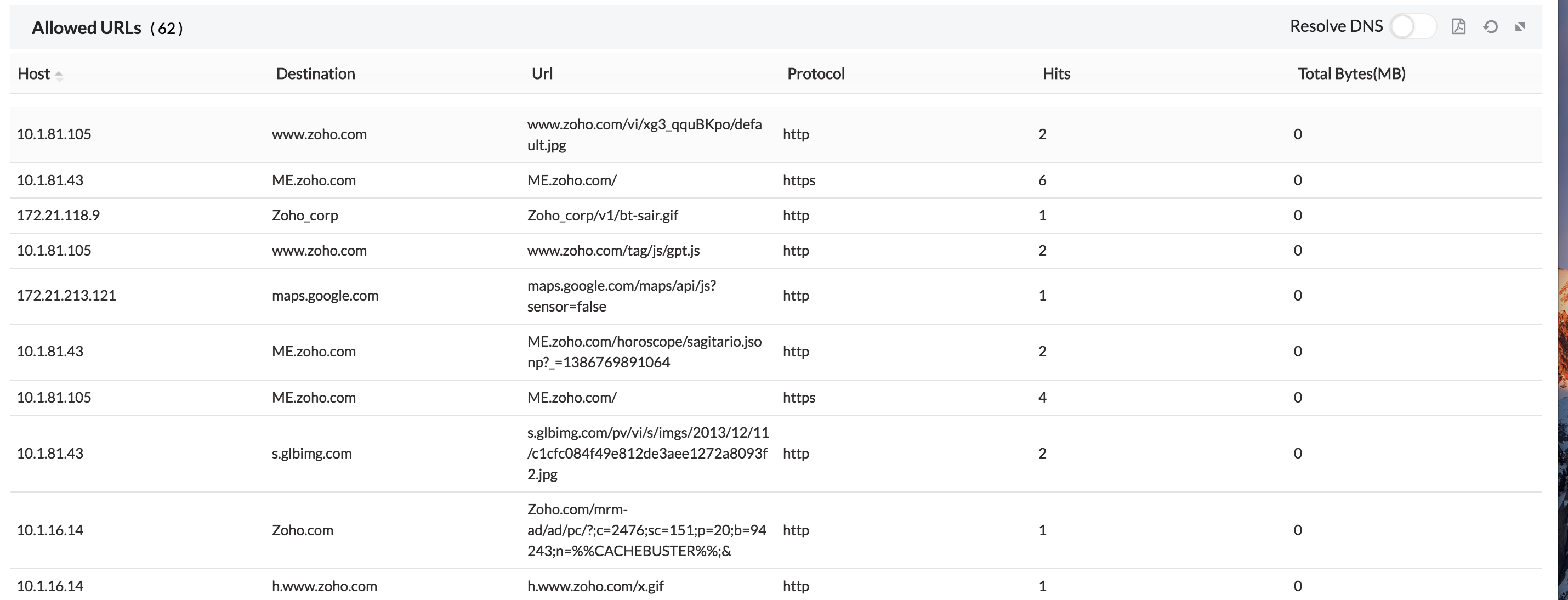
5. The URLs allowed for the user.
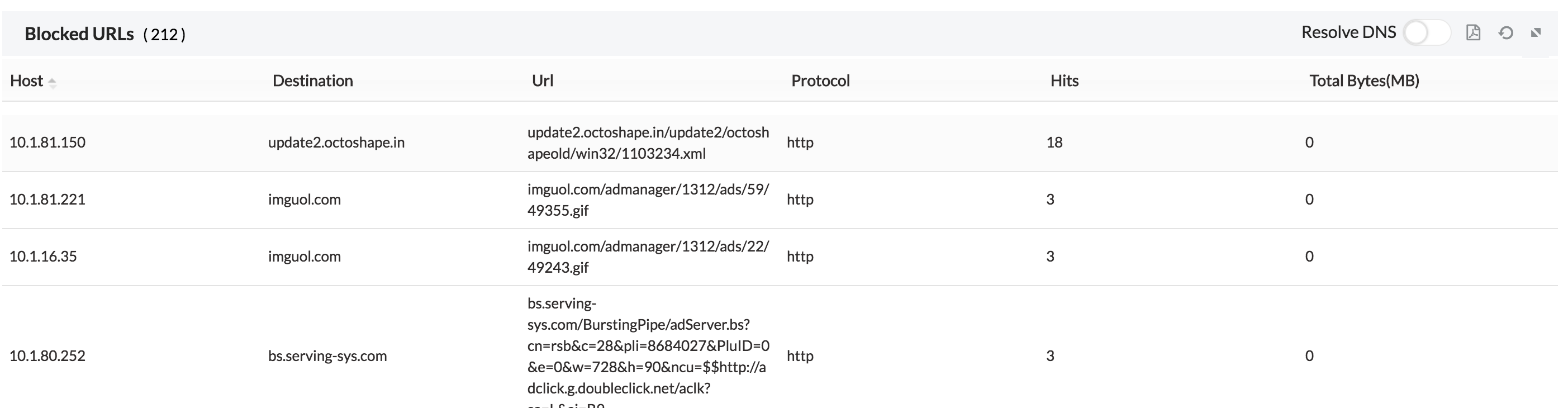
6. The URL's blocked for the user.
7. The conversations made by that user.
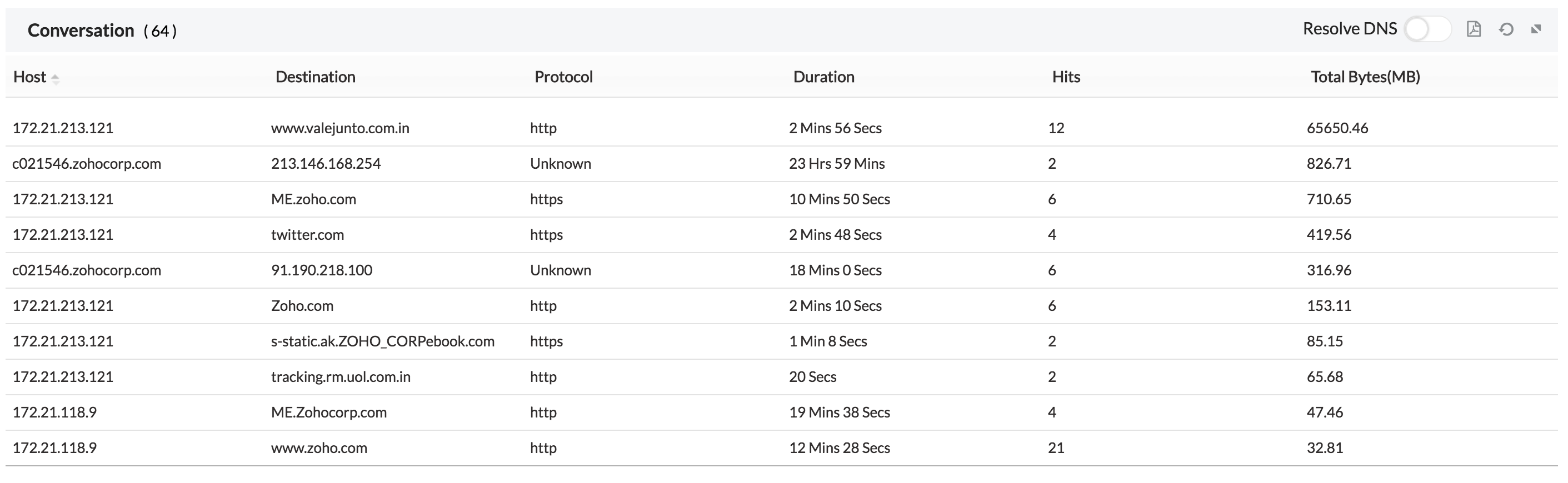
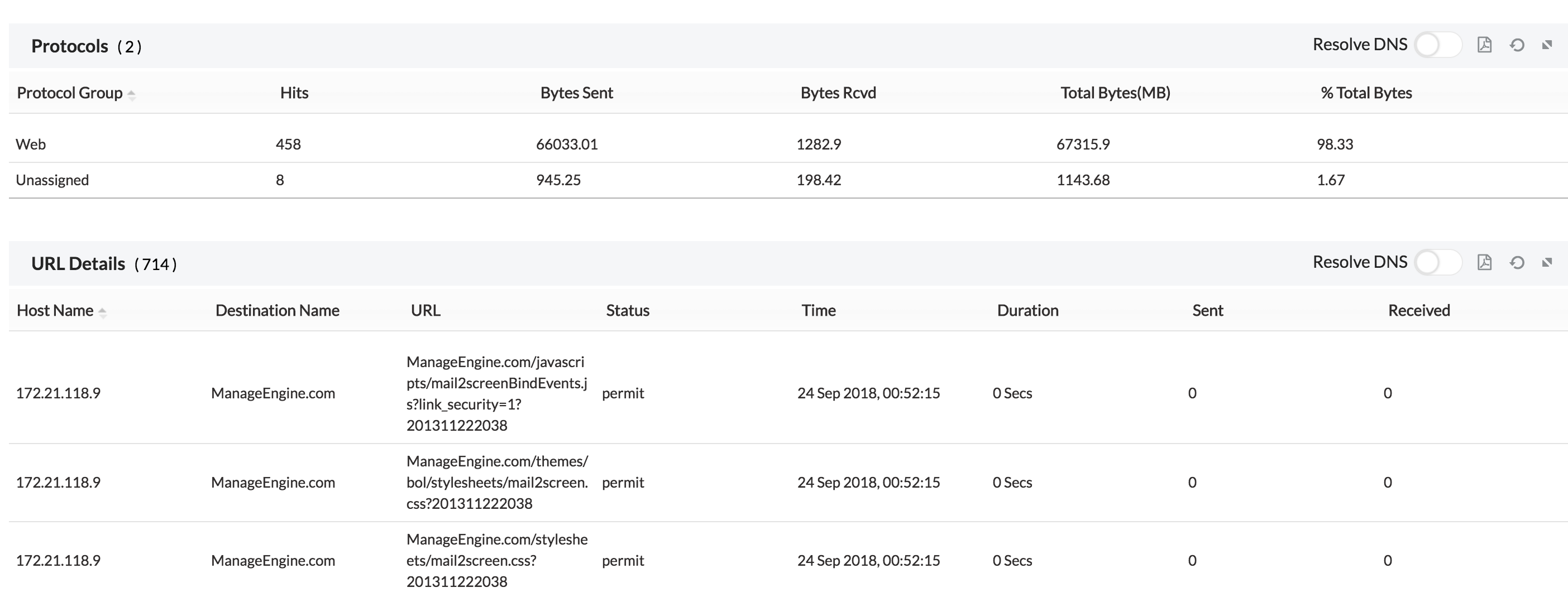
8. The protocol and URL details for the specific user.
9. VPN details of that specific user.