SysLog Profile Notification Template
Firewall Analyzer can be configured to send you syslog messages when an alarm is triggered.
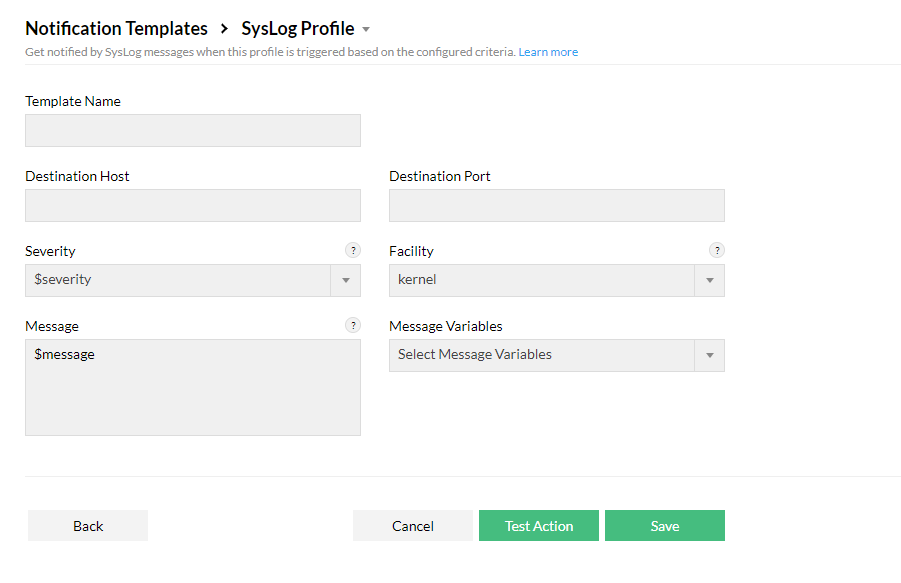
- To create a Syslog Profile Notification Template, go to Settings > Others > Notification Template > Syslog Profile.
- Enter a Template Name.
- Fill in the Destination Host and Destination Port. Which is the Name/IP address and listening port number of the host where the notification has to be sent respectively.
- Choose the Severity (Critical, Trouble, Attention, Service Down, and Clear), and Facility and enter the Message and Message Variables.
- Click Test Action to test or Save to save the template.