Monitor firewall health with security posture dashboard
Get a consolidated view of firewall security posture, baseline adherence, and compliance readiness in ManageEngine Firewall Analyzer.
- Identify firewall devices with risky policies and weak rule hygiene.
- Track baseline deviations and policy audit findings in one view.
- Prioritize remediation using configurable security and compliance scores.
Why do you need security posture dashboard?
Firewall environments generate thousands of policy findings, audit results, compliance observations, and rule anomalies. While these reports provide valuable insights, they don't present a measurable view of overall firewall security, baseline adherence, and regulatory readiness. Executive Summary Report/Security posture dashboard consolidates these findings into meaningful scores, giving teams a clear understanding of their firewall environment's overall health.
Enterprise firewall posture, summarized into three ratings
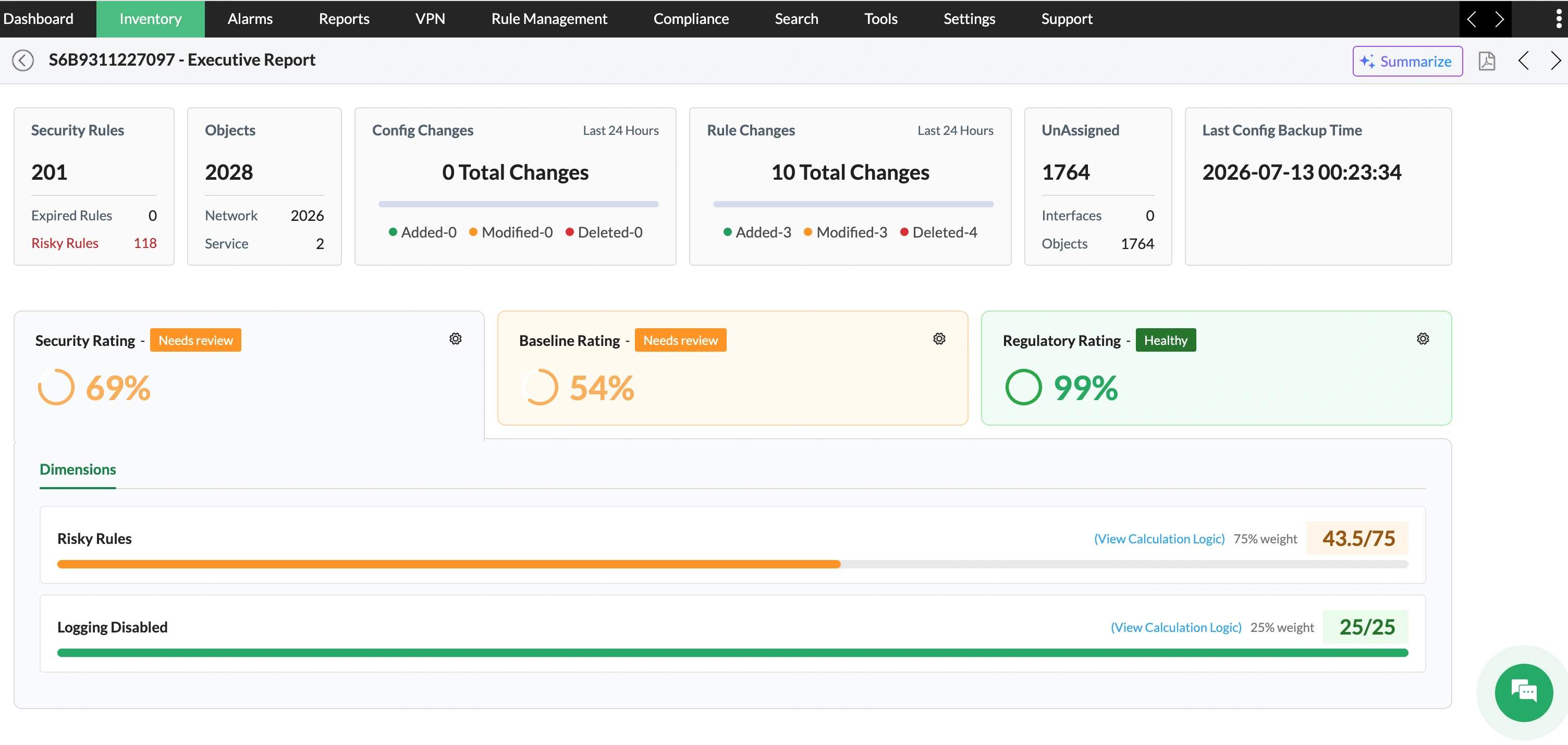
Identify policies that increase firewall risk
Firewall Analyzer measures the effectiveness of firewall policies through the Security Rating. By analyzing risky rules, logging-disabled rules, policy anomalies, expired rules, and security audit findings, it highlights policy weaknesses that can increase exposure or reduce visibility into network traffic.
- Detect overly permissive and high-risk firewall rules.
- Find firewall rules with disabled logging to maintain visibility during security investigations.
- Identify shadowed, redundant, duplicate, and conflicting policies
- Review expired rules that remain active beyond their intended use.
Measure alignment with firewall security standards
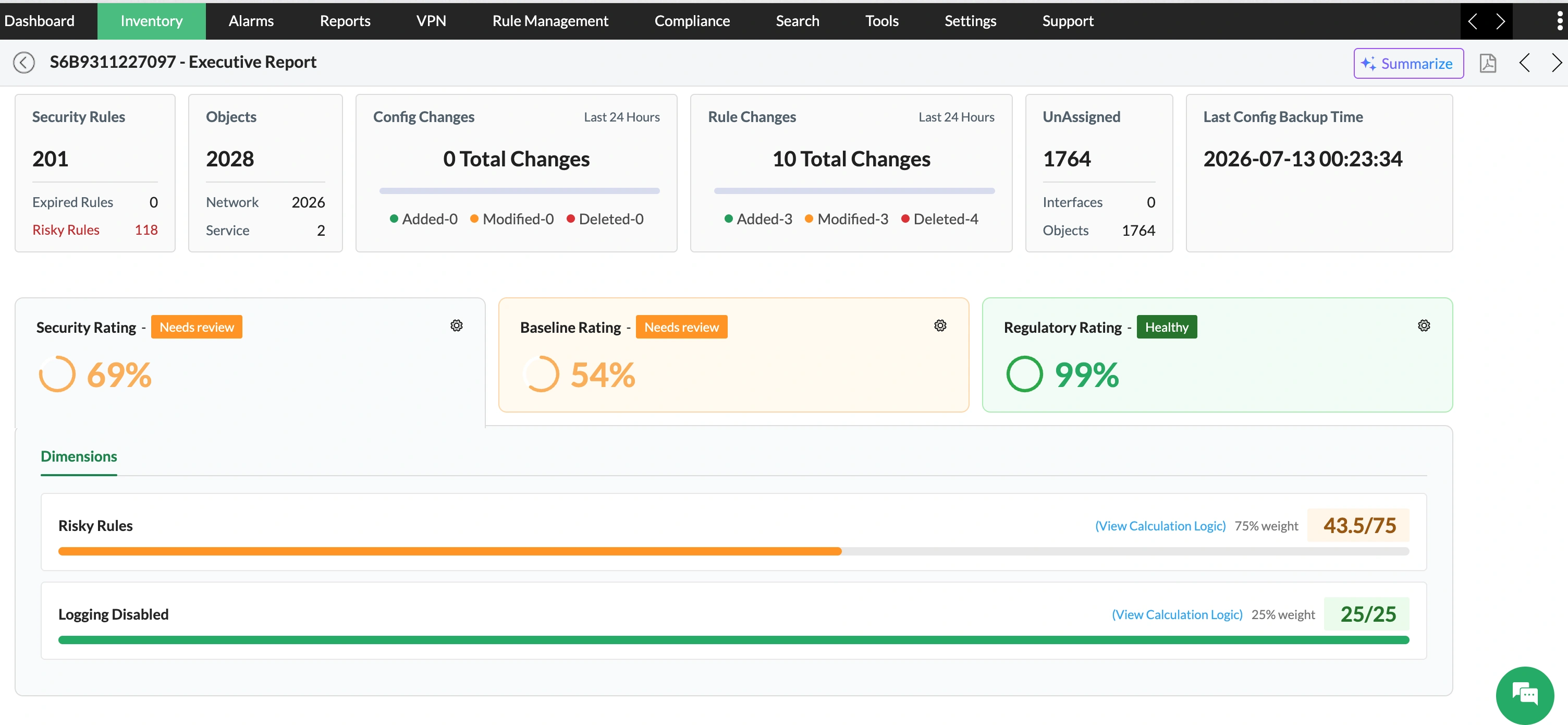
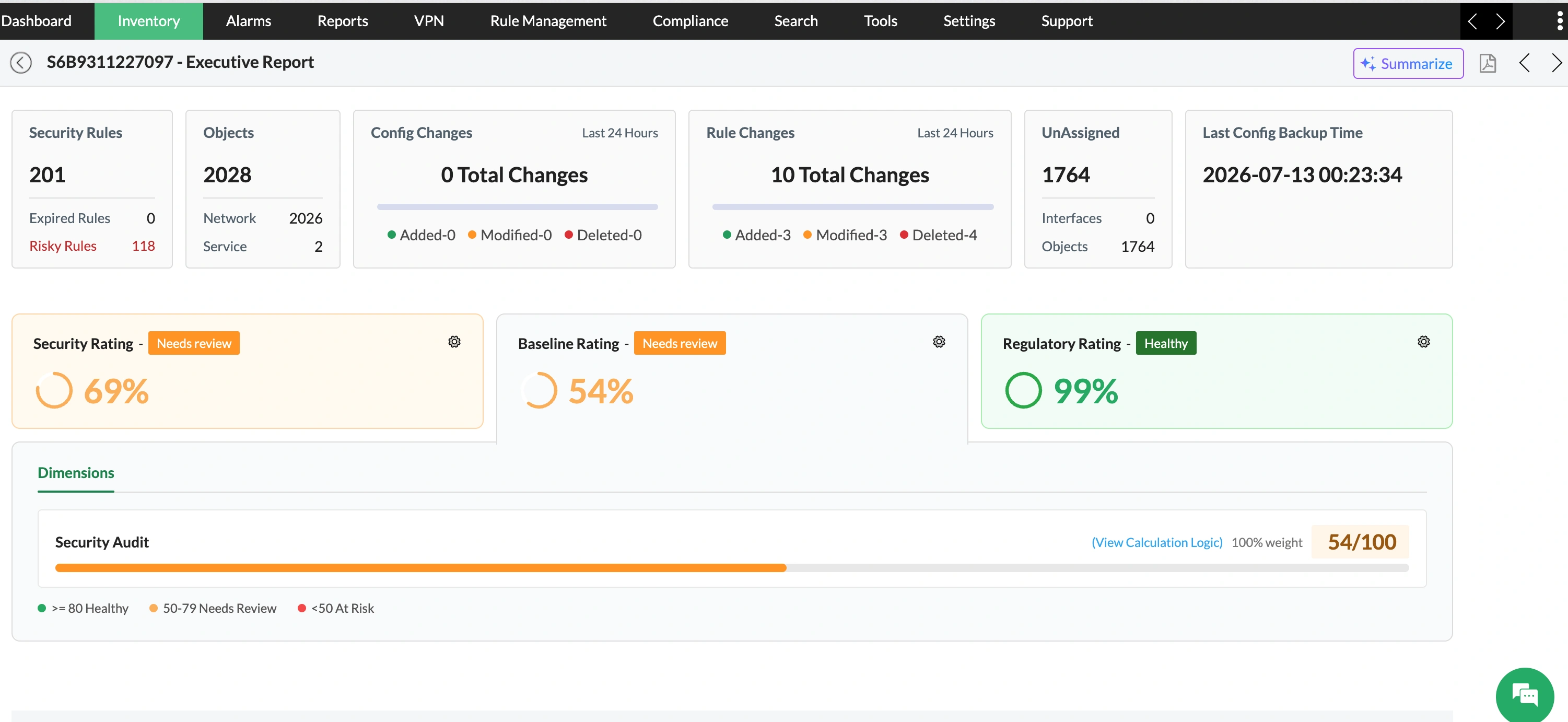
Maintaining consistent firewall configurations becomes increasingly difficult as policies evolve. Firewall Analyzer addresses this through the Baseline Rating, which measures adherence to approved security standards using security audit findings and identifies configuration drift across the environment.
- Track deviations from approved firewall security baselines.
- Review audit findings that affect configuration consistency.
- Improve governance across multi-device firewall environments.
- Maintain standardized firewall policies over time.
Understand compliance readiness before the audit
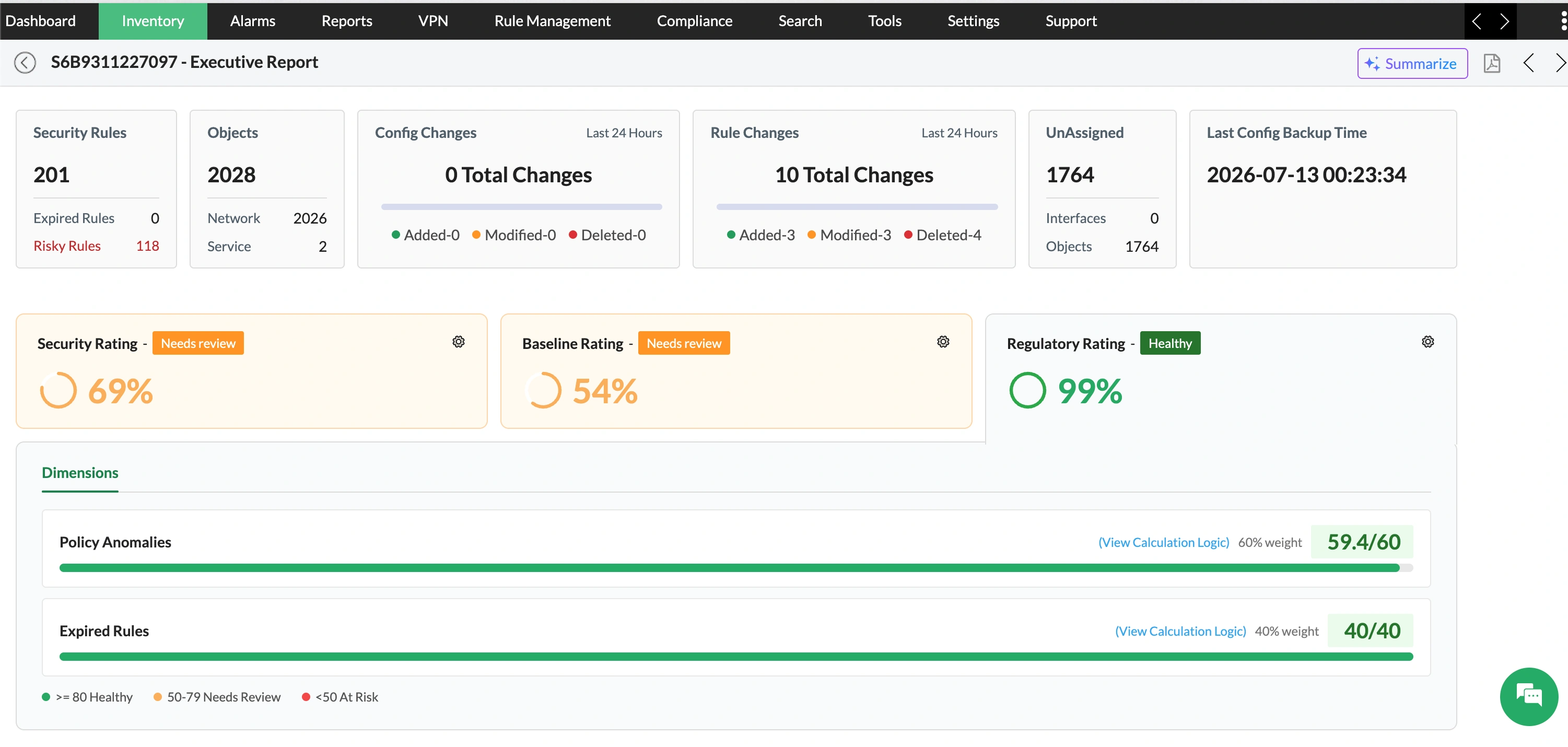
Firewall Analyzer measures compliance readiness through the Regulatory Rating by evaluating policy anomalies, expired rules, and supported compliance report findings, helping teams identify compliance gaps and prepare for audits.
- Identify firewall rules that may affect compliance posture.
- Monitor expired rules and unresolved policy anomalies.
- Review supported compliance findings from one report.
- Prepare for PCI DSS, GDPR, HIPAA, SOX, and ISO-based policy audits.
Multi-vendor support, out of the box
Built-in support for 50+ firewall vendors.
Enterprise firewalls
- Cisco ASA
- Cisco FirePOWER
- Palo Alto Networks
- Check Point
- FortiGate
- Juniper SRX
- Juniper NetScreen
Next-generation & UTM firewalls
- Sophos XG
- Sophos UTM
- SonicWall
- WatchGuard
- Barracuda
- Stormshield
- Hillstone
Additional firewall platforms
- MGuard
- Huawei
- ZyWALL
- MikroTik
- Forcepoint
- Clavister NetWall
- Clavister NetShield
Benefits of using security posture dashboard
Security posture dashboard turns scattered policy, baseline, and compliance findings into a clear view of firewall health, helping teams focus remediation where it matters most.
Prioritize critical firewalls
Identify devices with the highest policy risk, weakest baseline adherence, or largest compliance gaps for faster remediation.
Improve rule hygiene
Find risky, redundant, duplicate, conflicting, and expired rules that increase exposure and complicate ongoing policy management.
Strengthen audit readiness
Continuously monitor regulatory posture and address compliance gaps before audit preparation becomes urgent or resource intensive.
Maintain security standards
Track baseline deviations across firewalls and keep configurations aligned with approved security practices throughout the environment.
Frequently asked questions (FAQ) about security posture dashboard
Explore common questions about configuring and using Executive Summary Report/security posture dashboard in Firewall Analyzer.
Resources to dig deeper
ManageEngine Firewall Analyzer overview
See how ManageEngine Firewall Analyzer helps teams analyse firewall activity, investigate threats, identify risky rules, and simplify compliance reporting.