Securing USB devices| Computer Configuration
Table of Contents
What is secure USB configuration?
The Secure USB configuration allows users and computers to block uncertified users or malicious devices from accessing any machines in the organization that contains sensitive data. This configuration is applicable for users irrespective of the computers they use. The Secure USB configuration is mandatory to prevent corrupted user accounts and prevent threats posed by unidentified devices and booby trapped USB drives that can potentially harm your network. The ability to block and unblock devices improves USB security and creates a safe atmosphere for the organization.
How to enable the secure USB configuration?
- In Endpoint Central Console, navigate to Configurations tab --> Add Configurations --> Configurations--> Windows
- Select Secure USB configuration and choose Computer
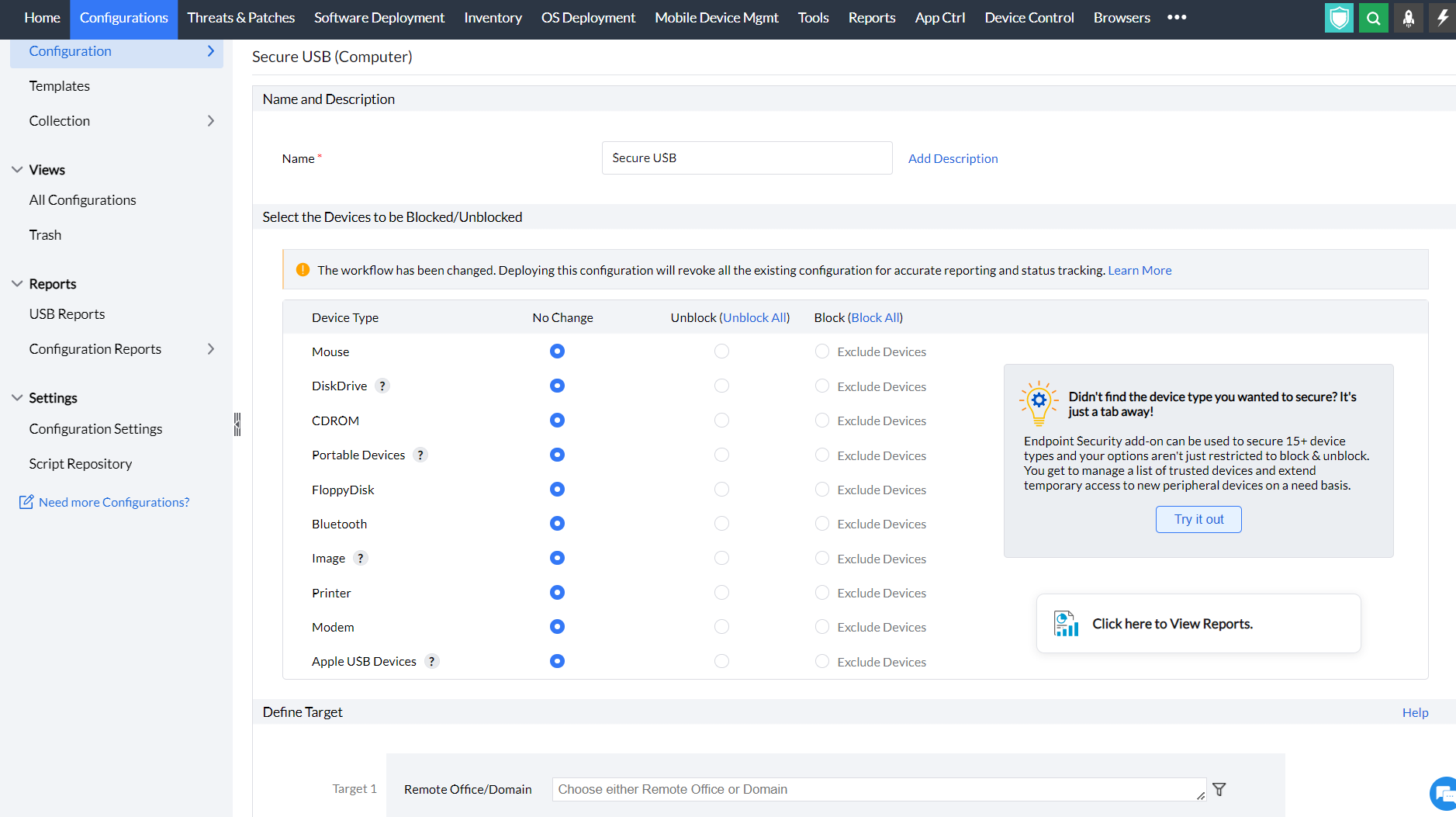
- Specify the Name and Description for the configuration
- In the Select the Devices to be blocked/unblocked criteria, select the devices that you want to block and unblock. The devices that can be blocked/unblocked using this configuration are as follows:
- Mouse
- Disk drives (for example: USB drives and external hard-disk drives)
- CD ROMs
- Portable devices (for example: mobile phones, digital cameras and portable media players)
- Floppy disks
- Bluetooth devices
- Images (for example: USB cameras and scanners)
- Printers
- Modems
- Apple USB devices (for example: iPhone, iPad and iPod touch)
- You can also exclude devices from being blocked using the Device Instance ID assigned to each device.
- Define the Target
- Specify retry options if required and deploy the configuration.
- You can also enable notifications to receive emails based on the specified frequency.
- Click on the Deploy button to deploy the configuration in all the target machines.
- To save the configuration as draft, click Save as
You have successfully learnt to enable the Secure USB configuration in Windows machines



