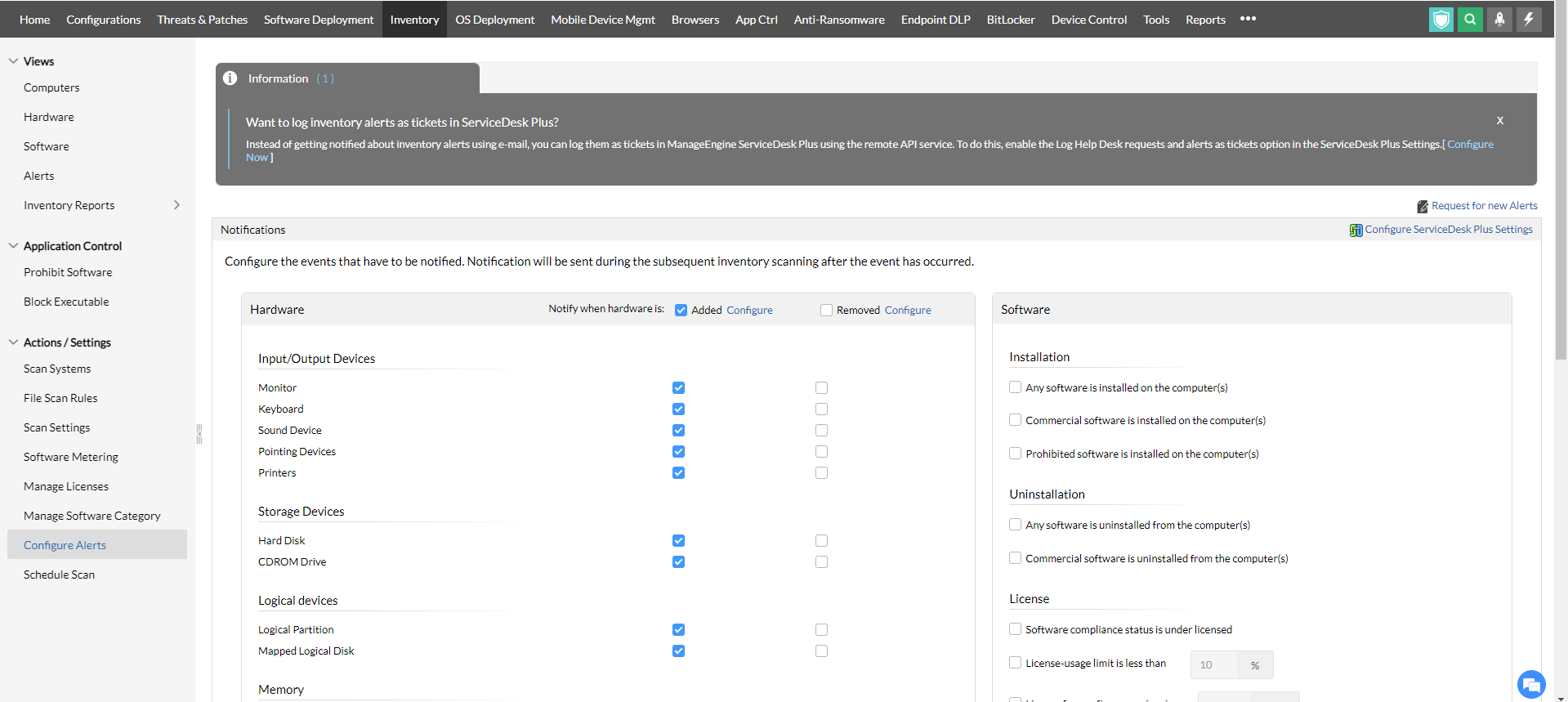
Inventory alerts are notifications sent to IT administration team in the event of any suspicious movement taking place inside the managed IT network. The notifications are generally sent as E-mail, SMS and/or mobile app notifications. The alerts will be sent when any of the configured settings is overruled by the managed endpoints. These include:-
When hardware is added or removed from an endpoint.
When software is installed or uninstalled on an endpoint.
When a prohibited/restricted software is installed on a device.
When a software's license is non-compliant and/or when a software's license is not renewed.
When a commercial software is not utilized effectively (usage and license).
Commercial software license consumption.
When disk space is running out of storage. This includes the overall free disk space as well as partition-wise free space.
When a certificate is about to expire. IT administrators can set the time duration for receiving alerts before the certificate expiration.
To configure Inventory Alerts,
Navigate to Inventory -> Actions/Settings -> Configure Alerts
Customize your preferences from the given option
Configure the notification medium to receive alerts
Save the configuration.
Prerequisites - Configure Mail Server Settings and SMS Server Settings to receive notifications through E-mail and SMS.