Custom Risk Profiles | Firewall Analyzer
The Custom Risk Profiles feature allows administrators to define customized security risk criteria based on their organization’s specific security requirements. Using this feature, users can create multiple custom risk criteria lists, group them under a custom risk profile, and associate those profiles with firewall devices. This enables more precise security analysis by tailoring risk assessments to match business policies, compliance requirements, and operational priorities. When a custom profile is not assigned to a device, the system automatically falls back to the standard risk profile, ensuring uninterrupted risk analysis.
What this page covers
- Key Capabilities
- Risk Analysis Capabilities
- Creating a Custom Risk
- Creating Custom Risk Profiles
- Associating Profiles with Devices
- Accessing Custom Risk Profiles
- Page Overview
- Benefits of Custom Risk Profiles
Key Capabilities
- Custom Profile Creation : Administrators can create custom risk profiles by selecting specific risks and defining the conditions under which they should be triggered.
- Device Association : Custom risk profiles can be mapped to individual devices or groups of devices to apply targeted risk analysis.
- Default Profile Handling : If a device is not associated with a custom profile, the standard risk profile will automatically be applied.
- Profile Extensions : Organizations can extend standard risk profiles with additional custom risk criteria to address unique security needs.
- Dynamic Risk Evaluation : Risk assessments are performed dynamically based on the current firewall configuration, ensuring accurate and up-to-date risk detection.
Risk Analysis Capabilities
Multi-Condition Risk Criteria
Custom risks can be defined using multiple parameters, including:
- IP addresses
- Ports
- Zones
- Protocols
- Actions
- Rule status
Advanced Operators
The feature supports multiple operators for building flexible risk criteria, such as:
- Equals / Not equals
- In / Not in
- Range
- Contains
- Greater than / Less than
Creating a Custom Risk
Custom risks allow organizations to define their own rule-level security checks.
To add a custom risk:
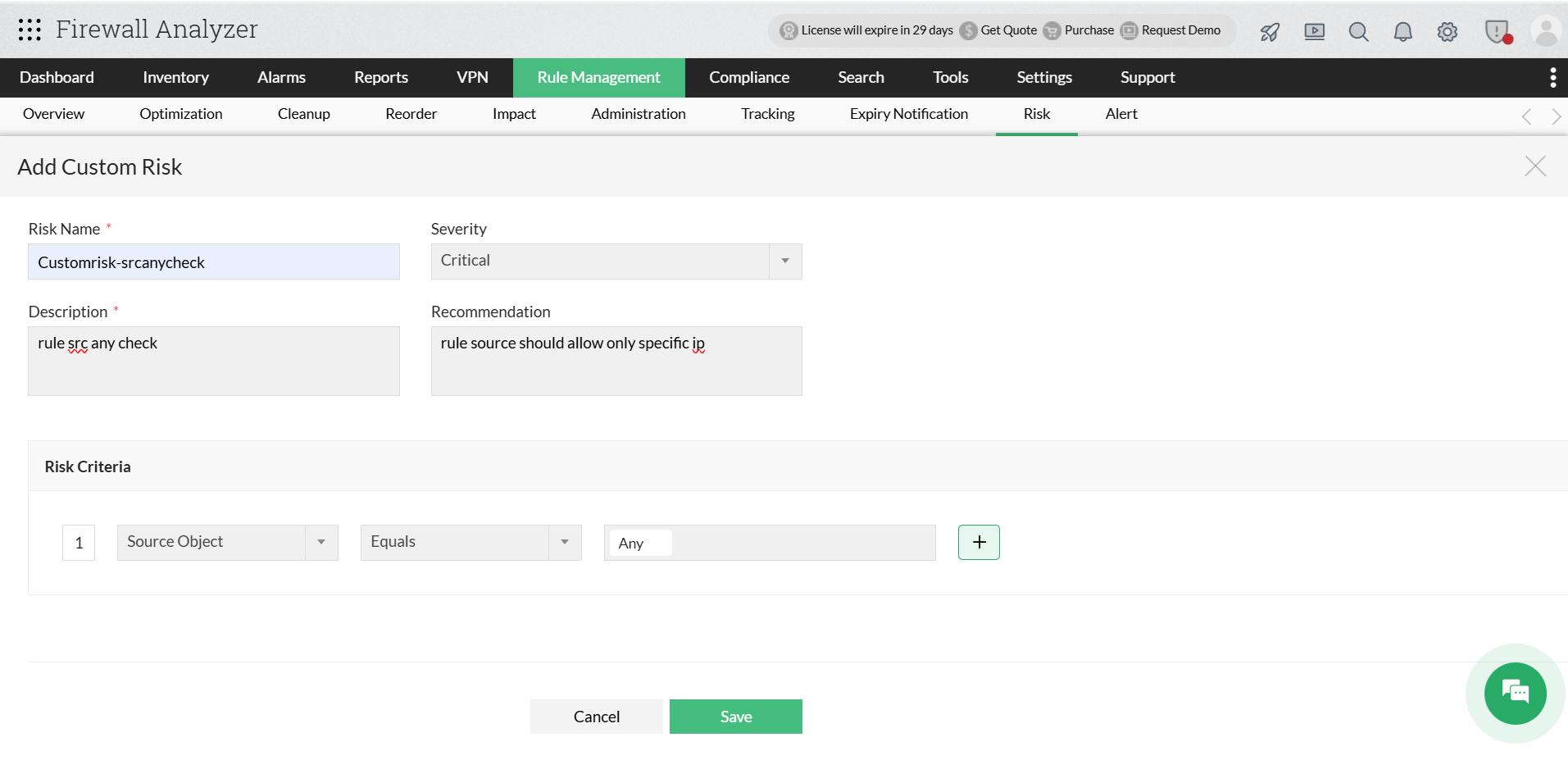
- Navigate to Rule Management → Risk.
- Click Add Custom Risk.
- Enter the following details:
- Risk Name
- Severity
- Description
- Recommendation
- Define the Risk Criteria:
- Select the required field (e.g., Source Object).
- Choose the condition (e.g., Equals).
- Specify the value (e.g., Any).
- Use + to add additional conditions if required.
- Click Save.
Once created, the custom risk will be available in the Risk view and applied during rule analysis.
Creating Custom Risk Profiles
To create a custom risk profile:
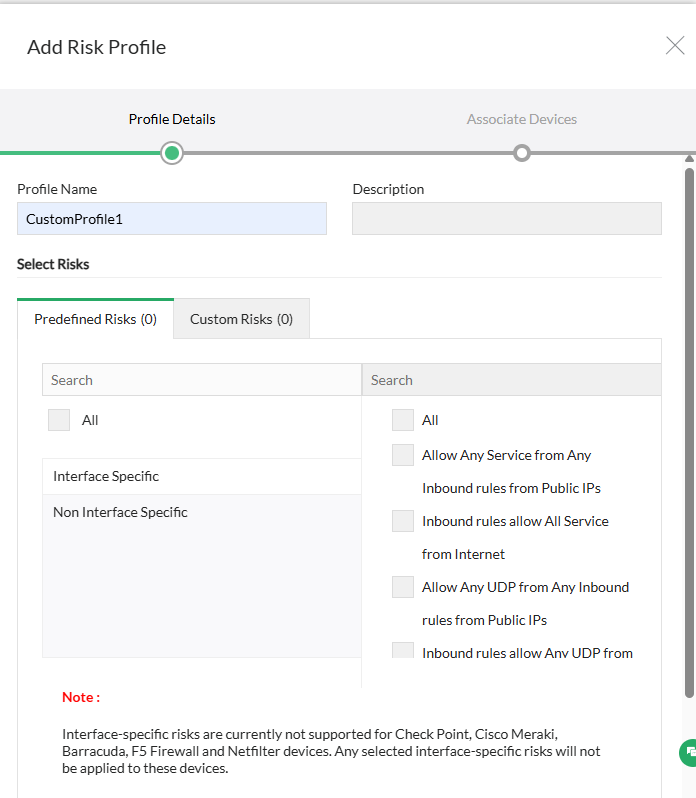
- Navigate to Rule Management → Risk → Custom Risk Profiles.
- Click Actions.
- Select Create Profile.
- Enter the following details:
- Profile Name
- Description
- Select the risks to be included in the profile.
- Associate the profile with the required firewall devices.
- Save the profile.
Once created, the profile will appear in the Profile-Based View.
Associating Profiles with Devices
- Open the Custom Risk Profiles page.
- Switch to Device-Based View.
- Select the required device.
- Assign:
- Default Risk Profile
- Additional Associated Profiles
The selected profile will be used to evaluate firewall rules for risks.
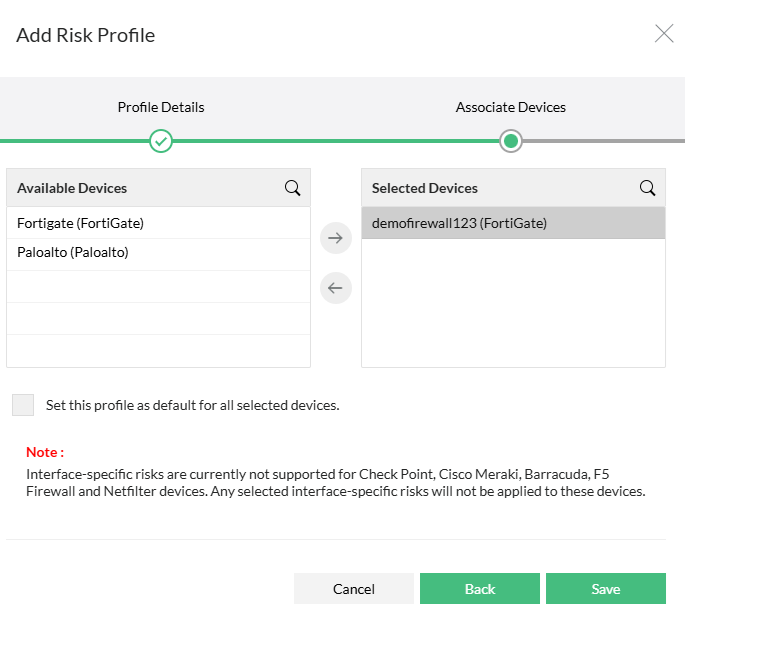
Note: Interface-specific risks are currently not supported for Check Point, Cisco Meraki, Barracuda, F5 Firewall and Netfilter devices. Any selected interface-specific risks will not be applied to these devices.
Accessing Custom Risk Profile
To access the Custom Risk Profiles page:
- Navigate to Rule Management from the top navigation menu.
- Click the Risk tab in the Rule Management module.
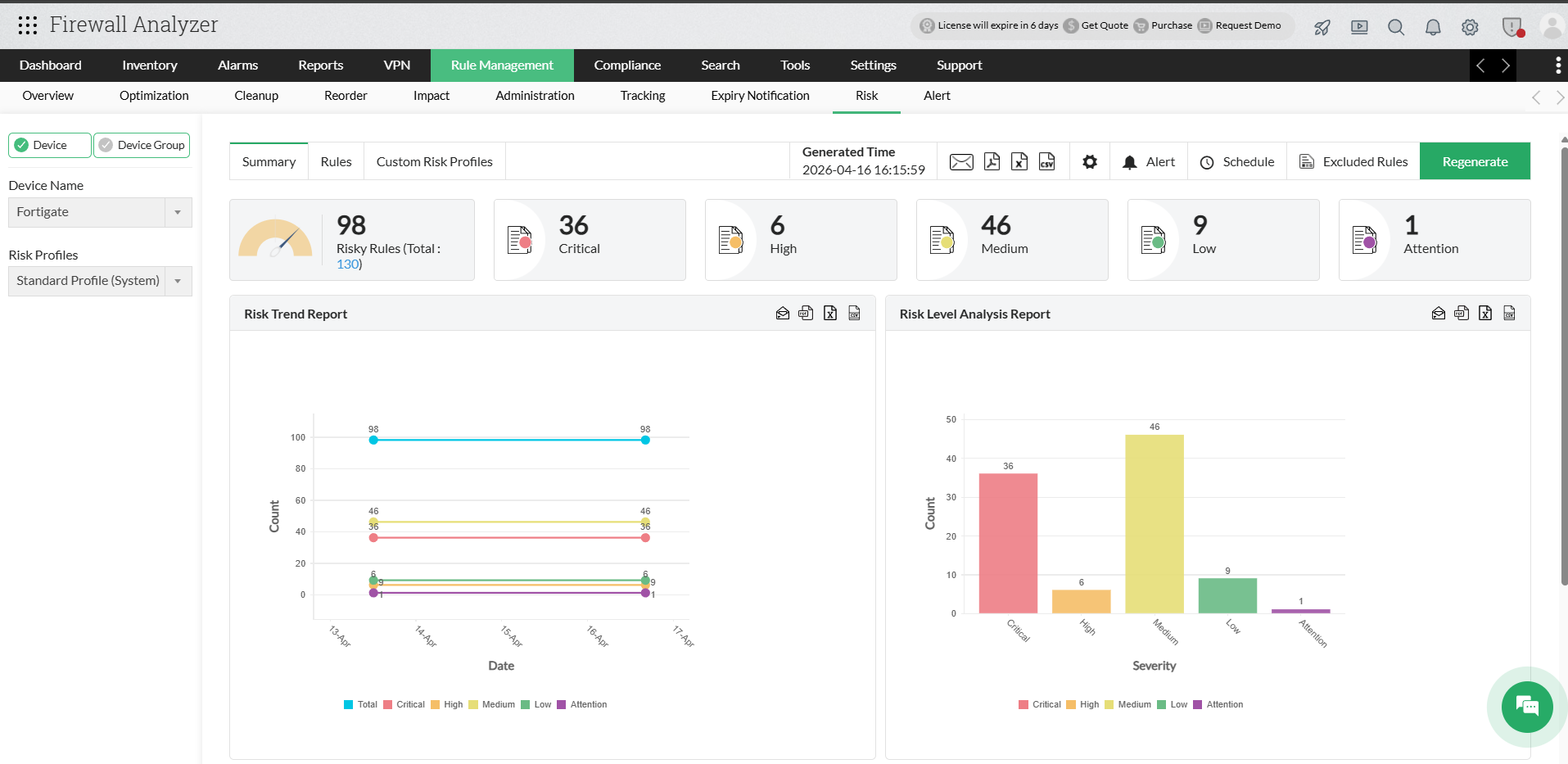
- Select the Custom Risk Profiles tab available next to Summary and Rules.
Once selected, the Custom Risk Profiles page will open, displaying the risk profile management interface.
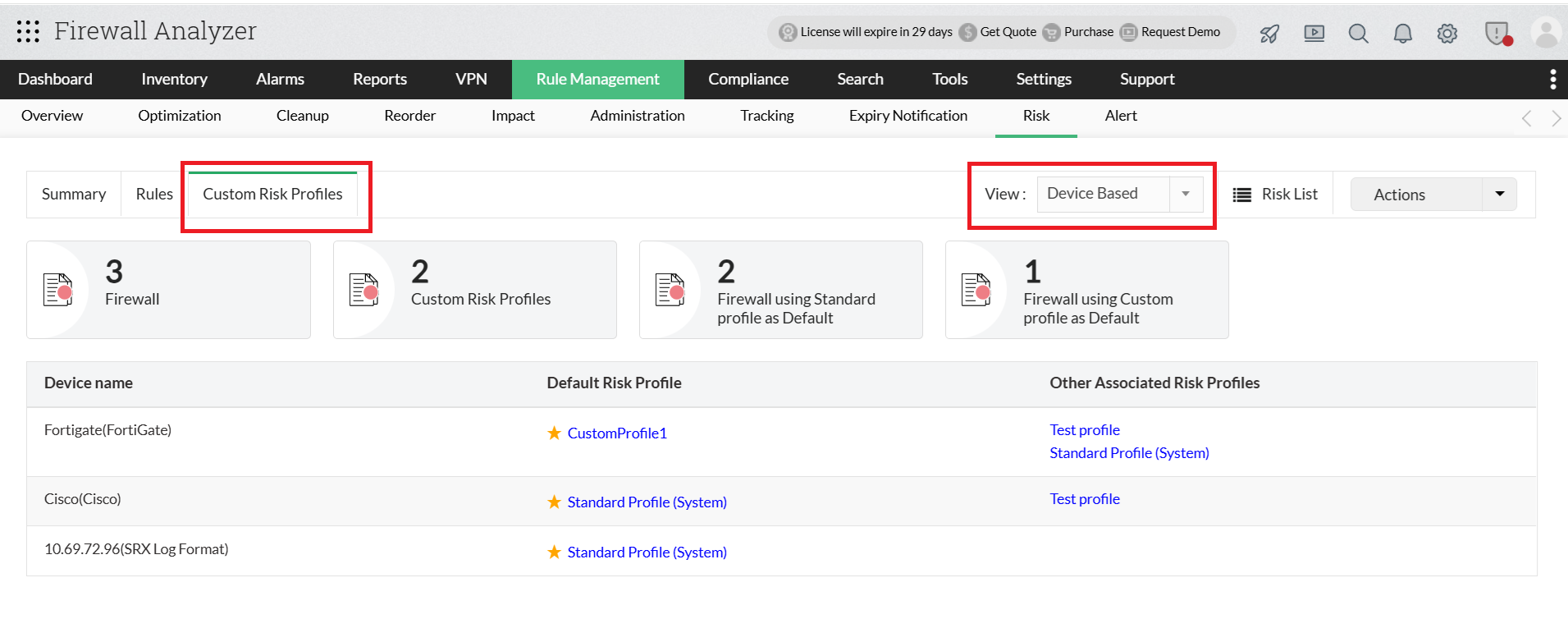
Page Overview
Summary Widgets
- Firewall — Total number of firewalls monitored.
- Custom Risk Profiles — Number of custom profiles created.
- Firewall using Standard profile as Default — Devices using default profile.
- Firewall using Custom profile as Default — Devices using custom profile as default.
View Selection
The View dropdown allows administrators to change how risk profile information is displayed.
| View Type | Details Displayed | Use Case |
|---|---|---|
| Profile Based View | Profile Name Profile Description Associated Devices Default device assignments Risk counts Applied risks | Useful for managing or reviewing specific risk profiles. |
| Device Based View | Device Name Default Risk Profile Other associated profiles | Helps verify which profiles are applied to each device. |
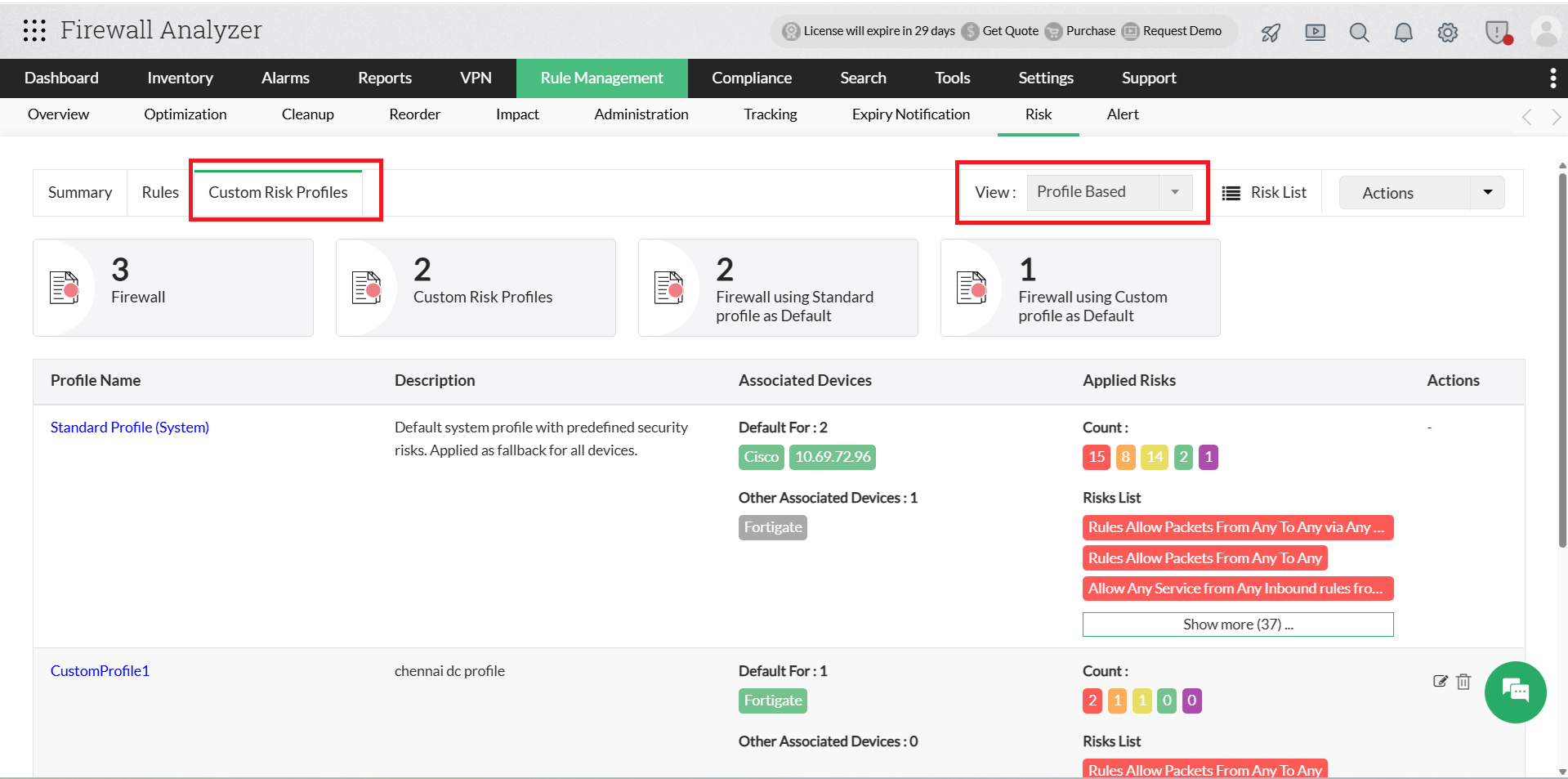
Profile List
| Field | Description |
|---|---|
| Profile Name | Name of the risk profile. |
| Description | Brief description of the profile configuration. |
| Associated Devices | Devices where the profile is applied. |
| Default For | Devices where the profile is set as default. |
| Applied Risks | Number of risks categorized by severity (Critical, High, Medium, Low, Attention). |
| Risk List | Preview of risks included in the profile. |
Administrators can edit or delete custom profiles from this section.
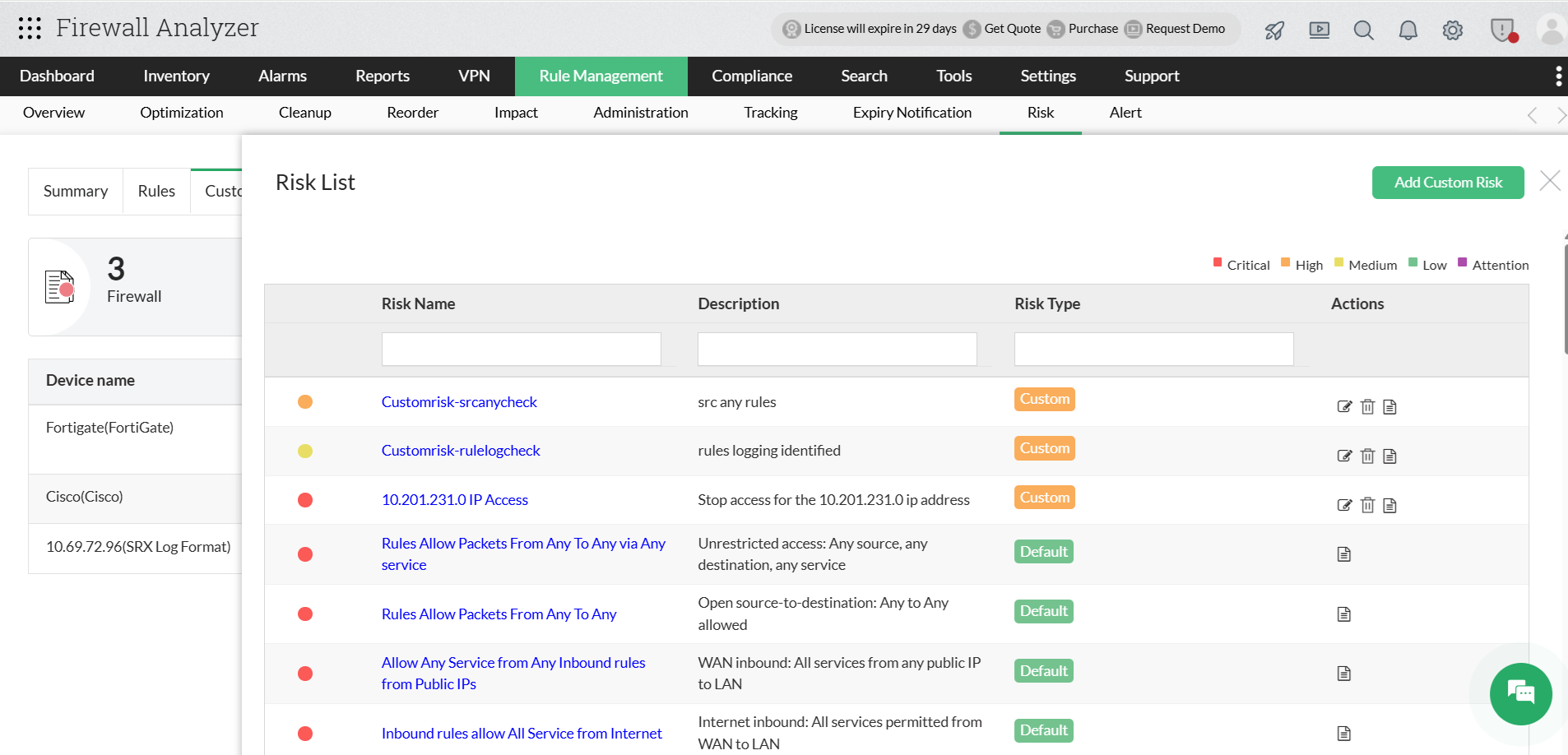
Risk List
| Item | Description |
|---|---|
| System-defined risks | Default risks provided by the system. |
| Custom risks | User-created risk definitions. |
| Risk Name | Name of the risk. |
| Description | Details about the risk. |
| Risk Type | Indicates whether the risk is Default or Custom. |
| Severity Level | Defines the impact level of the risk. |
For more information about Custom Risk Profiles, refer to the FAQs section.
Benefits of Custom Risk Profiles
- Custom Security Policies : Define risk criteria based on organizational requirements instead of relying only on predefined risks.
- Flexible Device Management : Apply different risk profiles to different firewall environments such as data centers, branches, or external networks.
- Automated Risk Monitoring : Firewall Analyzer automatically generates risk reports based on the default assigned profile. If no custom profile is set, the system falls back to the standard profile.
- Centralized Risk Management : Manage all risk profiles and configurations from a single interface.
- Improved Risk Visibility : Risks are categorized by severity levels (Critical, High, Medium, Low, Attention), helping administrators prioritize remediation efforts.