Device Score Ratings — Executive Summary Report
The Device Score in Firewall Analyzer provides a centralized and measurable approach to evaluating firewall security, baseline adherence, and regulatory compliance. By combining policy analysis, audit findings, and compliance checks into intuitive rating scores, administrators can quickly assess the overall health of their firewall environment and identify areas that require attention. With customizable weightage settings and detailed score breakdowns, organizations can align the scoring model with their operational and security priorities, helping improve governance, strengthen compliance readiness, and maintain a more secure firewall infrastructure.
Firewall Analyzer provides a consolidated security posture view through the Executive Summary Report and Policy Overview pages. The report introduces three distinct rating categories that help administrators evaluate firewall policy health, security compliance, and baseline adherence.
The following ratings are available:
- Security Rating
- Baseline Rating
- Regulatory Rating
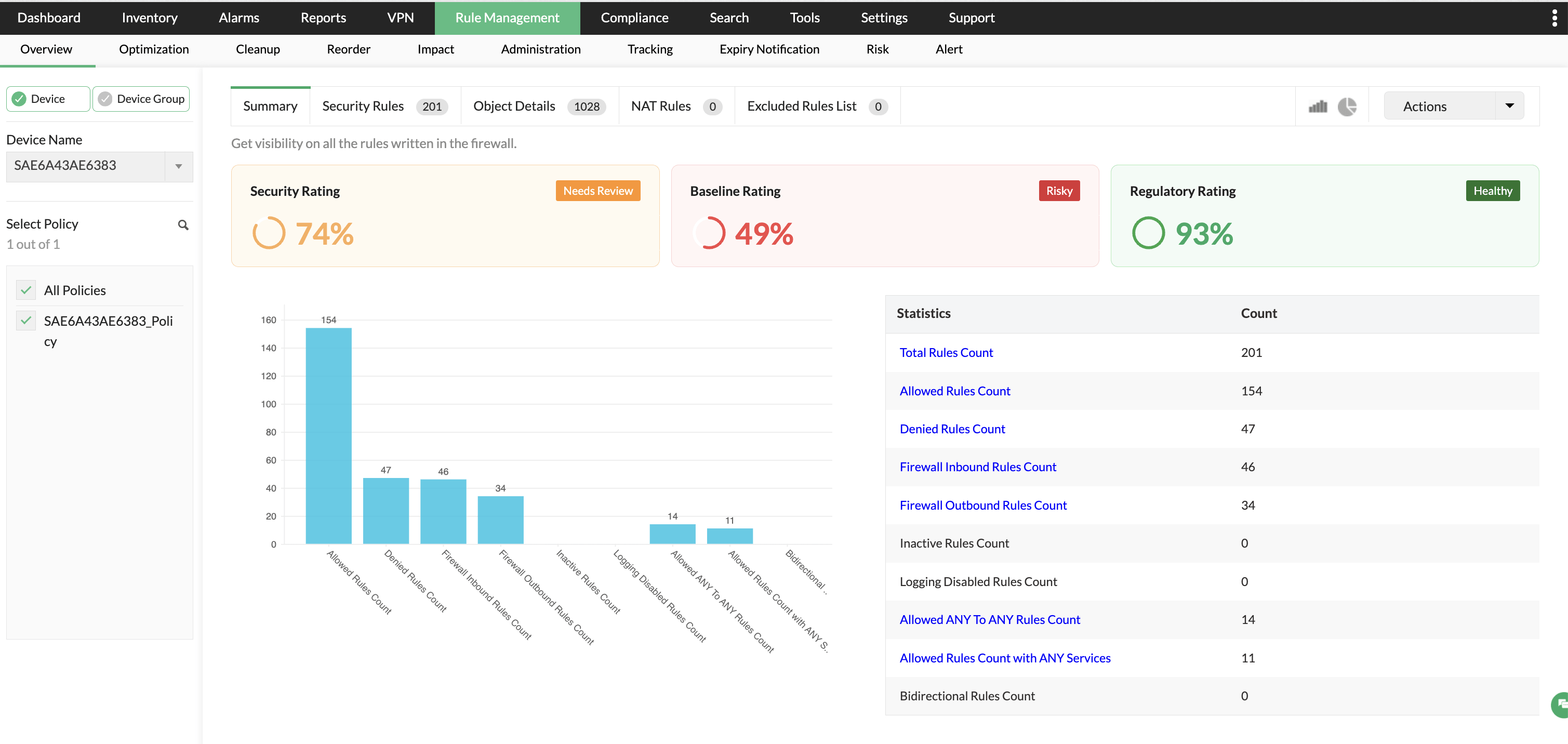
These ratings are calculated using policy analysis, audit findings, compliance checks, and firewall rule evaluations.
Administrators can configure the weightage assigned to each contributing factor from:
Settings > Firewall Server > Credentials > Device Score
Accessing the Executive Summary Report
Inventory > Device Rule > Executive Summary Report
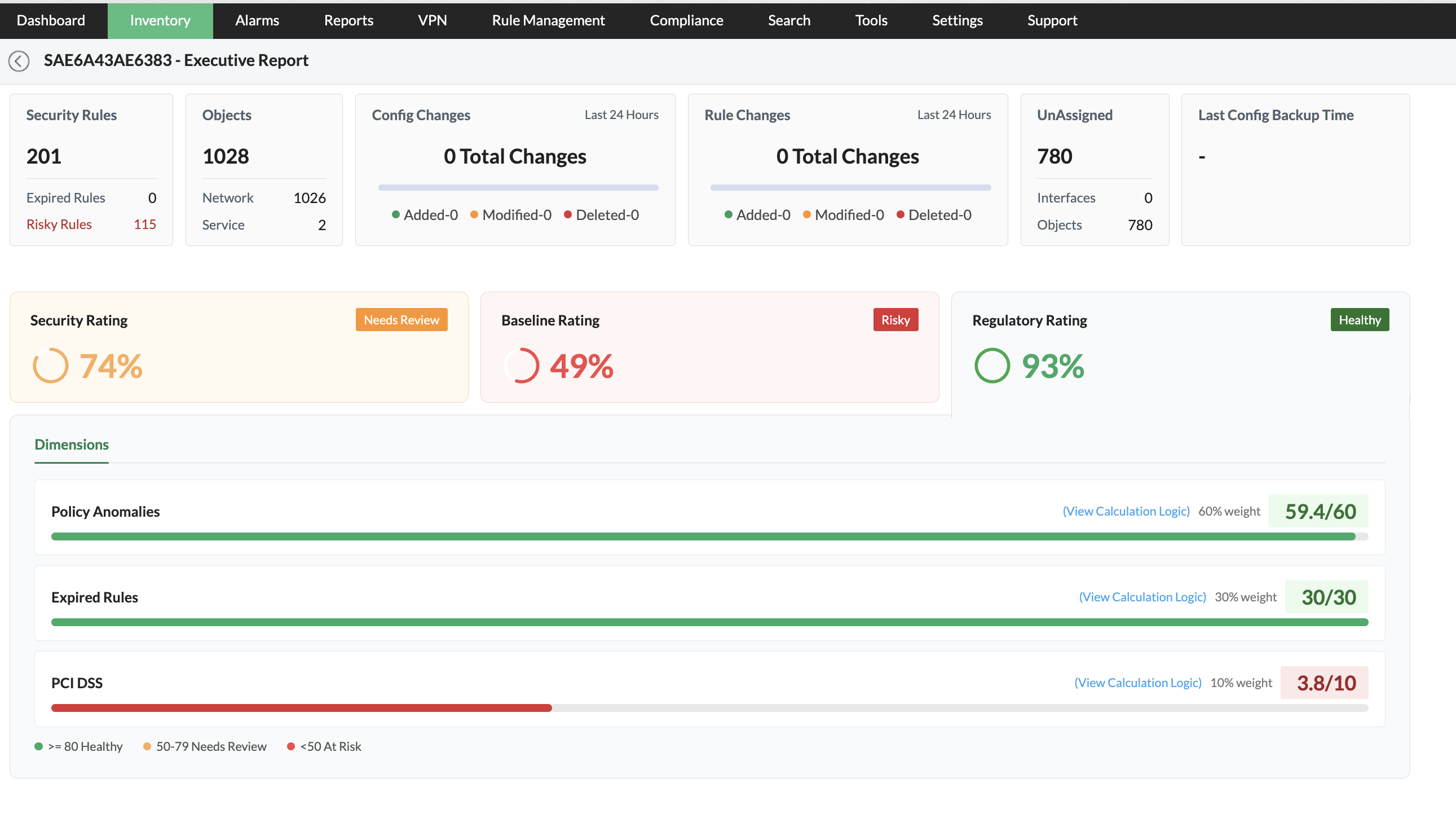
The Executive Summary Report provides:
- Overall device health overview
- Rule statistics
- Security posture analysis
- Baseline compliance status
- Regulatory compliance score
- Dimension-wise score contribution
The report helps security teams identify risky firewall configurations and prioritize remediation activities.
Configuring Device Score weightage
Administrators can configure how each contributing factor affects the final score.
Go to:
Settings > Firewall Server > Credentials > Device Score
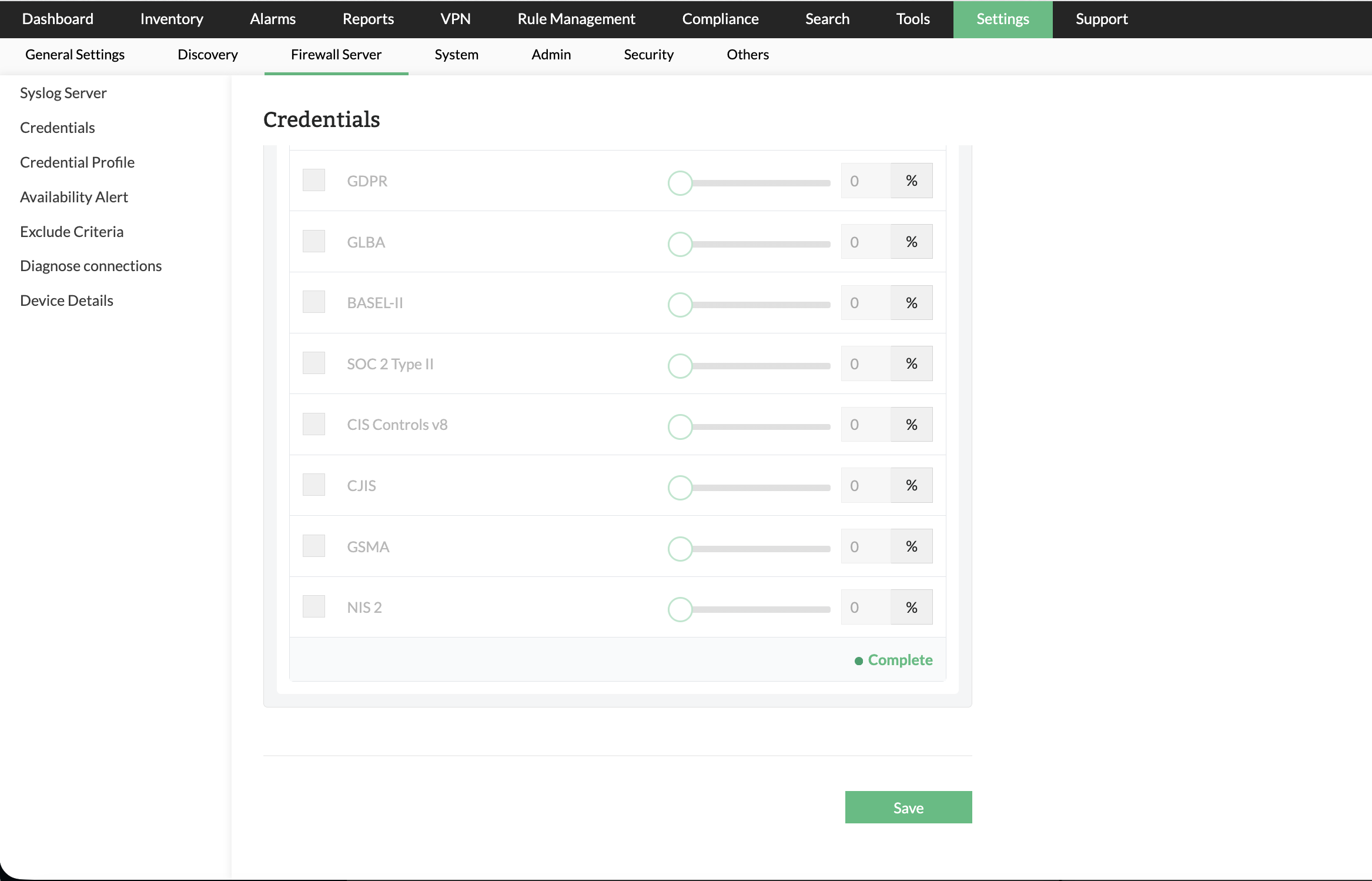
The Device Score settings page allows administrators to:
- Enable or disable specific dimensions
- Assign percentage weightage to dimensions
- Customize scoring logic based on organizational priorities
- Configure Security Rating calculation
- Configure Baseline Rating calculation
- Configure Regulatory Rating calculation
Rating Categories
1. Security Rating
The Security Rating reflects the overall security posture of firewall policies based on security-focused checks and policy analysis.
This score is customer configurable and calculated using the following features:
Contributing factors
| Feature | Description |
|---|---|
| Risky Rules | Detects firewall rules that may expose the network to potential threats due to overly permissive configurations. |
| Logging Disabled Rules | Identifies rules where logging is disabled, reducing visibility into traffic activity and security incidents. |
| Policy Anomaly Rules | Detects anomalies such as shadowed, redundant, duplicate, or conflicting firewall rules. |
| Expired Rules | Identifies rules that have crossed their validity or expiration period. |
| Security Audit | Includes findings from security audit checks performed on firewall policies. |
Example
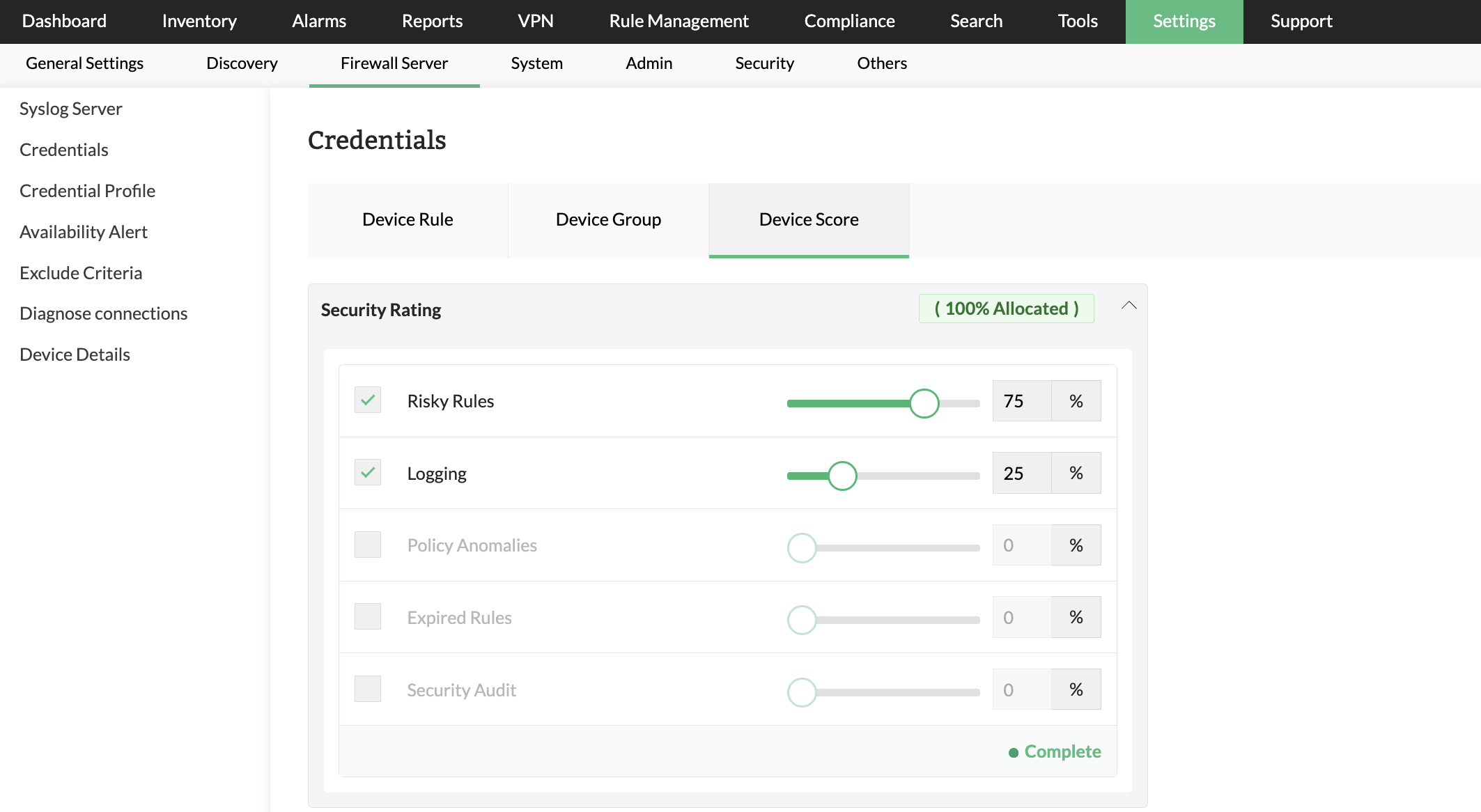
If the following weightage is configured:
- Risky Rules — 75%
- Logging Disabled Rules — 25%
Then the Security Rating is calculated using the weighted contribution of both dimensions.
Purpose
The Security Rating helps administrators:
- Identify high-risk firewall policies
- Improve rule hygiene
- Reduce unnecessary exposure
- Enhance traffic visibility through logging
- Maintain a secure firewall configuration
2. Baseline Rating
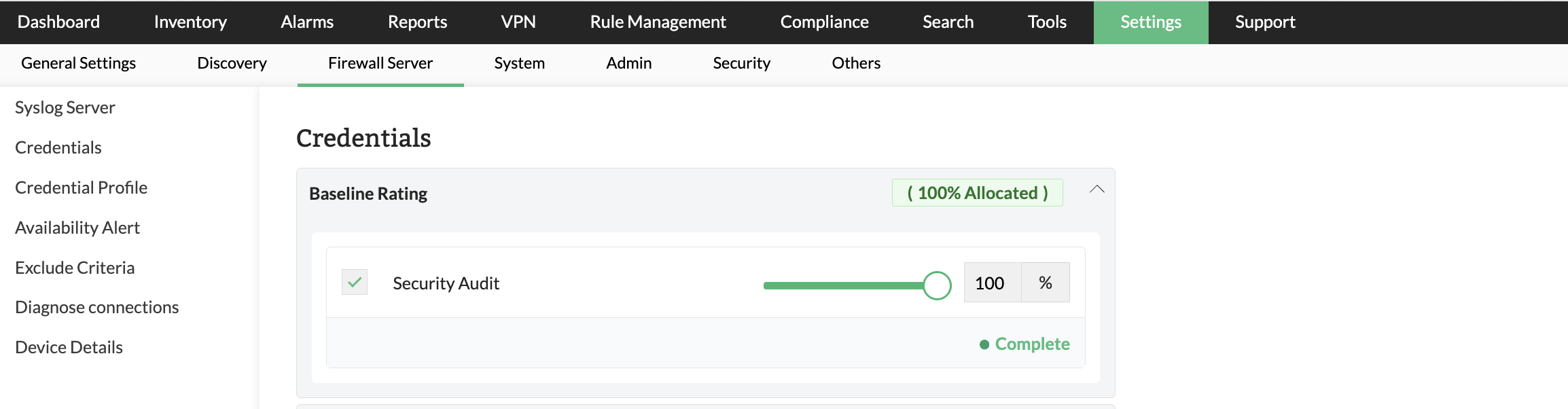
The Baseline Rating measures how well firewall configurations align with defined baseline security standards.
Contributing factor
| Feature | Description |
|---|---|
| Security Audit Report | Evaluates firewall configuration against baseline security best practices and audit policies. |
Purpose
The Baseline Rating helps administrators:
- Verify adherence to organizational standards
- Monitor baseline deviations
- Maintain consistent firewall configurations
- Improve operational governance
3. Regulatory Rating
The Regulatory Rating measures firewall compliance readiness against supported regulatory and compliance standards.
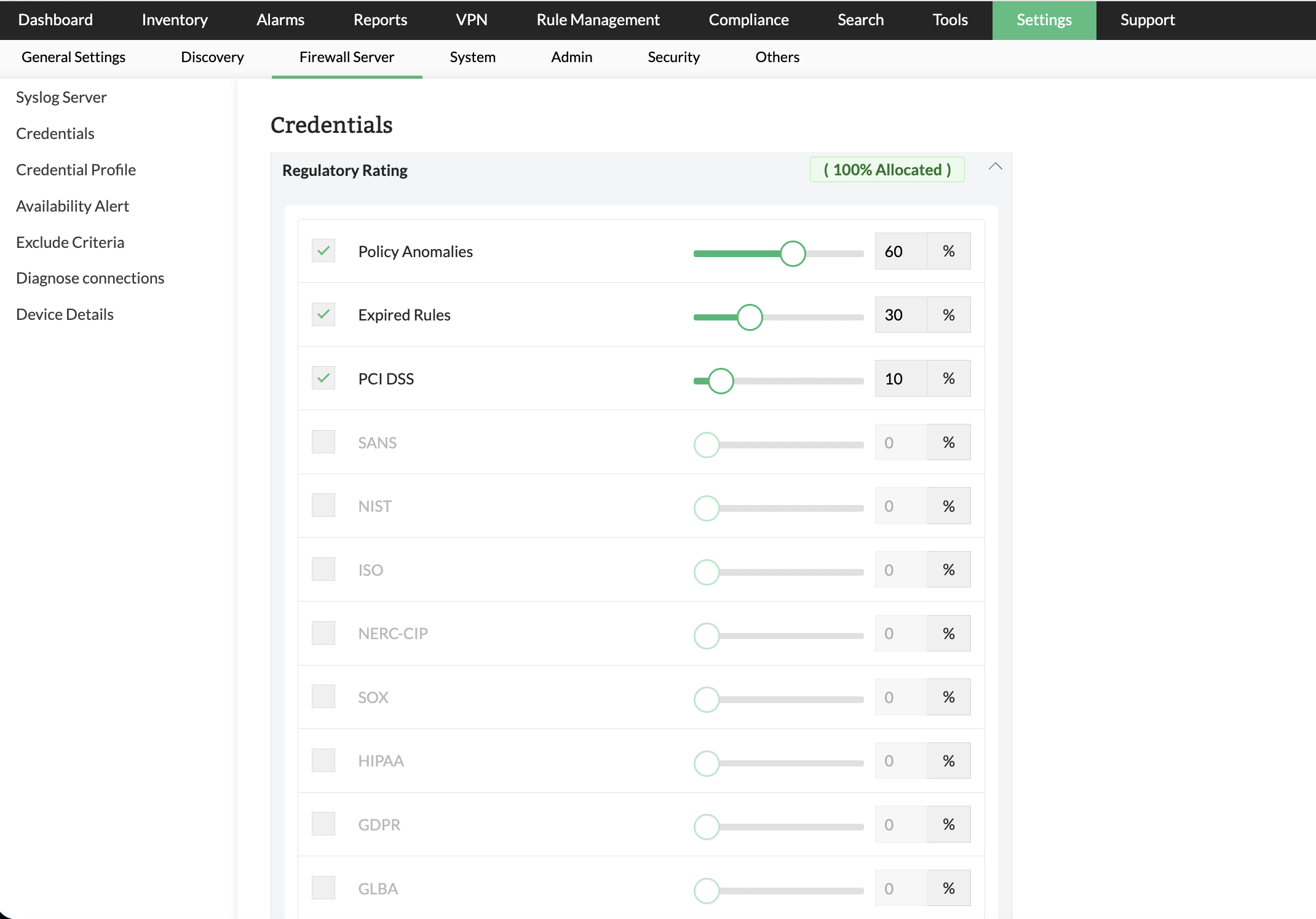
This score is customer configurable and calculated using the following features:
Contributing factors
| Feature | Description |
|---|---|
| Policy Anomaly Rules | Detects anomalies that may impact compliance posture. |
| Expired Rules | Identifies outdated or expired firewall rules that may violate compliance standards. |
| Supported Compliance Reports | Includes compliance checks for supported standards such as PCI-DSS, GDPR, and other regulatory frameworks. |
Supported compliance standards
Examples include:
- PCI-DSS
- GDPR
- HIPAA
- SOX
- ISO-based policy audits
Note: Available compliance reports may vary depending on licensed modules and configured compliance policies.
Purpose
The Regulatory Rating helps administrators:
- Monitor compliance posture
- Prepare for security audits
- Identify non-compliant firewall rules
- Reduce regulatory risks
Understanding rating status indicators
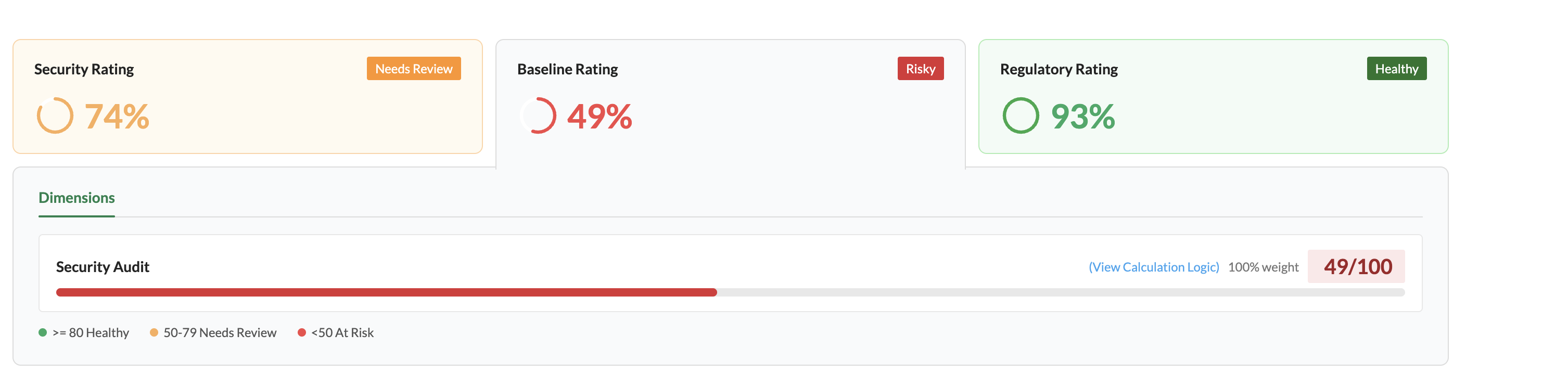
The Executive Summary Report displays health indicators for quick assessment.
| Status | Meaning |
|---|---|
| Healthy | Firewall policies meet acceptable security or compliance thresholds. |
| Needs Review | Some dimensions require attention or remediation. |
| Risky | Significant security risks or policy issues are present. |
These indicators help administrators quickly prioritize corrective actions.
To maintain an accurate and effective Device Score, organizations should regularly review firewall policies, remove risky or unused rules, enable logging for critical traffic, and resolve policy anomalies promptly. Periodic security audits and compliance assessments help ensure that firewall configurations remain aligned with organizational standards and regulatory requirements. Administrators are also encouraged to configure score weightages based on their security priorities and compliance objectives, enabling more meaningful visibility into the overall firewall security posture.