Integrating Firewall Analyzer with Log 360
ManageEngine Log 360 is a Security Information and Event Management (SIEM) solution that helps enhance network security and ensure compliance with regulatory requirements by collecting and analyzing logs. By integrating Firewall Analyzer with Log 360, administrators can forward critical logs to Log360 for advanced analysis, enabling deeper insights into user activity, anomaly detection, and potential threat identification.
- Configuring Log 360 details in Firewall Analyzer
- How does the Firewall Analyzer - Log 360 integration help network admins?
- What are the various reports that network admins can generate using this integration?
- Configuring Notification Templates
NOTE: Log360 (v13000 and above) is compatible with Firewall Analyzer v128707 and later.
Configuring Log 360 details in Firewall Analyzer
To integrate Firewall Analyzer with Log 360, follow the steps below:
- Go to Settings → General Settings → Integrations.
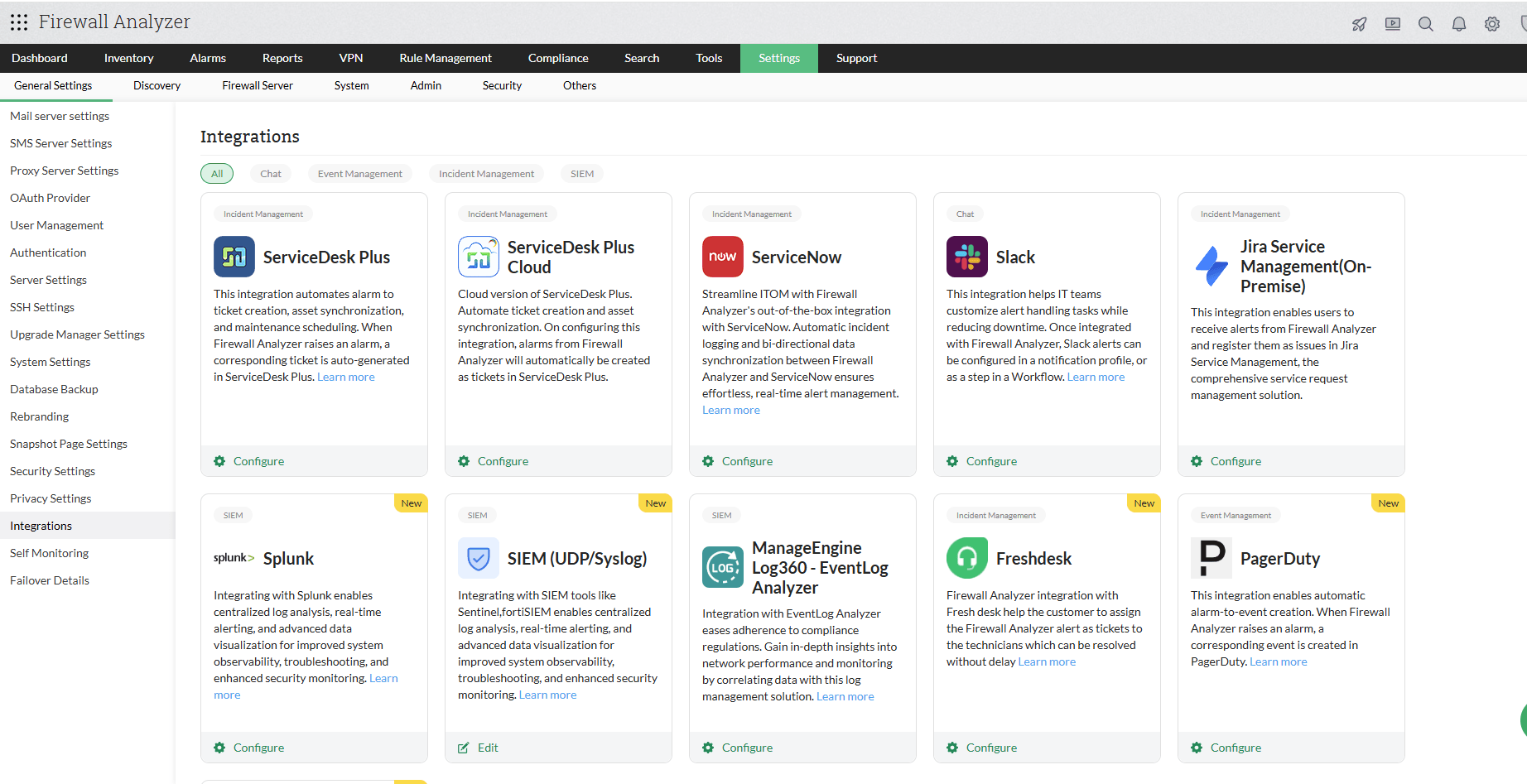
- Click on the Configure button available under the Log 360 section.
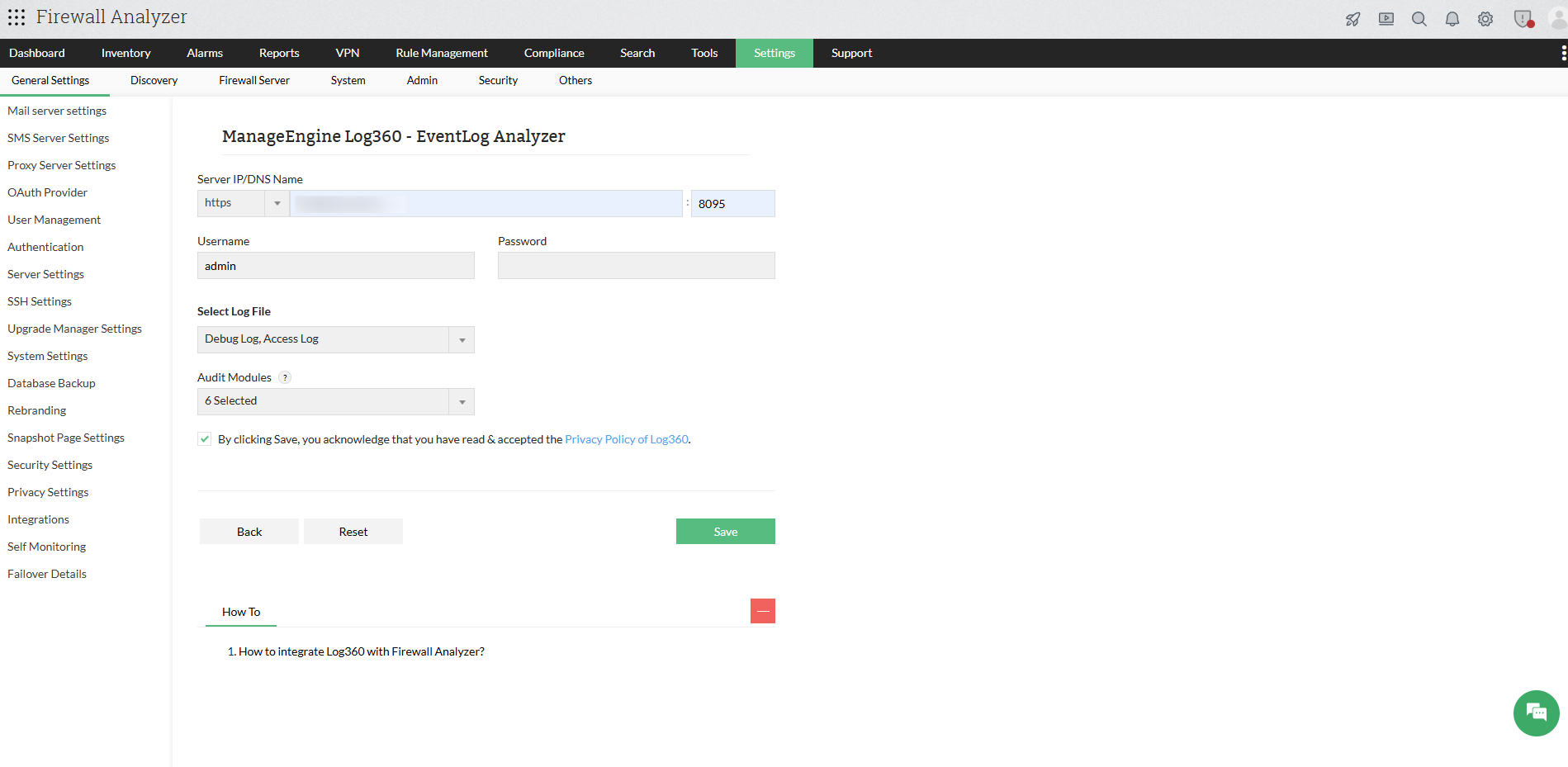
- Now, fill in the following details:
- Server IP/DNS Name: Enter the IP address or DNS name of the Log360 server, along with the port and protocol.
- Username: Enter the username of the Log360 user with admin privileges.
- Password: Enter the password of the Log360 user with admin privileges.
- Select Log File: Select the logs to be forwarded to Log360.
- Access Logs: Logs that capture requests handled by Firewall Analyzer, including user access details, timestamps, and actions performed within the product.
- Debug Logs: Logs generated during Firewall Analyzer operations that help in diagnosing and troubleshooting issues.
- Audit Modules: Select the required modules whose logs should be forwarded to Log360.
- Select the checkbox to acknowledge to have read and accepted the Privacy Policy of Log360.
- Click Save to submit the configuration.
How does the Firewall Analyzer - Log 360 integration help network admins?
By integrating Firewall Analyzer with Log 360, network admins can leverage the following functionalities:
Staying compliant with various regulations and frameworks
Centralized log collection and analysis are essential for compliance with standards such as HIPAA, PCI-DSS, and others. By forwarding Firewall Analyzer logs to Log360, administrators can ensure proper auditing and adherence to regulatory requirements.
Enhanced security
By forwarding access and debug logs to Log360, administrators gain visibility into user activities within Firewall Analyzer. Correlating these logs helps in identifying anomalies, troubleshooting issues, and strengthening overall security posture.
What are the various reports that network admins can generate using this integration?
Once Firewall Analyzer is integrated with Log 360, access and debug logs are automatically forwarded to the Log360 server via Syslogs. These logs can be visualized in the form of the following reports:
NOTE:
Log360 uses both UDP and TCP ports to receive syslogs. By default, ports such as UDP 514, UDP 513, TCP 514, and TCP 513 are used. These ports can be customized if required.
Product Activity Reports
The product activity report category contains the All Activity report, which provides a consolidated view of all logs forwarded from the Firewall Analyzer server.
Debug Reports
The following debug reports can be generated from the debug logs of Firewall Analyzer:
- Instance Created: Provides details about the product startup instance along with the associated configurations within the selected time period.
- Services Created: Lists the services initiated during Firewall Analyzer startup within the specified timeframe.
Web Access Reports
These reports provide insights into user access patterns within the product, including login activities and interactions with the Firewall Analyzer interface.
User Audit Reports
The User Audit Reports provides visibility into user activities and administrative actions in Firewall Analyzer, including authentication events, configuration changes, and user lifecycle operations. It helps track key activities such as user logins and logouts, creation and deletion of user accounts, and modifications to roles and permissions. Additionally, it captures important system changes like device additions and configuration updates, enabling administrators to monitor access, maintain compliance, and detect unauthorized actions.
Configuring Notification Templates
You can use notification templates in Firewall Analyzer to customize alert delivery for triggered alarms. It can also be associated with alarm correlation rules to receive notifications when predefined event patterns are detected.
- Go to Settings -> Notifications -> Notification templates
- Click on Add navigate to SIEM and select Log360 to add a notification template.
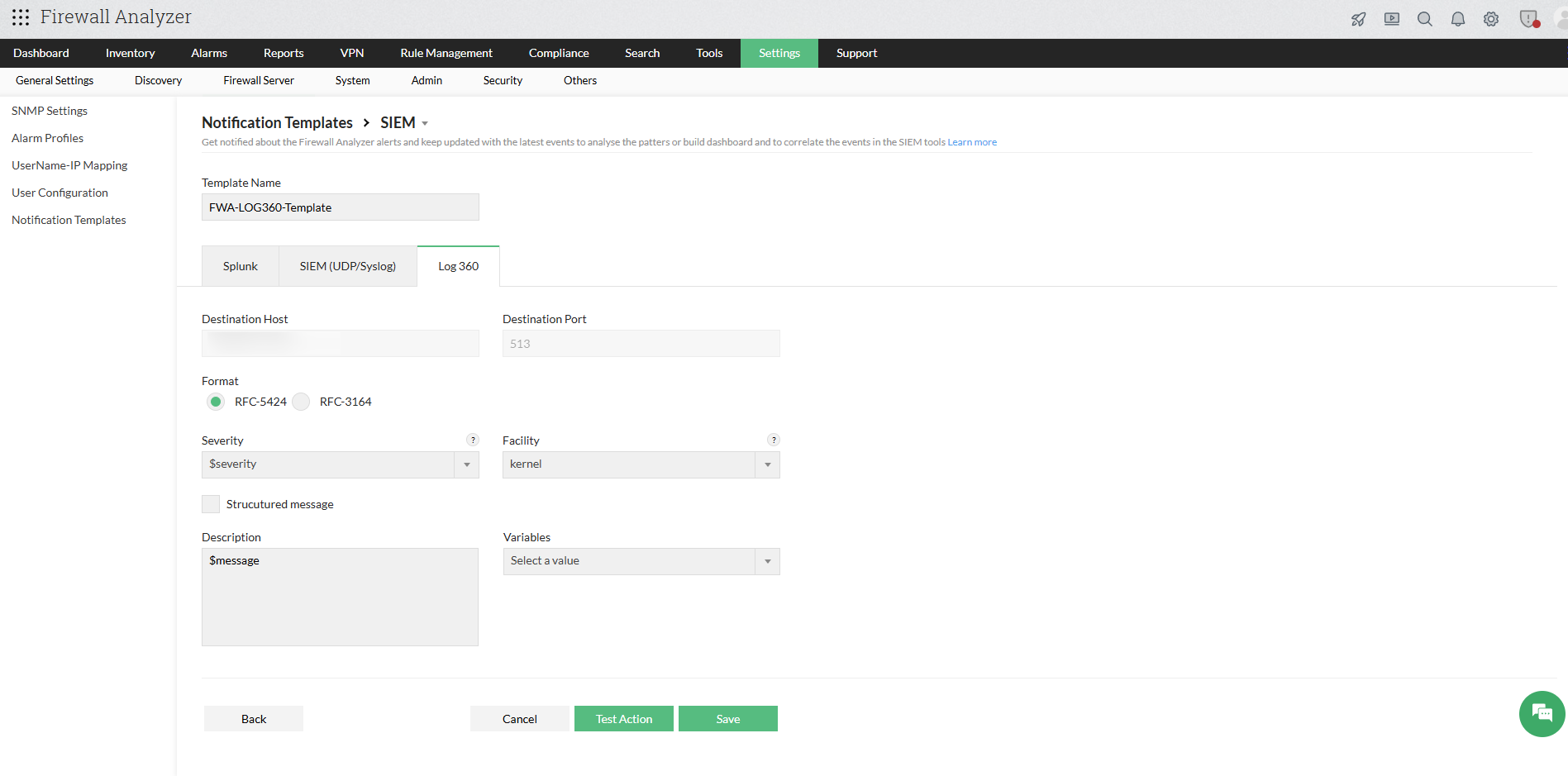
- Enter the required parameters, including Template Name, Format, Severity, Facility, Description, and relevant variables.
- If you enable the Structured Message option, make sure to provide the required key-value pair inputs.
- To verify the template created, click on Test Action.
- Click Save.