Integrate Ollama with Firewall Analyzer
Firewall Analyzer integrates with Ollama to provide AI-powered analysis directly within your network monitoring workflow. Once configured, Firewall Analyzer uses Ollama’s language models to generate summaries of device statuses, active alarms, and key performance metrics upon user request — delivering consolidated summaries and actionable recommendations without requiring users to leave the platform. This enables IT teams to troubleshoot issues faster, reduce alert noise, and make more informed decisions using one of the most efficient and cost-effective AI models available.
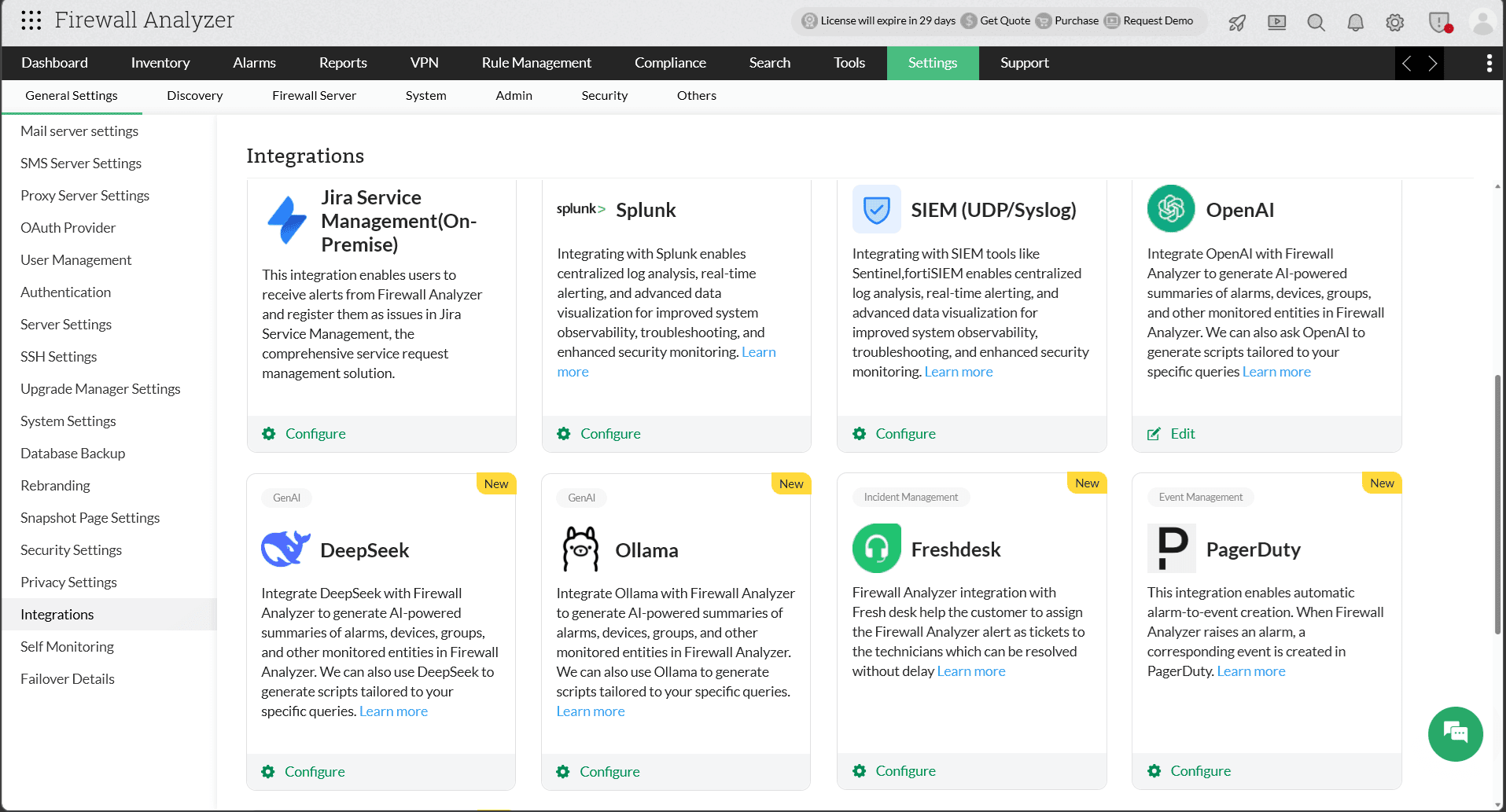
Configuration in Firewall Analyzer
AI-generated summaries in Firewall Analyzer require the Ollama integration to be configured beforehand.
- Navigate to Settings → General Settings → Integration → Ollama.
- Enter the Organization Name and Base URL.
- Read and acknowledge the data privacy notice before proceeding.
- Click Save.
Ollama has now been successfully integrated with Firewall Analyzer.
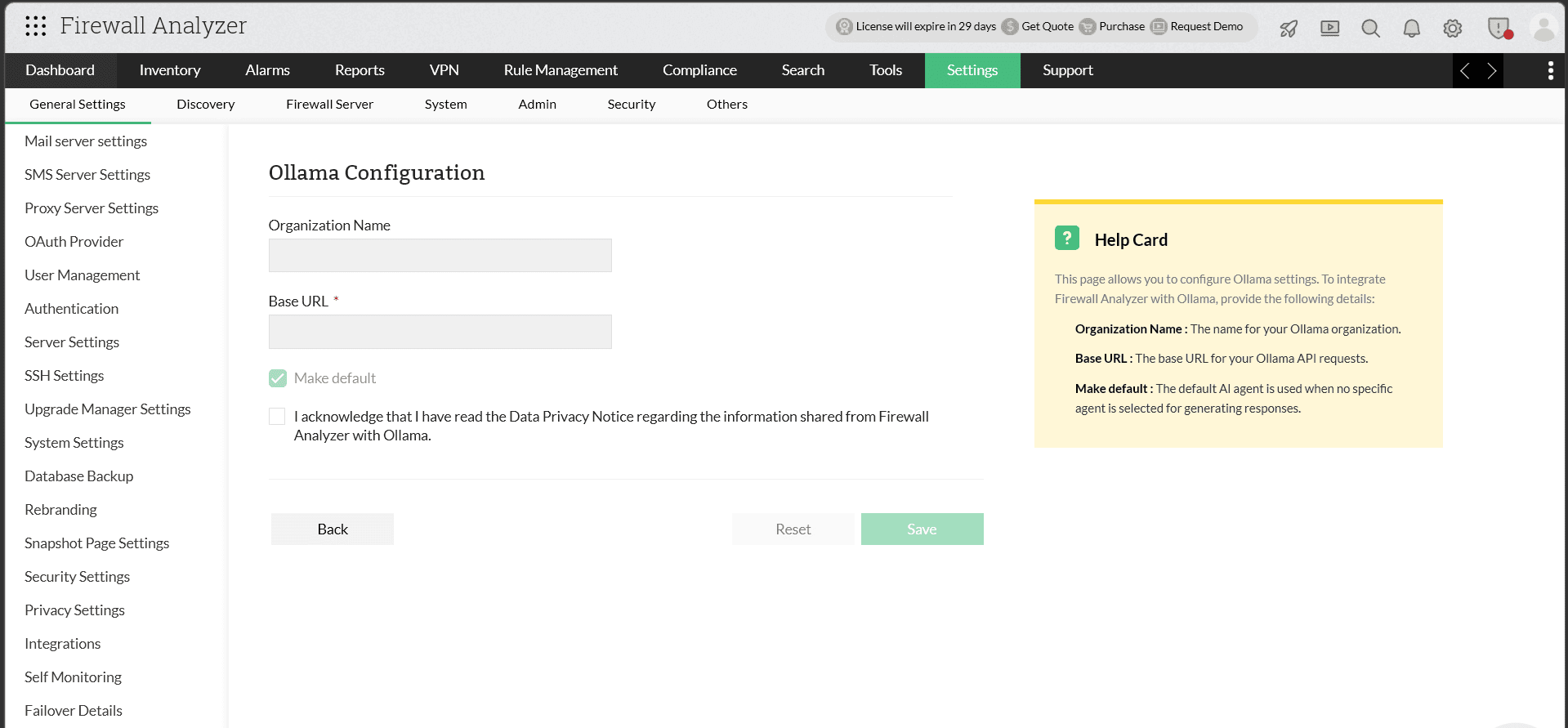
To Change the Default Model
Firewall Analyzer uses gpt-oss:20b as the default model for Ollama integration; ensure that this model is downloaded locally for use. If you prefer to use a different model, you can override the default by editing the server parameters configuration file:
- Navigate to <OPM_HOME>/conf/OpManager/ on your Firewall Analyzer server.
- Open the file serverparameters.conf in a text editor.
- Add the following entry at the bottom of the file:
OLLAMA_GENAI_MODEL <your-model-name>
For example, to use llama3:
OLLAMA_GENAI_MODEL llama3
- Save the file and restart Firewall Analyzer for the changes to take effect.
AI-generated summaries in Firewall Analyzer
With the Ollama integration enabled, users can generate summaries for several monitored entities, including:
- All alarms summary
- Individual alarm summary
- Executive Report
- Risky Rules Reports
- Policy Anomaly Reports
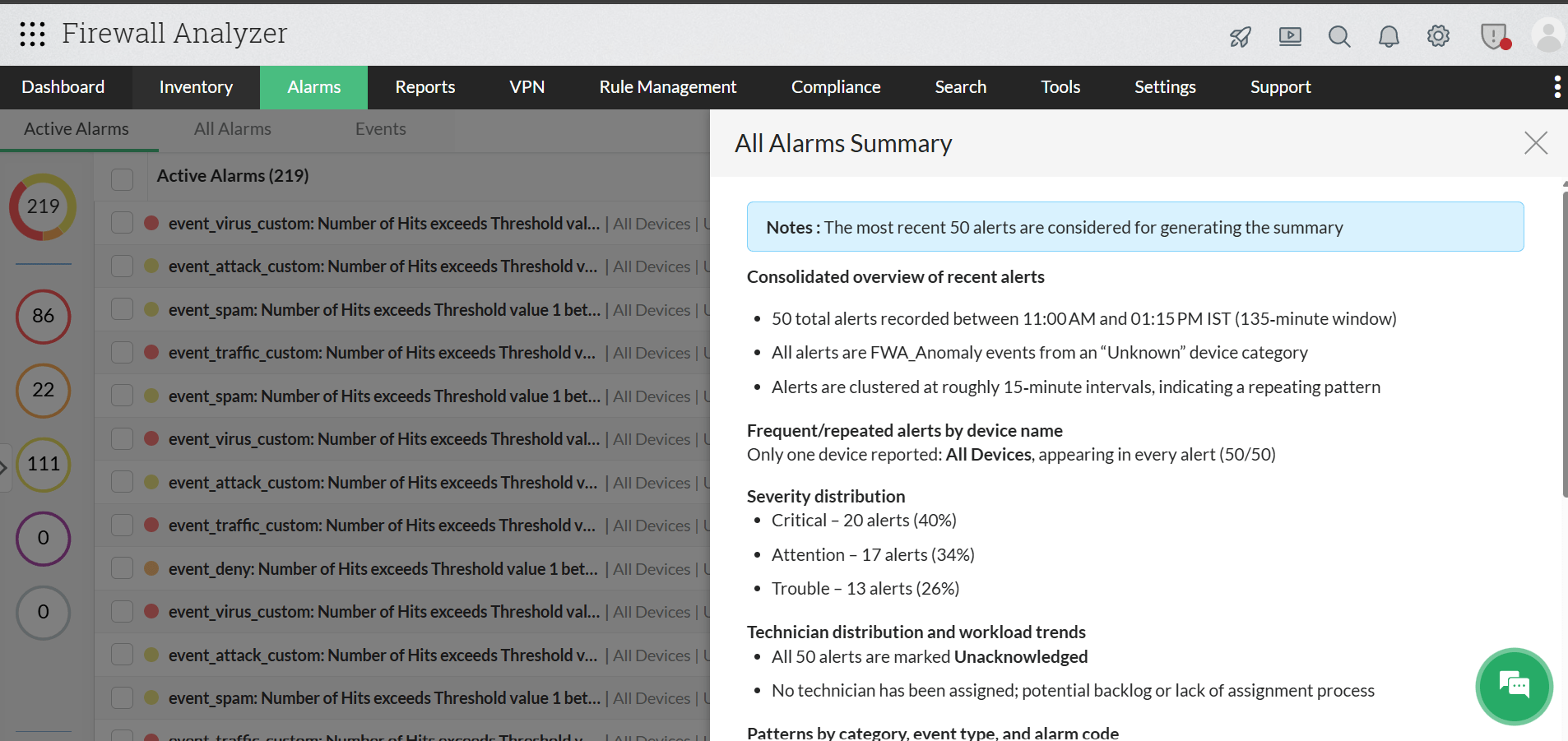
All Alarms Summary
Firewall Analyzer can consolidate all active alarms into a single, easy-to-understand summary that highlights the most important details.
Individual Alarm Summary
Firewall Analyzer’s Ollama integration can also analyze individual alarms in detail by identifying the alarm type, listing probable causes, and generating a detailed and actionable summary for the selected alarm.
- Navigate to Alarms and open any alarm of your choice.
- Click the Summarize tab to generate a detailed summary for that alarm.
Executive Report Summary
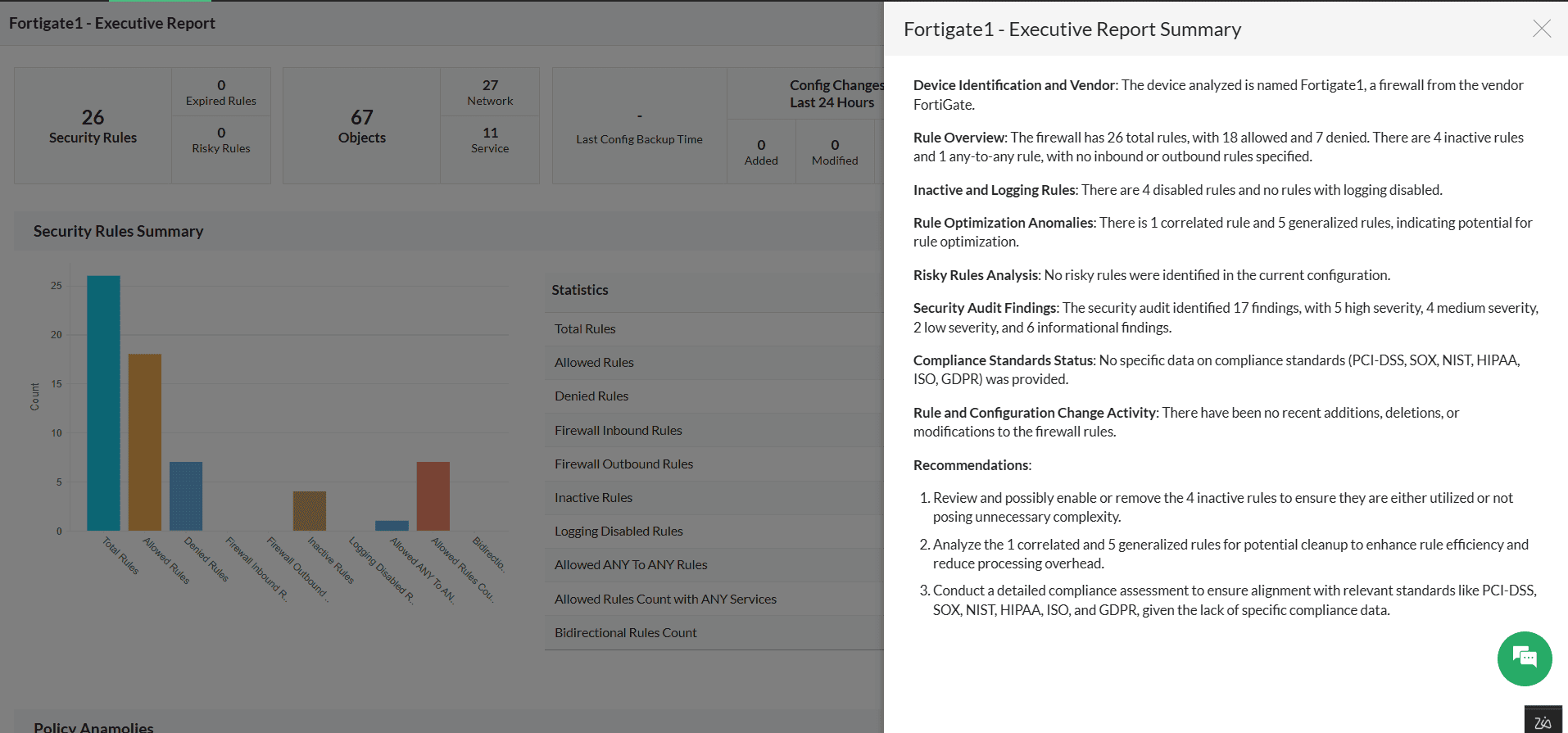
Firewall Analyzer’s Ollama integration also extends to Executive Report summaries, enabling users to quickly understand firewall policy posture, audit findings, and configuration health through AI-generated insights. Instead of manually reviewing large executive reports, Ollama analyzes the available report data and generates a concise summary with key observations and recommendations.
- Go to Inventory -> Device Rule tab, -> and select the required firewall device.
- Open the Executive Report for the selected device.
- Click the Summarize tab available in the Executive Report view.
- Firewall Analyzer will process the report data using Ollama and automatically generate the Executive Report Summary.
- Review the generated summary, audit findings, policy insights, and recommendations for further analysis and remediation.
Risky Rules Report Summary
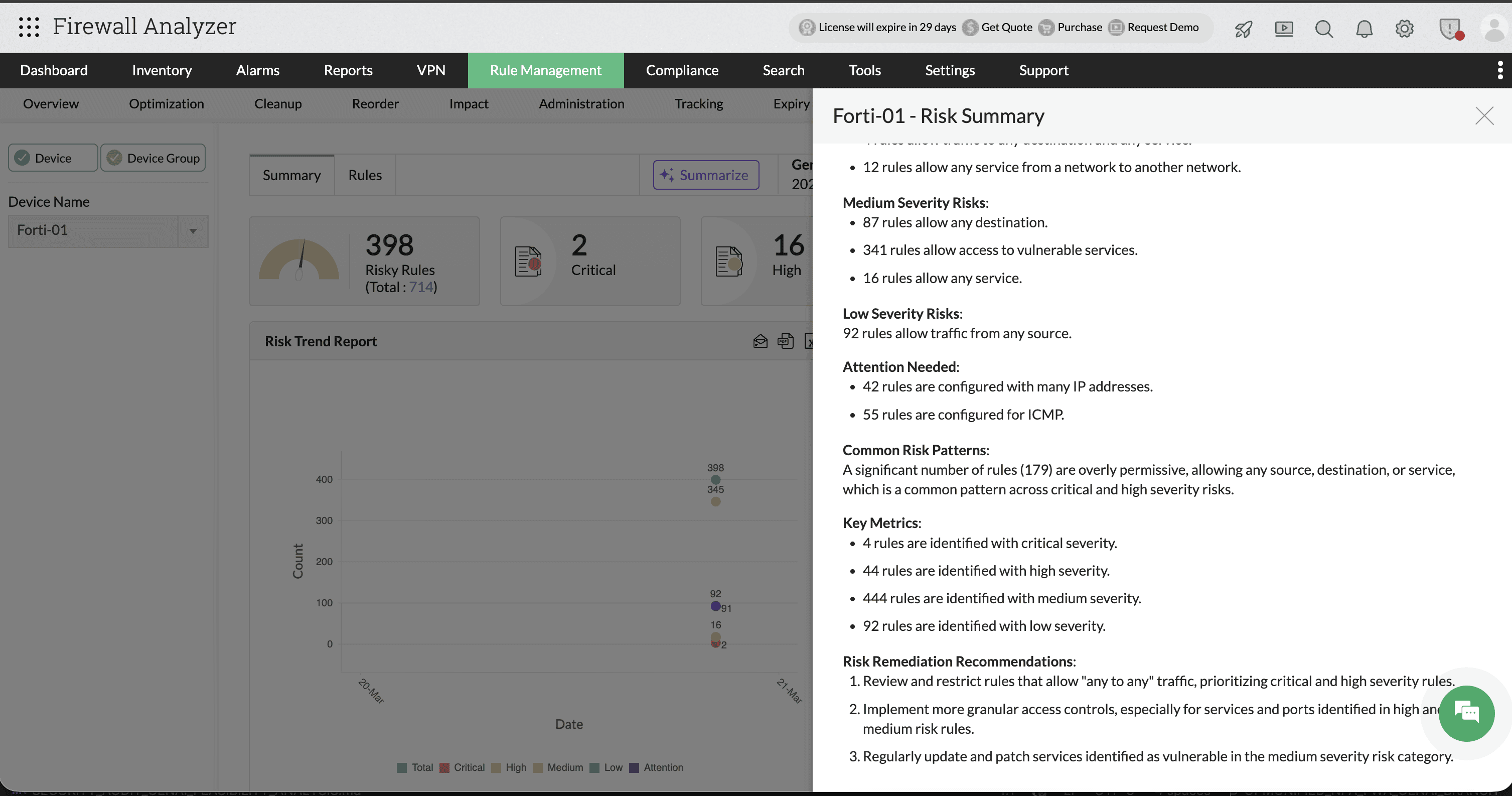
Firewall Analyzer’s Ollama integration also supports AI-powered summaries for Risky Rules reports. The generated summary helps administrators quickly identify critical, high, medium, and low severity firewall rules, along with common risk patterns, overly permissive policies, and remediation recommendations. Instead of manually reviewing hundreds of risky rules, Ollama consolidates the findings into an easy-to-understand security overview with actionable insights.
- Go to Rule Management -> Risk
- Select the required firewall device or device group.
- Open the Summary tab under Risk Management.
- Click the Summarize option available in the top-right corner.
- Firewall Analyzer will analyze the risky rules report using Ollama and automatically generate the AI-powered Risk Summary.
- Review the generated severity analysis, risk patterns, key metrics, and remediation recommendations for further policy optimization.
Policy Anomaly Summary
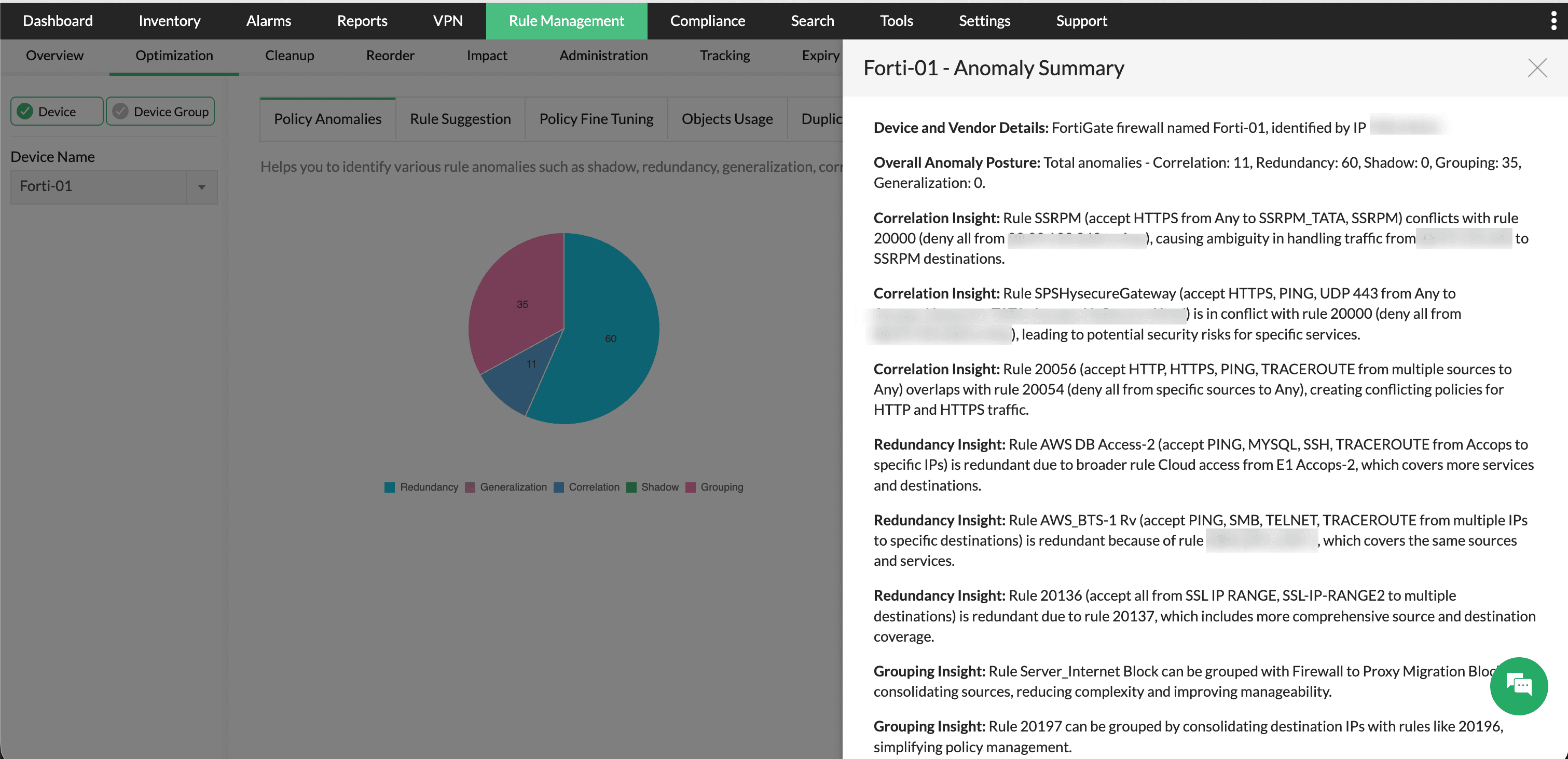
Firewall Analyzer also supports AI-generated summaries for Policy Anomaly reports through the Ollama integration. The summary helps administrators identify rule anomalies such as correlation, redundancy, shadowing, grouping opportunities, and generalization issues across firewall policies. Ollama analyzes the anomaly report data and presents a consolidated explanation of conflicting or redundant rules along with optimization recommendations to simplify policy management.
- Go to Rule Management -> Optimization -> Policy Anomalies.
- Click the Summarize option available in the top-right corner.
- Firewall Analyzer will process the anomaly data using Ollama and generate the AI-powered Policy Anomaly Summary.
- Review the generated anomaly insights, conflict analysis, redundancy findings, and grouping recommendations to optimize firewall rule management.
The Firewall Analyzer—Ollama integration combines AI-powered summaries, and real-time insights into a unified workflow , significantly reducing manual analysis and enabling faster, more informed decision-making across network operations.