Integrate Firewall Analyzer with OpenAI
Firewall Analyzer integrates with OpenAI to provide AI-powered insights for network monitoring. Through this integration, ChatGPT can generate summaries for device statuses, alarms, and other metrics within Firewall Analyzer. This helps users gain a unified overview along with recommended actions for faster troubleshooting and improved operational efficiency.
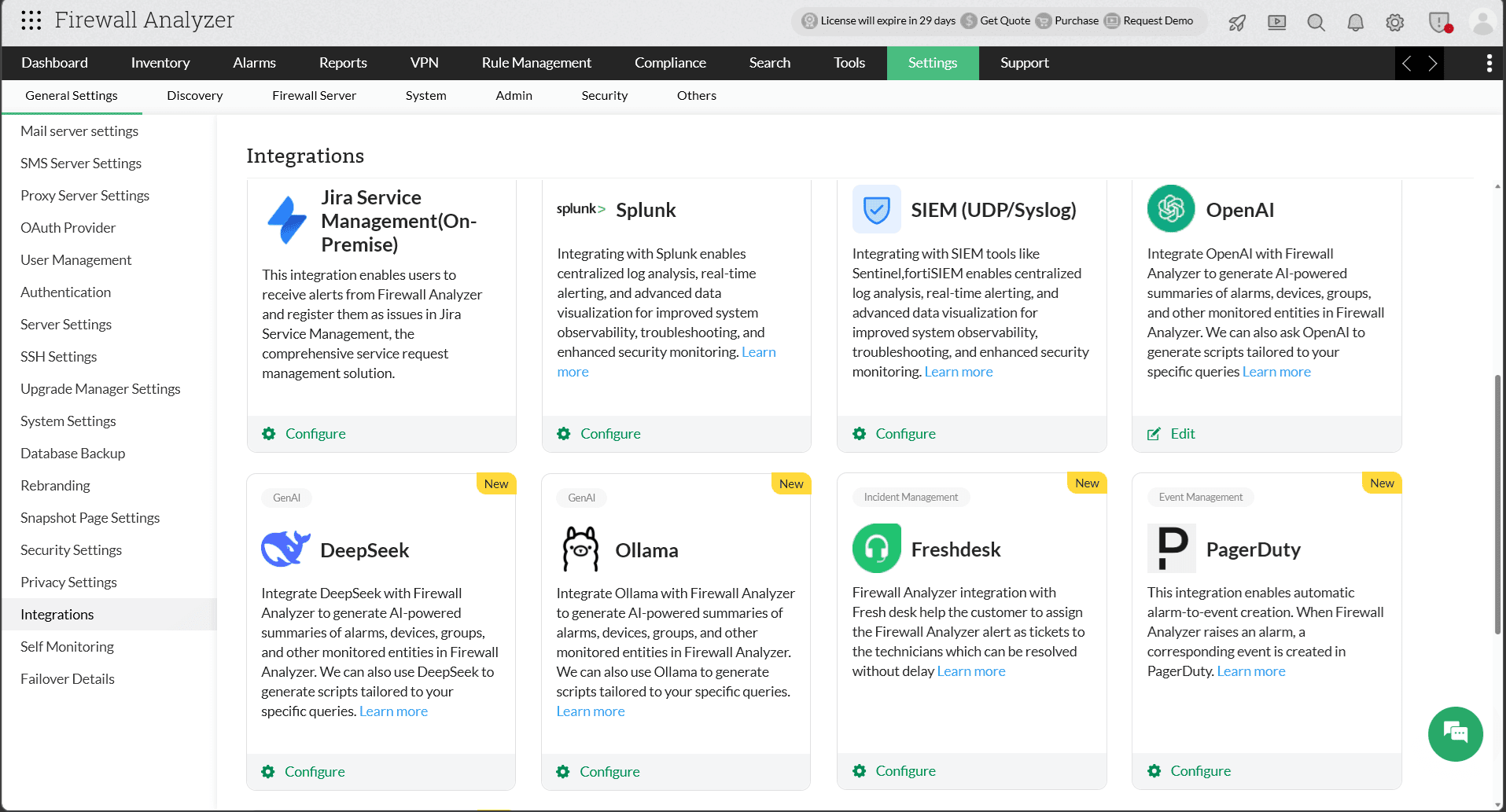
Configuration in Firewall Analyzer
To enable AI-generated summaries in Firewall Analyzer, you must first configure the OpenAI integration. Firewall Analyzer connects with OpenAI using an API key generated from the OpenAI platform. You need to copy the API key from your OpenAI account and configure it within Firewall Analyzer.
- Navigate to Settings -> General Settings -> Integration -> Open AI.
- Enter the Organization Name and Organization ID.
- In the API Key field, paste the API key copied from your OpenAI settings. If you have not generated one yet, click Generate API Key, then copy and paste the generated key.
- Accept the displayed data privacy notice and click Proceed.
- Click Save.
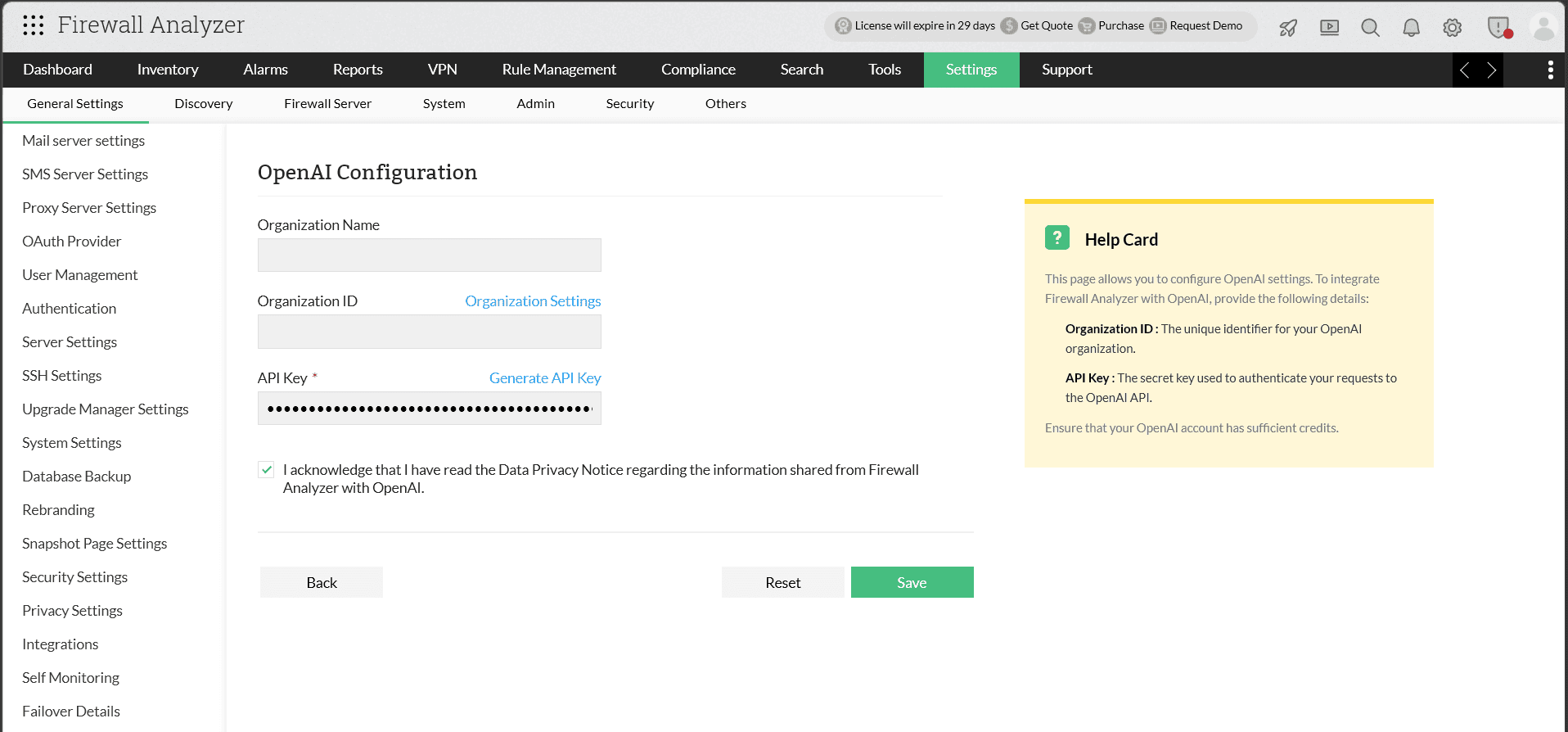
OpenAI has now been successfully integrated with Firewall Analyzer.
AI-generated summaries in Firewall Analyzer
With the OpenAI ChatGPT integration, users can generate summaries for multiple monitored entities, including:
- All alarms summary
- Individual alarm summary
- Executive Report
- Risky Rules Reports
- Policy Anomaly Reports
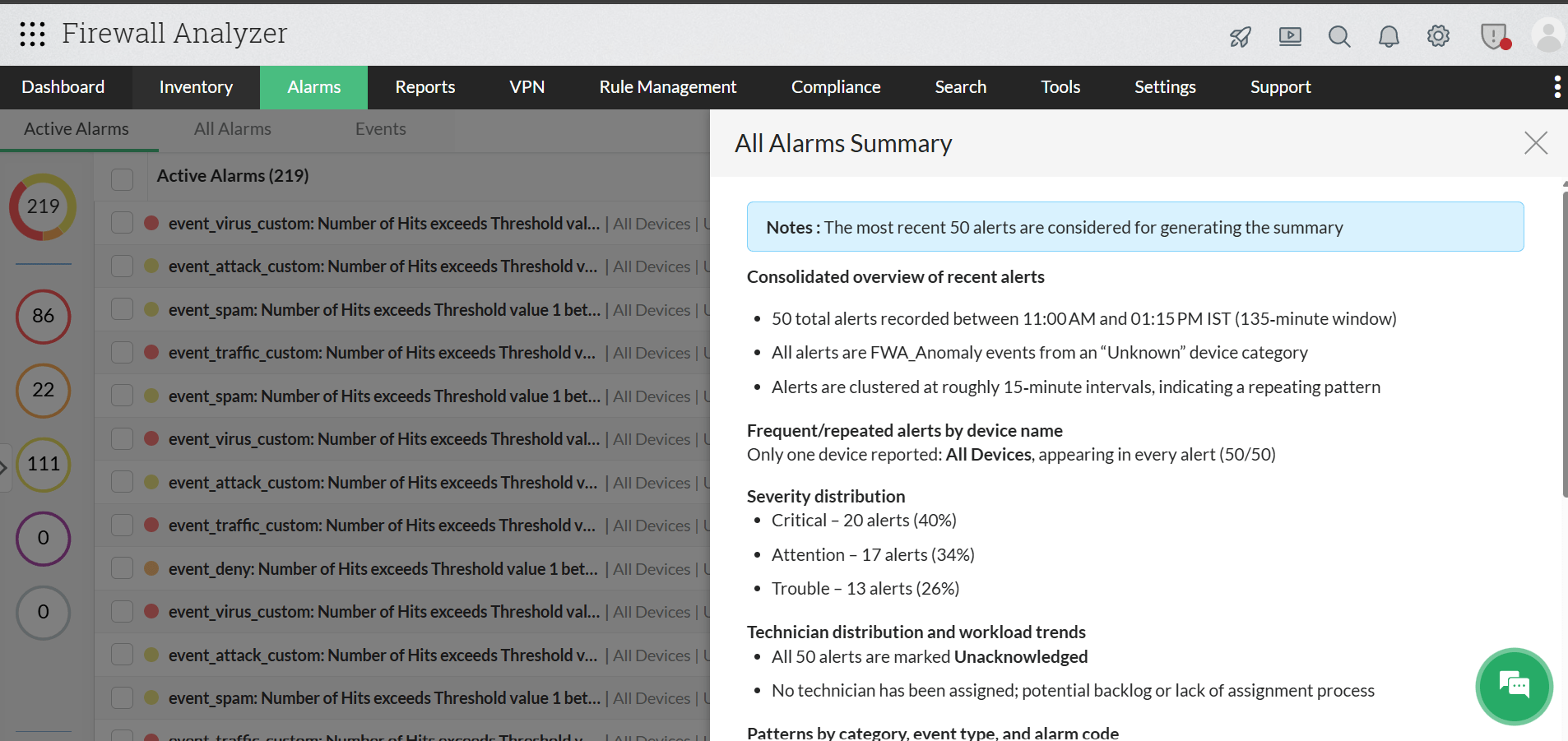
All Alarms Summary
Users can view a consolidated summary of all generated alarms, including the important details of recent alarms.
- Navigate to Alarms and click the Summarize tab located at the top-right corner.
- The summary will be generated automatically.
Individual Alarm Summary
Firewall Analyzer’s OpenAI integration can also analyze individual alarms in detail by identifying the alarm type, listing probable causes, and generating a detailed and actionable summary for the selected alarm.
- Navigate to Alarms and open any alarm of your choice.
- Click the Summarize tab to generate a detailed summary for that alarm.
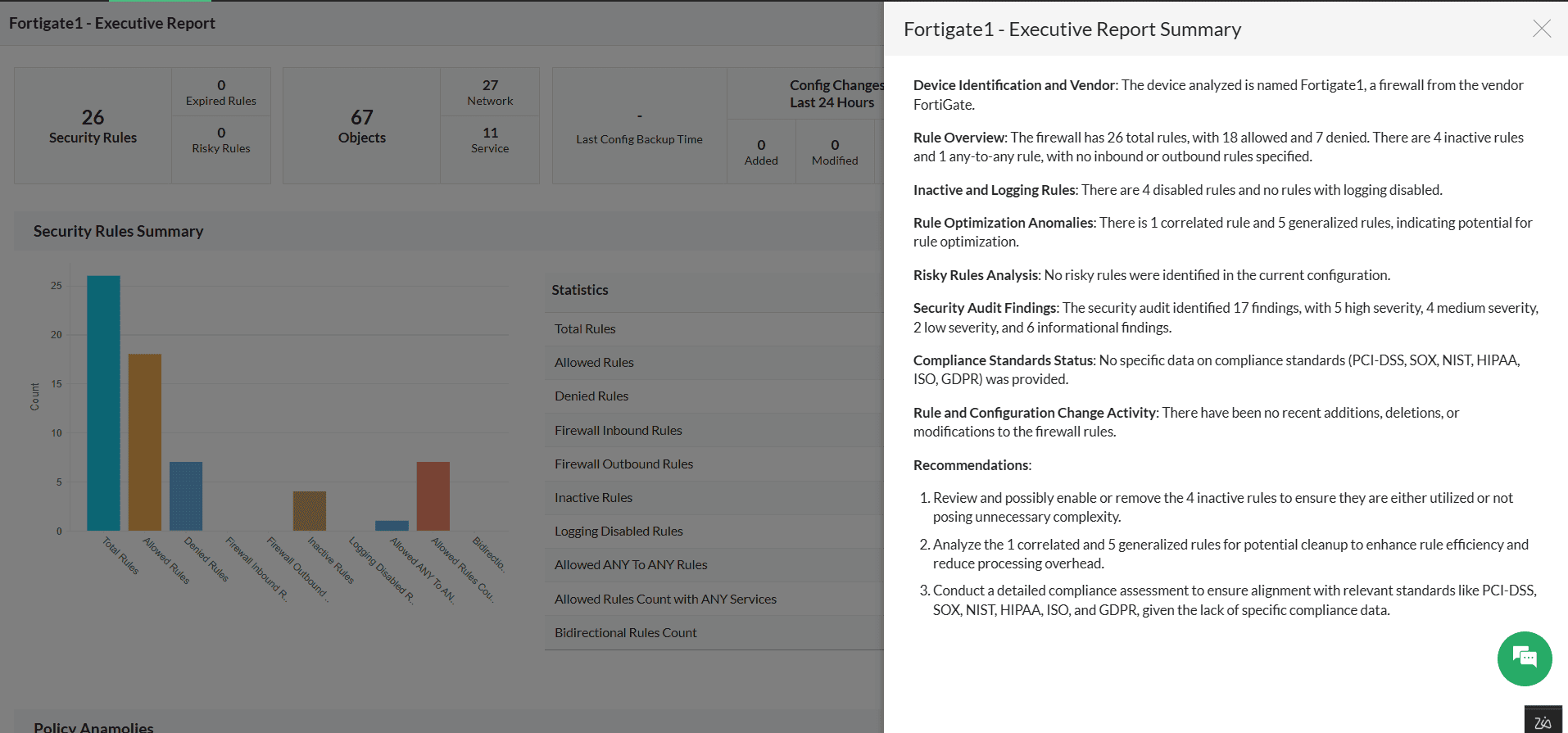
Executive Report Summary
Firewall Analyzer’s OpenAI integration also extends to Executive Report summaries, enabling users to quickly understand firewall policy posture, audit findings, and configuration health through AI-generated insights. Instead of manually reviewing large executive reports, OpenAI analyzes the available report data and generates a concise summary with key observations and recommendations.
- Go to Inventory and the Device Rule tab, then select the required firewall device
- Open the Executive Report for the selected device.
- Click the Summarize tab available in the Executive Report view.
- Firewall Analyzer will process the report data using OpenAI and automatically generate the Executive Report Summary.
- Review the generated summary, audit findings, policy insights, and recommendations for further analysis and remediation.
Risky Rules Report Summary
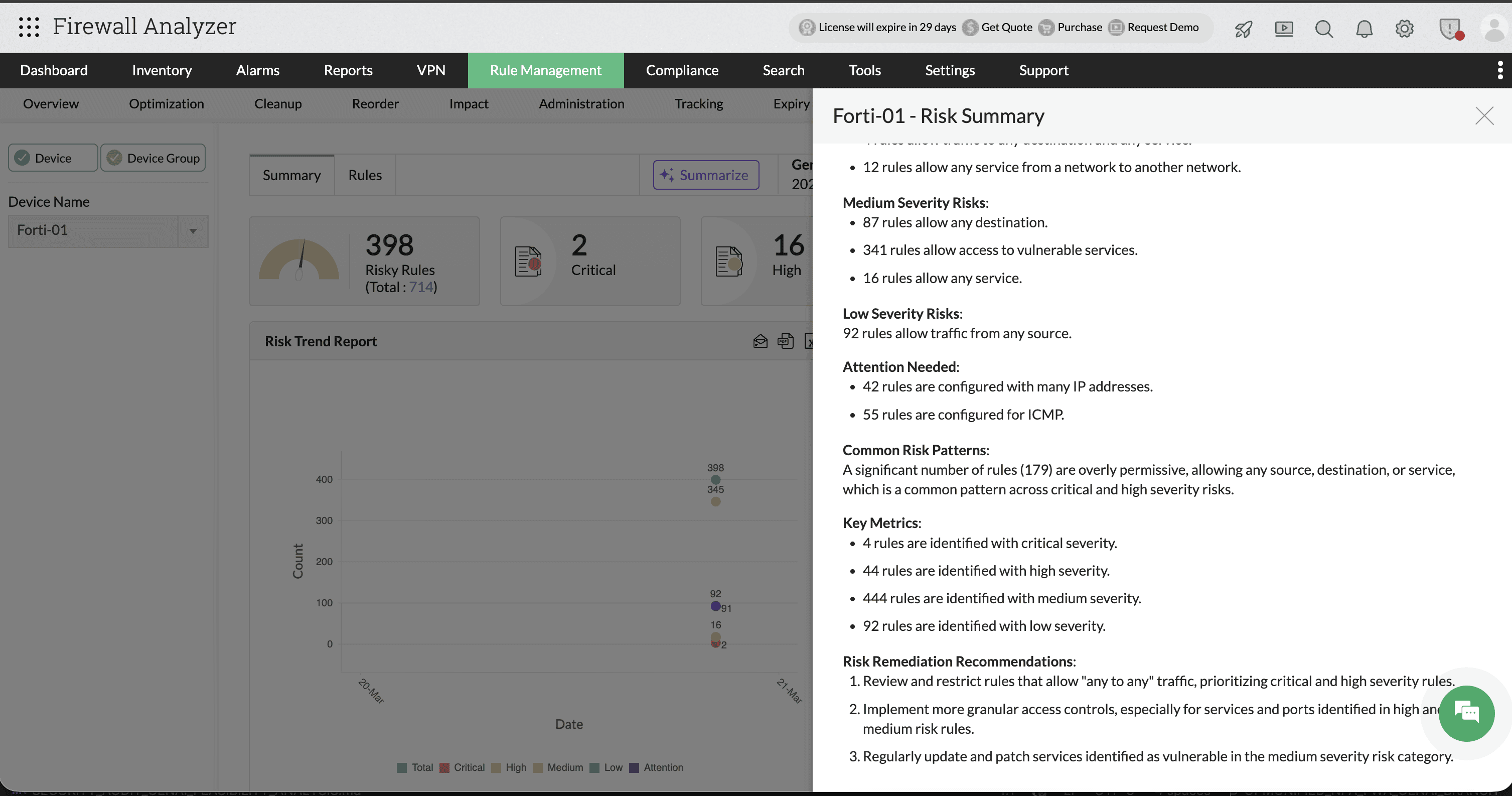
Firewall Analyzer’s OpenAI integration also supports AI-powered summaries for Risky Rules reports. The generated summary helps administrators quickly identify critical, high, medium, and low severity firewall rules, along with common risk patterns, overly permissive policies, and remediation recommendations. Instead of manually reviewing hundreds of risky rules, OpenAI consolidates the findings into an easy-to-understand security overview with actionable insights.
- Go to Rule Management > Risk.
- Select the required firewall device or device group.
- Open the Summary tab under Risk Management.
- Click the Summarize option available in the top-right corner.
- Firewall Analyzer will analyze the risky rules report using OpenAI and automatically generate the AI-powered Risk Summary.
- Review the generated severity analysis, risk patterns, key metrics, and remediation recommendations for further policy optimization.
Policy Anomaly Summary
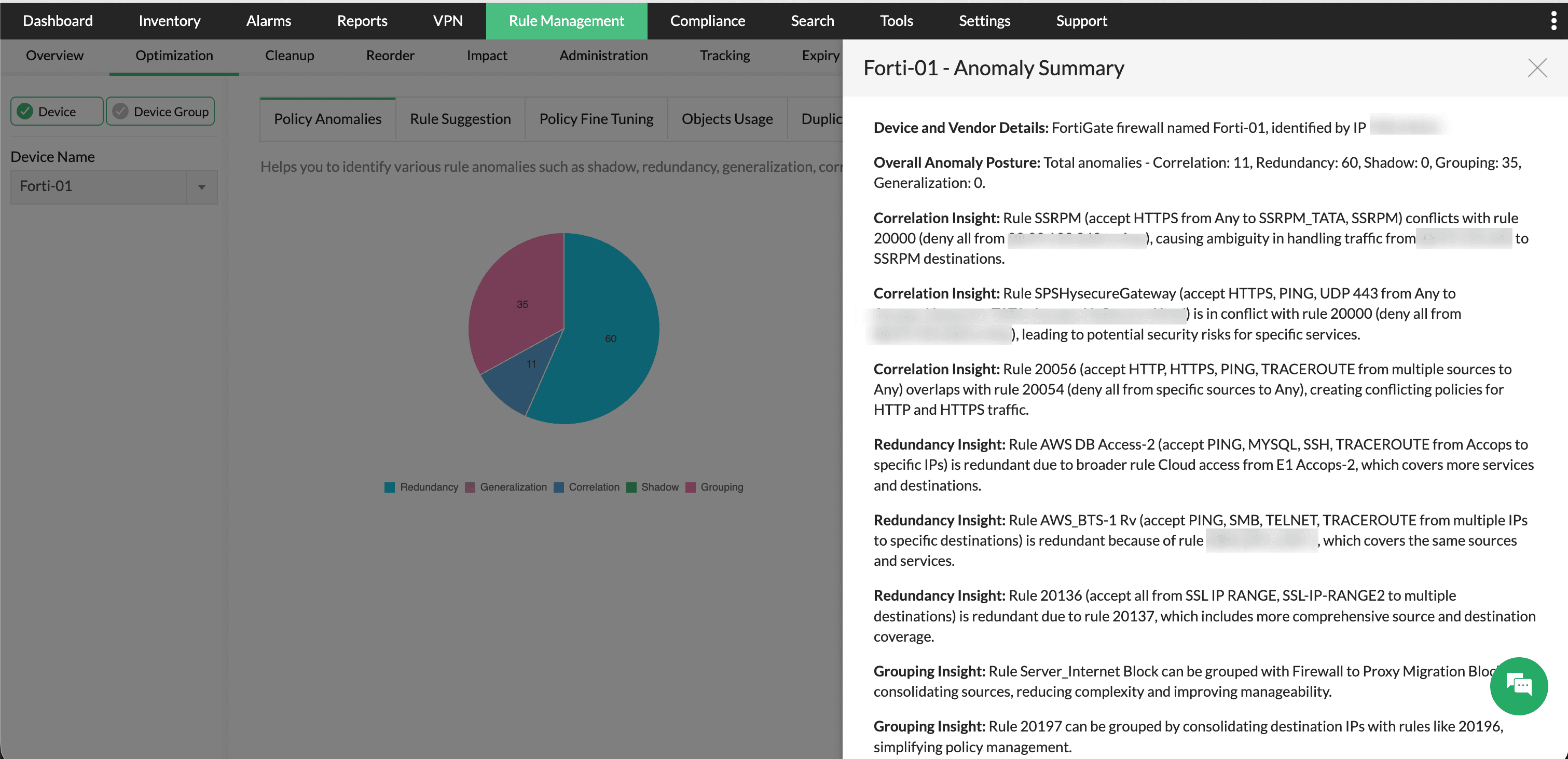
Firewall Analyzer also supports AI-generated summaries for Policy Anomaly reports through the OpenAI integration. The summary helps administrators identify rule anomalies such as correlation, redundancy, shadowing, grouping opportunities, and generalization issues across firewall policies. OpenAI analyzes the anomaly report data and presents a consolidated explanation of conflicting or redundant rules along with optimization recommendations to simplify policy management.
- Go to Rule Management -> Optimization -> Policy Anomalies.
- Click the Summarize option available in the top-right corner.
- Firewall Analyzer will process the anomaly data using OpenAI and generate the AI-powered Policy Anomaly Summary.
- Review the generated anomaly insights, conflict analysis, redundancy findings, and grouping recommendations to optimize firewall rule management.
The Firewall Analyzer—OpenAI integration combines AI-powered analysis, intelligent policy insights, and automated summaries, within a unified security management workflow. By converting complex firewall data, alarms, policy anomalies, risky rules, and audit findings into clear and actionable insights, the integration helps administrators simplify security analysis, reduce manual effort, and respond to issues more efficiently. From device-level monitoring to executive reporting and policy optimization, OpenAI enhances Firewall Analyzer with smarter, faster, and more effective firewall and security operations management.