Firewall Analyzer's Chat Support
Firewall Analyzer offers two chat support options to help users resolve issues quickly and efficiently: Chat Support with the support team and ZIA Chat Support, an AI-powered assistant. Both options are intended to provide immediate assistance, whether through real-time interaction with a support executive or instant AI-driven responses.
- ZIA Chat Support
- Chat Support
- Enabling or disabling ZIA Chat Support
- How to use Chat Support and ZIA Chat Support
ZIA Chat Support
ZIA Chat Support is an AI-powered assistant that enables users to resolve configuration and troubleshooting queries instantly. It makes use of Firewall Analyzer’s extensive knowledge repository, including troubleshooting steps, configuration guidance, and product-related information.
Chat Support
The Chat Support feature enables users to connect directly with Firewall Analyzer’s support team. With a single click, users can begin a conversation with a support executive. Chat Support is suitable for complex issues that require human assistance.
Enabling or disabling ZIA Chat Support
To enable or disable ZIA Chat Support:
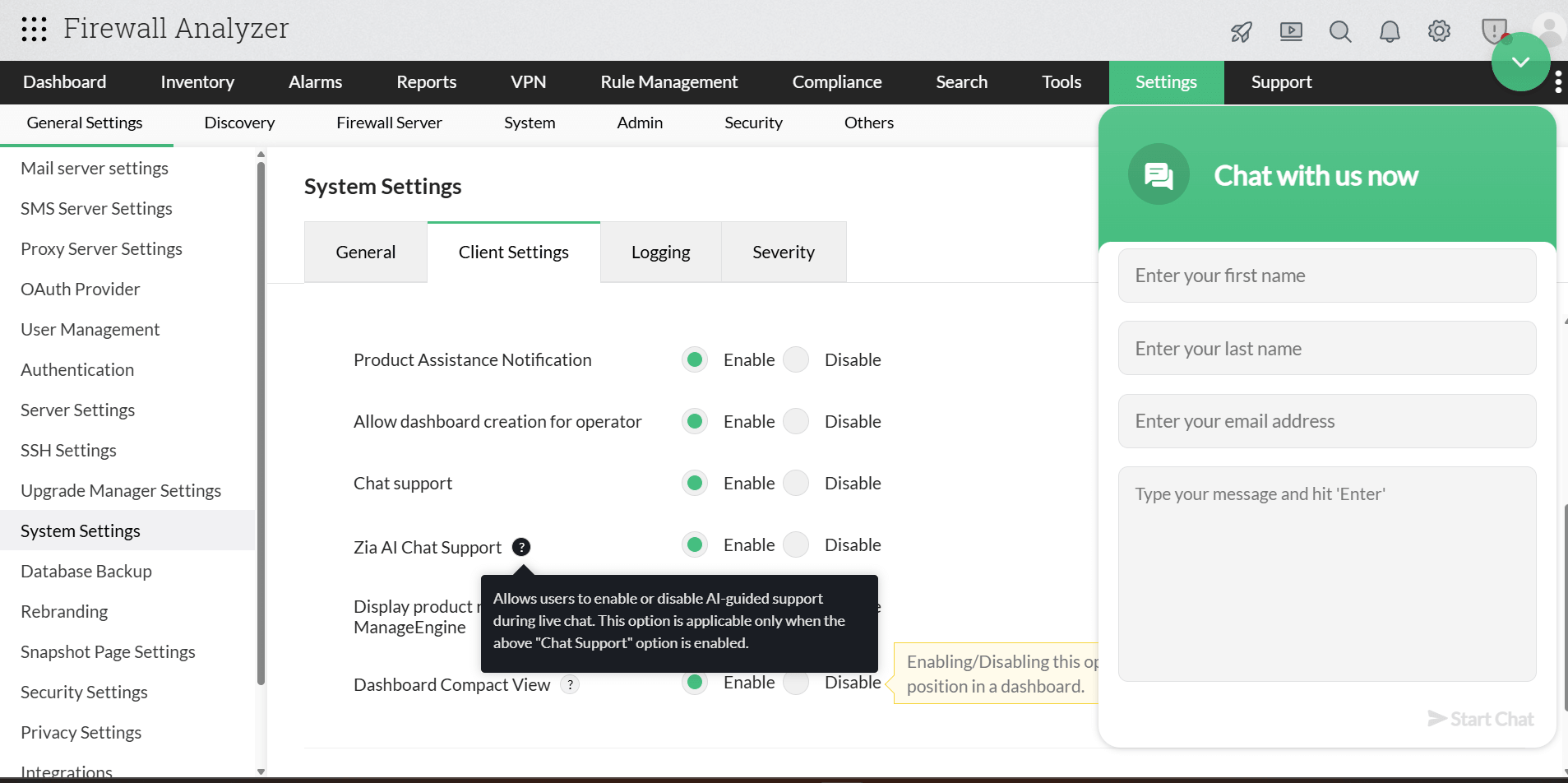
- Navigate to Settings → System Settings → Client Settings → ZIA AI Chat Support.
- Toggle the option to enable or disable Chat Support.
- Click Save to apply the changes.
This setting is applied globally to all users in Firewall Analyzer. Individual users can also disable ZIA Chat Support for their respective roles by hovering over the floating Chat icon at the bottom-right corner and selecting the disable option.
If ZIA Chat Support is enabled, users will initially be connected to the ZIA AI for immediate assistance. If required, they can still connect with live chat support directly from the chat window by clicking the Chat with Technician option.
How to use Chat Support and ZIA Chat Support
Both Live Chat and ZIA Chat Support are enabled by default in Firewall Analyzer. To initiate a chat session:
- Click the Support icon at the top of the Firewall Analyzer console.
- If ZIA Chat Support is enabled, users will automatically be redirected to it. If it is disabled, they will be connected directly to a live support agent.
- Enter the Name, Email, Contact Number, and Message, then click Enter. The Name, Email, and Contact Number will not be shared with the ZIA AI, but the Message content will be shared.
- To access Chat Support directly, first disable ZIA Chat Support using the steps mentioned above. Then open the Chat Support window, enter the required details, and click Enter.
- A support operator will join the Chat Support session shortly to assist with the queries.
Note:
- Any information shared with ZIA Chat Support during a chat session may be logged. Avoid sharing personal or sensitive information (PII) in ZIA chat messages.
- ZIA Chat Support is available for all Firewall Analyzer editions from version 12.9.102 onwards.
- Users will be redirected to the ZIA Chat option even when both chat support options are enabled. However, they can still contact a support agent directly from within the chat whenever necessary.