VPN Summary - VPN Reports
Firewall Analyzer provides extensive VPN monitoring and reporting. This enables the network admins to track VPN usage, user activity, and traffic patterns. In Firewall Analyzer, VPN is separately monitored and it's divided into VPN Summary/ VPN Reports.
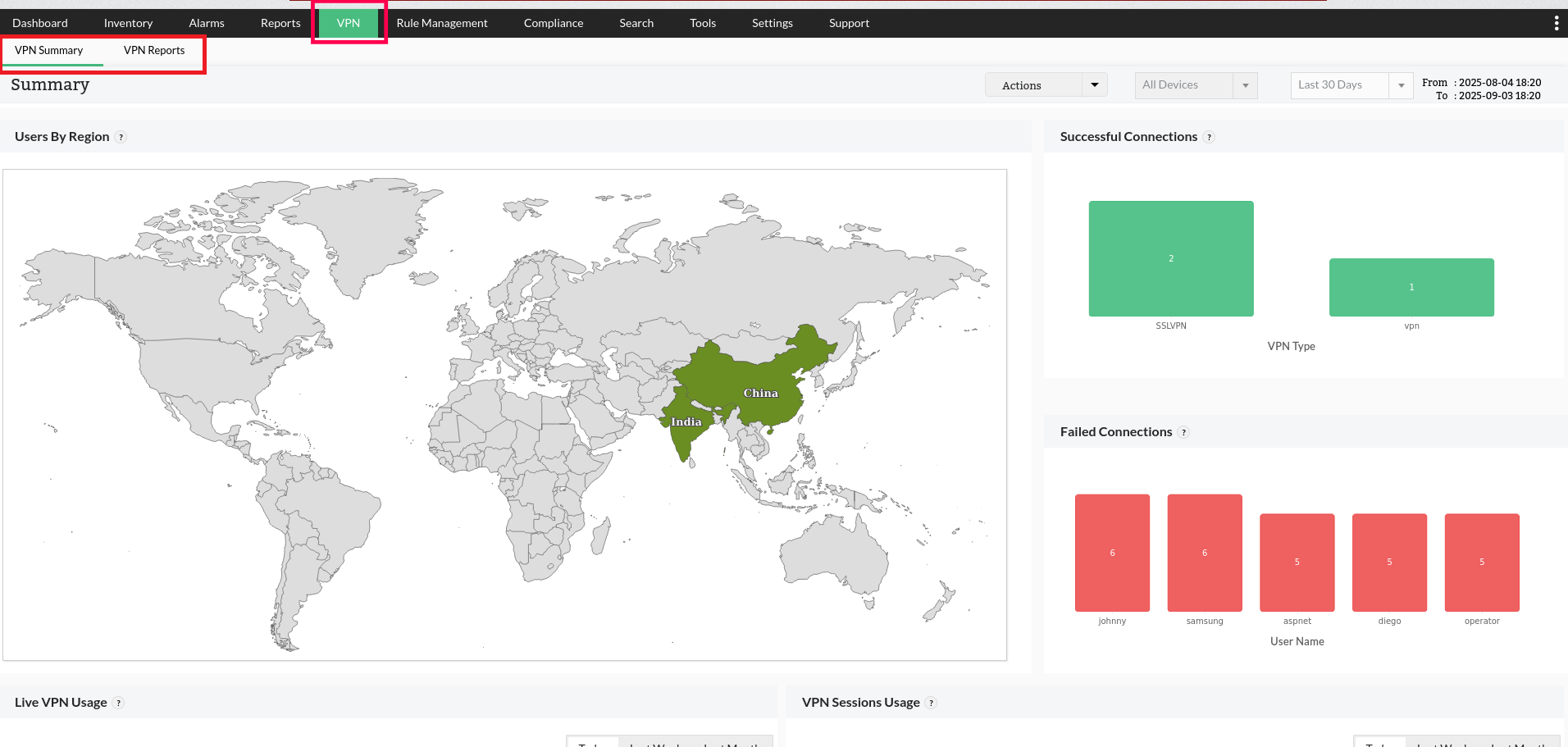
VPN Summary
The VPN Summary reports provide a unified view of all the VPN activities in the network and provide better monitoring of the VPN. To view the reports under VPN, go to VPN -> VPN Summary.
VPM summary section provides an in-depth view using the following key metrics:
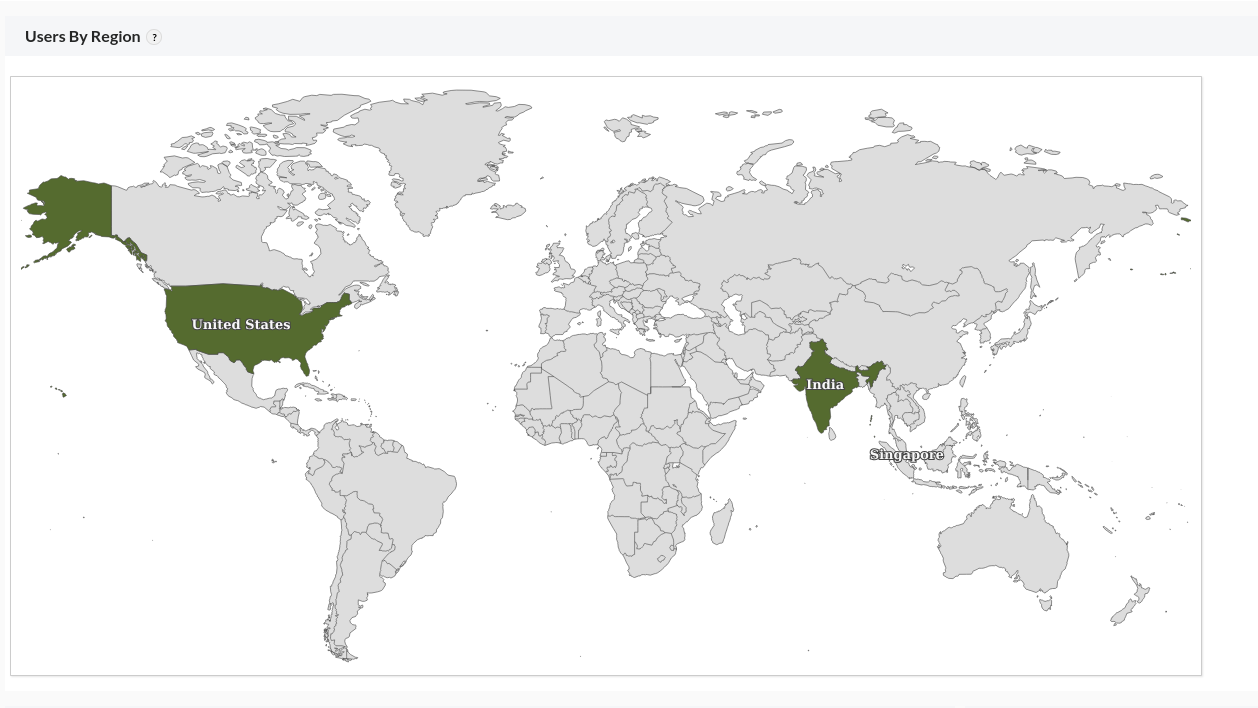
Users by Region
A map view displaying country-wise VPN user count. This report displays the Total VPN sessions (Both active and disconnected sessions) over the selected time-period.
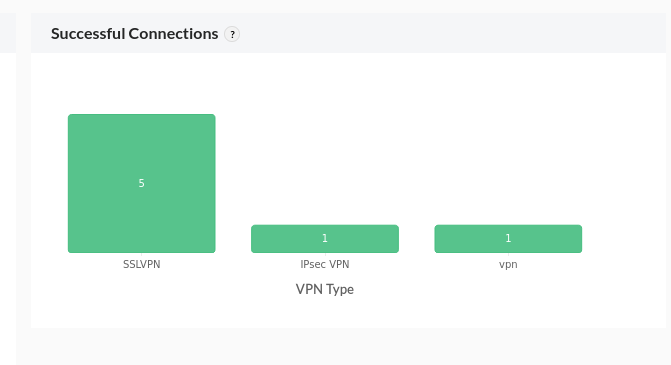
Successful VPN Connections
A summary of the VPN users who have successfully connected to the network. The data is filtered based on the VPN types across the network.
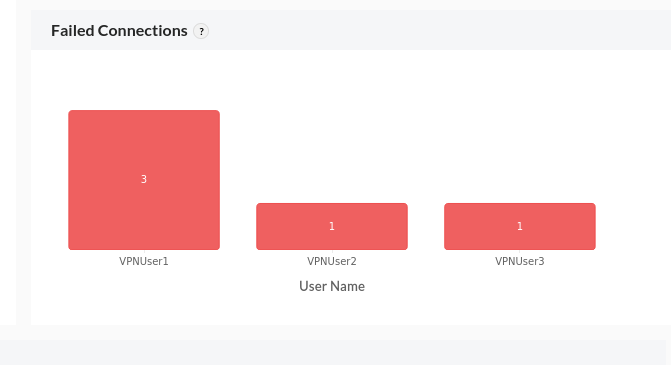
Failed VPN Connections
This section provides insights into the failed VPN connection attempts. This data is by the users, allowing the admin to have a clarity on the issue faced by the users and troubleshoot it.
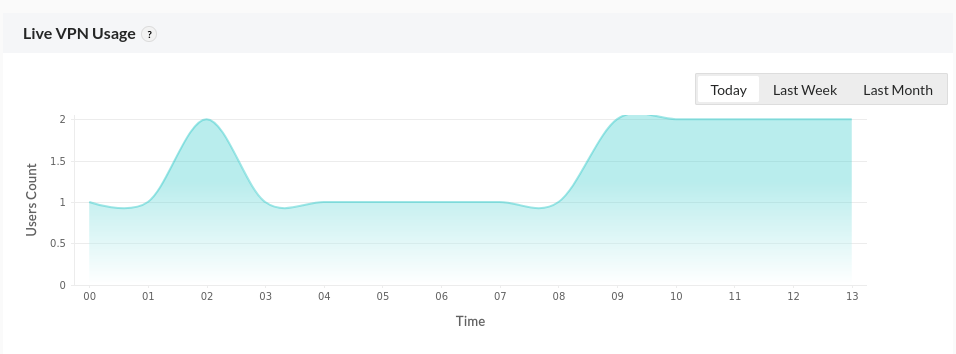
Live VPN Usage
To illustrate the number of actively connected VPN sessions over a given period, a time-series trend graph is displayed. This helps to track the usage, active hours, and overall VPN connection stability
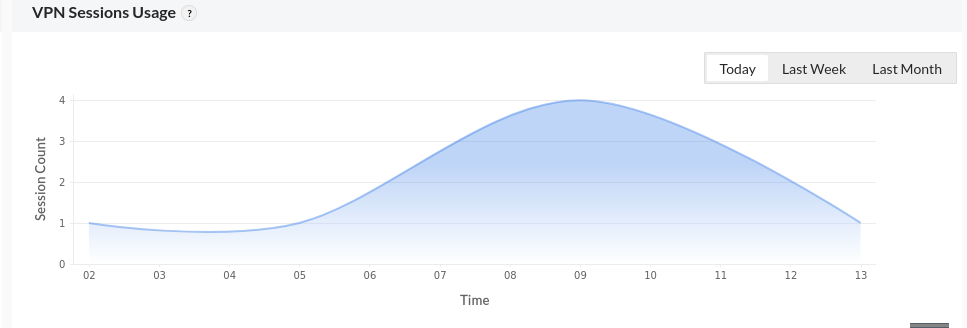
VPN Sessions Usage
A time-series trend graph that highlights the count of completed VPN sessions over a selected period. This allows to understand the overall usage of the VPN sessions.
The VPN Summary reports helps the admins to track the usage and activities of the VPN while monitoring them and troubleshoot as required.
VPN Reports
VPN reports in Firewall Analyzer helps to track the user logins, connections to the VPN, active users, VPN status and other activities of the VPN. The reports provide detailed insights of the VPN for better monitoring. To view the reports under VPN, navigate to VPN -> VPN Reports.
Under VPN Reports, different reports of each VPN activity will be listed. It includes: