OpManager’s Fluidic Interface: A user-centric approach to network monitoring
In today's fast-paced IT landscape, having a seamless, intuitive, and efficient network monitoring experience is essential. OpManager’s fluidic interface is a revolutionary step in simplifying network management. Designed to enhance usability, speed, and responsiveness, this interface empowers IT teams to monitor, troubleshoot, and control their networks with ease and efficiency.
What is OpManager’s Fluidic Interface?
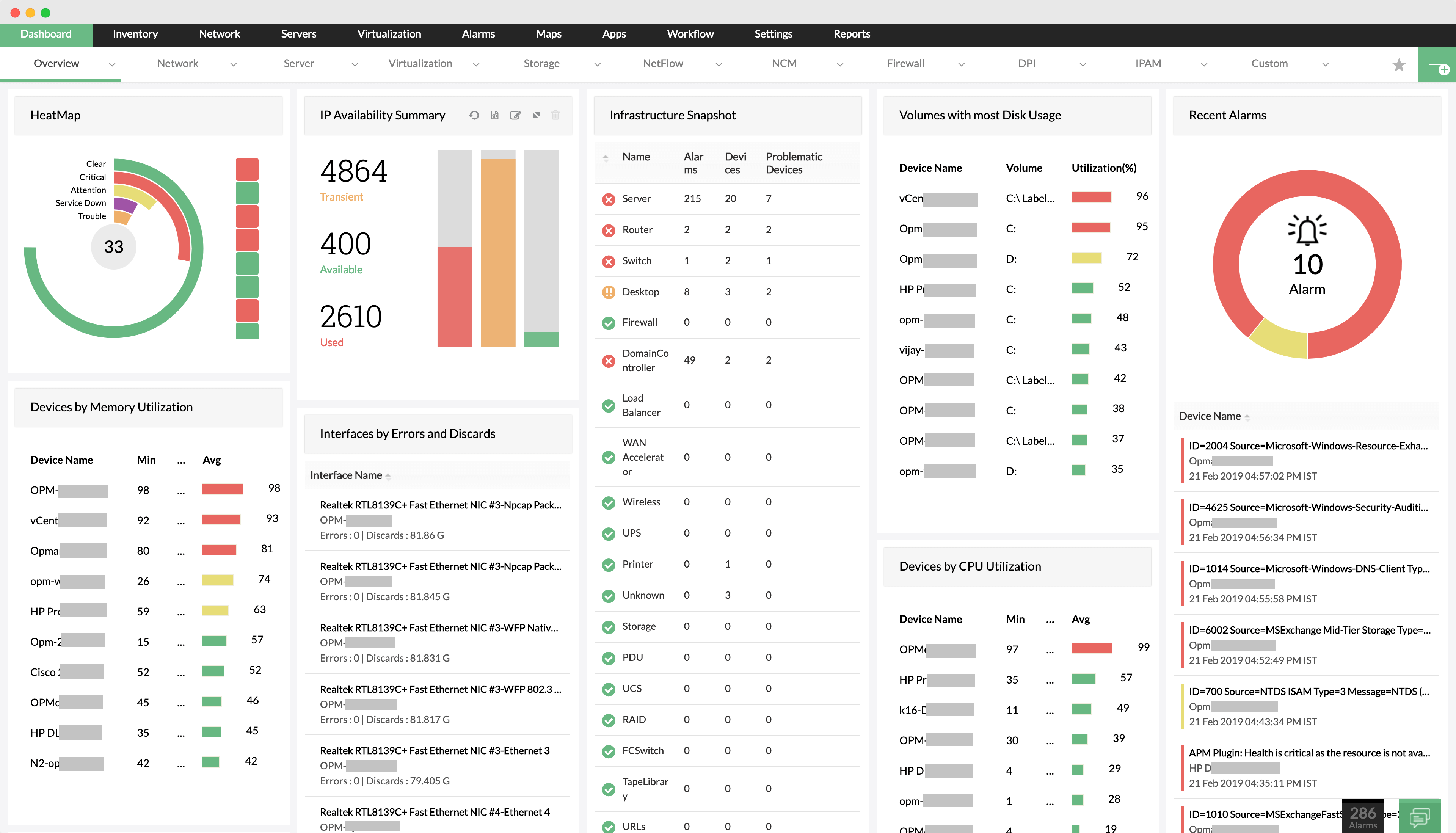
OpManager’s fluidic interface is a refined, enterprise-grade, and highly interactive user interface (UI) that allows users to navigate network monitoring tasks seamlessly. The fluid design principles of OpManager enables smooth transitions, real-time updates, and responsive controls. Unlike traditional, static UIs, this dynamic approach provides a more natural, fast, and immersive user experience.
Key features of the Fluidic Interface
1.Intuitive navigation:
- Simplified menu:OpManager offers a clean, logically structured menu bar that allow users to access essential functions in a single click. With its user-friendly design, even the non-experts can get started in no time.
- Quick search and navigation: You can instantly search for devices, alarms, reports, and more from a single search bar and quicken up troubleshooting.
2. Customizable dashboards
- Drag-and-drop widgets: You can create a personalized dashboard to view your network data the way you want by dragging and dropping widgets.
- Real-time data visualization: With a one-click data refresh, you can get live updates on network status, device health, and alarms displayed as graphs and charts.
3. Responsiveness and Speed index
- Lightning-fast load times: With OpManager, you can experience faster load times and real-time data updates, helping administrators stay ahead of potential issues.
- Optimized for all devices: OpManager's responsive design delivers seamless usability across desktops, tablets, and mobile devices, empowering IT teams to monitor networks from anywhere, anytime.
4. Enriched User Experience (UX)
- Interactive alerts and notifications: Notifications appear instantly in the OpManager UI, and you can act on them directly from the alert pop-up.
- Actionable insights: The fluidic interface helps you view device details, logs, and performance metrics directly from the dashboard, with contextual actions like "acknowledge alert" or "troubleshoot."
Benefits of OpManager’s Fluidic Interface:
1. Faster decision-making
OpManager's streamlined UI design allows you to quickly locate and act on critical issues. The fluidic interface makes alerts and system health indicators visually prominent, enabling administrators to make quicker, more informed decisions.
2. Reduced learning curve
OpManager's simple, logical design allows new users to quickly become proficient with its interface. Unlike cluttered and complex network monitoring tools, OpManager offers a more streamlined and intuitive user experience.
3. Personalized user experience
With customizable dashboards and widgets, you can tailor your network monitoring experience to meet your unique needs. This helps reduce clutter and ensures you see only the most relevant information.
4. Seamless mobile app usability
OpManager is optimized for mobile use through its dedicated mobile applications for iOS and Android devices. These apps enable IT administrators to monitor network performance, receive real-time alerts, and perform basic troubleshooting while on the move.
5. Proactive problem resolution
With the fluidic interface’s ability to present real-time data, send instant alerts, and provide quick troubleshooting options, IT teams can resolve issues before they escalate into major outages.
Why OpManager’s Fluidic interface stands out
Many network monitoring tools come with a steep learning curve and cluttered, overly complex user interfaces. OpManager takes a more user-centric approach. By prioritizing simplicity, speed, and customization, OpManager offers an experience that is significantly more approachable for IT teams of all skill levels. Its clean design, interactive alerts, and intuitive navigation make it a preferred choice for those seeking a hassle-free network monitoring solution.
OpManager’s fluidic interface is more than just a visual upgrade—it’s a strategic leap toward better network management. By providing intuitive navigation, real-time updates, and personalized dashboards, it ensures IT teams have everything they need at their fingertips. With faster load times, mobile compatibility, and a focus on user-centric design, OpManager’s fluidic interface makes network monitoring faster, smarter, and more efficient.
To explore more about Opmanager's Fluidic interface, download our 30-day free trial and take your network monitoring to the next level.