This document gives an overview for managing mac devices in your network. it explains how to inboard mac devices, supported features and macOS supported by the product.
To get started, you'll need to configure a few pre-requisites. Once you deploy the lightweight agent, you'll be able to add your MacOS devices to your server for management.
Note: Apple Silicon processors can run apps that are compiled for the Intel chipset through a software technology known as Rosetta 2. This translation layer is automatically enabled in macOS Big Sur, providing users access to all features in UEMS Agent. In short, we efficiently support these new laptops.
To effectively manage Mac devices in your organization, it is necessary to deploy agents to them, as well as configure the MDM profile to take full advantage of the management capabilities.
By enrolling Mac devices under the Mobile Device Management feature, the agent will be automatically installed. To know more, visit the link mentioned here.
Mac agents can be installed manually on the computers that need to be managed by the server. To install an agent manually, log in to the endpoint as an administrator from the server web console and follow the steps mentioned below:
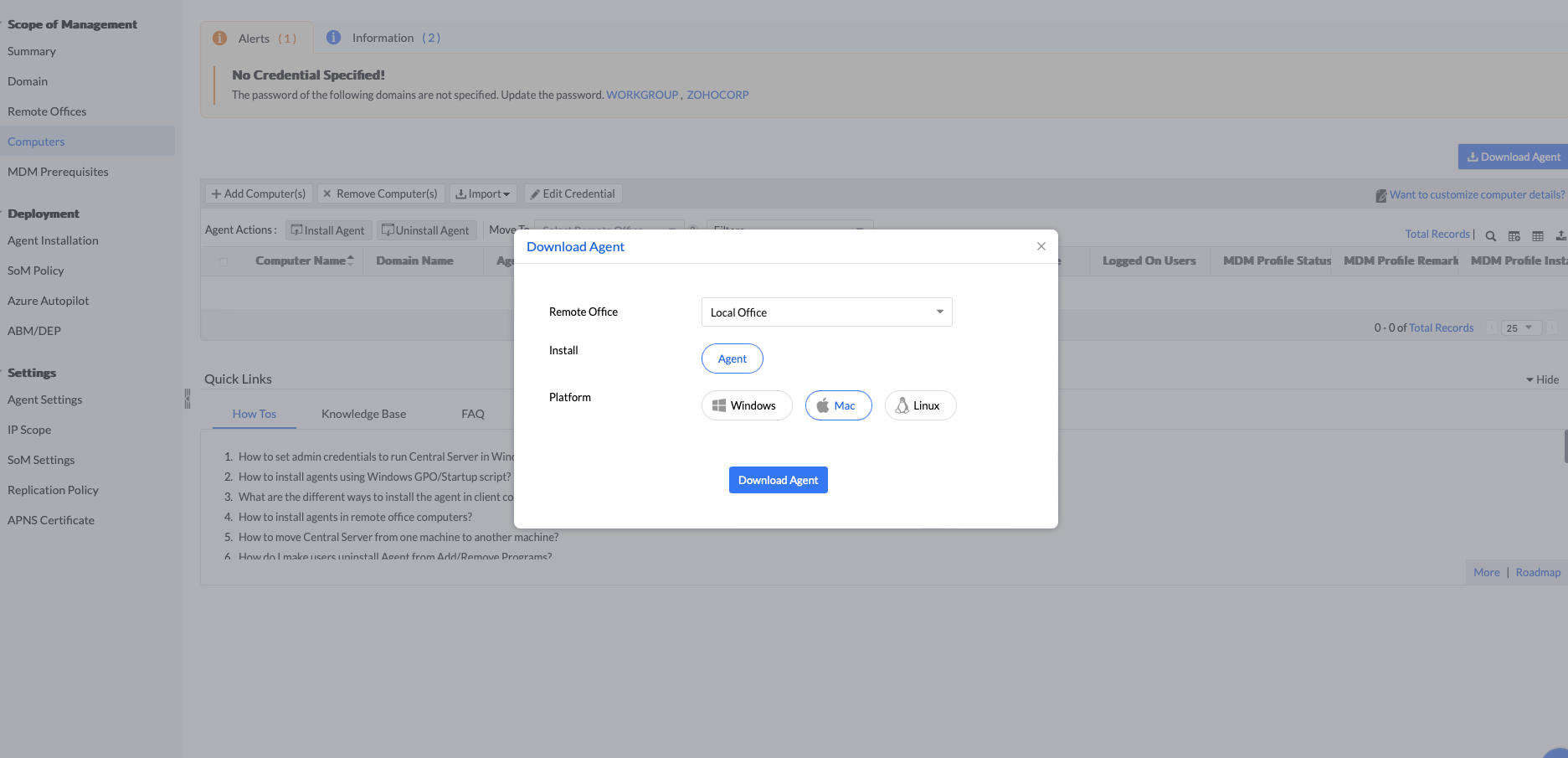
UEMS_MacAgent.pkg and serverinfo.plist files.1. Remote Install from Local Office
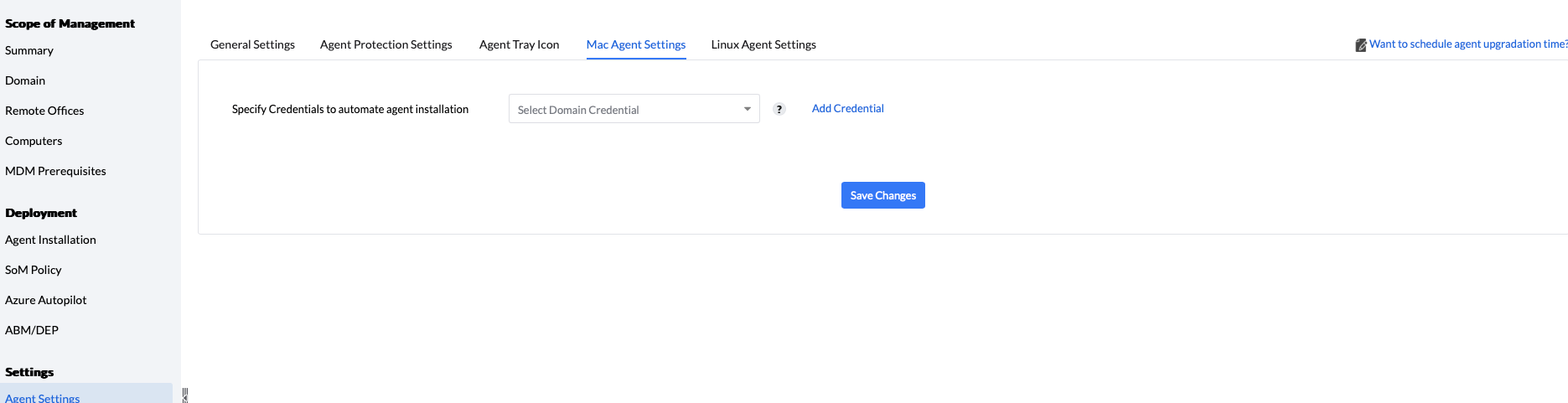
To install an agent automatically from the console in a LAN setup, follow the steps given below:
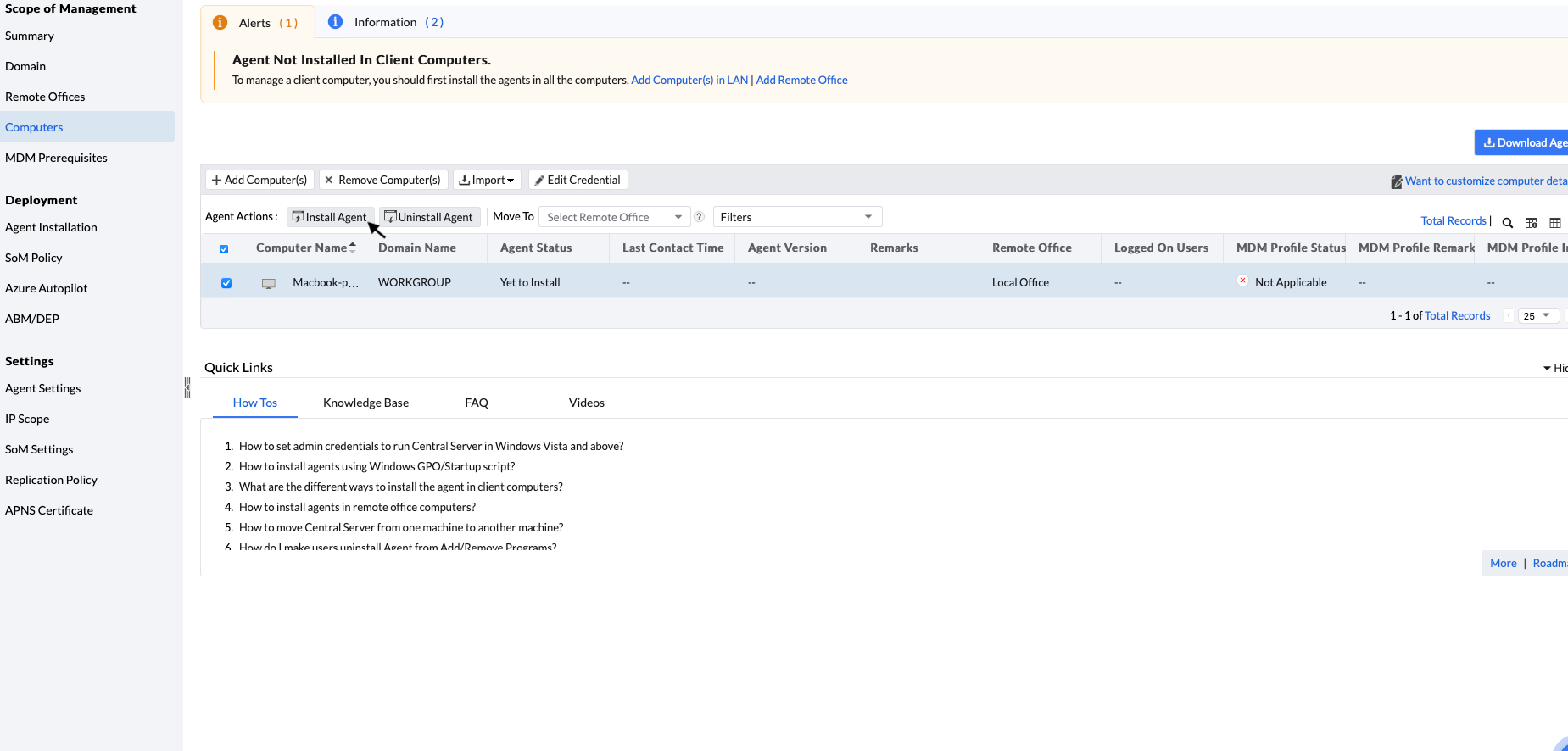
This view will list down all the available computers from the selected domain. You can either add a computer from that view to your scope of management (SoM) or install an agent. The computers added to your scope of management (SoM) will be listed under computers view. You can select and click the Install Agent button to install an agent on the computer.
2. Remote Install From Remote Office
Currently, it is not possible to install a remote office agent from the console. Instead, you can use scripts to install an agent in a remote office. To know more, click here.
You can install Mac agents on devices by imaging them.To know more, kindly visit this page.
You can install agents by using third-party vendors. To know more, kindly visit these links:
Note: Once the agents are deployed on the machines, the MDM profile will be installed automatically if the prerequisites are configured. To know more about configuring the MDM Profile, visit this page.
We currently support the following features for Mac computers:
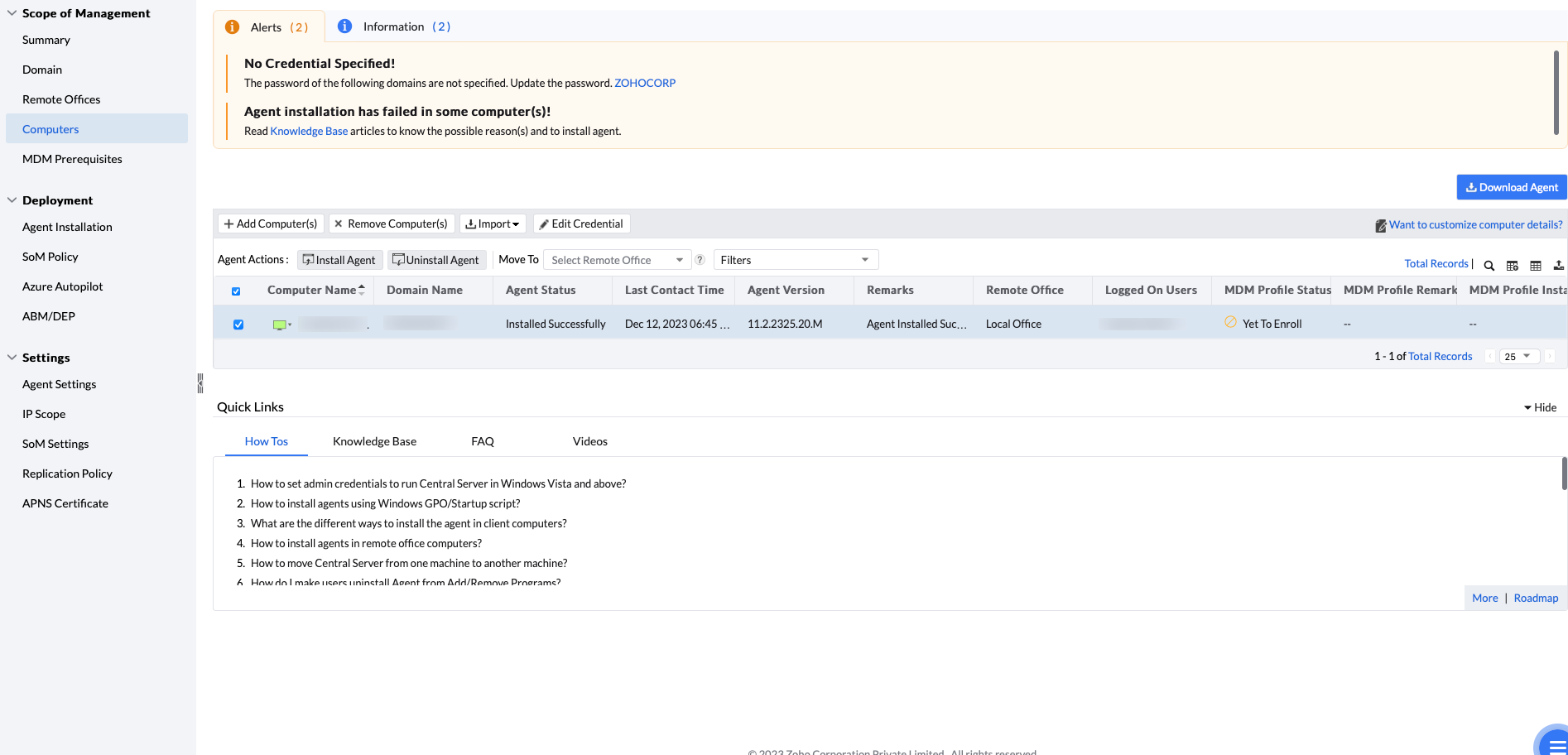
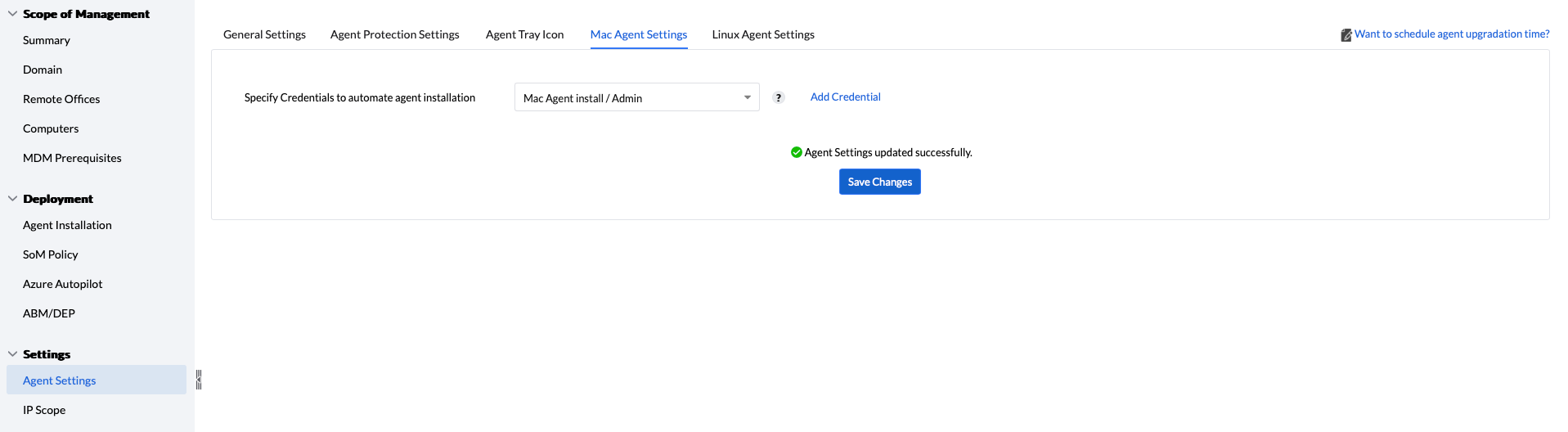
You can also uninstall agent using agent cleanup tool. Kindly refer this page for steps.
/Library/ManageEngine/UEMS_Agent/Uninstaller.app/Contents/MacOS/Uninstaller -silent
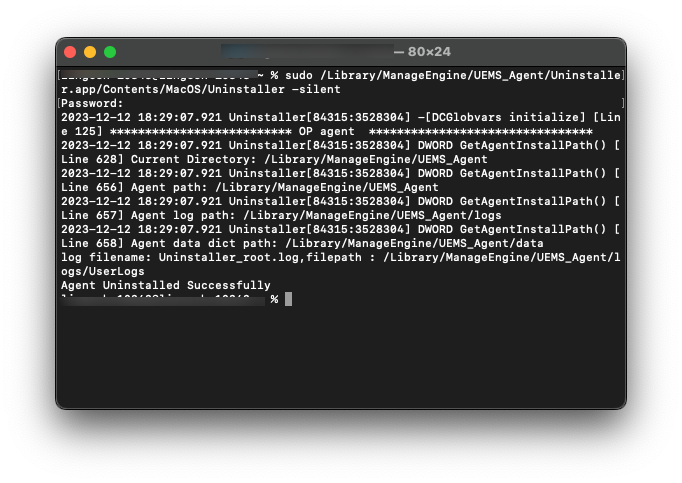
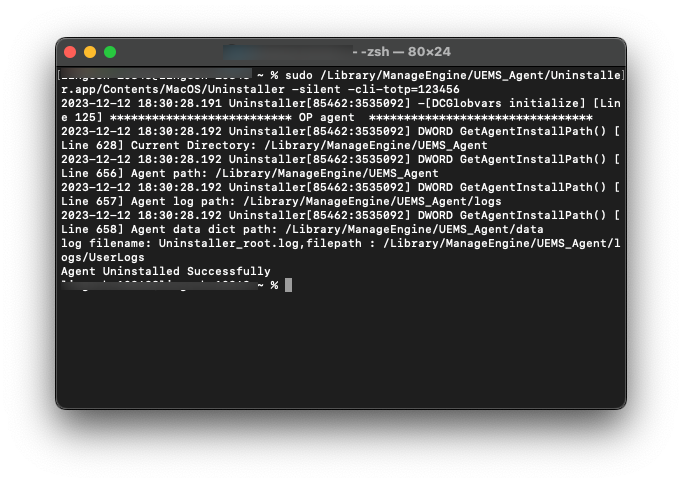
/Library/ManageEngine/UEMS_Agent/Uninstaller.app/Contents/MacOS/Uninstaller -silent -cli-totp=<TOTP>
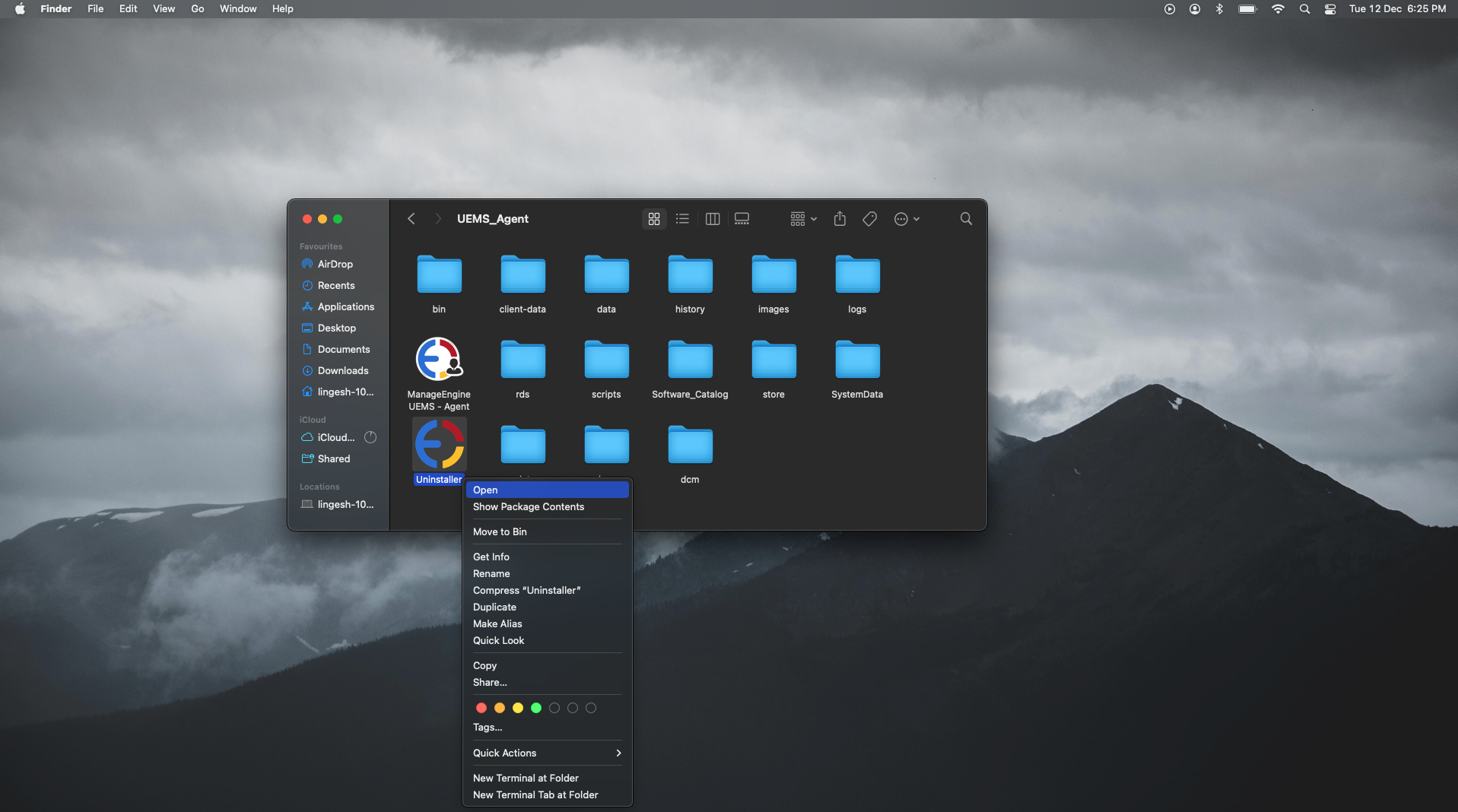
/Library/ManageEngine/UEMS_Agent/Uninstaller.app -> click Open