Inventory Scan failure - WMI Service is Down / Disabled
Problem
You are unable to proceed with manual / scheduled Inventory Scanning and you get an error - "WMI Connection Failed"/"Asset Scan Locked" during the process.
Cause
Note: If you encounter the error message "Asset Scan is Locked," it indicates that dcinventory.exe has likely crashed. Please reach out to support for further assistance.
You will encounter this error due to one or more of the following reasons:
- Client machine is too slow due to reasons like high CPU/Memory utilization.
- WMI is not configured properly.
- WMI repository corrupted.
- WMI Service Disabled
Resolution
- To check if WMI Service is running
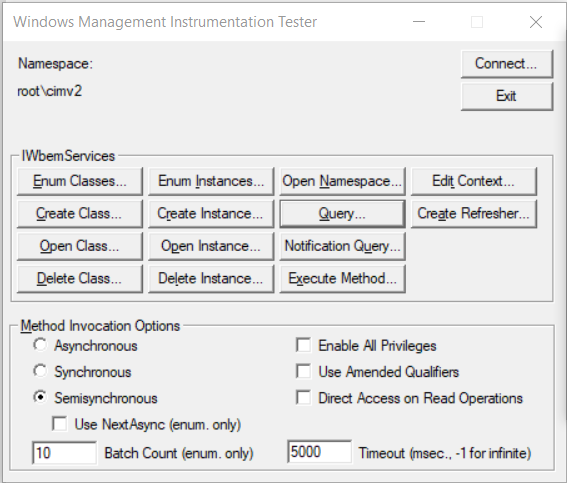
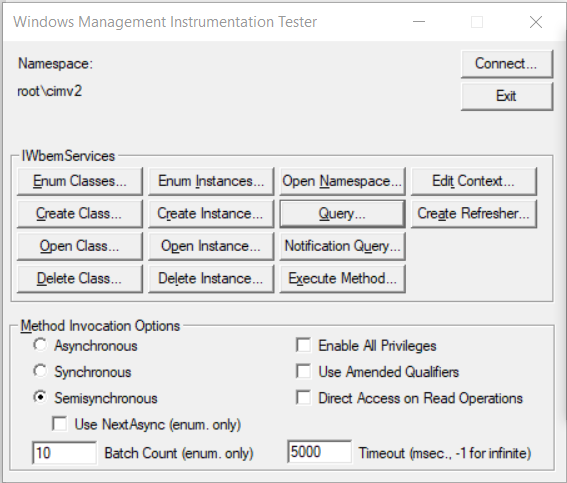
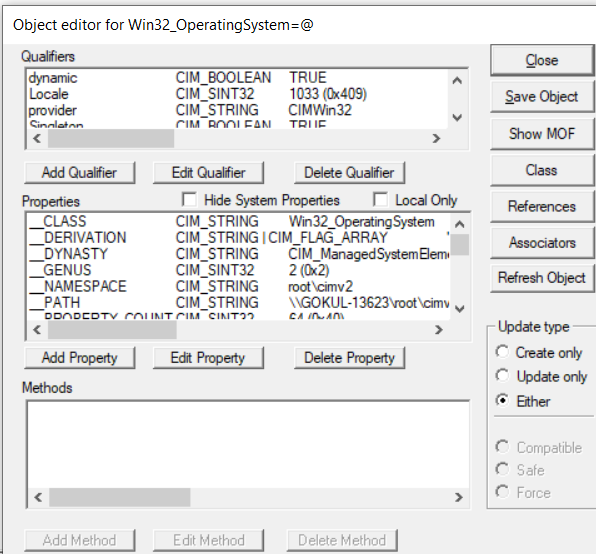
- To check if WMI Repository is corrupted
- To perform a repair/re-sync of the WMI repository
- To rebuild your WMI repository
To check if WMI Service is running:
- Open Services and check the "Windows Management Instrumentation" status is Running and startup type is Automatic
To check if WMI Repository is corrupted:
To perform a repair/re-sync of the WMI repository
Run the following commands in Command Prompt as administrator on the machine being monitored:
For Windows XP and Windows 2000 Servers:
- To clear the WMI performance counter settings.
winmgmt /clearadap
- To stop the WMI Service.
winmgmt /kill
- To unregister the WMI service.
winmgmt /unregserver
- To register the WMI service.
winmgmt /regserver
- To re-synchronizes performance counters.
winmgmt /resyncperf
For Windows 2003 Servers:
To rebuild your WMI repository follow the below steps
- Open Services, locate the Windows Management Instrumentation service. Set the Startup Type to Disabled and Stop the Service.
- Remove or rename the Repository folder from the path
C:\Windows\System32\wbem\
- Once you have removed or renamed the Repository folder ,set the Startup Type as Enable and Start the Windows Management Instrumentation Service.
- Open Command Prompt as Administrator and execute the following commands:
-
cd C:\Windows\System32\wbem\
-
for /f %s in ('dir /b *.mof') do mofcomp %s
Kindly note that the above command will take a minute or so to complete. Once completed proceed with below command.
-
for /f %s in ('dir /b en-us\*.mfl') do mofcomp en-us\%s
Open Performance Monitor to verify that all counters can be loaded
Note: If you encounter an error in Performance Monitor, refer the Microsoft KB document for assistance.
Verification
After completing all the steps, Verify if WMI service is running in the services.
- If the service is running, change the startup type to automatic
- Restart the WMI service to proceed with asset scan
If the above settings are already configured:
| Unable to resolve this issue? |
If you feel this KB article is incomplete or does not contain the information required to help you resolve your issue, upload the required logs, fill up and submit the form given below. Include details of the issue along with your correct e-mail ID and phone number. Our support team will contact you shortly and give you priority assistance and a resolution for the issue you are facing. |
| Other KB articles |
24/5 Support |
|
|
Support will be available 24hrs a day and five days a week (Monday through Friday), excluding USA & India public holidays.
Tel : +1-888-720-9500
Email : endpointcentral-support@manageengine.com
Speak to us
- Join the Endpoint Central Community, to get instant answers for your queries, register with our Forum.
- Look out for the latest happenings in Desktop Management, follow our Tweets on Twitter.
- Get to know the latest updates and Best Practices in Desktop Management through our Blog.
|

 Free Edition