How do I deploy a custom wallpaper to all the client computers in my network and prevent users from changing it?
Description
This document provides you with steps required to deploy a custom wall paper to all client computers and prevent clients from changing it.
Steps
To deploy a custom wall paper to all client computers and prevent users from changing the wall papers, follow the steps given below:
- Navigate to Configurations tab ---> Add Configurations ---> Configuration ---> Windows ---> Display ---> User
- Enter a Name and Description for the collection
- In the Customize Display criteria, enter the following details under Wallpaper
- To upload a custom wallpaper,
- Locate the image using HTTP or Network Share/ Local Path
- Specify the Position
- For the Permit User To Modify Wallpaper requisite, choose No
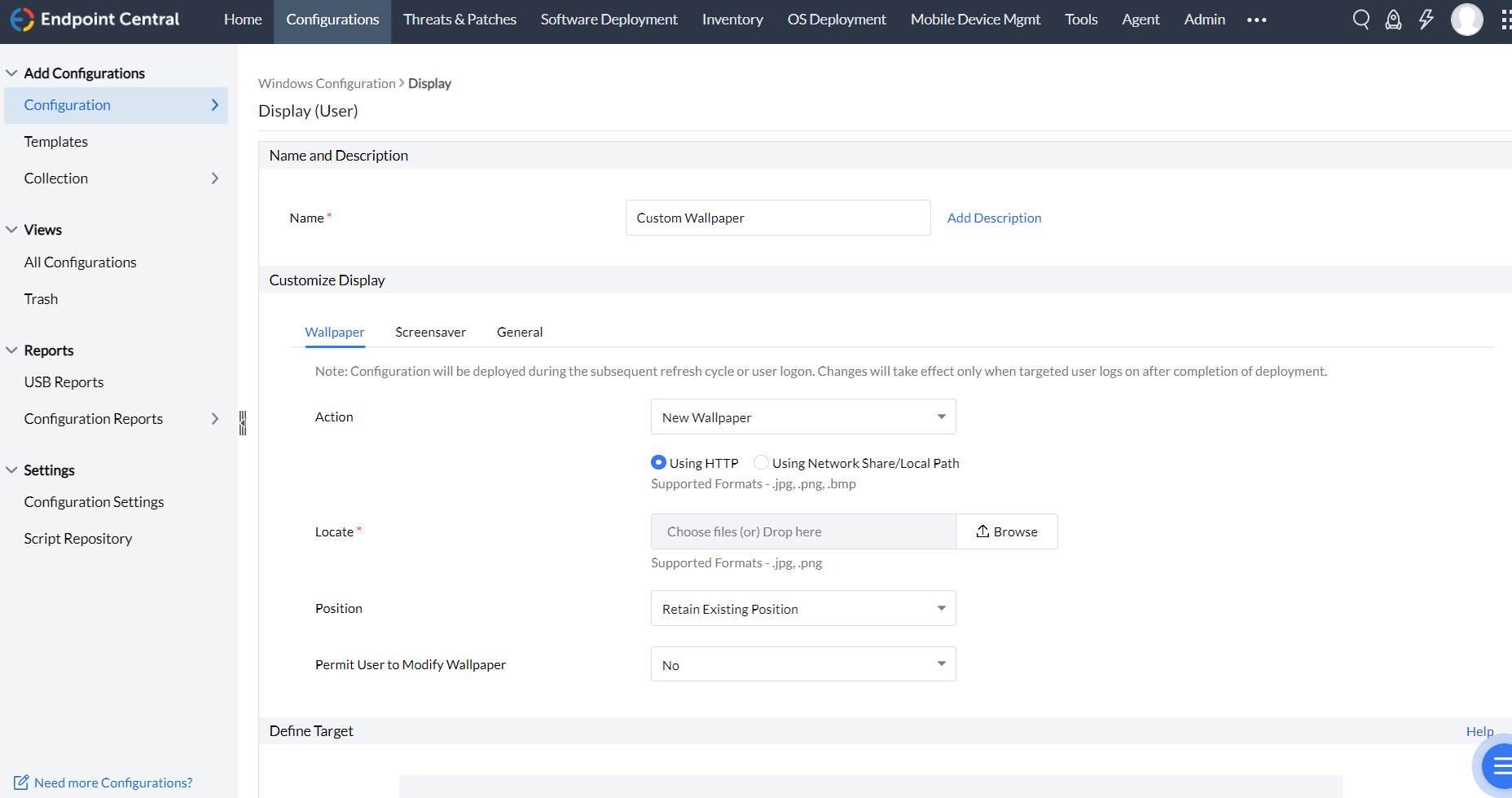
- Define the Target
- Specify retry options if required
- You can also enable notifications to receive emails based on the specified frequency.
- Click on the Deploy button to deploy the configuration in all the target endpoints
The settings will reflect in the client computers during the agent's 90-minute refresh cycle, during startup or during logon-whichever takes place earlier.

 Free Edition