WAN Monitoring
What happens if a branch office has a blackout?
Many employees in enterprises today work in branch offices and access critical applications via a WAN. A poorly monitored WAN could wreak havoc at branch offices, potentially timing employees out of email services, causing critical ERP applications to show blank pages, and preventing video conferencing and VoIP from working. Simply put, a prolonged outage could result in lost productivity, financial losses, and a decline in customer trust, ultimately impacting your market position.
Companies expand to multiple cities and even countries driven by different factors such as outsourcing, making WAN links the lifeline for their day-to-day functioning. Having often consolidated servers into a central data center and having invested heavily in critical services such as ERP, CRM, and VoIP, enterprises have to ensure LAN-equivalent app performance over a WAN to protect their investments. Poor WAN links result in situations such as an ERP application showing a blank page while a branch office employee accesses an order processing module. The aftermath is deadly and can include productivity loss, opportunity loss, revenue loss, and sometimes, the replacement of IT managers. Enterprises shouldn't have to buy additional bandwidth every time latency hits a defined threshold. In this article, we will discuss how OpManager can help you avoid WAN mishaps.
Stay ahead of downtime: Real-Time WAN link monitoring with OpManager
OpManager's powerful monitoring capabilities offer a comprehensive view of your WAN network health. Track key performance indicators like availability, performance, and WAN link status, all presented in an intuitive format for effortless understanding without wasting time.
Why should you monitor WAN link availability?
Imagine a highway connecting your company's data center (headquarters) to a branch office. This WAN link, represented by a logical connection between two routers, is crucial for smooth operations. Unfortunately, if the WAN link goes down, the entire branch office loses access to data center applications, disrupting employees' ability to work effectively. This is where OpManager steps in. It goes beyond basic monitoring and empowers you to drill down into a problematic link, even if the issue originates within your service provider's network. By pinpointing the exact location of the problem, OpManager helps you troubleshoot and resolve issues faster, minimizing downtime for your branch office.
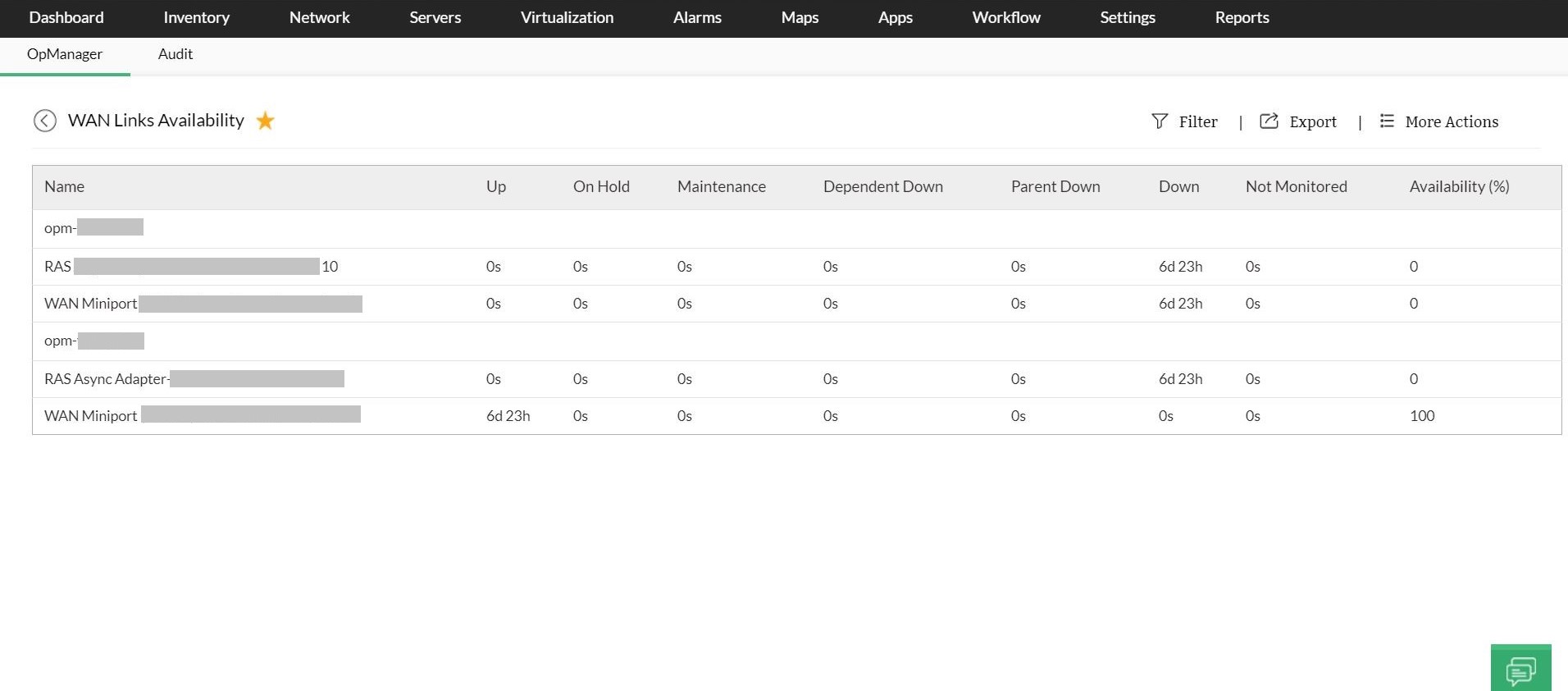
With OpManager, you can generate reports every month on the availability statistics of each WAN link so you can see if the ISP's assured availability percentage has been violated or not.
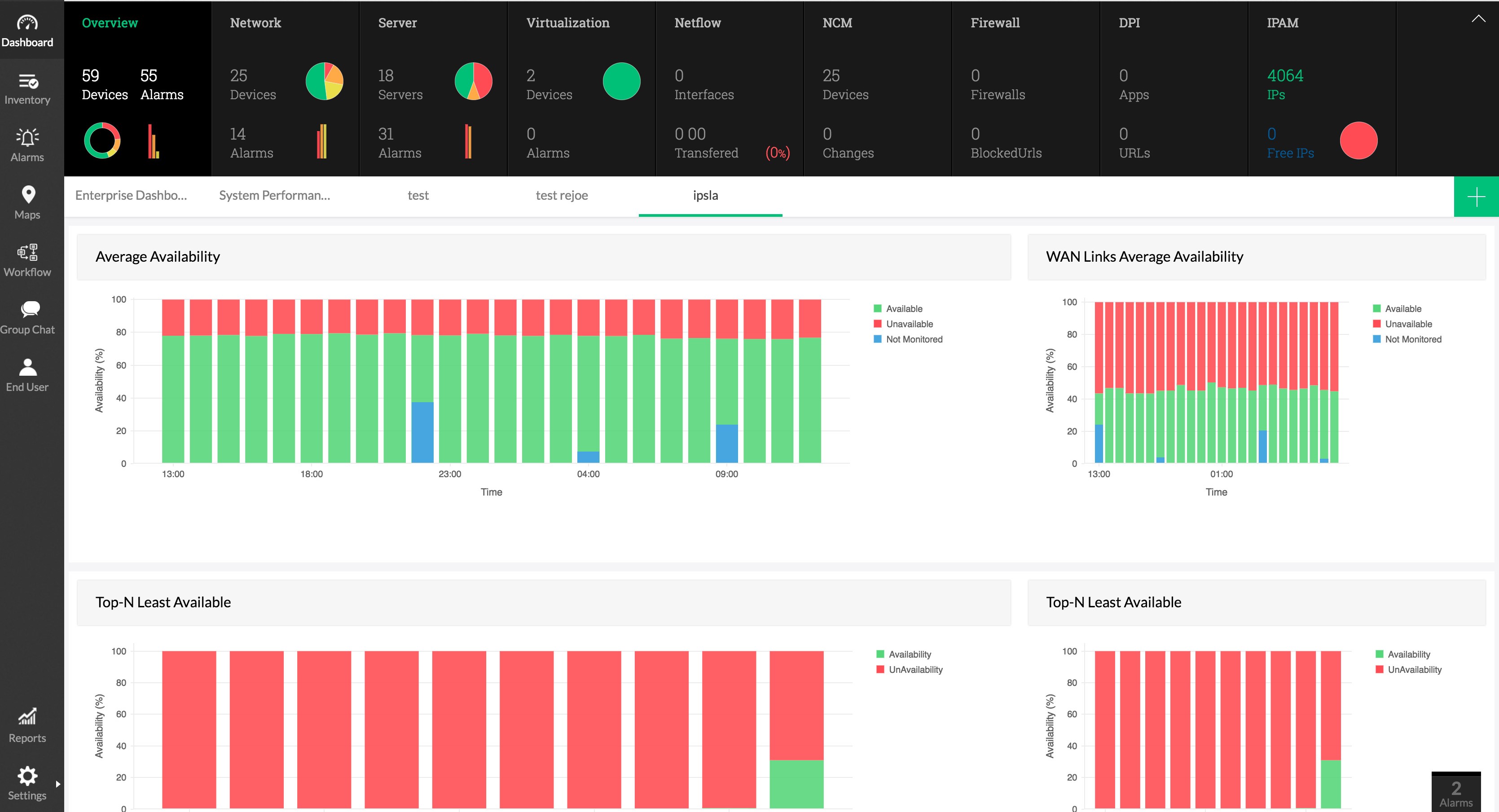
Why is latency monitoring key to a healthy WAN network?
Ensuring optimal WAN link health requires monitoring its performance, particularly its latency (round-trip time). This provides the duration it takes for a data packet to journey from your network to a destination and return back. High latency can indicate potential issues like:
- Problems within your service provider's network.
- Heavy traffic on your WAN links—this can lead to congestion, causing delays in data transmission and increasing latency.
By monitoring latency and identifying its cause, you can proactively address performance issues and maintain a healthy WAN.
What is latency?
In a computer network, latency is an expression of how much time it takes for a packet of data to get from one designated point to another. It is sometimes measured as the time required for a packet to be returned to its sender. Latency depends on the speed of the transmission medium (e.g., copper wire, optical fiber, or radio waves), delays in the transmission from devices along the way (e.g., routers and modems), WAN topology (e.g., star, ring, mesh, or tiered), and the distance between the source and destination.
What happens if latency is high?
High WAN latency can directly disturb and affect not just the user experience but also the productivity rate. VoIP requires low latency for smooth conversations. Exceeding the 150ms threshold can cause noticeable delays, disrupting calls and making communication difficult. High latency can open the gates to lag, buffering, and a bad user experience. Sometimes, access to critical data center applications could be affected for branch office personnel, causing delays and hindering productivity. By understanding the impact of latency, you can take steps to monitor and optimize your WAN performance, ensuring smooth operation for all applications. OpManager simplifies WAN latency monitoring and troubleshooting by:
- Quickly detecting any issues affecting your network performance.
- Providing detailed insights into the various communication paths (hops) between your source and destination.
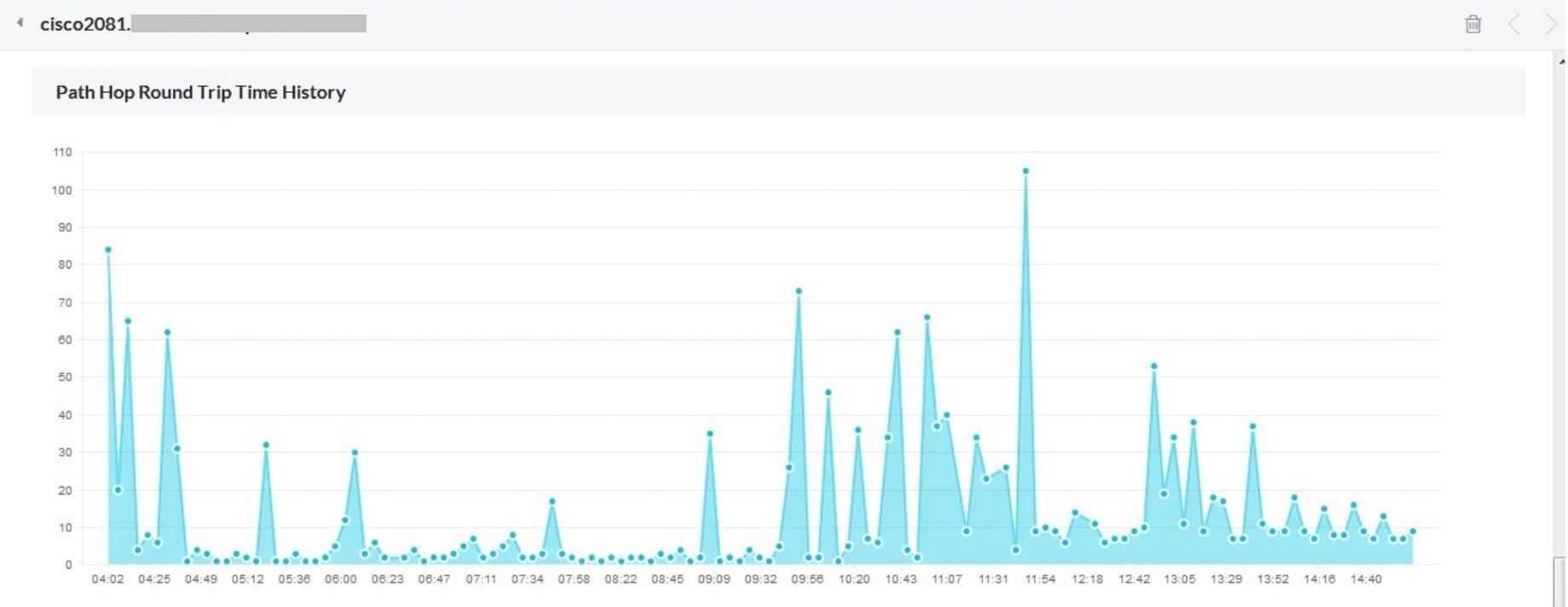
- Enabling you to view the round-trip time (latency) for each hop, pinpointing potential bottlenecks.
- Automatically performing a traceroute and presenting hop-by-hop latency information, alongside packet loss metrics, in a clear-cut graphical representation.
While WAN requirements differ across businesses, ensuring high application performance remains a crucial factor. Network latency and congestion significantly impact the user experience and can lead to lost productivity and potential revenue disruptions. Businesses often utilize WAN optimization and application delivery techniques to enhance performance. However, fundamental WAN monitoring and troubleshooting capabilities provided by network management software like OpManager are equally important.
OpManager empowers IT admins to:
- Proactively monitor WAN performance: Identify potential issues before they escalate, prevent downtime, and ensure application responsiveness.
- Simplify troubleshooting: Gain insights into network bottlenecks and pinpoint the root cause of performance degradation, enabling swift resolution.
- Optimize resource utilization: Utilize insights to make informed decisions about WAN optimization techniques and application delivery solutions, maximizing efficiency and cost-effectiveness.
Ready to streamline your multi-client network operations? Discover how OpManager MSP simplifies WAN network management. Start your free trial today.