¿Cómo instalar Secure Gateway en Windows Server Core?
Descripción
Este documento le guiará a través de los pasos necesarios para instalar Secure Gateway en un entorno Windows Server Core.
Pasos de instalación
Nota : Esto es aplicable para Secure Gateway con número de compilación #90058 y superior.
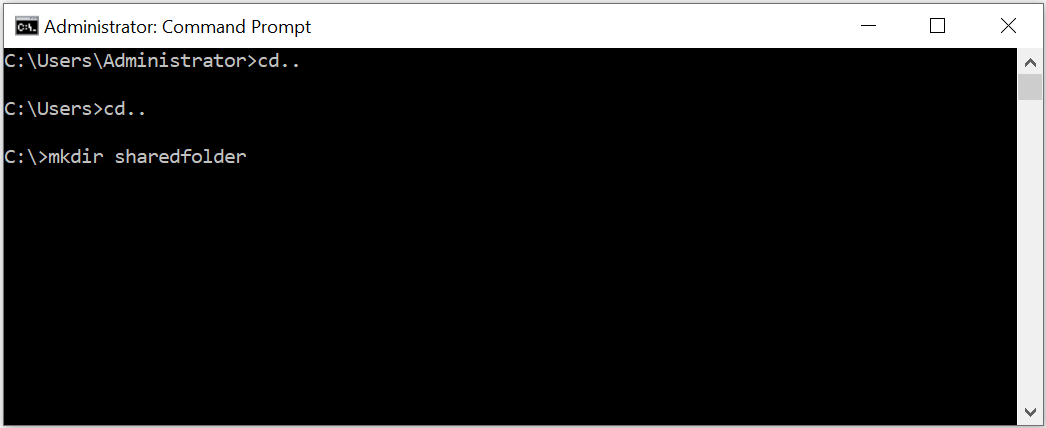
- Abre el símbolo del sistema en el equipo servidor.
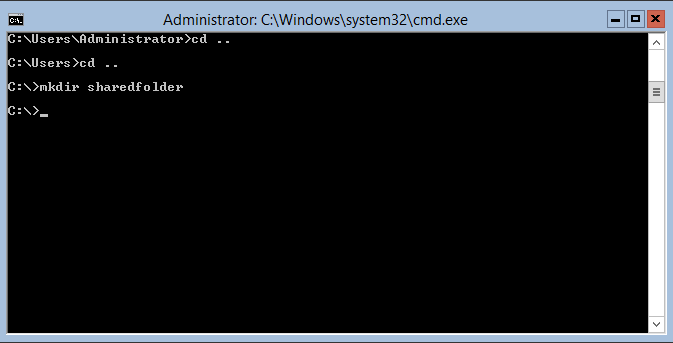
- Crea una carpeta llamada «sharedfolder» en el equipo servidor.
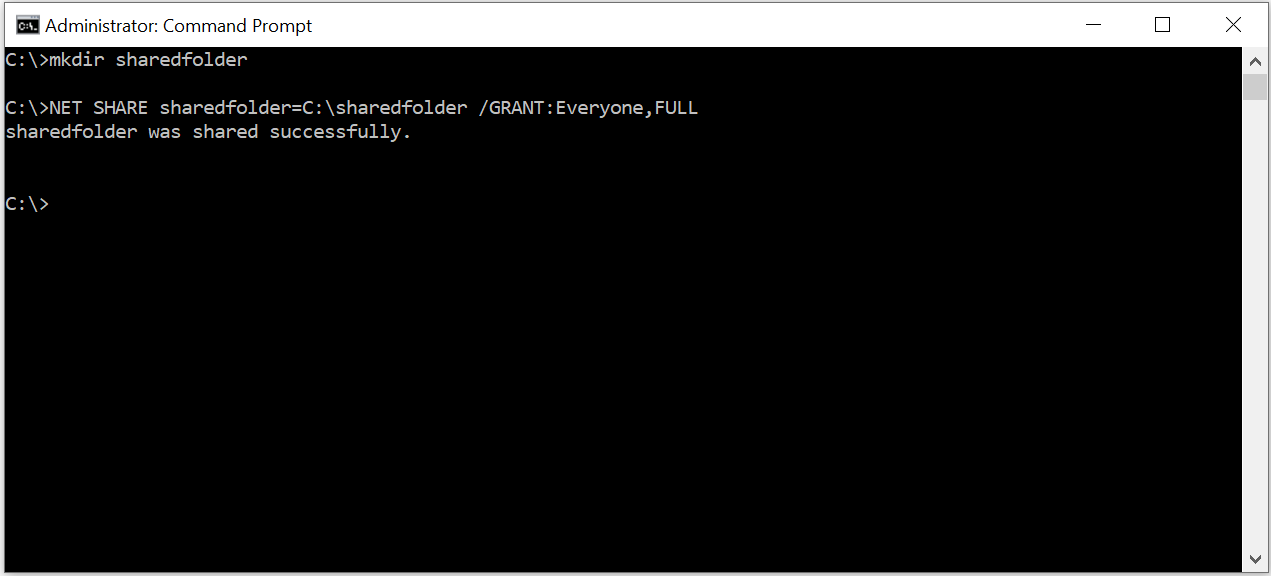
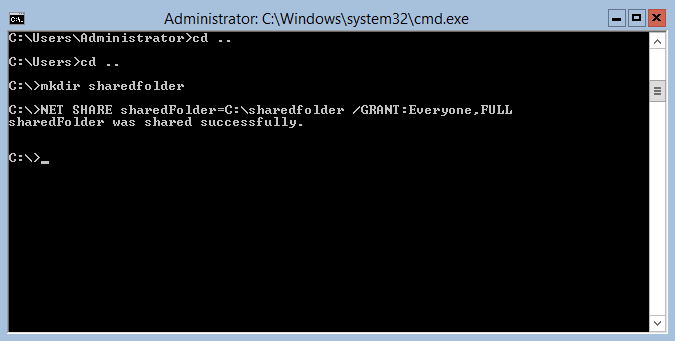
Comparte la carpeta utilizando el siguiente comando:
«NET SHARE sharedfolder=C:\sharedfolder /GRANT:Everyone,FULL»
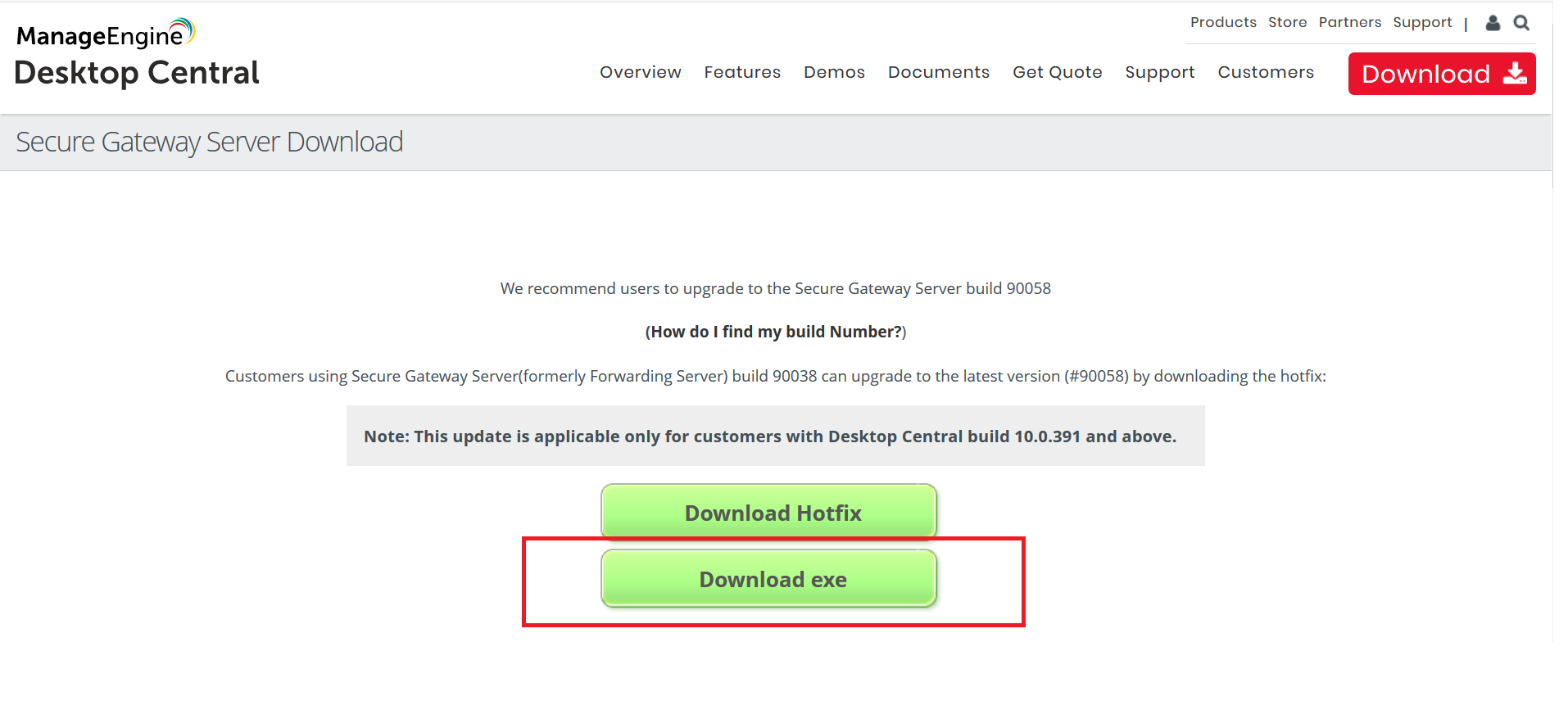
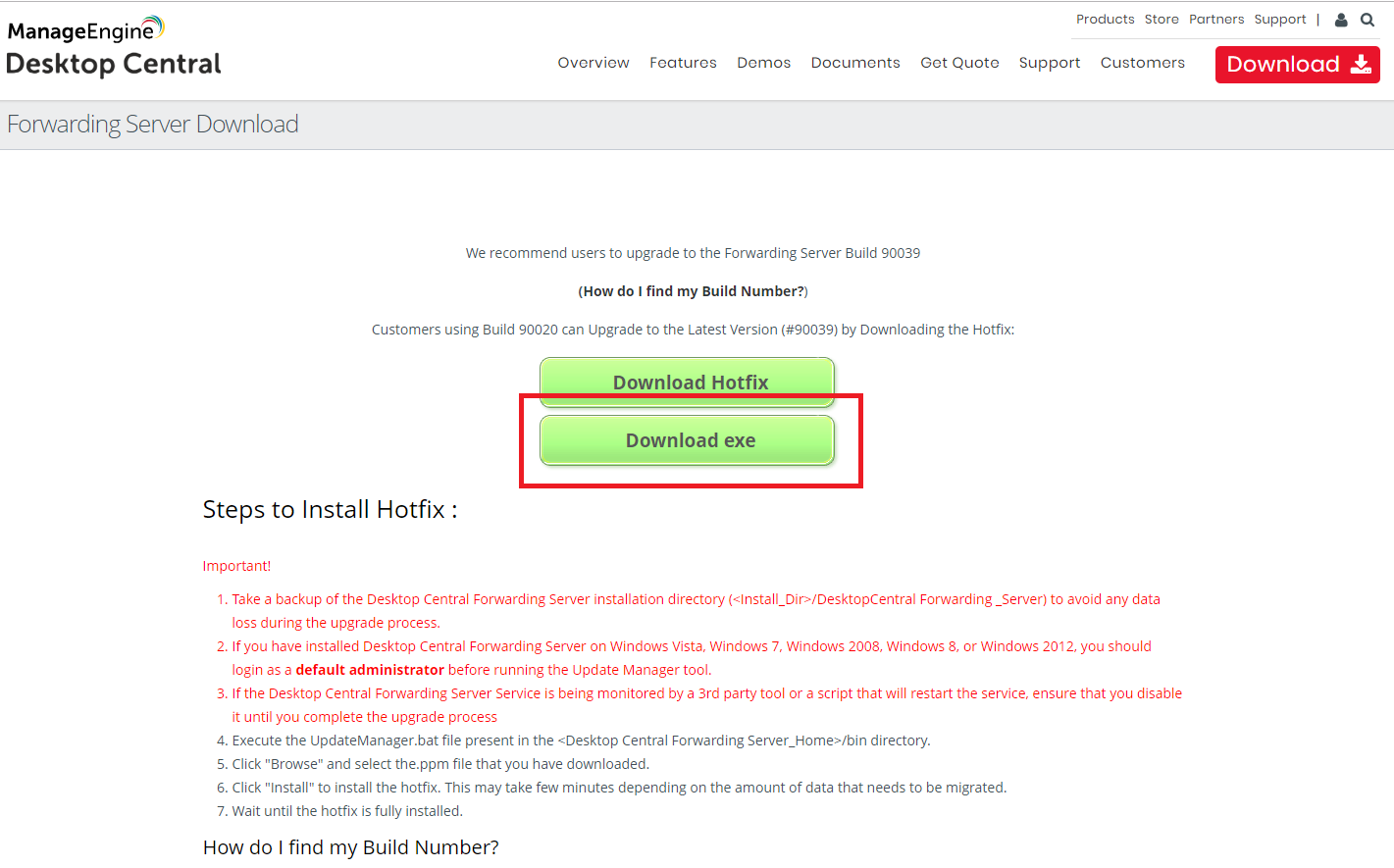
Visite esta página desde otro ordenador de su red y haga clic en «Download exe»:
"SecureGatewayServer.exe" se descargará.
- Copie «SecureGatewayServer.exe» en la carpeta «sharedfolder» creada en el paso 2.
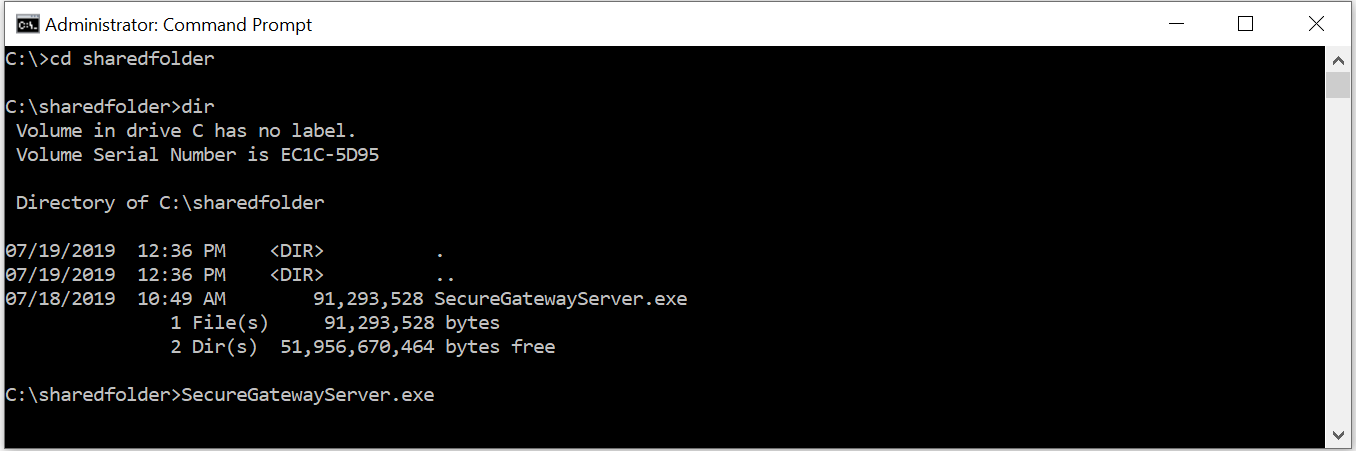
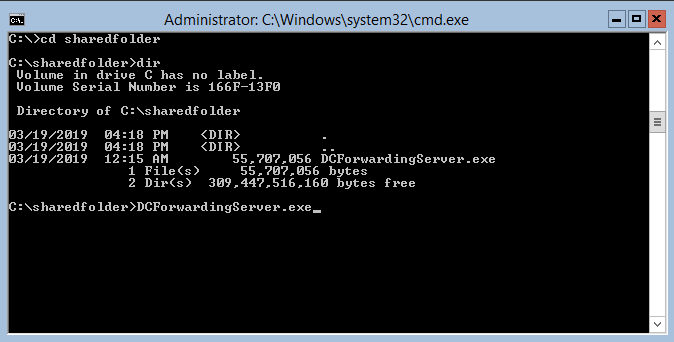
En Windows Server Core, vaya a «sharedfolder» en el símbolo del sistema y ejecute el siguiente comando:
>SecureGatewayServer.exe
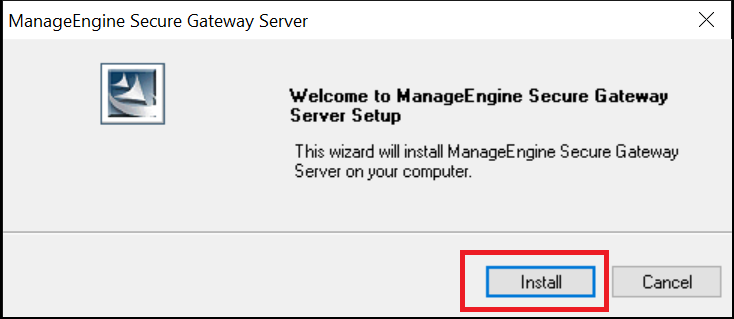
Se iniciará un asistente de instalación.
- Haga clic en «Install».
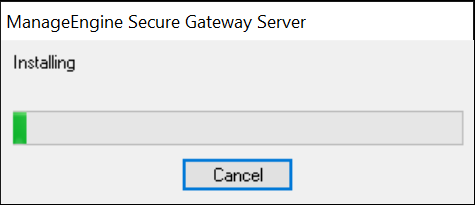
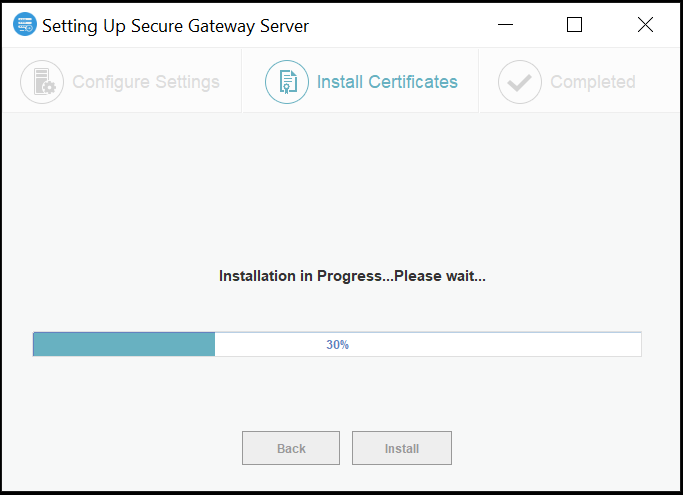
- Espere a que finalice la instalación.
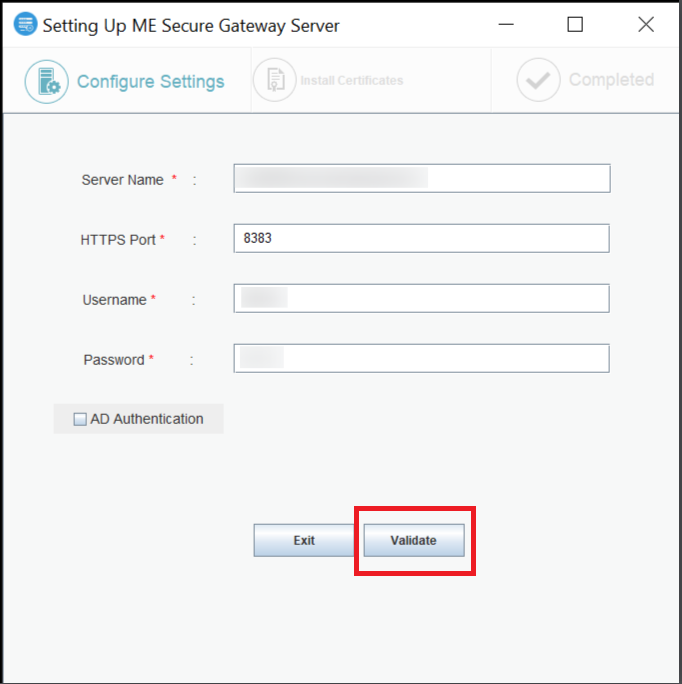
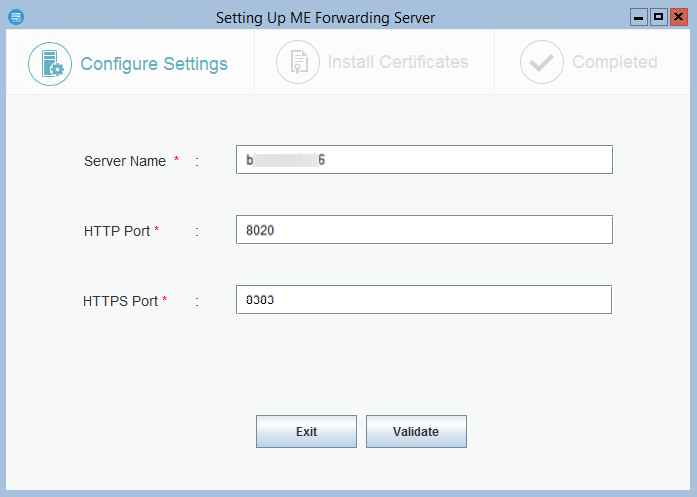
En la ventana emergente «Setting Up ME Secure Gateway Server», introduzca el nombre del servidor, el número de puerto HTTPS y las credenciales del usuario con privilegios administrativos en el servidor del producto, tal y como se muestra a continuación, y haga clic en «Validate»:
Nota: Si no aparece la ventana emergente, vaya a C:\ManageEngine\ME_Secure_Gateway_Server\bin\ utilizando el terminal y ejecute "FSConfigure.bat"
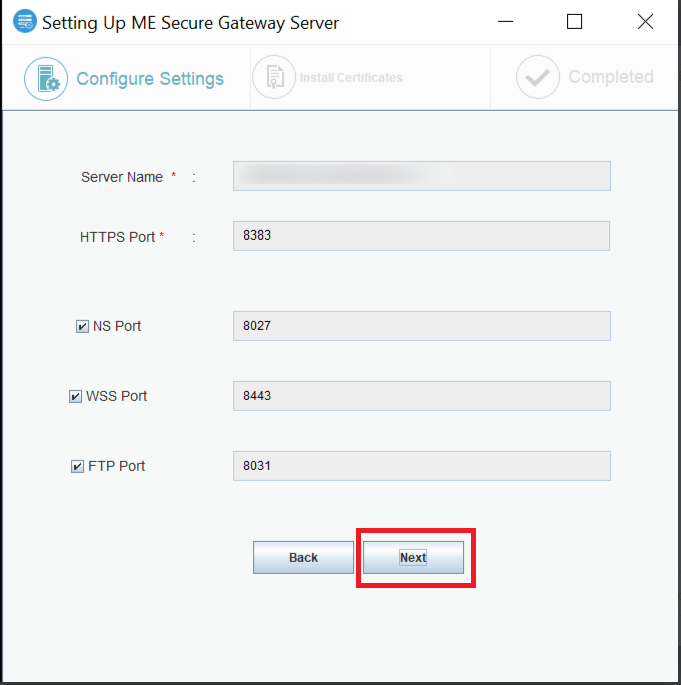
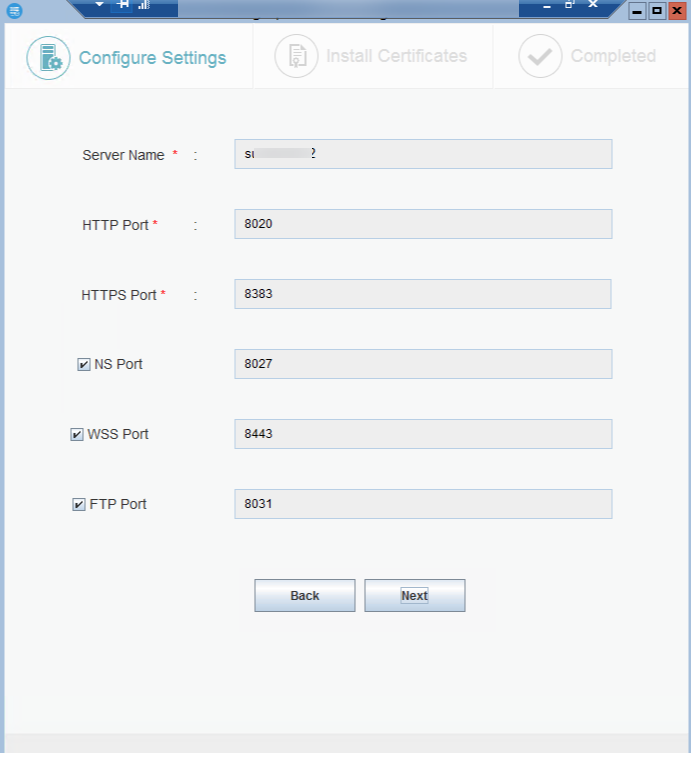
- Seleccione los puertos necesarios y haga clic en «Next»:
- Espere a que finalice la instalación.
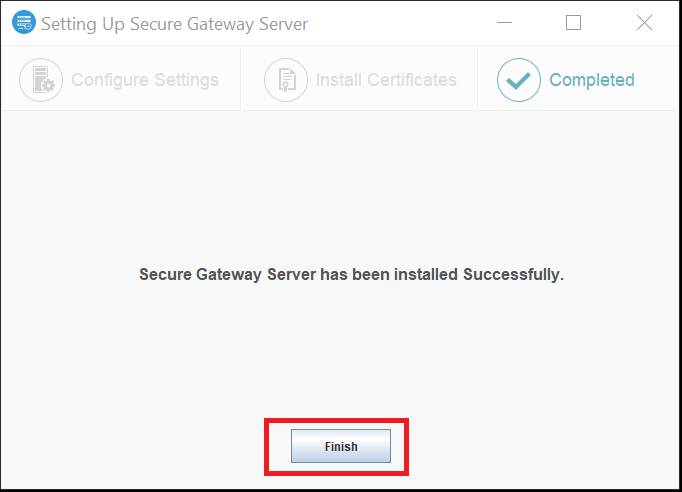
- De clic en «Finish».
Haga clic aquí para el número de compilación #90056 y anteriores.
How to install Forwarding Server in Windows Server Core?
Description
This document will walk you through the steps required to install Endpoint Central's forwarding server in a Windows Server Core environment.
Installation Steps
- Open command prompt in the server.
- Create a folder "sharedFolder" in the current directory.
Share the folder using the following command:
"NET SHARE sharedFolder=C:\sharedFolder /GRANT:Everyone,FULL"
Visit this page from another computer in your network and click on "Download exe":
"DCForwardingServer.exe" will be downloaded.
- Copy "DCForwardingServer.exe" to the folder "sharedFolder" created in step 2.
In Windows Server core navigate to "sharedFolder" in command prompt and run the following command:
>DCForwardingServer.exe
An installation wizard will be launched.
- In the "Setting Up Forwarding Server" pop up, enter the product server name and the port details as shown below, and click on "Validate":
Note: If the pop-up does not appear navigate to C:\ManageEngine\MEForwarding_Server\bin\ using terminal and run "FSConfigure.bat" - Enter the required port details as follows and click on "Next":
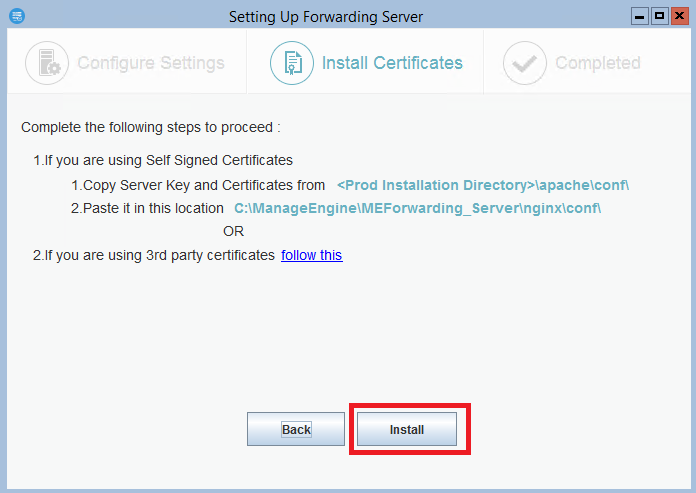
- You'll see the "Install Certificates" section. Follow the below mentioned steps:
- Go to product server, navigate to "(Installed_location)\ManageEngine\DesktopCentral_Server\apache\conf\" and copy "server.crt" and "server.key".
- Paste the copied files in the shared folder created in step 2.
- Go back to Windows Server core and make sure you are in the folder "sharedFolder" created in step 2. Execute the following commands:
"copy server.crt (installed-location)\ManageEngine\MEForwarding_Server\nginx\conf"
"copy server.key (installed-location)\ManageEngine\MEForwarding_Server\nginx\conf"
Once the certificates are copied, click "Install" on the "Install Certificates" section:
If you are using third party certificate, follow the steps given below:
- Rename the third party certificate as server.crt
- Rename the private key as server.key
- If you are using an intermediate certificate, modify the file name as intermediate.crt
- Copy the server.crt, server.key and intermediate.crt files to the location where Secure Gateway Server is installed - (installation-directory)\nginx\conf\
- Navigate to (installation-directory)\conf\websetting.conf file and add the line: intermediate.certificate=intermediate.crt
After copying the certificates, click install to complete the installation process.
Forwarding server will be installed on the Server.
Note: Working of Forwarding Server requires following ports to be open in firewall: