Packet Loss Monitoring
Build seamless end user experience by keeping the packet loss in check with OpManager
Network Packet Loss Monitoring is an integral part of network monitoring. The key steps to understanding and fixing packet loss are measuring its existence accurately, pinpointing exactly what is causing the latency, and maintaining a healthy network. These tasks are accomplished with OpManager, the comprehensive network performance monitoring tool that ensures all your network devices are up and running 24/7.
Causes of network packet loss
Packet loss can be caused by any or a combination of the following:
- Network Congestion: When network traffic hits maximum capacity, packets have to wait to be delivered. Packets are the first thing to be left behind when a network is trying to catch up with traffic and the connection can only handle so much data.
- Problems with network hardware: Hardware that is old, or otherwise outdated, can significantly weaken your network. Firewalls, routers, and network switches all take up a considerable amount of power. If your company grows but your hardware capabilities don’t expand with it, you could experience increased packet loss or even total connectivity loss.
- Software bugs: Unchecked bugs in your network devices can disrupt network performance, and prevent it from sufficiently carrying packets leading to packet loss issues.
- Overloaded devices: Overloaded devices on your network means devices are running at a higher capacity than they were designed to handle. Sometimes packets on overutilized devices make it to their destinations, but by then the network is too weak to process the packets and send them back out. Many devices have buffers in place to put packets in holding patterns until they can be sent out. However, these buffers can get filled up quickly, and excess packets are still dropped which causes packet loss.
- Security threats: We also cannot ignore the possibility of someone deliberately tampering with your network to cause packet loss. Packet drop attacks have become popular with cybercriminals in recent years. Essentially, a hacker gets into your router and tells it to drop packets. If you notice a sudden drop in packet success or a significant slowdown in network speed, you could be in the midst of an attack.
- Faulty configuration changes: A faulty configuration change to the device can also cause packet loss. This can be avoided by conducting performance tests before rolling out any changes on the network. Also, once the change is pushed, it is best to verify all critical performance metrics.
OpManager: An effective network packet loss monitoring tool
ManageEngine OpManager uses Internet Control Message Protocol (ICMP) pings to measure network packet loss. This involves sending one ping per second between hosts and counting how many times the request is lost. With accurate measurements of packet loss, both real-time and historical, OpManager helps end-users ensure their networks are performing up to expectations.
How to fix packet loss with OpManager?
Detecting, troubleshooting, and preventing packet loss is the key to optimal network performance. The best way to reduce packet loss is by monitoring packet loss. If packet loss is a symptom of a larger issue, monitoring across your network can recognize problems and immediately alert you. A network packet loss test tool like OpManager can make it much easier to discover what is causing your network to drop packets and will provide you with more visibility, which helps mitigate the effects of packet loss and increase network performance.
With OpManager you can perform:
Availability monitoring
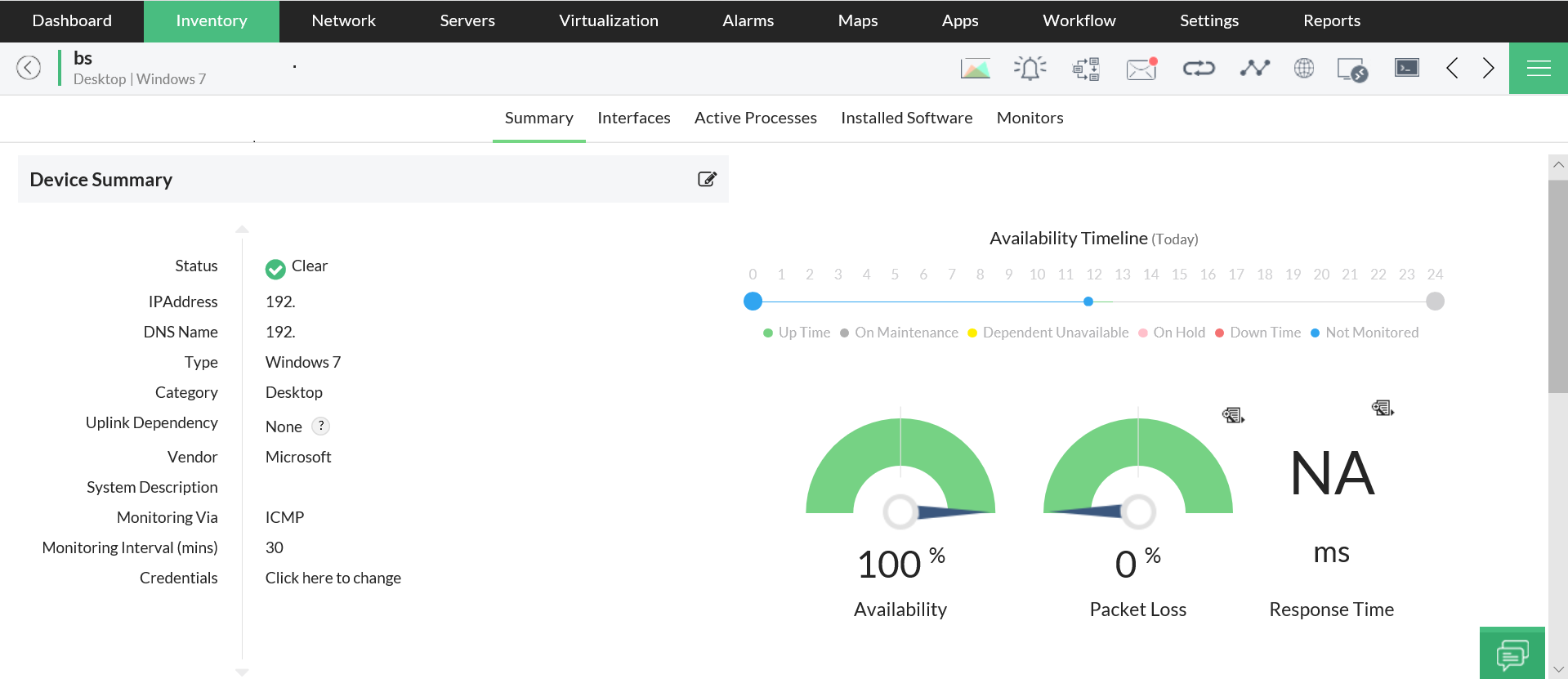
OpManager pings all monitored devices at defined monitoring intervals, and if any device has a huge packet loss, OpManager notifies you immediately by sending an email or text message and keeps the network availability in check.
Errors and discards monitoring
All network devices discard packets depending on their memory, which can affect performance. These problems are common with routers and switches. Since discarding packets increases application latency, excessive discards could indicate that there's a problem with the switch, or the device interacting with the switch. Insufficient bandwidth allocation is also a concern for packet drops. Network errors are diverse; they could be caused by a DNS issue, TCP timeout, or a lack of response from the server. A switch or a router can misinterpret a packet due to a protocol mismatch when updating device configurations.
OpManager helps you monitor and reduce packet loss due to
errors and discards.
Monitoring configuration changes
OpManager manages all the configuration changes on your network devices using its ManageEngine Network Configurations Manager add-on. With these capabilities, OpManager helps you to:
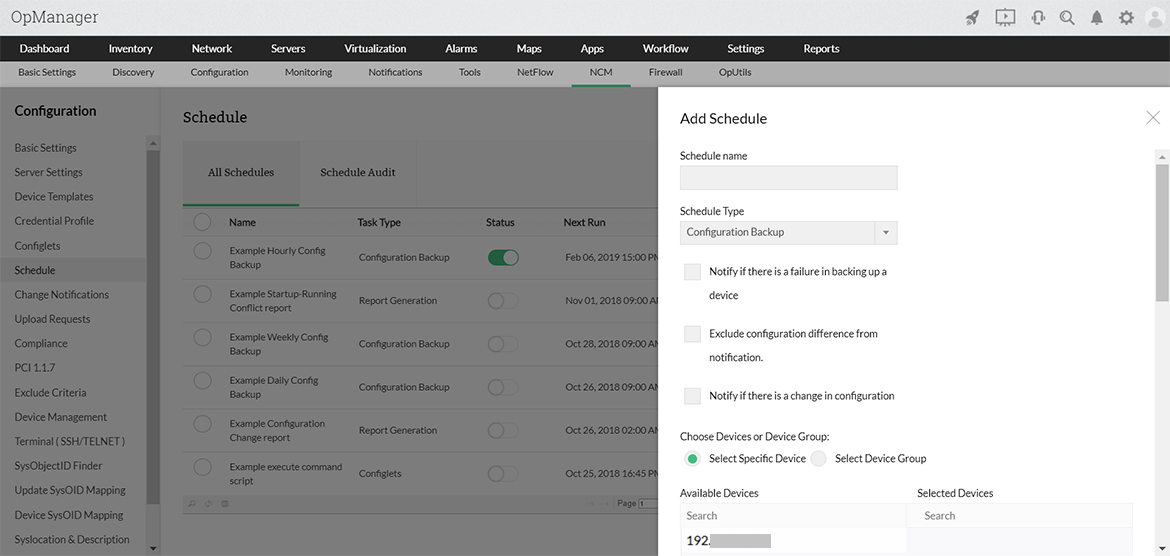
- Schedule configuration backups, and restore trusted configuration versions in a single click
- Detect changes in real-time, and knows the "who", "what", and "when" of configuration changes
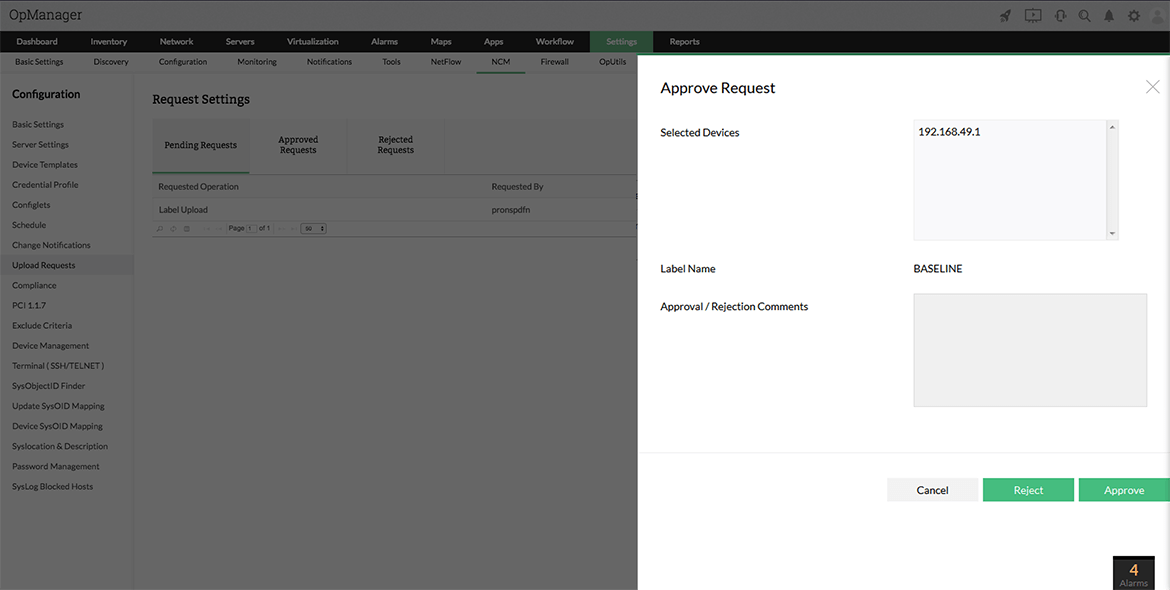
- Stop unauthorized configuration changes using approval workflows
- Ensure complete security and compliance for every configuration change
Threshold-based smart alerts
In OpManager, separate alerts specifically for packet loss tell you when there are instances of packet loss in your system, and what device is responsible for it. These threshold based alerts enable you to:
- Specify thresholds, and get notified when packet loss hits the limit so you can take the appropriate steps to avoid them.
- Configure an increasing or decreasing threshold for packet loss
- Add more intelligence to threshold configurations by specifying the number of violations allowed before actually triggering an alert. You can implement bulk threshold configurations, tool
- Avoid false alerts by specifying a rearm value to clear alerts
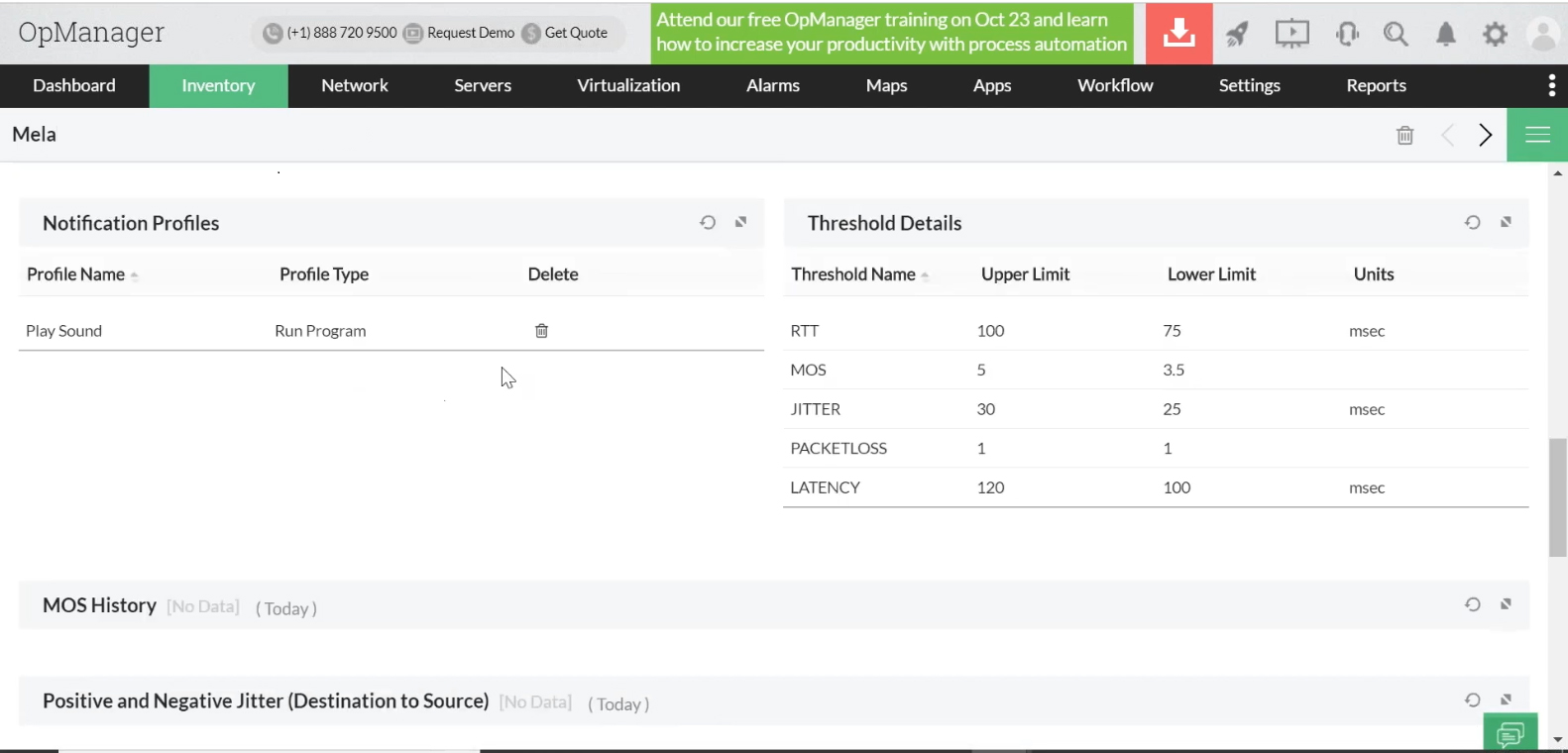
Packet loss monitoring on WAN
Wide Area Networks (WANs) are prone to network congestion during periods of heavy utilization. When different traffic is vying for limited shared resources, packets inevitably will be dropped or delivered out of order, causing packet loss. The process of tracking important metrics using a Packet Loss Monitoring Software to avoid packet loss in WAN communication is called network packet loss monitoring.
You can use OpManager's WAN monitoring feature as a network packet loss monitor to monitor packet loss. OpManager's WAN monitoring feature enables enterprises to get all the benefits of a shared WAN, including cost-effective bandwidth, without sacrificing performance.
Locate WAN packet loss issues with precision: Monitor network packet loss using OpManger's WAN monitor. It identifies outages between two network stations by performing a traceroute action to get the required information on packet loss. This network packet loss monitor helps you drill down and precisely locate the hop at which the outage occurred.
Configure and resolve threshold violation issues: You can use the WAN monitoring feature in OpManager to configure threshold values for packet loss. You can also generate visual reports using OpManager to obtain information about threshold violations so you can make informed decisions to avoid network packet loss.
FAQs - Packet Loss Monitor
What are network packets?
+
Packets, or network packets, are small units of data carried over a network. As their name suggests, these are small, discrete units of data. Alone, these units don’t necessarily make much sense. They’re just portions of the overall message being transmitted, which have been assembled into multiple layers. However, when combined, these packets achieve meaning. Packets have to move through a range of hubs to reach their destination.
What is packet loss?
+
The goal of a network packet is to send information reliably. Each packet sent includes information such as the source and destination, which are the protocols. When one or more of these packets fail to reach their intended destination, this is called packet loss.
What effect does packet loss have on your network?
+
A user can experience packet loss in the form of network disruption, slow service, and even total loss of network connectivity.