
Network administrators have a lot on their plates. They're asked to not only track all the bandwidth consumed in the network, but also to maintain policies that allow smooth access to business-critical applications. While asking ourselves what we could do to make your job as a network administrator a little easier, we realized it's crucial that you are able to visualize what's happening in the network so you can understand and resolve whatever is causing network slowness.
A real-time enterprise network bandwidth monitor can help you resolve the issues on time before end-users are affected. NetFlow Analyzer is a flow-based bandwidth usage monitoring tool that helps you monitor your network's bandwidth usage in real-time. Flows exported to NetFlow Analyzer will help you understand which applications are consuming the most bandwidth and which are the top talkers in the network. Our advanced bandwidth analysis software also lets you measure network bandwidth usage at any particular time.
NetFlow Analyzer is Cisco bandwidth monitoring software that extends support to multiple other major vendors. It is a network bandwidth monitoring software that helps you identify and avoid bandwidth delays with customized reports that can search for specific bandwidth usage details such as applications, IP address, host name, protocol, and more.
Apart from these bandwidth reports, NetFlow Analyzer's bandwidth monitor also helps with bandwidth control to limit the consumption of non business-critical applications. Even though keeping track of all the activities in the network and managing them is a herculean task for any organization, NetFlow Analyzer, as an advanced bandwidth utilization monitoring tool, makes it easy with effective bandwidth utilization monitoring.
Our flow-based bandwidth usage monitor helps you:
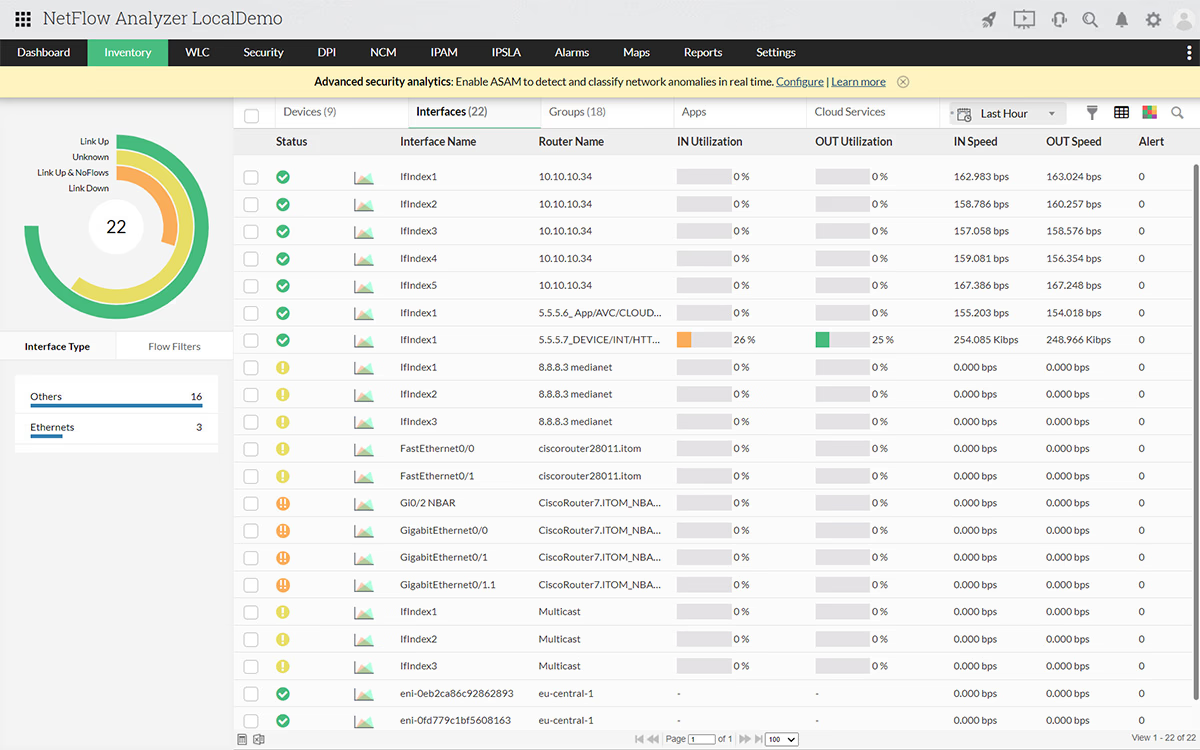
NetFlow Analyzer, the comprehensive bandwidth analysis and network throughput tool classifies and categorizes traffic by applications, interfaces, protocols, and hosts to generate instant visibility into bandwidth usage. With the network utilization monitor, view graphs to find out when your bandwidth is high, which applications are using the most bandwidth, and who is using the most bandwidth. The bandwidth usage checker can also help you drill down to see the consumption of the top sources, destinations, and conversations for detailed analysis. With such granular detail obtained from the network bandwidth utilization monitor, network troubleshooting and problem resolution take far less time than with traditional bandwidth monitoring software.
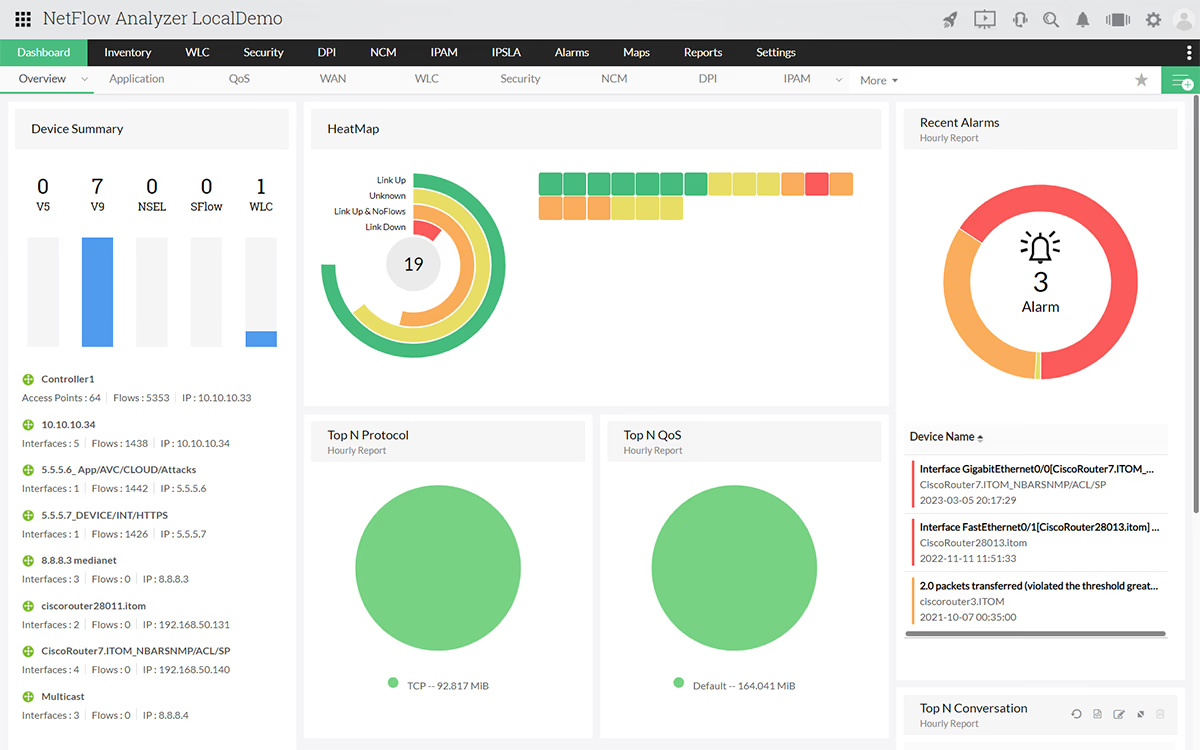
NetFlow Analyzer's customizable dashboard includes a real-time traffic summary that helps you identify the top talkers in your network. With these bandwidth usage statistics, you can get instant visibility into top bandwidth utilization by hosts, applications, and conversations across a specific interface. To drill down further, bandwidth monitoring reports for each interface show the current, average, and peak bandwidth usage patterns across each flow-enabled interface. A bandwidth monitor will help you find the who, when, and what of network traffic and troubleshoot bandwidth issues.
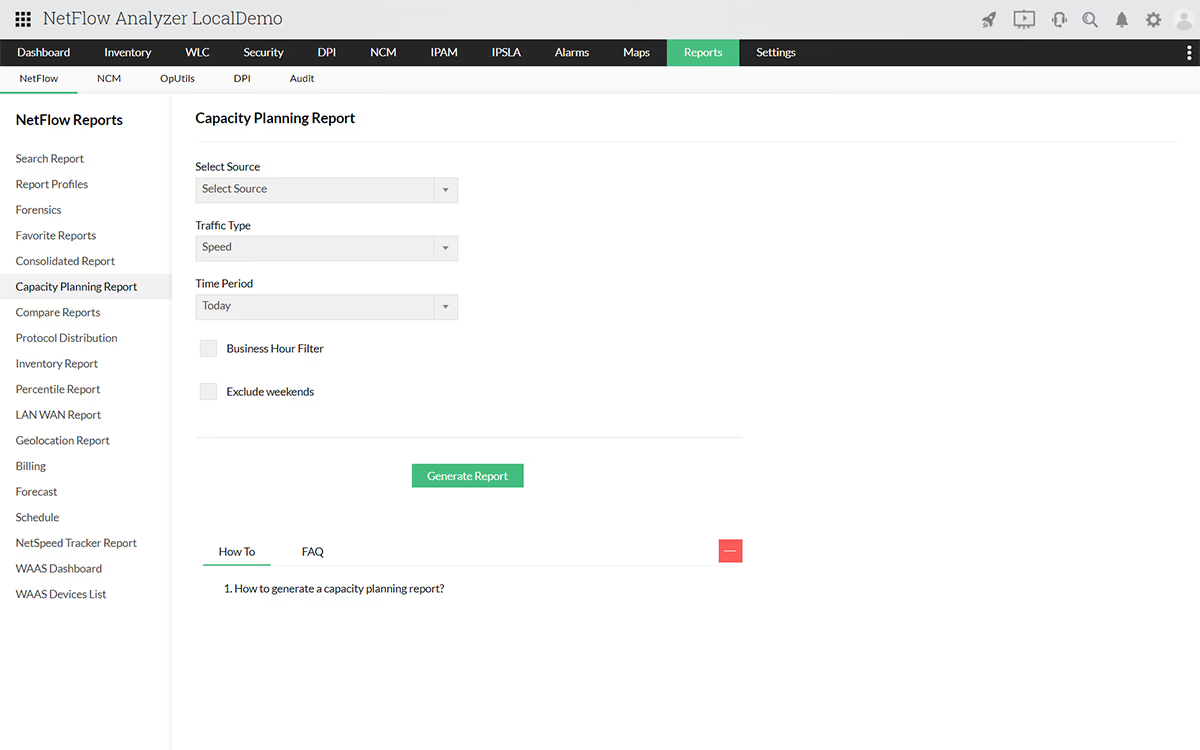
NetFlow Analyzer's bandwidth monitor allows you to view and monitor bandwidth utilization over a period of time. Bandwidth monitoring trends show the usage patterns and traffic trends across a day, week, month, or year. With these kinds of statistics in hand, an enterprise network bandwidth monitor can help you analyze how bandwidth is used in your network, so you can decide if you need to increase your available bandwidth.
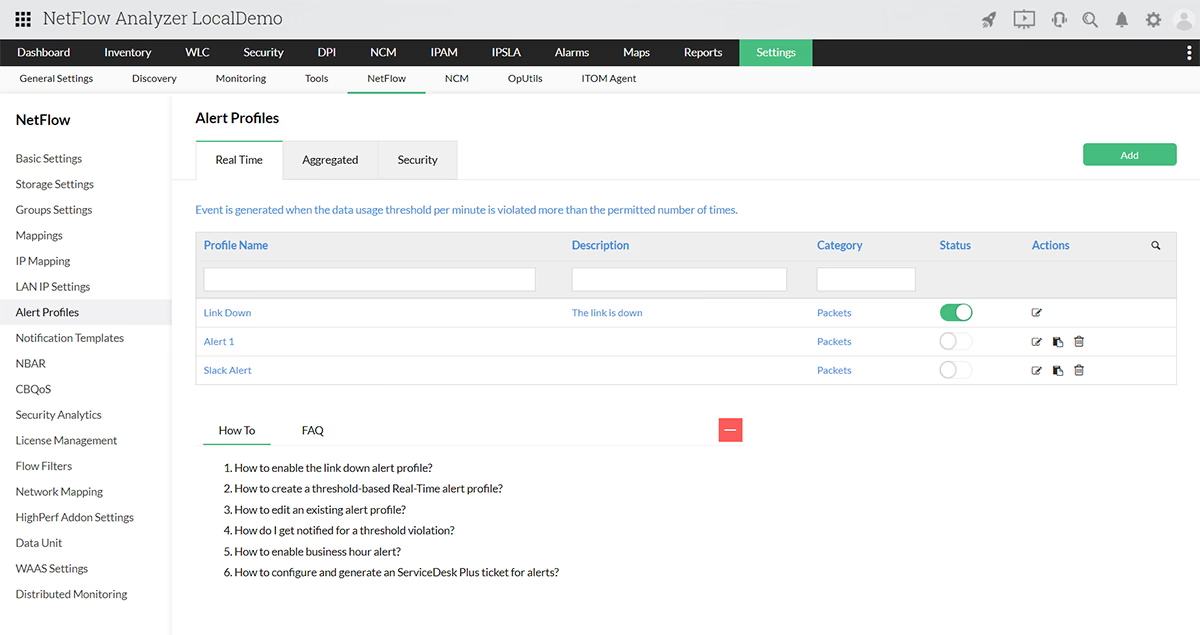
NetFlow Analyzer allows you to set thresholds for excess bandwidth utilization and notifies you via email and SMS when the threshold value is exceeded. Create alerts to learn about bandwidth hogs immediately and act quickly. Using notifications, bandwidth monitoring tools can help you save your network from sudden traffic spikes.
The consolidated bandwidth usage summary report in NetFlow Analyzer displays the overall percentage of bandwidth utilization and shows detailed bandwidth usage statistics for a WAN link. With customizable reports, you can check the bandwidth usage of any slow link and determine what's responsible for the slowness. You can also drill down to host, application, or conversation details during peak working hours with this bandwidth monitor software.
Why use NetFlow Analyzer to monitor bandwidth?
With ManageEngine NetFlow Analyzer, network bandwidth monitoring is as easy as it gets!
NetFlow Analyzer is a wired and wireless network bandwidth monitoring software and network usage monitor that integrates NetFlow, sFlow, JFLow, and more. NetFlow exports are collected, correlated, and analyzed by NetFlow Analyzer, which is not just a Cisco bandwidth monitor tool but offers multi-vendor support, to get granular details to monitor bandwidth usage across each WAN link. With NetFlow Analyzer, there is no need to monitor network bandwidth usage with hardware probes. It is an advanced bandwidth measuring tool that is suitable for both Windows and Linux environments.
Download a free trial of our real-time bandwidth monitor now!
- Raul Borges
Network Administrator, Praxair
Monitor 2 interfaces forever with Free Network Bandwidth Monitor
Featured links
Set pre-defined threshold settings based on utilization, duration and frequency to effectively monitor network bandwidth.
Ensure fair billing from your ISP. You could also use it for chargeback in your different departments
Assess future network requirements based on capacity planning reports.
Unearth the root cause of your network troubles and troubleshoot issues faster.
Monitor critical factors affecting VoIP, Video performance and ensure best-class service levels. Ensure seamless WAN connectivity through WAN RTT monitoring.
Validate the effectiveness of your QoS policies using CBQoS reports from NetFlow Analyzer. Prioritize your network traffic accordingly.