VoIP monitoring involves the process of continuously measuring the performance and quality of voice calls transmitted over the network. The primary goal is to ensure a clear, uninterrupted user experience by measuring key Quality of Service (QoS) metrics like latency, jitter, and packet loss. Monitoring VoIP calls also helps identify the root cause of poor quality, enabling IT teams to troubleshoot problems proactively. Ultimately, it helps maintain a high Mean Opinion Score (MOS), the industry standard for perceived call quality.
Begin with the information provided by the end user, and correlate the issue with a performance metric. For example, choppy audio usually indicates jitter, delays or people talking over each other suggest latency, missing words or silence point to packet loss, With this information you can do further in-depth investigation.
VoIP traffic depends on consistent, stable bandwidth. Check whether the network is congested due to large file transfers, backups, streaming, or peak-hour load. If bandwidth is being strained, prioritise VoIP using QoS policies to ensure voice traffic gets the required share compared to non-critical applications.
Many VoIP issues originate within the local environment. Problems may be caused by faulty Ethernet cables, weak Wi-Fi signals, overloaded access points, misconfigured switches, or speed/duplex mismatches on network ports.
Configuration errors in routers or firewalls commonly disrupt VoIP. Check if SIP ALG (Session Initiation Protocol Application Layer Gateway) is enabled and disable it if needed. SIP ALG protocol is generally available in routers to resolve NAT problems. It alters the SIP packets, however, sometimes this can cause routing issues. Ensure the ports required for SIP/RTP are not blocked, QoS rules are properly defined, and NAT traversal is correctly set up. Even a small misconfiguration can break call setup or media flow.
If your internal network looks clean, the issue may lie outside. Investigate potential ISP-level problems, latency spikes on external hops, SIP trunk health issues, or routing inconsistencies. Tools like traceroute and synthetic call tests help identify bottlenecks in the provider path.
Sometimes, the issue stems from the device used for calling. This could be an outdated softphone application, poor mic or speaker quality, CPU overload on laptops, or old firmware on IP phones. Simple fixes like rebooting the device or updating firmware can resolve many endpoint-related VoIP issues.
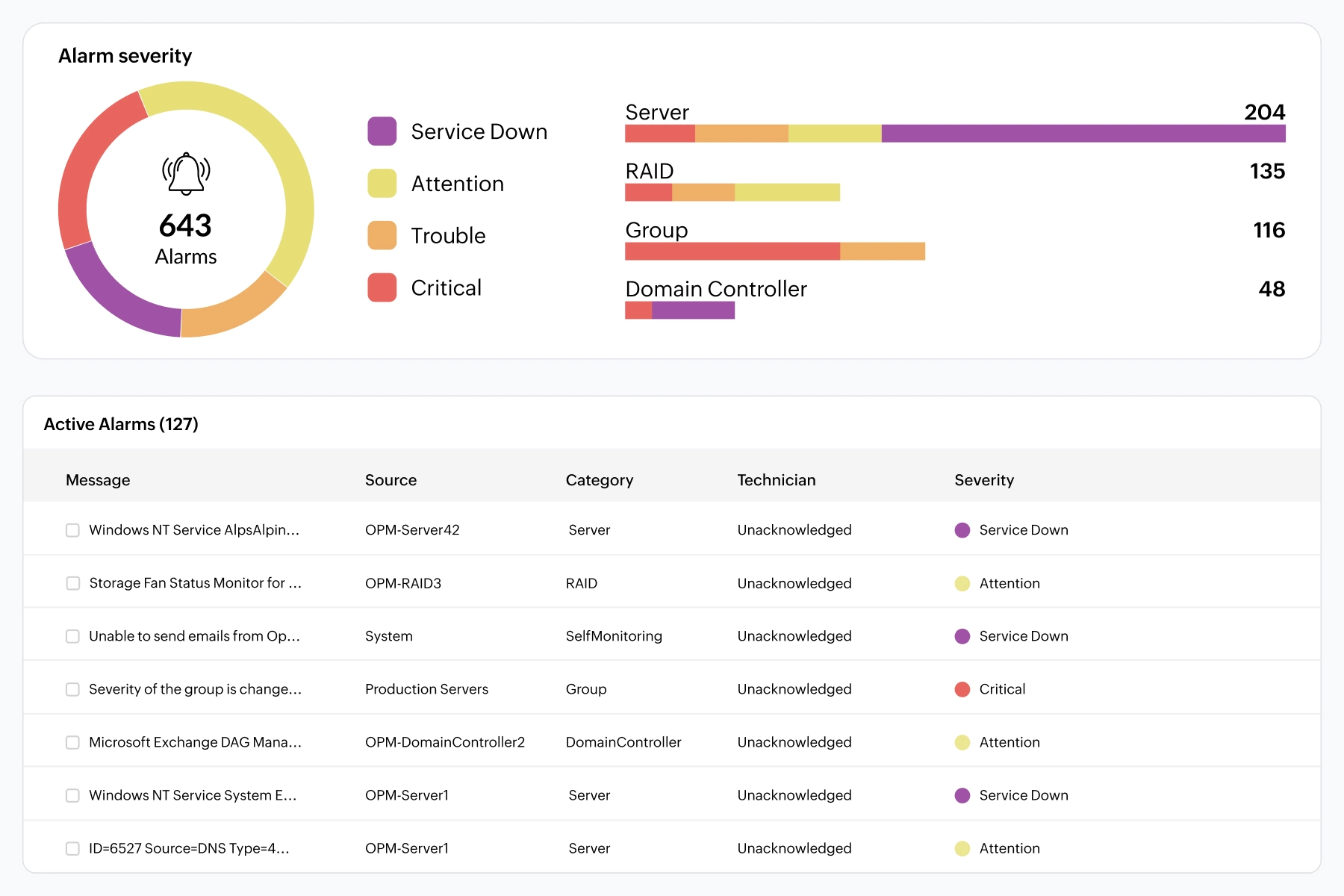
Finally, correlate all insights using unified network monitoring tools that offer dedicated VoIP monitoring capabilities. These platforms provide a single window where IT teams can view every VoIP-related metric—latency, jitter, packet loss, MOS, call path health, and device status—in one consolidated interface. With built-in alerting, teams are immediately notified when voice quality degrades, helping them respond before users are impacted. Unified dashboards further accelerate troubleshooting by giving an instant overview of top call paths, affected locations, and performance anomalies.
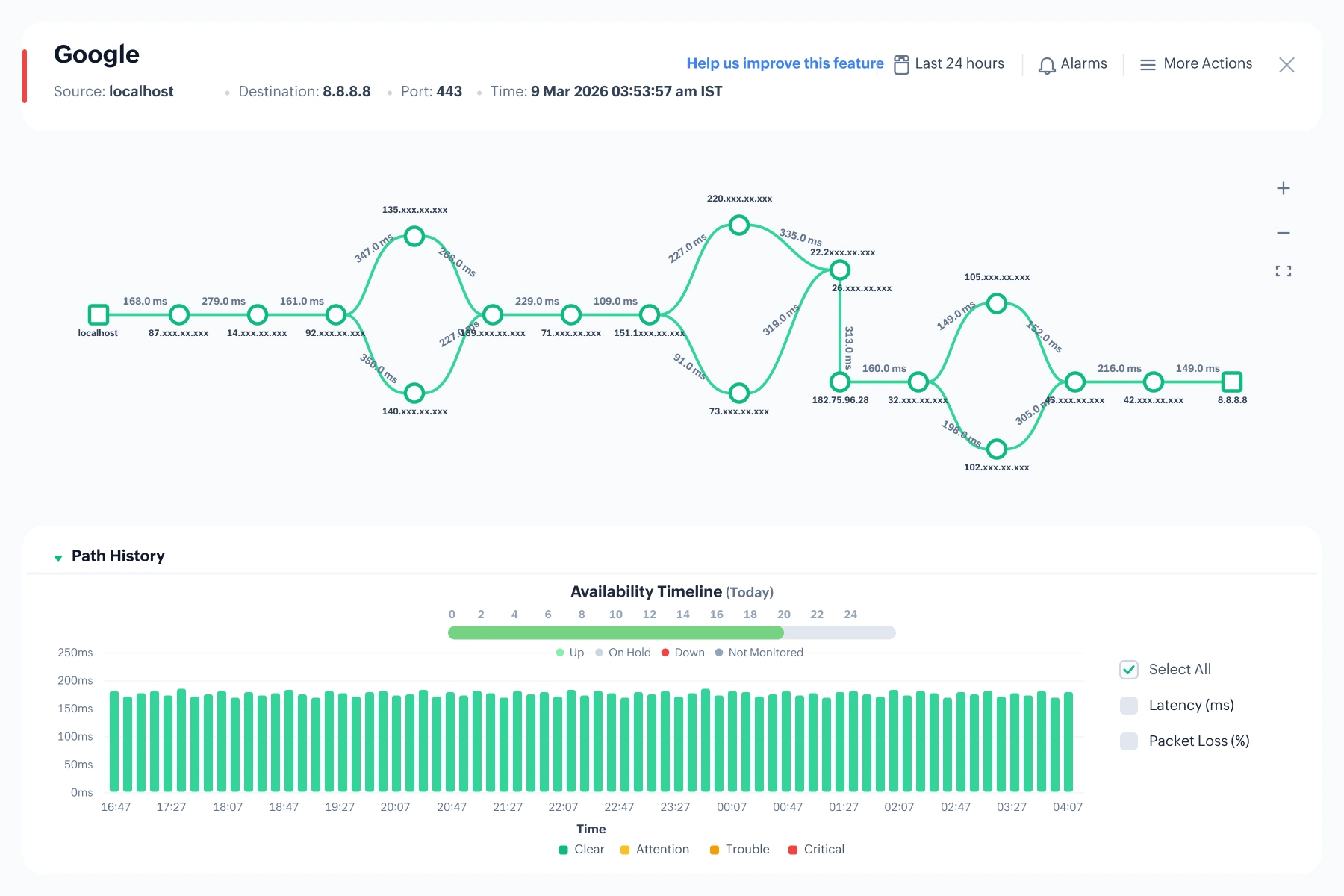
In addition, detailed historical reports support trend analysis, capacity planning, and root-cause validation. Path visualization features make troubleshooting even easier by clearly showing where packet loss, latency spikes, or jitter originate along the call route. By bringing all these capabilities together in a unified monitoring environment, IT teams can correlate issues faster, pinpoint root causes with greater accuracy, and dramatically reduce resolution time.
A Voice over IP (VoIP) monitoring tool helps IT teams maintain high-quality voice calls and ensure uninterrupted productivity across the organization. When evaluating vendors, it is important to look for solutions that provide deep visibility, proactive detection, and troubleshooting features. Here are a few key capabilities to look for in a VoIP monitoring tool:
A VoIP monitoring tool must provide real-time visibility into all the primary indicators that define VoIP Quality of Service (QoS), including MOS, latency, jitter, packet loss, and round-trip time (RTT).
Call simulation, or synthetic monitoring, continuously tests call quality across key network paths by generating artificial VoIP traffic often using technologies like Cisco IP SLA. It simulates real voice flows without depending on live user calls, enabling IT teams to detect latency, jitter, or bandwidth issues proactively and resolve them before they impact actual communication.
End-to-end call path visibility allows the monitoring tool to map every hop a call takes from the origin, through intermediate switches, routers, WAN links, and finally to the destination endpoint. By visualizing this complete journey, IT teams can instantly see where delays, congestion, or packet loss are occurring. Instead of guessing whether the issue lies in the LAN, WAN, ISP, or device, the call path view highlights the exact segment causing degradation. This drastically reduces troubleshooting time and enables precise, targeted remediation.
The tool should allow configuring thresholds for key metrics and receive alerts when the defined limits are breached. For example, jitter exceed 30ms, MOS dropping below 3.5. When any threshold is breached, the system immediately triggers notifications through channels like email, SMS, or Slack. This ensures that issues are detected the moment they begin, not after users start complaining.
A real-time dashboard provides a unified, visual view of the entire VoIP environment's health. With color-coded indicators, trend graphs, and live metric updates, it allows teams to instantly spot anomalies or performance dips. The dashboard typically highlights call quality trends, active alerts, network hotspots, and device status in one glance.
OpManager's VoIP monitoring capabilty enables you adhere to service level agreements by monitoring call quality metrics like Jitter, packet loss, and mean opinion score. You can configure threshold values and when these metrics violates the thresholds, OpManager generates alerts and notifies you using channels like SMS, email, slack or webhook. OpManager also monitors device availability and performance metrics like CPU, memory, and disk space. You can also perform granular network traffic analysis using the NetFlow add on with OpManager.
OpManager's Voice over IP tool helps you:
OpManager also provides a dedicated dashboard for VoIP monitoring that offers an at-a-glance view of key metrics like Top Call Paths by MOS, Top Call Paths by Jitter, and Top Calls by Location. Beyond just presenting data, this intuitive dashboard helps IT teams instantly spot performance degradations, prioritize affected call paths, and zero in on the root cause faster and ensures consistently high call quality across the organization.

OpManager's VoIP monitoring solution proactively monitors and reports on the WAN infrastructure’s capacity to handle VoIP calls. Using Cisco IP Service Level Agreements (SLAs), OpManager simplifies VoIP Monitoring and continuously measures critical Quality of Service (QoS) parameters of VoIP services to provide insights on VoIP network performance. VoIP quality metrics measured include packet loss, delay, jitter, the Mean Opinion Score (MOS) and Round Trip Time (RTT).
Since the cloud is the communication medium, a VoIP calling endpoint never gets a dedicated end–to–end line unlike traditional circuit–switched networks. This can bring nightmares to network personnel who maintain VoIP call quality. They need continuous network health status of not just their own corporate WAN, but also that outside WAN precinct, through to ISP network(s). By virtue of the Cisco IPSLA technology present in a wide number of network devices, VoIP monitor software provides in–depth QoS visibility over call paths within WAN and also for calls between corporate users and other users in ISP networks.
Does huge packet loss happen during high bandwidth usage hours? Which user or which type of traffic consumed most bandwidth? OpManager’s VoIP monitoring software has in-depth NetFlow traffic reports placed alongside VoIP QoS trend graphs to help in quickly troubleshooting VoIP performance problems.
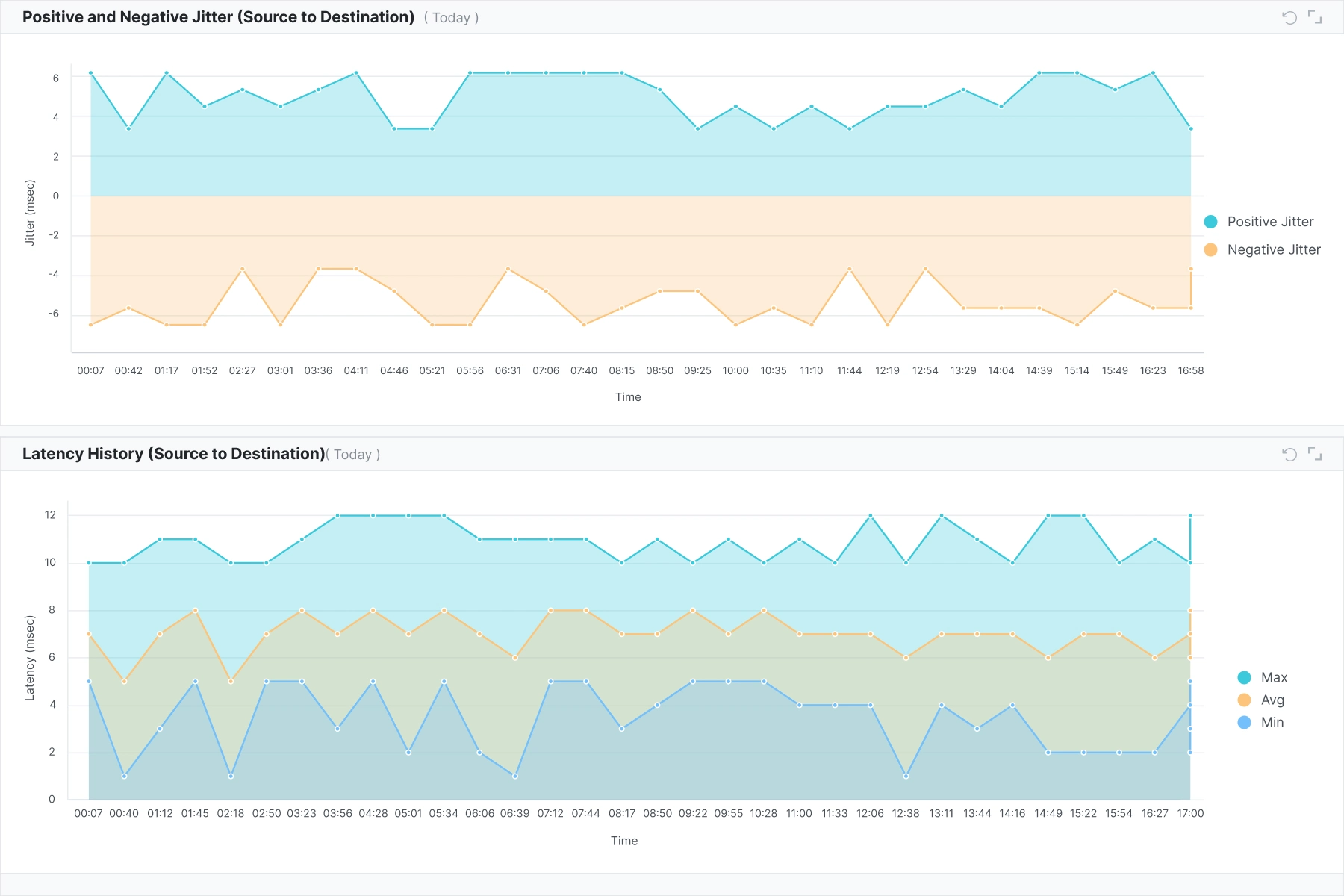
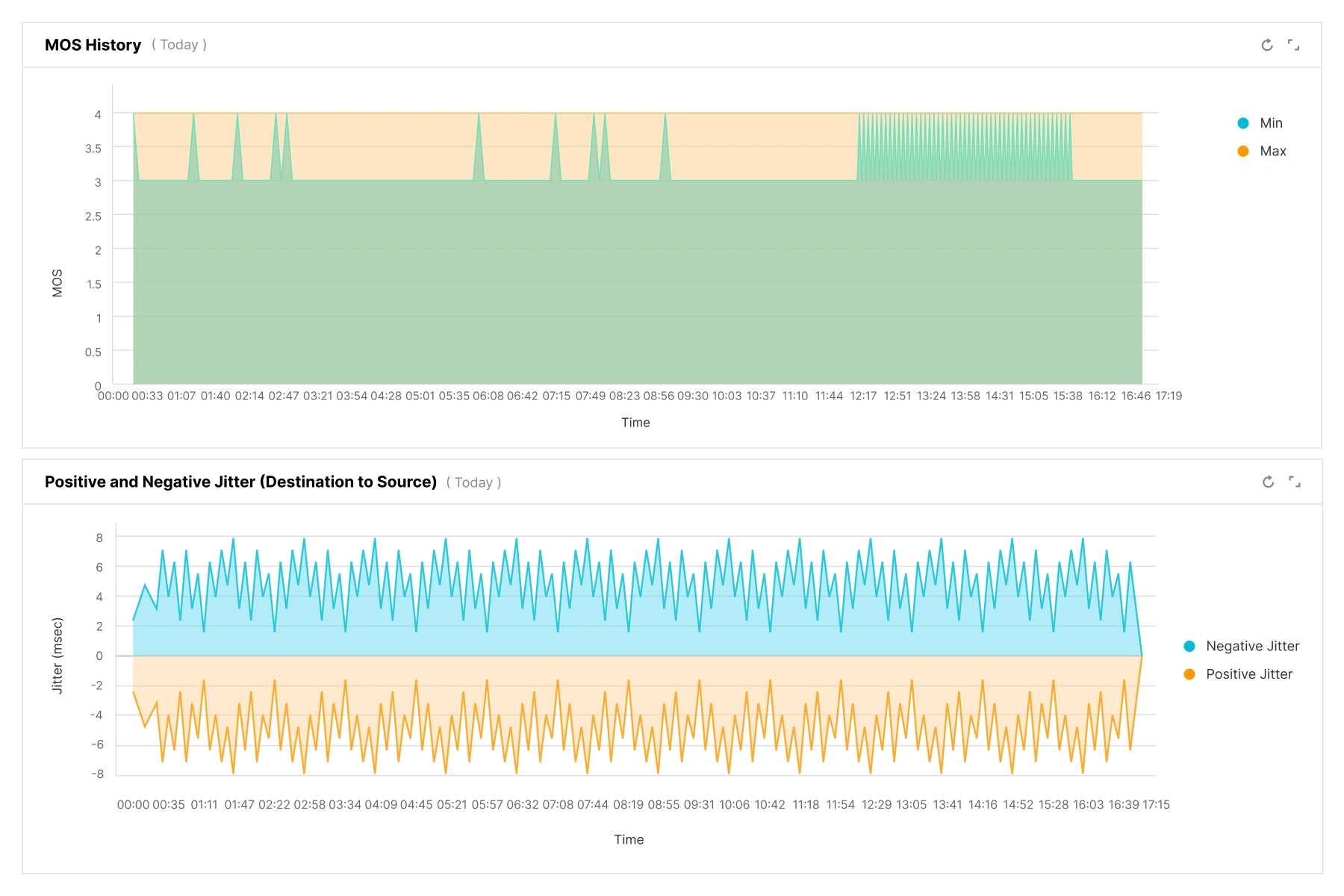
The originator of a call could be within the corporate WAN and the called party could be located outside in the ISP network, or vice versa. VoIP management software provides Source-to-Destination and Destination-to-Source statistics using which you can now easily find out which side of the call faced poor VoIP quality and why.
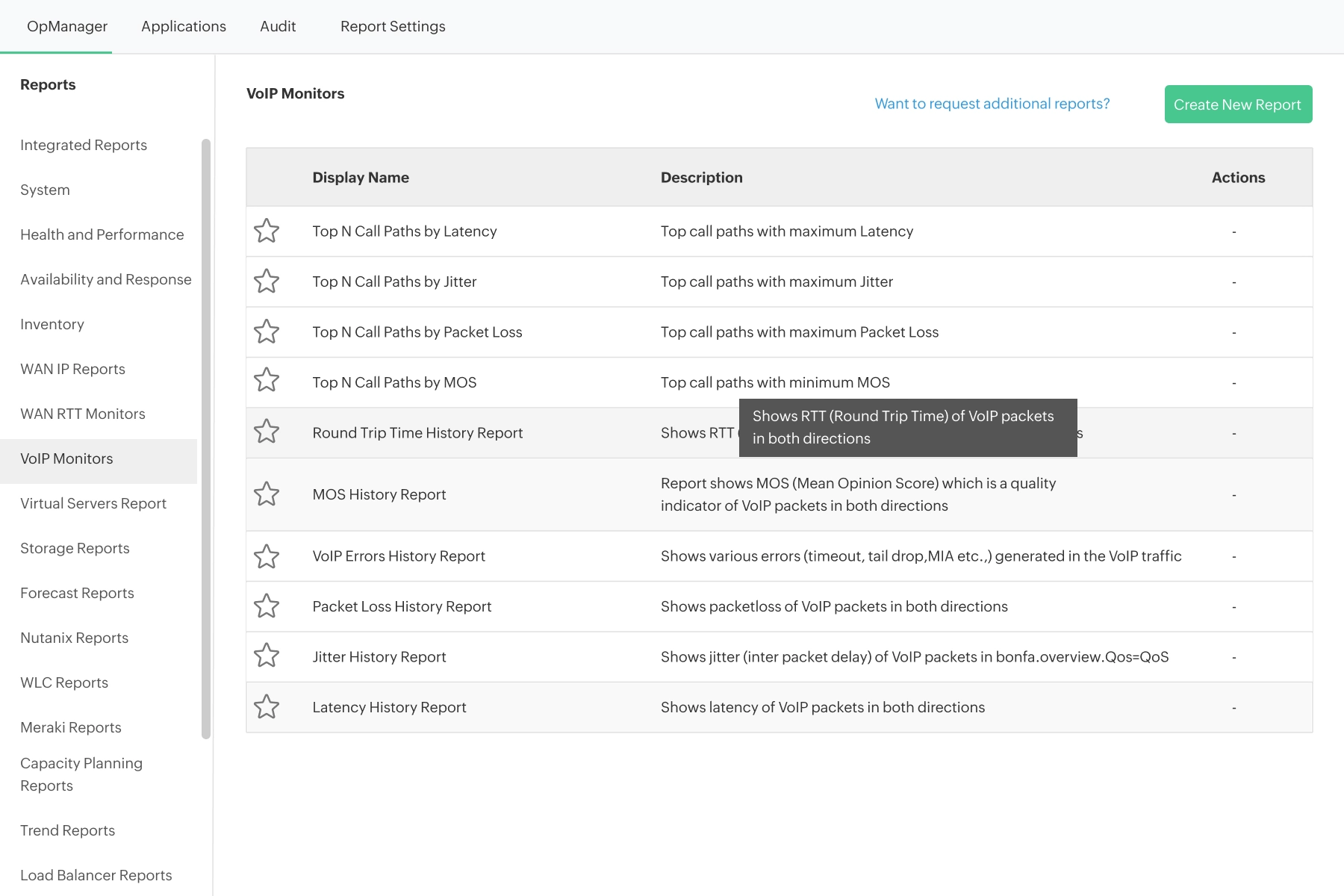
OpManager also offers extensive built-in reports that help IT teams perform trend analysis, understand long-term performance patterns, and plan capacity more accurately. These default reports highlight everything from error trends to historical data such as Jitter History, Latency History, and more. These reports enable IT teams to spot recurring issues, identify patterns, and anticipate performance bottlenecks before they affect call quality. For example, jitter or latency history reports allow teams to analyze fluctuations over time, correlate them with network events or configuration changes, and proactively optimize bandwidth or routing strategies.

By leveraging OpManager’s VoIP monitoring capabilities, IT teams can ensure consistently high VoIP call quality across their network. With its comprehensive dashboards, detailed reports, real-time alerts, and IPSLA-based synthetic monitoring, OpManager provides a complete view of all key VoIP performance metrics in one place. OpManager equips organizations with everything they need to proactively detect issues, troubleshoot faster, and deliver a seamless calling experience for every user.
Interested in our solution? Try a free personalized demo. Download our free trial to get a first hand experience of OpManager.
Recognized as a May 2019 Gartner Peer Insights Customers' Choice for Network Performance Monitoring and Diagnostics Software
Recognised as an April 2019 Gartner Peer Insights Customers' Choice for IT Infrastructure Monitoring Tools.
Network Management and Monitor Vendor of the Year 2018, 2019
Entered the 2019 Gartner NPMD Magic Quadrant.
Ranked #2 in the Infotech Research Software Reviews Data Quadrant 2018.