Accidental deletion of users is one of the most common errors that could take place in Azure Active Directory (Azure AD). This results in users being prevented from accessing services, their data being erased, disruption of dependent services, and potential security risks. Therefore, it is crucial for administrators to be able to find deleted users and recover them. However, when dealing with hundreds and thousands of users, groups, devices, and other resources, it becomes increasingly difficult to track which objects are being deleted. Administrators will need a way to query for these deleted resources in bulk so that they can concentrate on restoring them swiftly. The cmdlet in the table below can be used for finding deleted users in an Azure AD environment. ADManager Plus, a unified Active Directory, Microsoft 365, Exchange, and Google Workspace management and reporting tool, can also be used to accomplish this task.
The following table is a comparison on how to find deleted users in an Azure AD environment using PowerShell scripts and ADManager Plus.
Steps to find deleted users in an Azure AD environment using PowerShell scripts:
where <usercount> can be used to limit the number of results to a fixed value. If you want to query for all users, remove -MaxResults <usercount> from the script. <condition> refers to the condition used to filter the list of groups. For eg: UserPrincipalName eq 'user@zlyck.com'
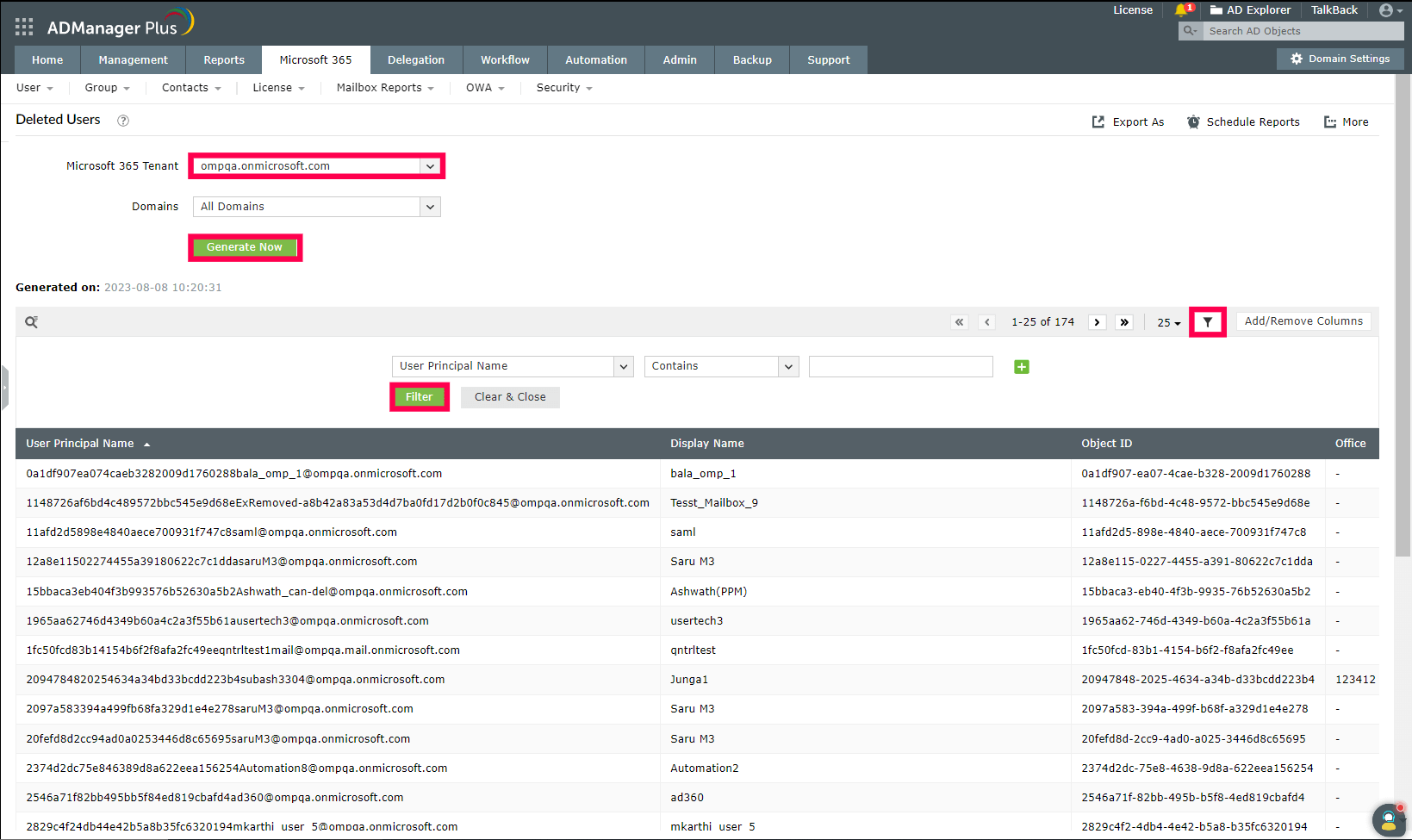
Steps to find deleted users in an Azure AD environment using ADManager Plus:
Simplify Azure AD management and reporting with ADManager Plus
Get 30-day free trial.Your download should begin automatically in 15 seconds. If not, click here to download manually.
For AD User Management
For AD User Reporting
For GPO Management
For Password Management
For AD Group Management
For File Access Management
For AD Computer Management
For Office 365 Management
For Exchange Management
For Microsoft Graph PowerShell
Entra ID user management
Entra ID reporting
Entra ID group management and reporting
Entra ID domain management
Entra ID contact management and reporting
Other Entra ID tasks
For Windows Powershell
For AD User Management
For AD User Reporting
For GPO Management
For Password Management
For AD Group Management
For File Access Management
For AD Computer Management
For Office 365 Management
For Exchange Management


