Dynamic Custom Group
A Dynamic Custom Group is a criteria-based group that automatically validate devices based on the criteria you define—like operating system, installed applications, hardware details, and more. The group is built on during each deployment, and only the devices that meet the criteria at that time will be deployed. This ensures accurate targeting, saves time, and keeps your deployments clean and efficient—even when new devices join the network.
Steps to create a dynamic custom group
- Navigate to Admin > Custom groups > Create new group > Computer.
- Choose Dynamic category option.
- Select the required Criteria and the Operators.
- Edit the Criteria Pattern if needed to group conditions using logical operators and brackets.
- Preview the list of computers that matches the defined criteria.
- Click Create Group.
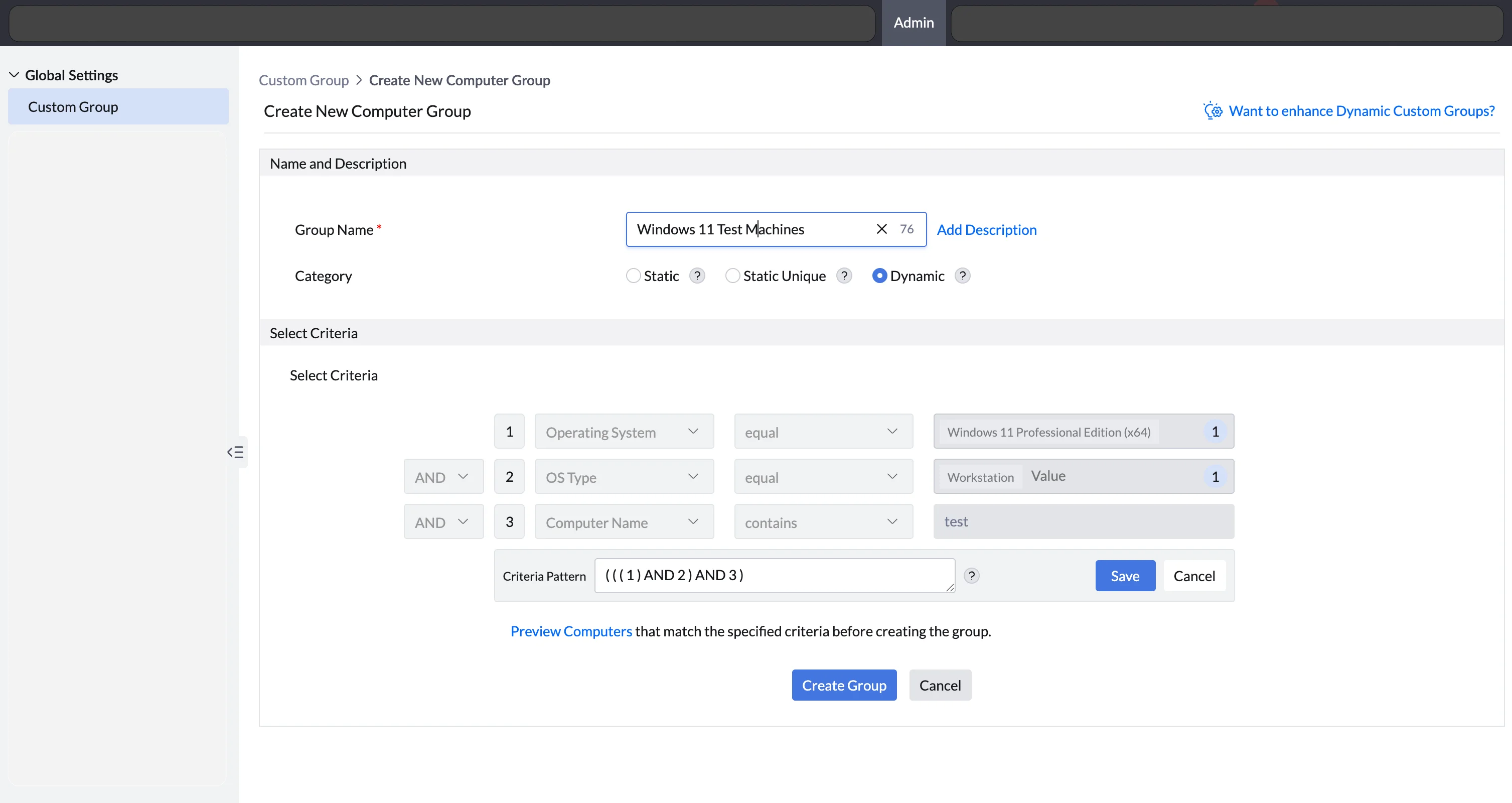
Preview Computers:
The Preview Computers feature allows you to view the list of computers that match the defined criteria for a Dynamic Custom Group before saving it. This helps on verifying that whether the selected conditions are correctly set to capture the intended set of computers. The preview is based on the most recent data available from the Central Server. Although the final membership is determined during deployment, this feature provides an early insight into applicable computers. It helps reduce errors and ensures accurate group targeting.
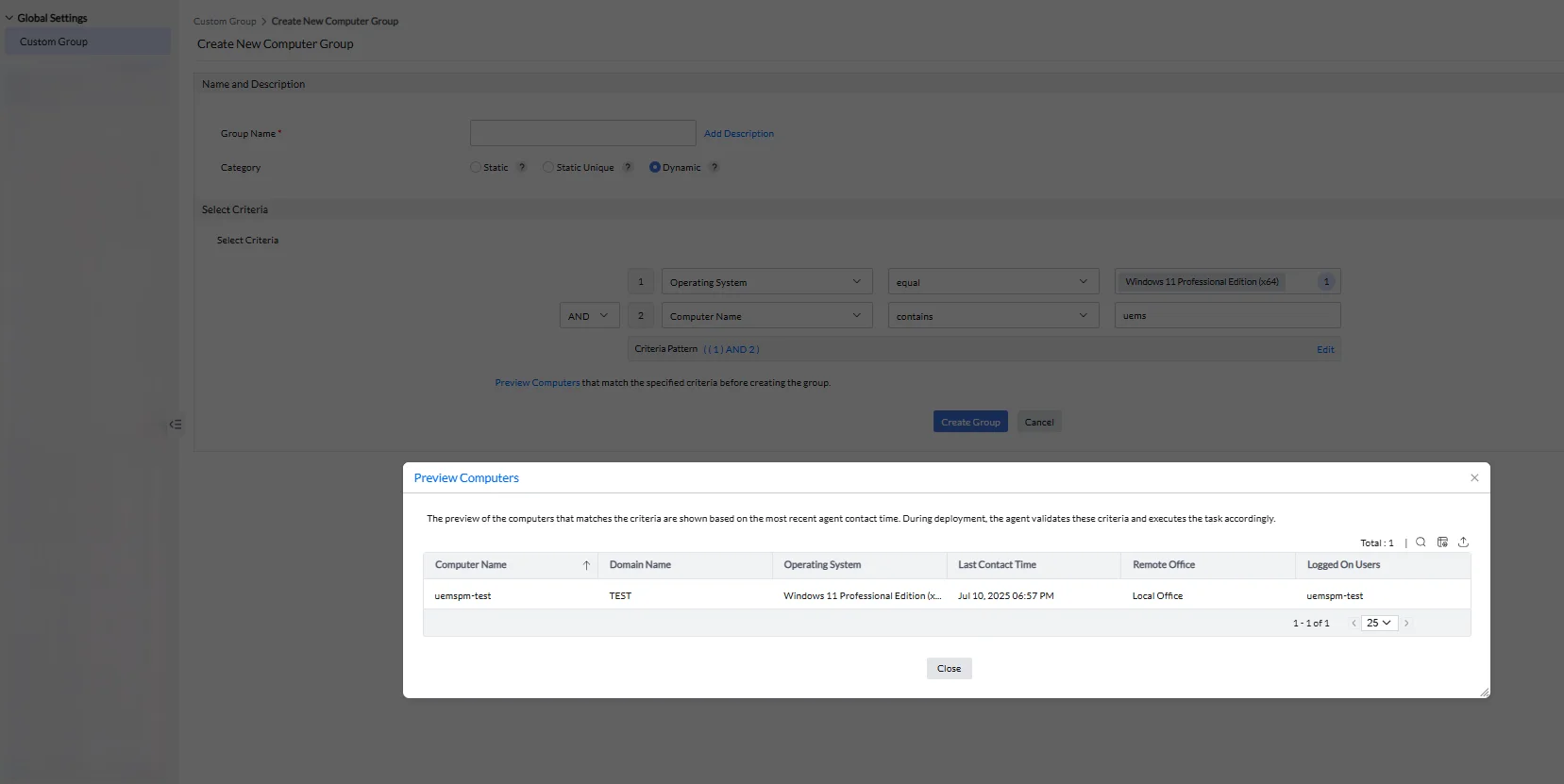
Supported Properties:
- Operating System (Microsoft Windows 10, macOS Monterey, CentOS Linux 7, etc.)
- Service Pack
- OS Version
- OS Type (Server / Workstation)
- OS Platform (Windows / Mac / Linux)
- Last Boot Time
- Free Disk Space
- Processor Type (Apple Silicon, intel for macOS)
- Processor Architecture
- Computer Type
- Computer Name
- Domain
- Remote Office
- IP Address
- IP Range
- Device Model
- Device Manufacturer
- Script
- BitLocker Encryption Status
- TPM Status
- TPM Version
- Firmware Type
- BIOS Version
- Software Name
- Software Version
Supported Areas for Dynamic CG
Dynamic Custom Groups can be used as powerful, criteria-based targets across various areas. They help ensure that only the right devices receive specific tasks or policies, based on real-time evaluation. Below are the key areas where Dynamic CGs can be applied:
- Configurations
- Patch management
- Software deployment
- Self Service Portal
- Security Policies
While Dynamic Custom Groups offer flexibility and automation, there are a few limitations to keep in mind.
- Dynamic group is not supported in View Filters, Custom reports.
- Scoped Technicians do not have access to use the Dynamic CG in Security policies.
- Membership count is not displayed for dynamic groups, as membership is evaluated during deployment. However, applicable computers can be viewed within the group details.
Create Script based dynamic custom group
A Script-Based Dynamic Custom Group is an automated grouping mechanism that categorizes computers based on the exit code of a custom script. Ensure the required script is available in to the Script Repository.
- Navigate to Admin > Custom Groups > Create Custom Group.
- Select Dynamic Group as the group type.
- Choose Script as the criteria for dynamic group creation.
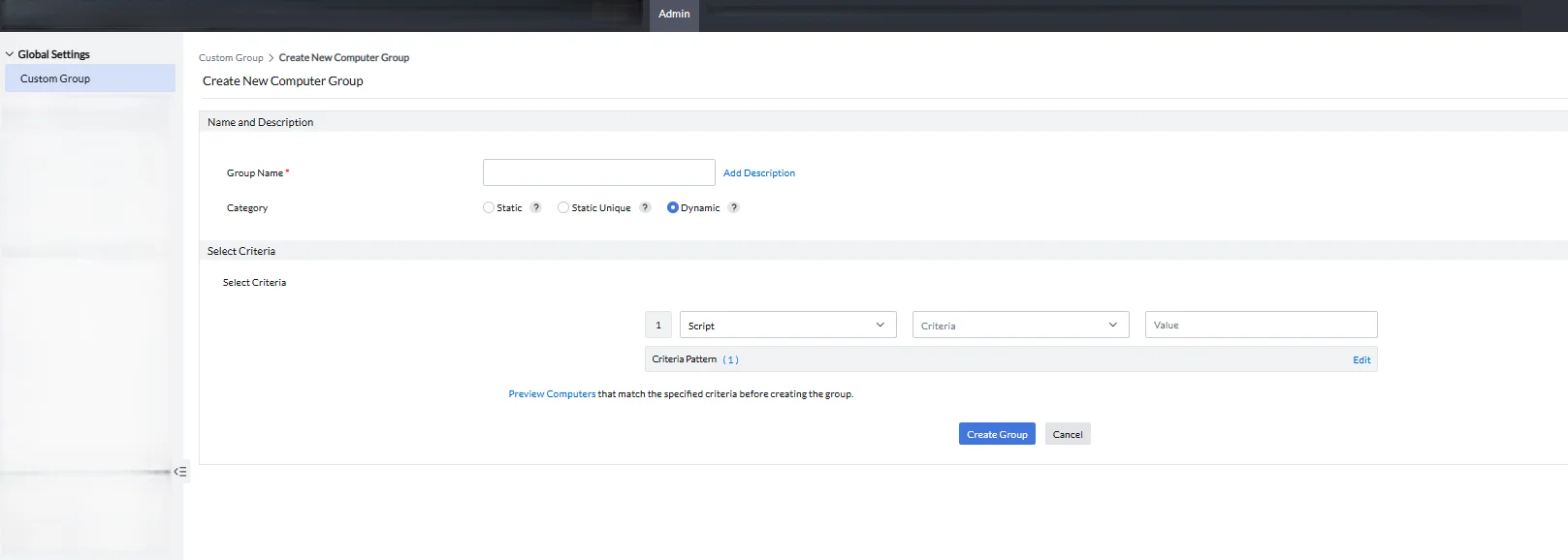
- Choose the required script from the available list.
- Enter the exit code in the value field and create a custom group. The selected script will be executed during deployment, and the computers will be executed during deployment based on the exit code results.
In a script-based Dynamic Custom Group (CG), computers will not be listed on the Computer page. The group is evaluated during deployment, and only the computers that meet the script's exit code criteria will be targeted for deployment.
How to create script based dynamic custom group
To get a list of computers that have a particular service running on them. Follow the below steps:
- Download this script and upload it to the Script Repository.
- Navigate to Admin > Custom Groups > Create Group > Computer > Select category as dynamic
- In the Select Criteria section, select script and enter the fields as shown below and create the dynamic custom group.
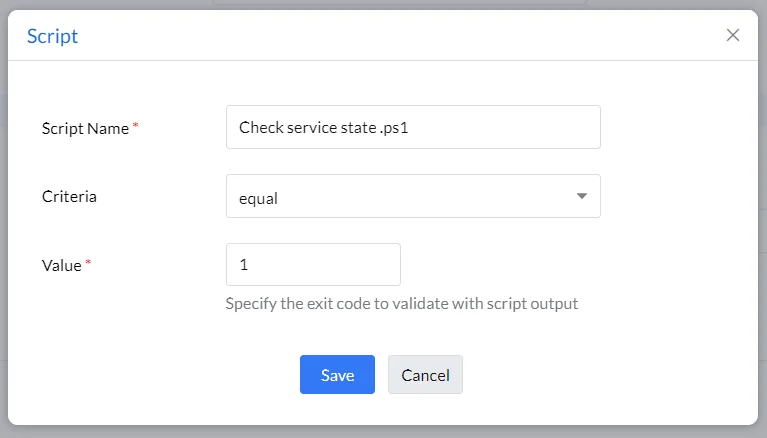
- In script-based dynamic custom groups, the script will be executed during each deployment using the arguments provided in the script repository. The exit code will be compared and the deployment will then begin to the computers that match the provided criteria.