Microsoft Office Patch Download Failure
Problem
The patch download fails for Microsoft Office applications, such as Microsoft 365, Office 2021, Office 2019, etc. with the following error codes:
- Command execution failure
- Unable to execute command
- Unknown Error Code:- 2147012894
- Unknown Error Code:- 2147012852
Investigating Problem Causes
The possible reasons of this issue could be:
- The user doesn't have access to Setup.exe file, and hence won't be able to execute it.
- Due to antivirus blocking.
- The proxy credentials given in the Proxy Settings are not valid.
To resolve the issues, follow these steps:
Step 1:
Allowlist the mentioned domains in this page in your proxy to download the Office patches.
Step 2:
If the download fails even when the above-mentioned links are whitelisted, follow the steps mentioned below to ensure that there is no network issue or privilege issue in your environment:
- Login to the server installed system and create a folder named o365.
Copy the XML content mentioned below and save it with the file name as download.xml. Place the file in the o365 folder that you created in the first step.
<Configuration>
<Add OfficeClientEdition="64" Channel="Current">
<Product ID="O365ProPlusRetail">
<Language ID="en-us"/>
</Product>
</Add>
<Display AcceptEULA="TRUE"/>
</Configuration>- Download the office deployment tool and place it in the o365 folder along with download.xml.
- Then extract the .exe file using 7zip in the same path.
Run Command Prompt as administrator and execute the below-mentioned commands:
setup.exe /download download.xml
echo %errorlevel%- Once the above-mentioned steps have been executed, the error level should be 0.In case any other value is displayed, kindly contact support.
Step 3:
Once the above-mentioned steps have been performed and if the exit code is 0, then there might be a privilege issue in your environment. To resolve, perform the following steps:
- Open Run (Windows key + R) > type services.msc
- Right-click on ManageEngine UEMS - Server > Properties
- Click on Log On
- Click on This account, type in the credentials of the system's admin account and click on OK
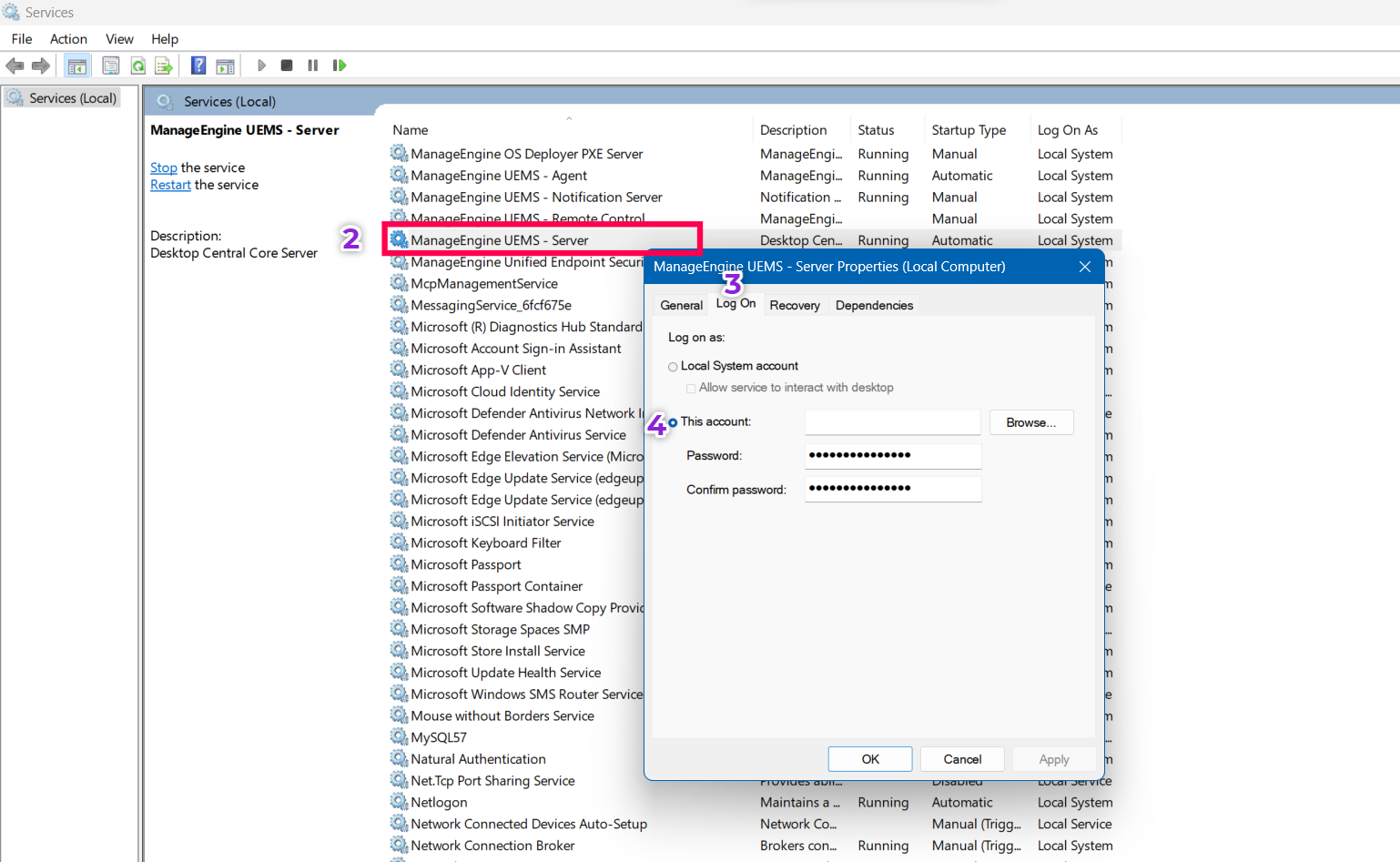
- Restart the server and deploy/download the O365 patch
In case the problem persists, kindly contact support.




