Firewall crash auditing and reporting
The increasing number of regulations and standards such as PCI DSS, GDPR, SOX, HIPAA, and CCPA has forced businesses to put more emphasis on compliance and auditing of information security. A solid network security system is crucial for complying with these regulations, as it helps reduce the risk of data loss, theft, and sabotage.
While regulatory and internal audits involve a wide range of security checkpoints, the firewall is considered the most important since it is the first line of defense between the public and the corporate network.
In addition to helping your organization adhere to compliance requirements, firewall audits strengthen network security. Conducting regular audits increases the chances of identifying vulnerabilities in your security posture. In the unfortunate event of a data breach, proof of regular audits will show that you've done your due diligence in reviewing your security and policy controls.
How to perform effective firewall crash auditing and reporting
To conduct audits and create reports manually, firewall administrators must rely on their experience and expertise, which can vary greatly across organizations. Allocating the time and resources required to manually find, organize, and analyze all firewall rules to determine the level of compliance and security is impractical.
As networks grow in complexity, performing firewall crash auditing becomes cumbersome. Therefore, automating the auditing process is crucial, as compliance and security should be carried out continuously, instead of approached as a one-time process. To achieve this, you need an efficient firewall crash auditing tool.
EventLog Analyzer is a log management solution that performs firewall crash auditing and reporting. It continuously monitors the firewalls in the network and provides in-depth visibility and control over them. In the event of a firewall crash, the solution's firewall crash reporting ability allows you to easily drill down to the root cause, and address it before operations are affected.
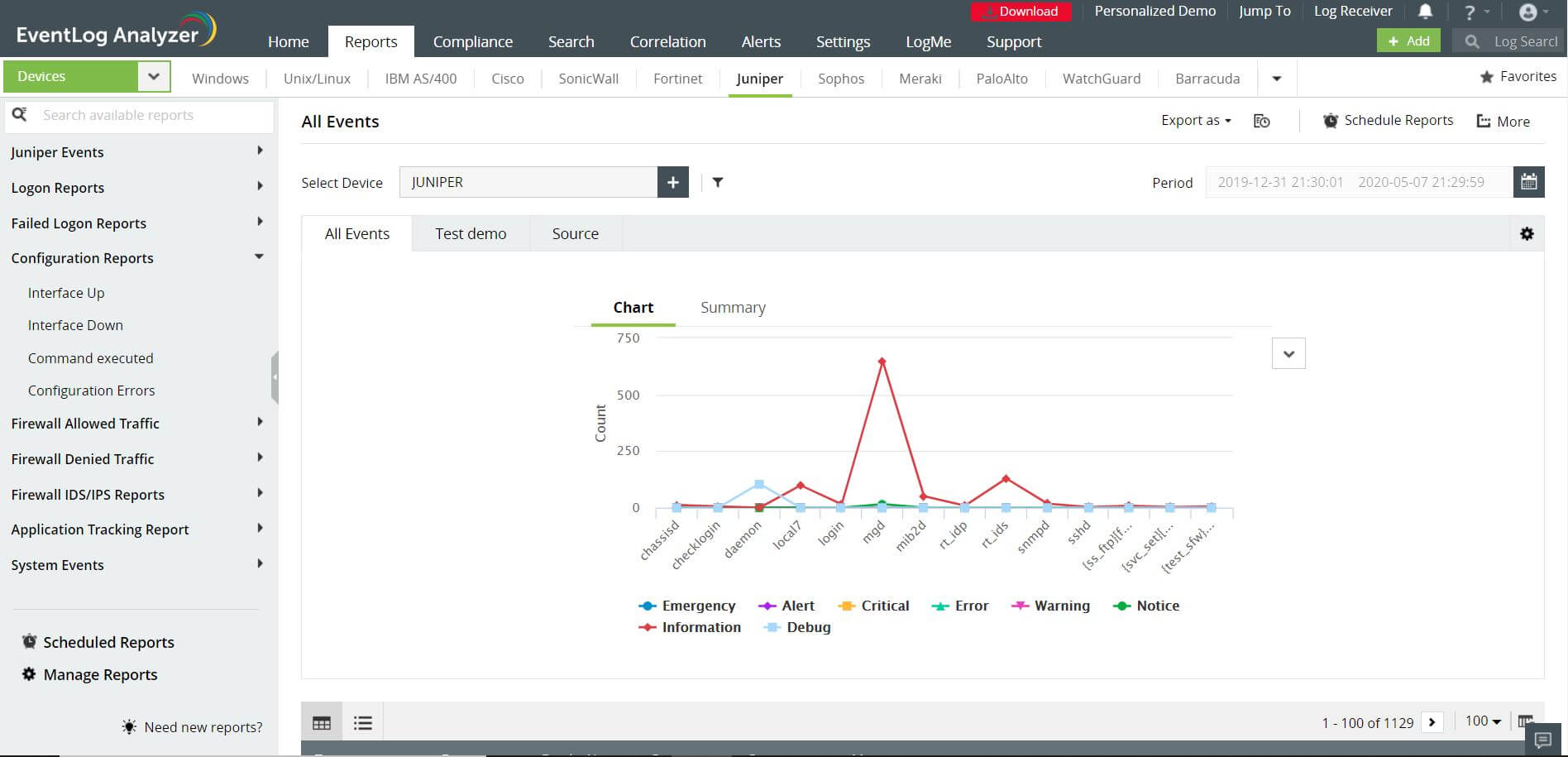
Out-of-the-box reports available in EventLog Analyzer allow you to:
- Detect any configuration errors in your firewall
- Detect possible attacks that may result in downtimes and crashes
- Monitor accessed and stopped applications
- Track if your firewall interface is up or down
- Track emergency events that have occurred in your firewall
Additionally, with EventLog Analyzer, you can build custom reports based on your requirements. You can specify the criteria for filtering data based on which reports are generated. You can also customize how the data is displayed in reports.


 Free Edition








