Website traffic monitoring using firewall logs
Firewalls are generally considered the first line of defense in a network. However, just deploying firewalls alone will not ensure your network is secure. Firewalls need to be monitored continuously, and the data from them should be analyzed. The extracted security information should be correlated with the events from the rest of the network to ascertain that your data is not compromised. To instantly spot malicious traffic, you need a firewall website traffic monitoring tool to analyze all the inbound and outbound traffic passing through your firewall.
What information can be extracted from firewall traffic logs?
Analysis of traffic logs provides valuable information about bandwidth usage, employees' internet usage, and bandwidth-guzzling websites. From EventLog Analyzer's firewall website traffic log reports, network administrators can monitor the usage of bandwidth and plan for future bandwidth requirements.
In-depth analysis of firewall security logs also provides critical network intelligence about attempts to breach security. It can also reveal signs of attacks like denial of service, malware, and SQL injection. These network security threats pose grave risks to the critical resources in the network. Using the firewall security log reports, security administrators can perform security log analysis, visualize network threat scenarios, and plan their strategy to protect against those threats.
How can you monitor firewall logs efficiently?
EventLog Analyzer, a comprehensive log management solution, also acts as firewall website traffic monitoring software. It offers out-of-the-box support for firewalls, next-generation firewalls (NGFWs), intrusion detection systems (IDSs), and intrusion prevention systems (IPSs).
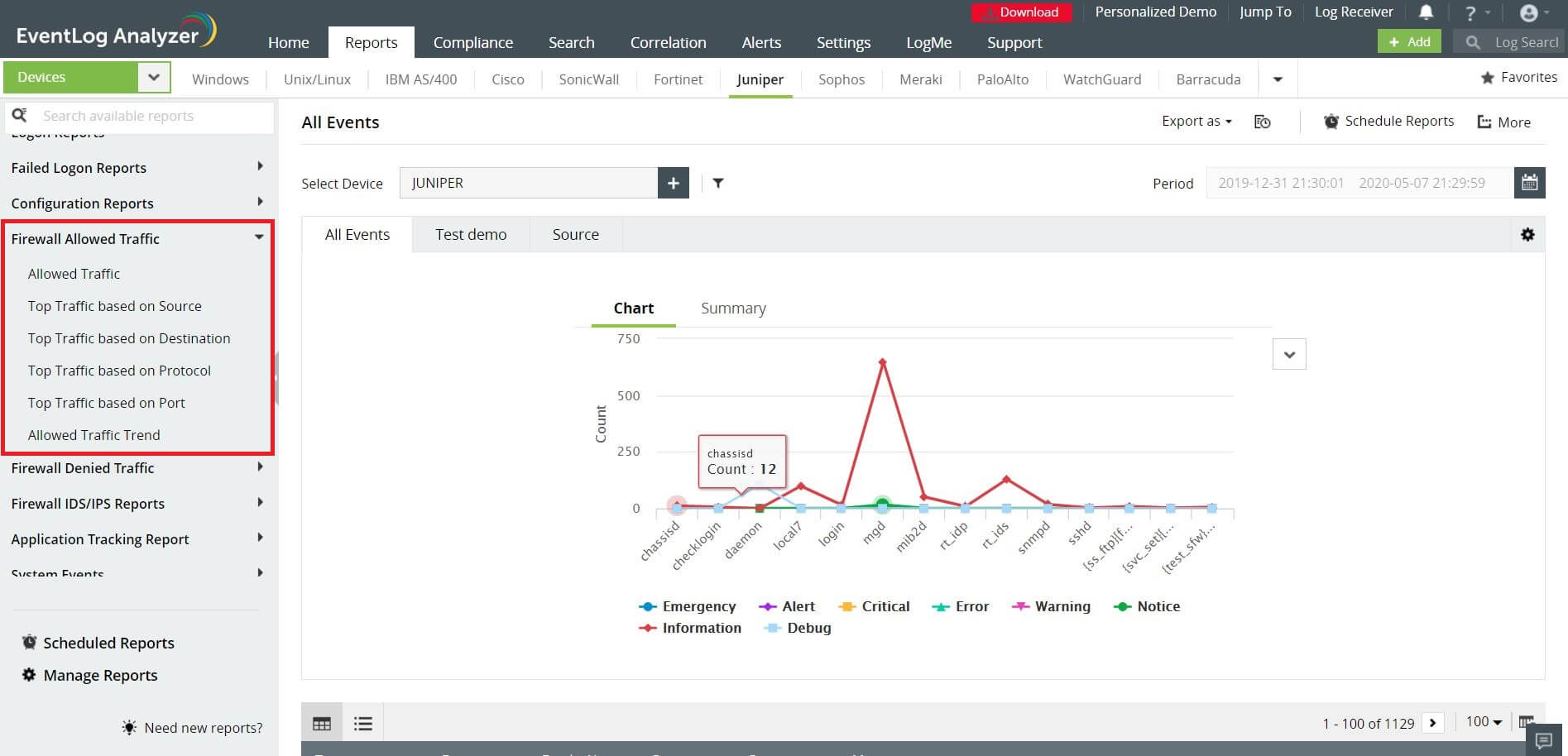
Using firewall log data, EventLog Analyzer can extract critical information on website firewall traffic and generate comprehensive reports and alerts based on your requirements. As a network administrator, you can visualize the behavior pattern of the network traffic from the traffic analysis reports. These reports help in monitoring firewall traffic and addressing firewall network traffic issues.
Out-of-the-box reports available in EventLog Analyzer allow you to do the following:
- Track the allowed and denied traffic in your network
- Determine the top traffic based on source, destination, and port
- Track the denied connections to your network
- Determine the top denied connections based on protocol
- Determine the trend of allowed traffic and denied connections to your network
EventLog Analyzer's enhanced correlation feature contains over thirty predefined attack rules, including those for ransomware and brute-force attacks. You can now correlate logs from multiple log sources and create custom rules to suit your business environment.
Download EventLog Analyzer now!


 Free Edition








