Sync Settings
Sync Settings allows to automatically create and update static unique and static custom groups by synchronizing with Active Directory (AD). This eliminates the need for manual custom group creation and ensures that groups stay aligned with changes made in AD. The Sync Settings feature automatically pulls Organizational Units (OUs) and AD Groups from your Active Directory, creating corresponding static unique and static custom groups based on the AD structure you select.
Organizational Units (OUs)and their child OUs are created as individual static unique groups.
AD Groups and their subgroups are created as individual static groups.
This automated process saves time, reduces manual errors, and ensures that your group structure in Central Server reflects your AD organization accurately.
To automatically create custom groups using Active Directory (AD) objects, configure the sync settings as follows:
- Navigate to the Admin tab > Global Settings > Custom Group.
- Choose the Sync Settings tab and click on the Add AD Path.
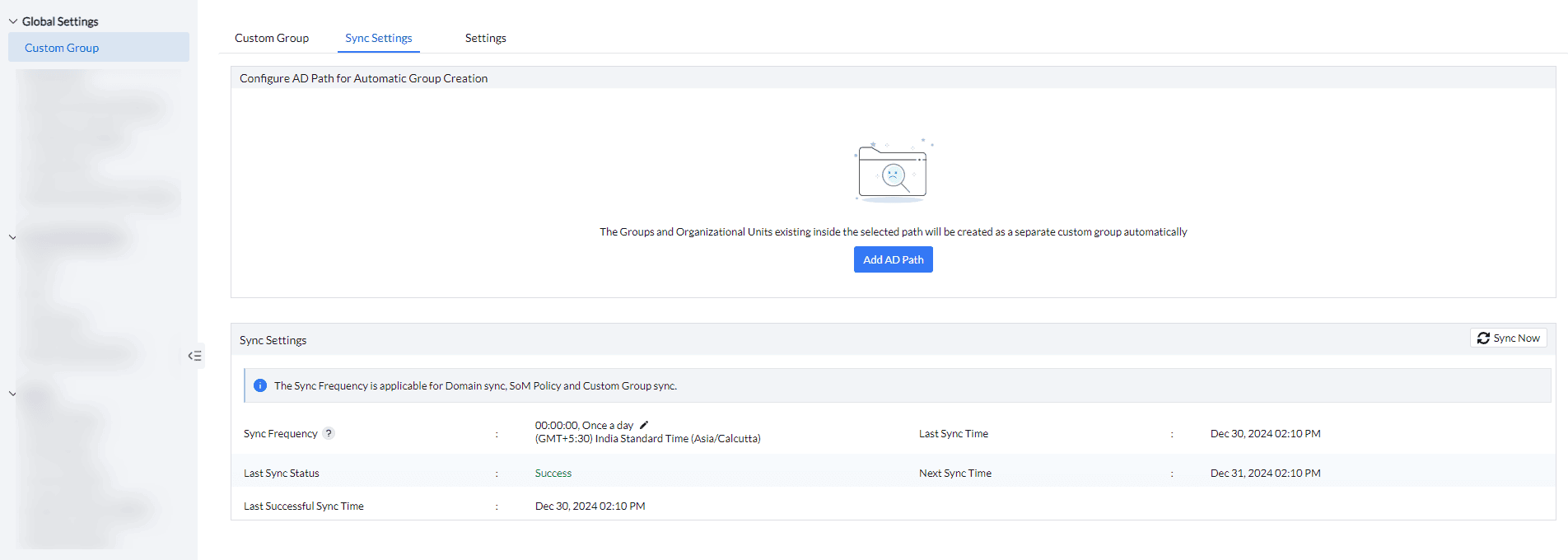
- Choose where the sync has to happen from, by clicking on the AD Groups and Organizational Unit checkbox. The parent and child OUs will be created as static unique groups, while the AD Groups and subgroups in the selected AD path will be created as individual static groups.
- Select the applicable Group Name Format from the drop list.
- Select the required AD Path. After the necessary actions have been performed, click Preview and Save.
- You have now automated custom group creation from the Active Directory.
Note: Endpoint Central synchronizes with Active Directory (AD) at regular intervals, which can be configured by the Technicians with Administrator role access. To apply recent AD changes immediately, a manual sync can also be initiated. To know more, refer Sync Settings




