Static Unique Custom Groups
A Static Unique custom group is a type of custom group in which each computer can belong to only one group. Once a computer is added to a static unique group, it becomes exclusively associated with that group and will no longer be available for inclusion in any other static unique custom group. Static unique group is used to assign a scope of technicians in the user management. It ensures technicians manage only the devices relevant to their assigned scope. By assigning devices to Static Unique Groups, you maintain clean group boundaries and streamline administrative tasks, only technicians with administrator role access can create and manage these groups for better control and organization. Static unique groups can be used in deployments as well, it can be created manually and based on domain/OU.
Manually assigned static unique custom group
Manual static unique groups can be created by the technician with administration role access by choosing the required managed computers to the custom group.
To create a static unique custom group in manual mode,
- Navigate to Admin > Custom Groups > Create New Group > Computer.
- Choose static unique category option.
- Choose the Assign Manually membership option.
- Select the computers that need to be grouped.
- Click Create Group.
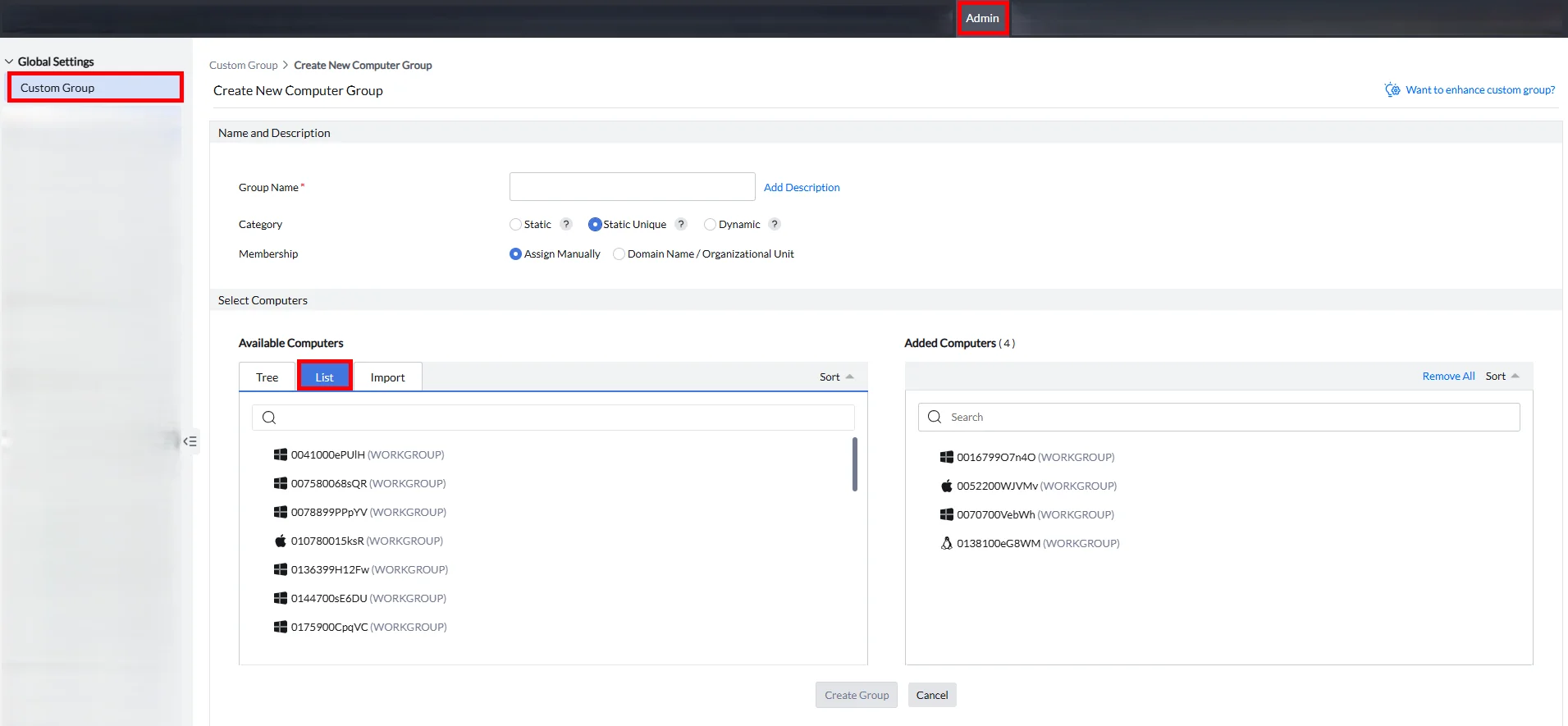
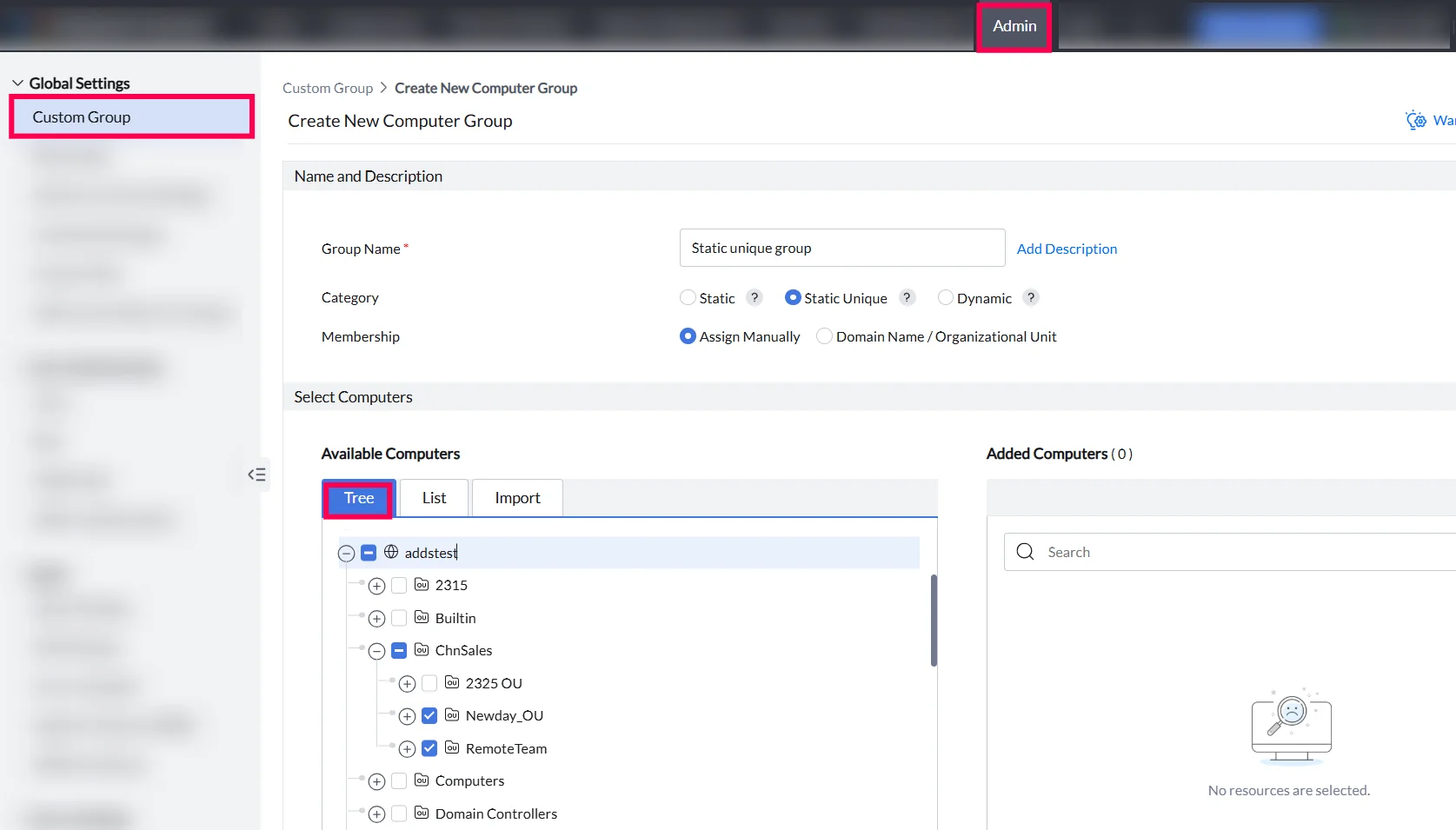
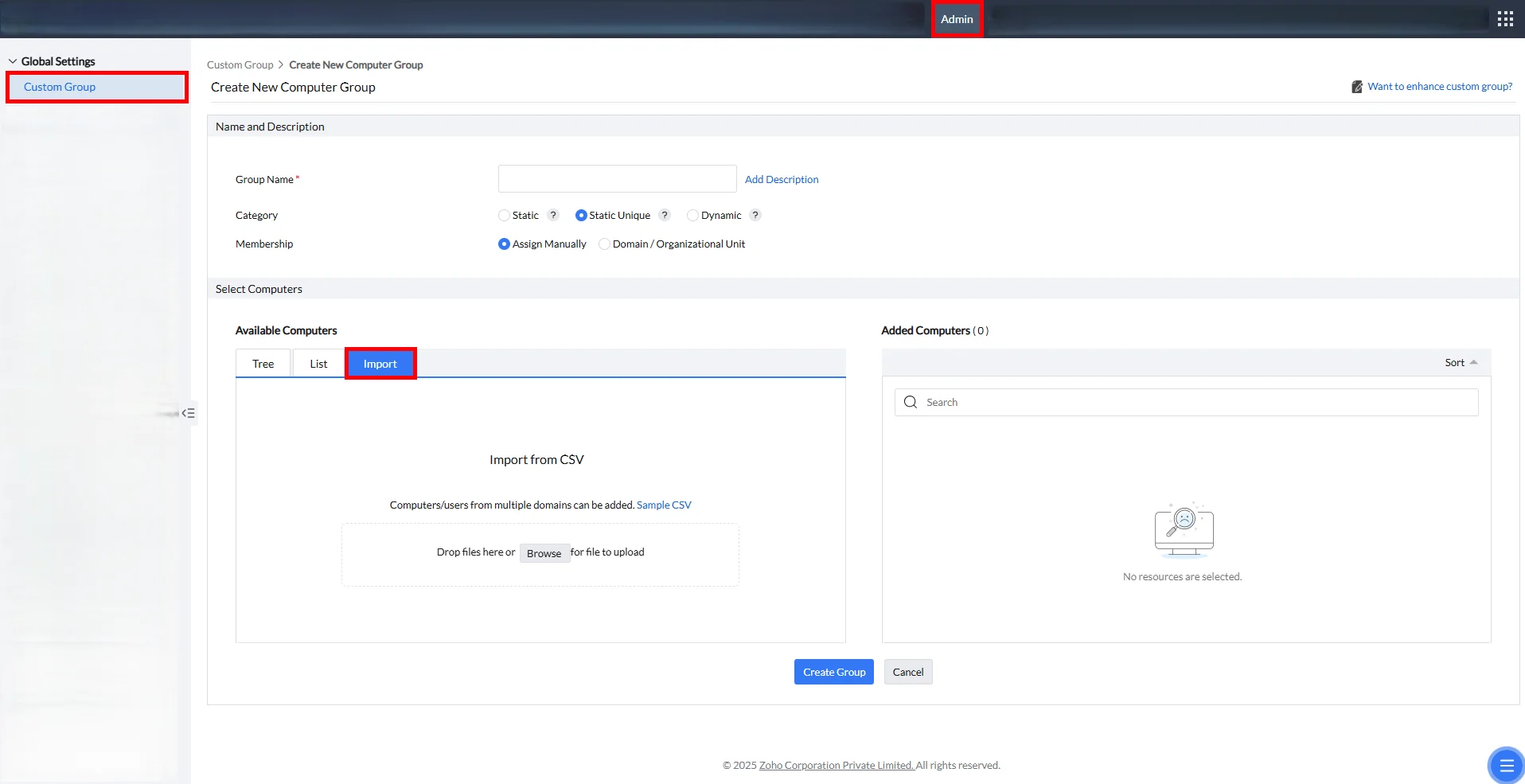
To ease the process of manually grouping the managed computers, the managed computers can be selected using the following methods:
- The list of managed computers with computer and domain name search filter.
- The tree view structure of domains.
- Import csv option. The csv should contain the name of the computer followed by the domain name as explained below: [Computer Name,Domain Name (Eg: system101,companyorg)].
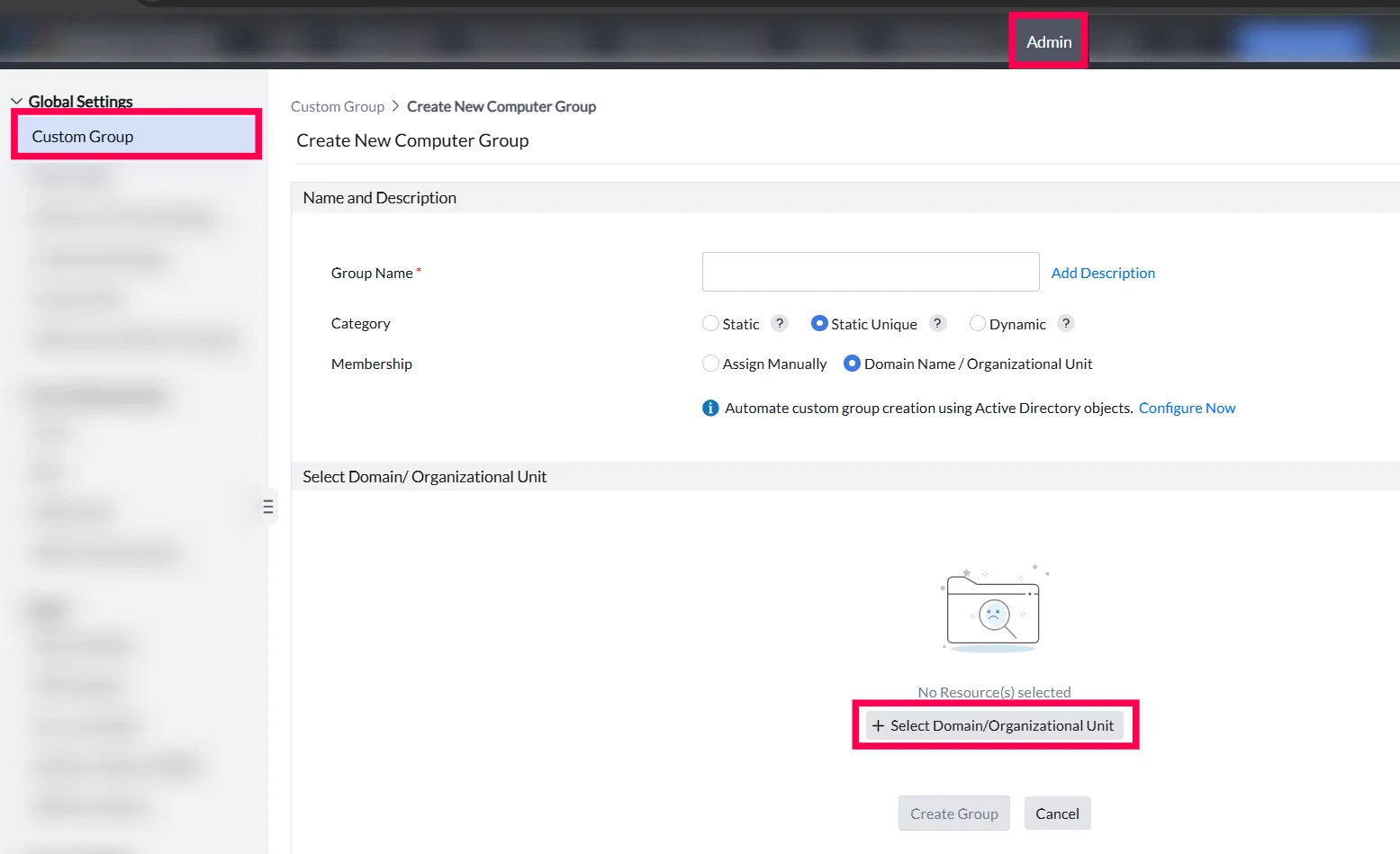
Domain/Organizational Unit
The creation of static unique custom groups can also be done by syncing the Active Directory (AD) with Central Server. To create a static unique custom group in automated mode,
- Navigate to Admin > Custom Groups > Create New Group > Computer.
- Choose static unique category option.
- Choose the Domain /Organization unit membership option.
- Select the required Domain/OU and Create Group.
Behavior during domain/OU based custom group creation :
When creating a static unique group, you can choose one Domain or OU. All OUs and sub-OUs under that selection will be included automatically. To keep it exclusive, only one Domain or OU can be selected at a time, and other options will be disabled. If needed, you can manually remove any OUs or sub-OUs you don’t want to include.
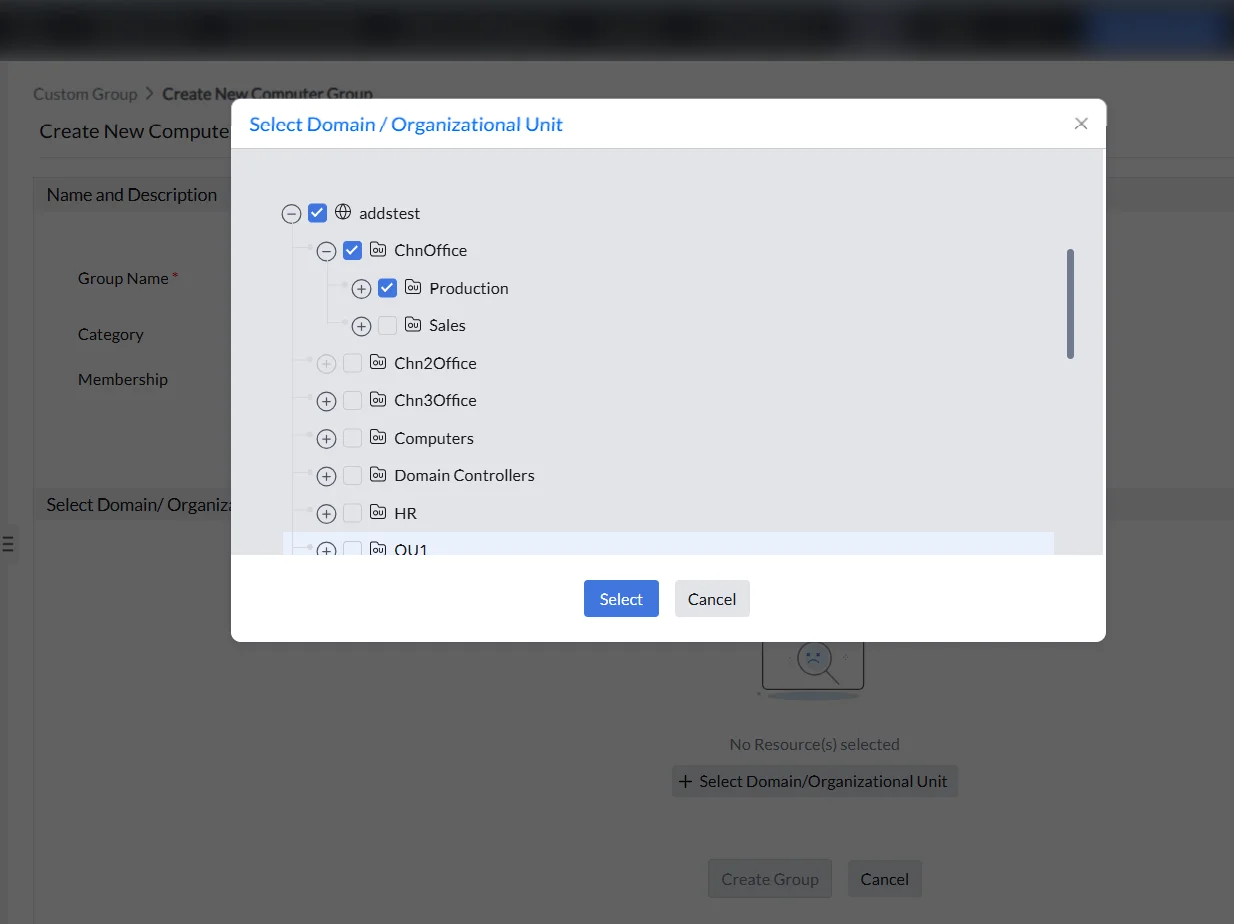
- The members of the selected OU or domain will be dynamically updated during each AD sync at the defined frequency. To know more, refer Som policy Som Policy Sync Settings.
- Sub-OUs under the selected OU will be created as individual custom groups (if they do not already exist), using the following naming convention:[Sub-OU Name - Parent OU - Domain] Example: Production - ChnOffice - addstest.com.