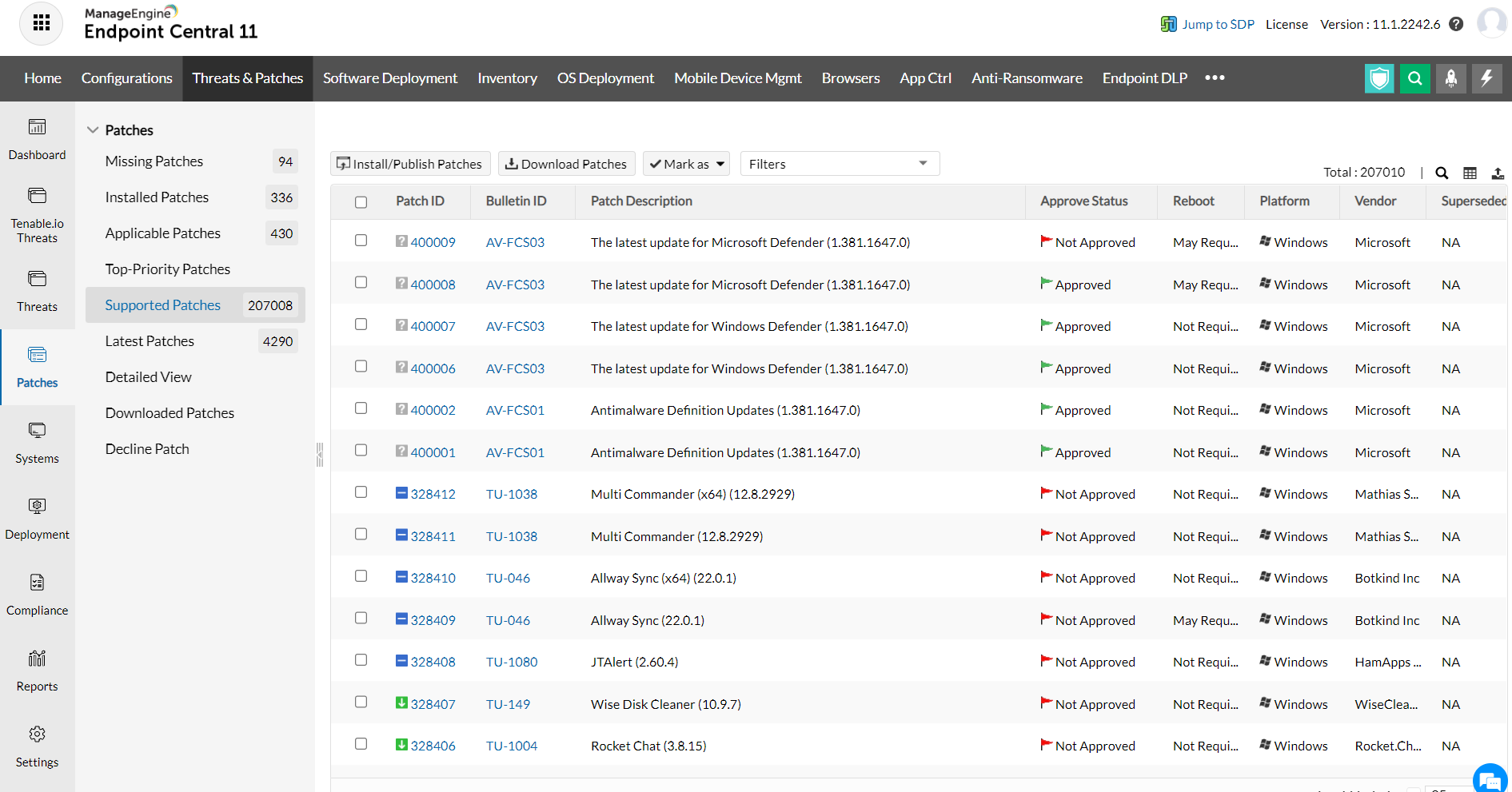
Viewing Supported Patches
The All Supported Patches view provides the details of all the patches
released by Microsoft Corporation that are supported by Desktop Central.
To view the supported patches, click the All
Supported Patches link under the Patch
Mgmt tab. You can filter the view based on the application and
service pack by selecting the appropriate product and service pack. The
following details are shown:
- Patch ID:
A unique reference ID in Desktop Central for every patch
- Bulletin ID:
The advisory article provided by the vendor which contains information
about the vulnerability and patch availability. Clicking this link, will
lead you to the Bulletin
Details view, which provides more info about the Bulletin and
the vulnerability
- Download Status:
Determines whether the patch is downloaded from the vendor's website
and is made available in the Desktop Central's Patch Repository for deployment.
- Patch Name:
The name of the patch. Clicking this link, will lead you to the Patch
Details view, which provides more details about the patch.
- Patch Description: A brief description about the patch.
- Patch Type: Refers to whether this patch applies to Microsoft OS/Applications or Non-Microsoft Applications like Adobe, Java, etc.
- Severity:
Determines the importance of the patch. These severity ratings are as
per the bulletin or advisory information.
- Approve Status: This refers to whether the patch has been approved for bulk deployment via Automated Patch Deployment. This is significant only if you have enabled Patch Approval prior to buld deployment. You can also approve or decline a patch by selecting the appropriate option from the "Mark As" menu.
- Release Date: Refers to the date of release of the patch by the vendor.
- Reboot:
Specifies whether the patch installation requires a system reboot or not.
- Superceded By:
Indicates that the patch is outdated and have another patch that is more
recently released and has taken its place.
This information is retrieved from the Central Patch Repository that
resides at the Zoho Corp.'s site periodically.
Copyright © 2005-2012,
ZOHO Corp. All Rights Reserved.
ManageEngine