ManageEngine Applications Manager simplifies MongoDB performance monitoring and helps you keep your database running at its best. Gain real-time visibility into key performance metrics such as query execution time, replication lag, and resource utilization. Detect and resolve performance issues early to ensure high availability and consistent application performance.
With advanced analytics, customizable dashboards, and intelligent alerts, you can monitor critical database performance metrics across your MongoDB environment. Optimize resource usage, improve query responsiveness, and maintain seamless user experiences across both on-premises and MongoDB Atlas deployments.
Gain complete visibility into MongoDB performance and health
Applications Manager allows you to keep track of all your business-critical MongoDB performance metrics from one place in real time. The tool's visibility spreads deep into your database infrastructure and digs out historic and concurrent performance patterns seamlessly. Code level insights open a window into your queries and locks, helping you to identify and analyze the root cause of a given issue in time. Here are the crucial MongoDB monitoring metrics you need to monitor:
Monitor MongoDB server health and availability
Server Status: It is crucial for a DBA to keep the server running at optimum health to avoid any server outages. Applications Manager provides a clear detail about the server performance, availability, and health in real time.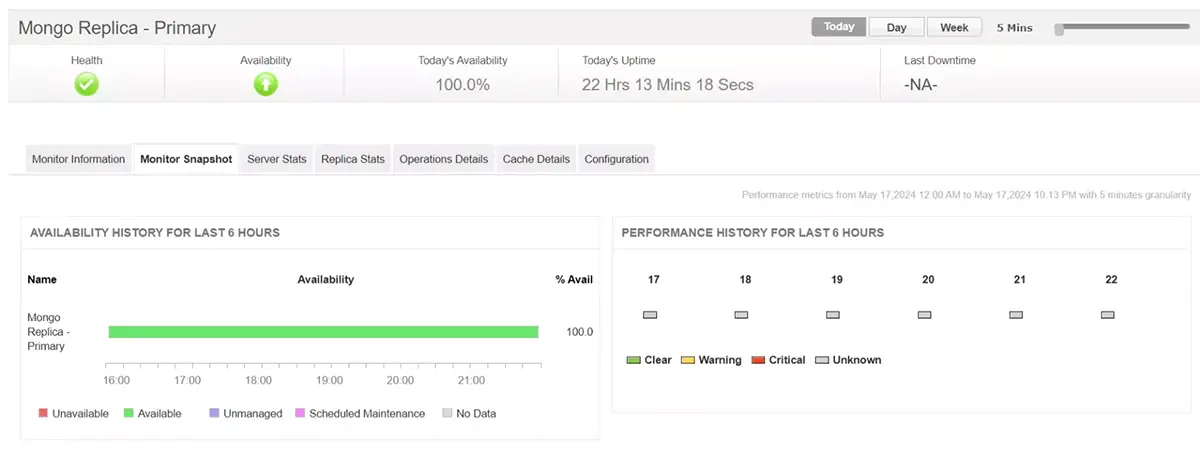
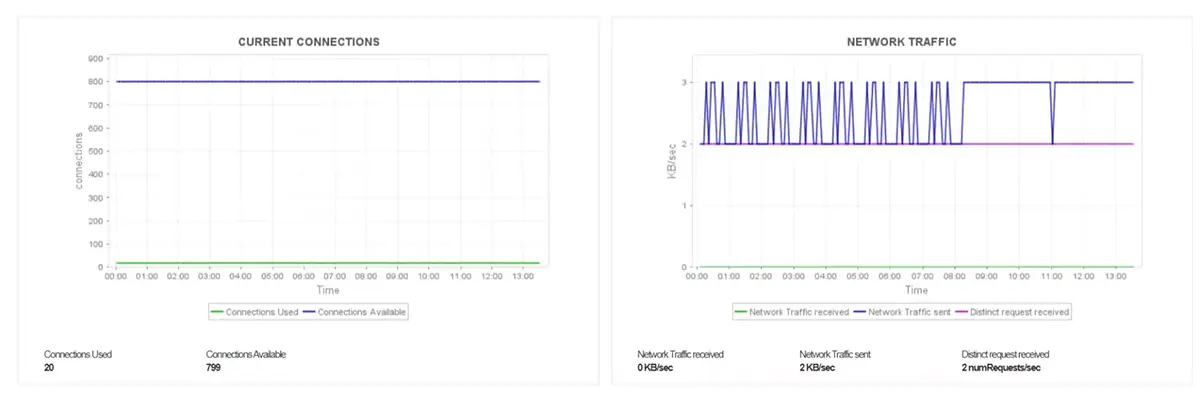
- Monitor MongoDB resource utilization trends to understand resource consumption and plan accordingly. It helps in identifying the database instances that are eating up storage and memory in the name of unnecessary active connections and unattended queries.
- Study network traffic, trace traffic patterns, and distribute workloads accordingly to avoid slowdowns and ensure optimum performance.
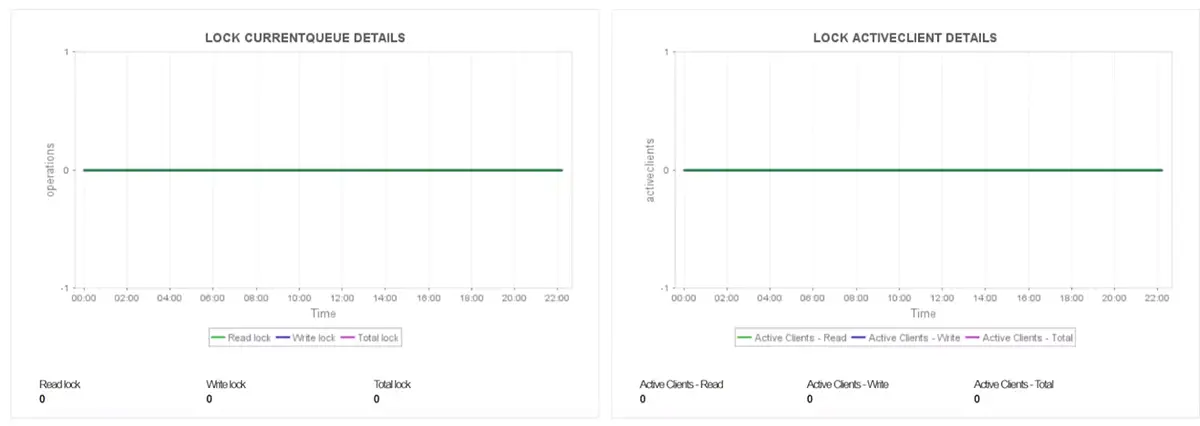
- Keep an eye out for locks to identify time taking queues. Identify inactive client sessions to reduce wait time and eliminate deadlocks.
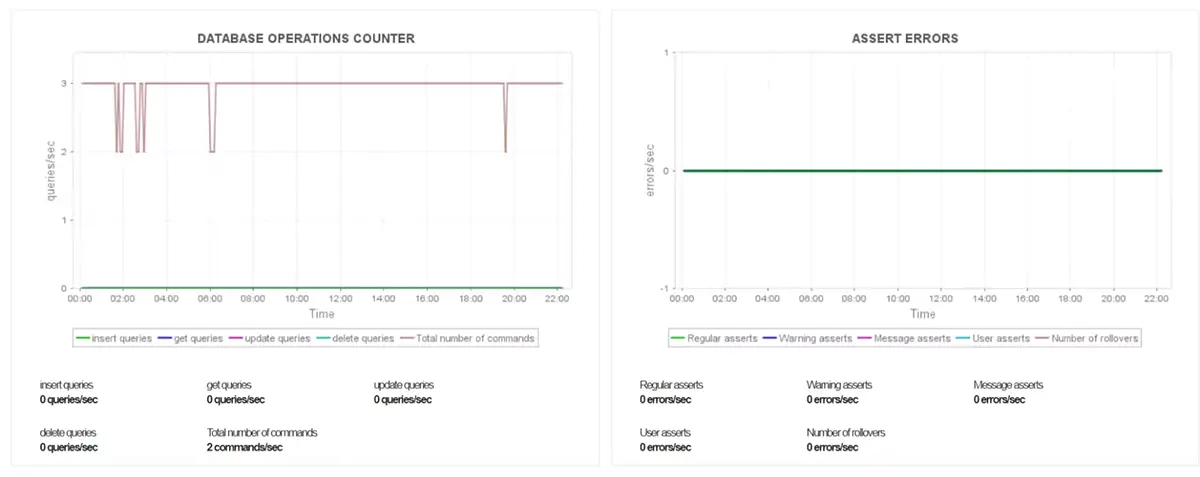
- Trace database operations and stay informed about poorly performing queries with the database operations counter. Get insights into assert stats and errors with Applications Manager.
- Get a better understanding about your servers by monitoring the indexes, files, objects, and collections in each MongoDB database. Keep track of memory and storage consumption of each element and optimize resources accordingly.
- Applications Manager's MongoDB monitor offers comprehensive insights about all the key performance metrics along with index stats, latency, and page faults, etc from a single screen. Keep a keen watch on background flush statistics to identify and rectify issues like replication lag in secondary nodes of your MongoDB servers. These statistics also help you understand and improve the performance of disk I/O operations.
Monitor journaling statistics to optimize journal file size and usage, and eliminate journaling failures and server downtime to ensure smooth activity. Track commits and data consumed during the latest group commit interval to understand loads efficiently. Keep a count on the time taken for each phase of journaling to identify slow transactions and repair them in time.

Ensure high availability with MongoDB replica set monitoring
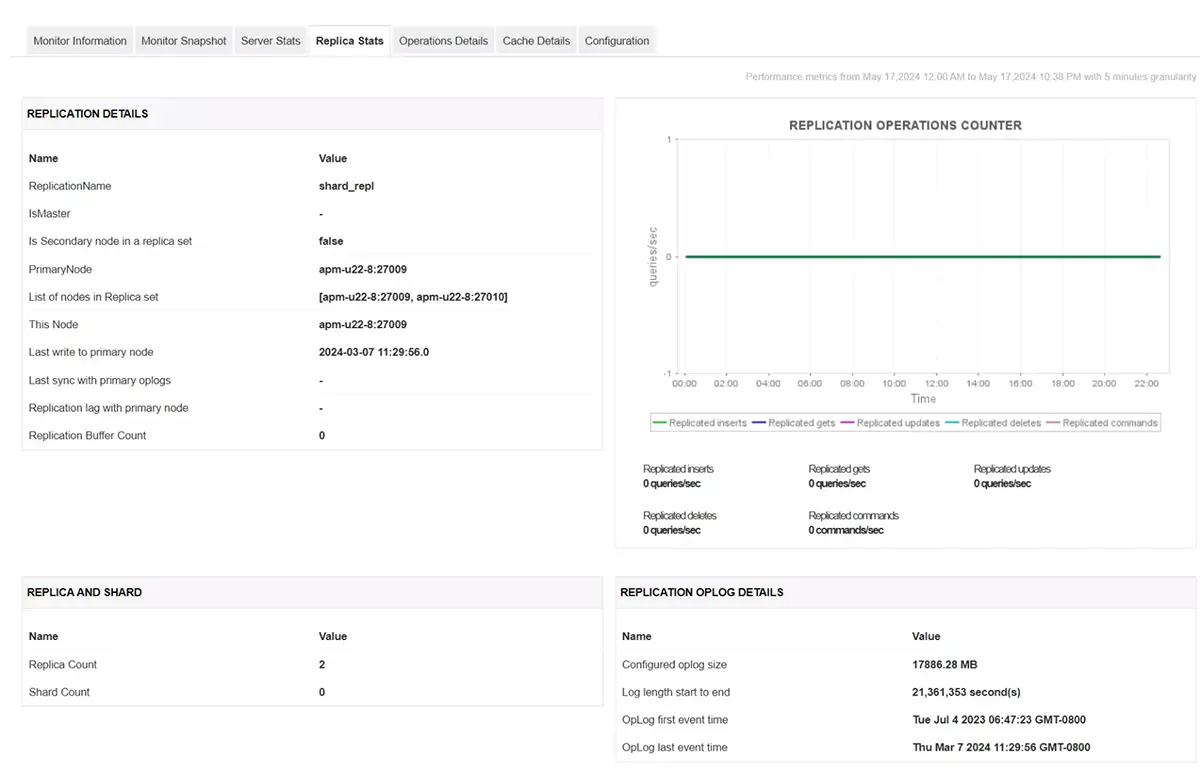
Replica statistics: Replica sets play a crucial role in MongoDB infrastructure. Monitoring Replica and Shard statistics help admins ensure high availability. In the event of failure or crash, replicas serve as a backup for the rest of the servers. In order to keep the failover system running, admins must monitor replication count and shards in real time. Keeping an eye out for sharding operations ensures smooth back up and replication processes.
Identify slow queries and resolve conflicts efficiently
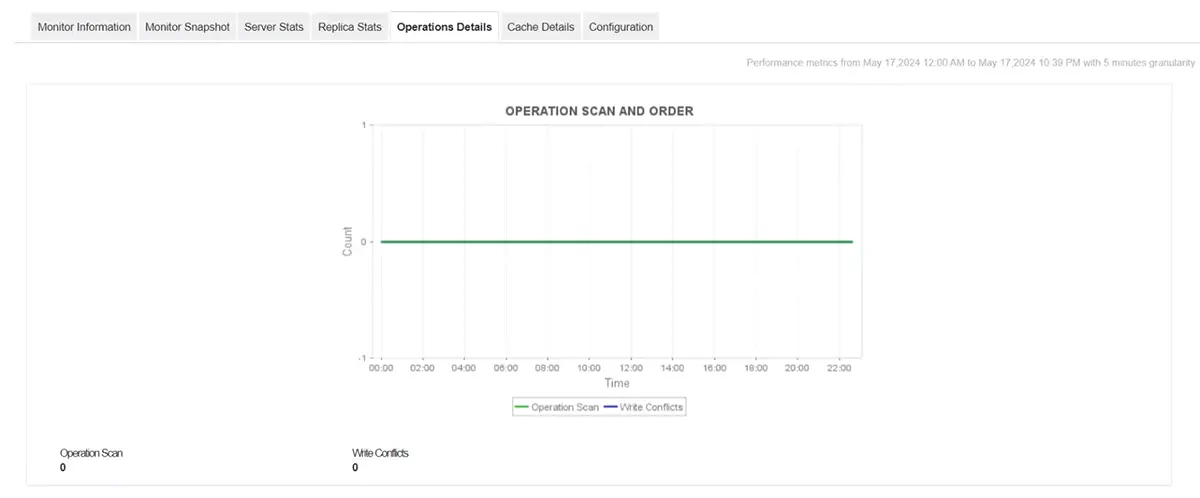
Operation details: Keep count of slow queries and queries that encountered write conflicts. Monitor Operation Scan and Order to identify poorly performing queries and resolve them to ensure optimum MongoDB server performance. Ensure high-availability by identifying write conflicts in secondary nodes with Applications Manager.
Analyze and manage MongoDB cache performance
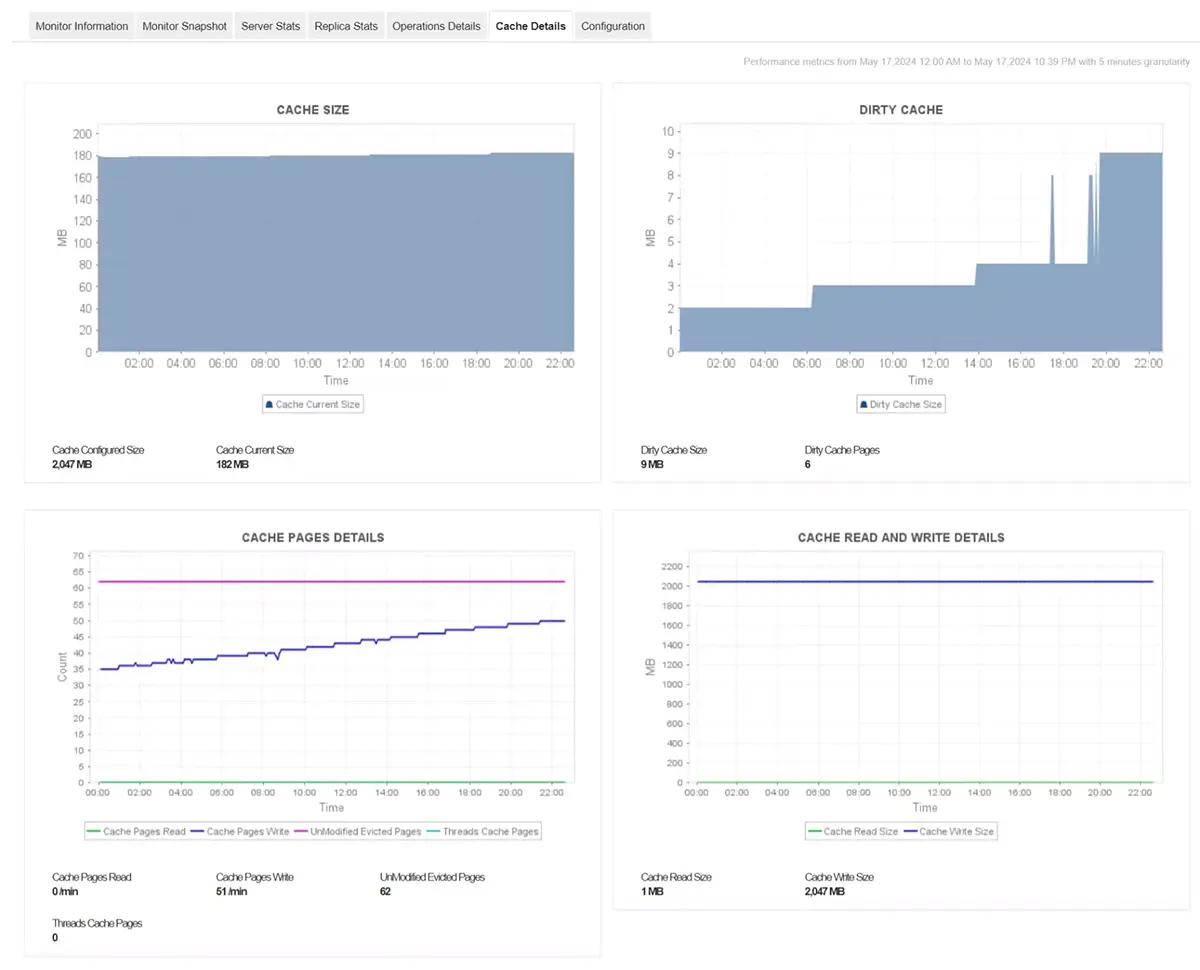
Cache Details: Monitoring the cache in real time and clearing unnecessary records and files keeps the server memory and storage clean. With proper insights into the statistics and location data about necessary and unnecessary cache, admins will be able to make the right call to free up space. By monitoring the cache details, the admin team can analyze the optimum size for cache and be alerted in case of a threshold breach. This helps DBAs to respond in time and act before it leads to issues like insufficient disk space or resource starvation.
Prevent MongoDB performance issues before they impact users
Monitoring the database infrastructure with Applications Manager steers you clear of performance bottlenecks and server slowdowns. It studies historic data and notifies you when the performance patterns of your key attributes deviate from normal before it leads to a critical issue.
Applications Manager's smart alerting system helps you reduce alert noise and speed up fixes. The tool's adaptive thresholds eliminate false alarms and manual errors that arise while updating threshold profiles of growth-dependent KPIs. You can receive alerts based on severity in case of a threshold breach for critical attributes like CPU, memory, connections, deadlocks, queries, shards, etc. This helps you understand the seriousness of incidents and act accordingly.
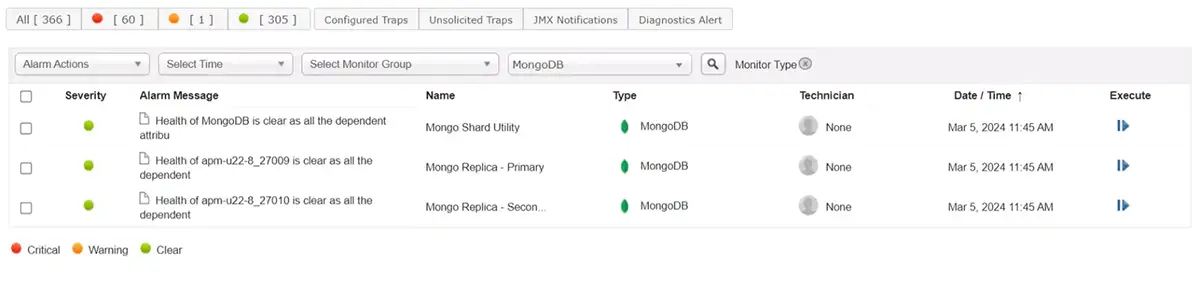
Automated alert escalation makes it easier for DRIs to prioritize and work on incidents. Triggering corrective actions on a threshold breach helps you reduce MTTR and eliminate manual delay in resolving issues. Configuring the system to alert you across multiple channels like mail, SMS and Slack based on the severity of the alarm helps you improve mean time to respond (MTTR).
Optimize MongoDB resources for peak efficiency
Monitor resource consumption trends with Applications Manager in real time to understand the requirements of the MongoDB servers better. Obtain accurate resource consumption forecasts and stay informed about potential resource starvation. Make well-informed decisions while optimizing resources. Keep your MongoDB architecture secure from incidents like improper resource allocation and unbalanced load distribution with Applications Manager.
Practical use cases for MongoDB monitoring
- Identify slow MongoDB queries: Detect and troubleshoot long-running queries in real time to improve application response times.
- Monitor replication lag: Track replication health and receive alerts when lag increases to prevent stale reads and potential data loss.
- Plan for capacity growth: Analyze storage, memory, and I/O trends to forecast resource needs and avoid unexpected downtime.
Apart from monitoring MongoDB servers, Applications Manager extends its monitoring support to multiple database vendors like:

