Microsoft Teams monitoring
Explore comprehensive MS Teams performance monitoring capabilities with Applications Manager
Microsoft Teams enables employees and teams to efficiently connect and collaborate through chat, calls, videoconferencing and facilitates shared access to documents, notes, and calendar. With Applications Manager's Microsoft Teams monitoring, get extensive insights into the structure and performance of Microsoft Teams service to ensure peak performance and hassle-free business process collaboration.
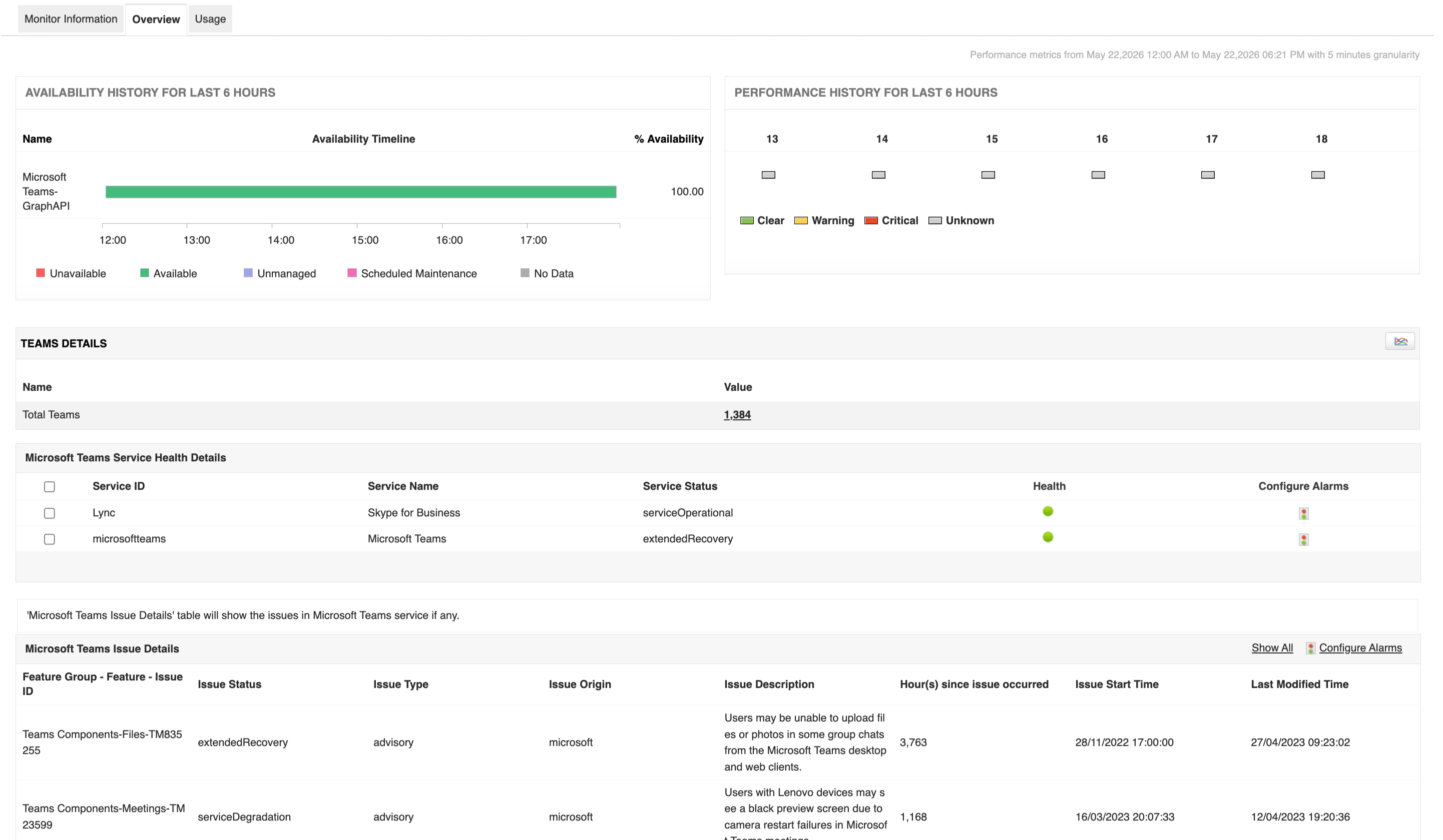
Get an overview of your Microsoft Teams performance monitor
Using Microsoft Teams monitoring tools, like Applications Manager, you get an immediate overview of the service health of Microsoft Teams. Become aware of the service health status and identify issues instantly with easy-to-understand descriptions. Our Microsoft Monitoring feature helps discover if problems are identified as incidents or advisories, and enables rapid troubleshooting. This proactive detection prevents service unavailability and mitigates the impact on your users.
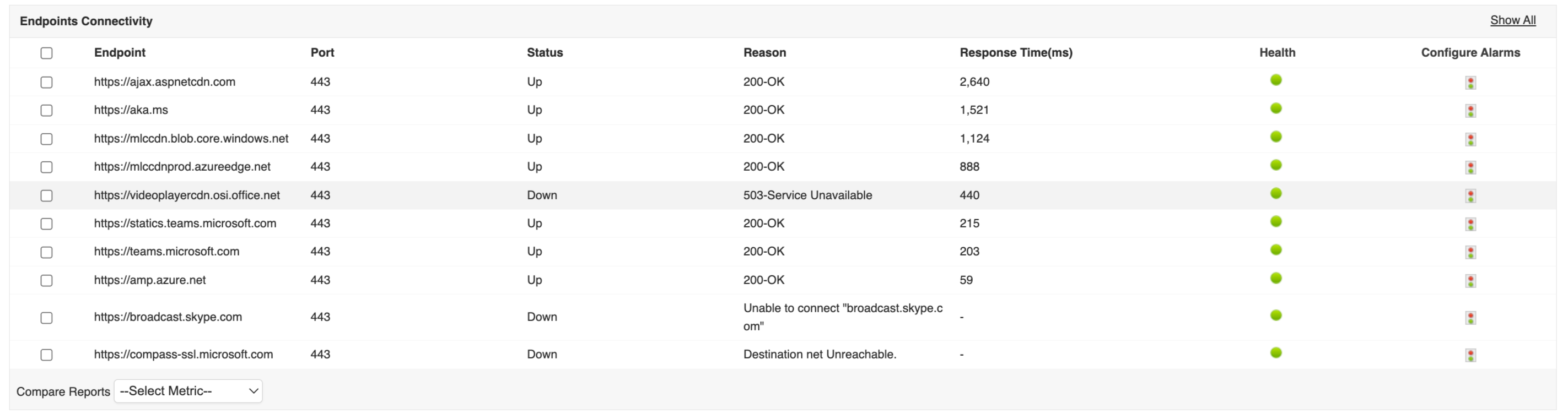
Track endpoints and response time
With Applications Manager's Microsoft Teams performance monitoring, proactively detect connection lags in your service by identifying increased response times from endpoints. Get notified about endpoint unavailability by configuring alarms for the 'Status' attribute and ensure uninterrupted functioning of your service.
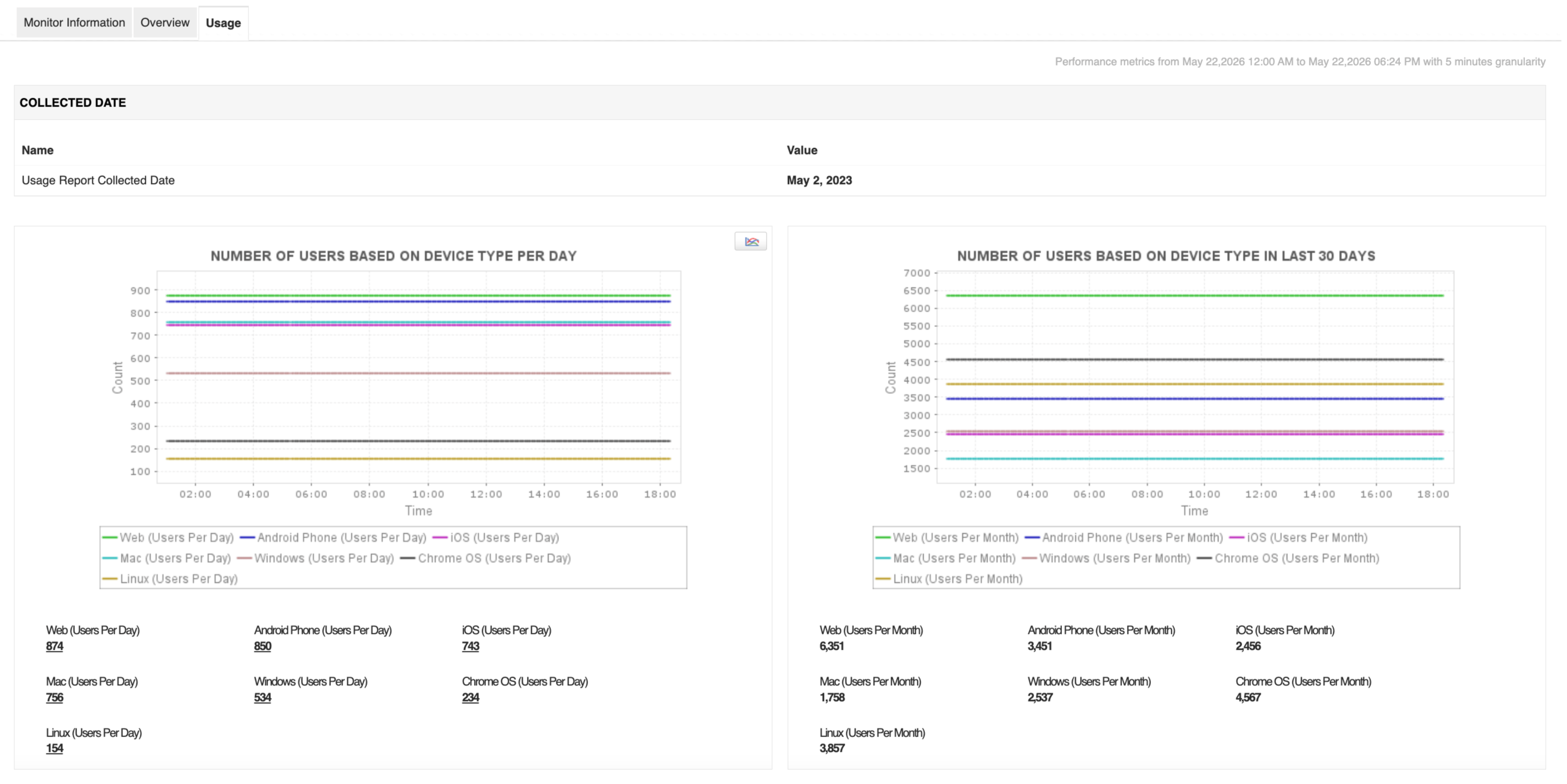
Get usage information at your fingertips
Analyzing usage statistics leads to a better understanding of how well your service is performing. It can reveal critical information such as user preferences, ease of use, etc.
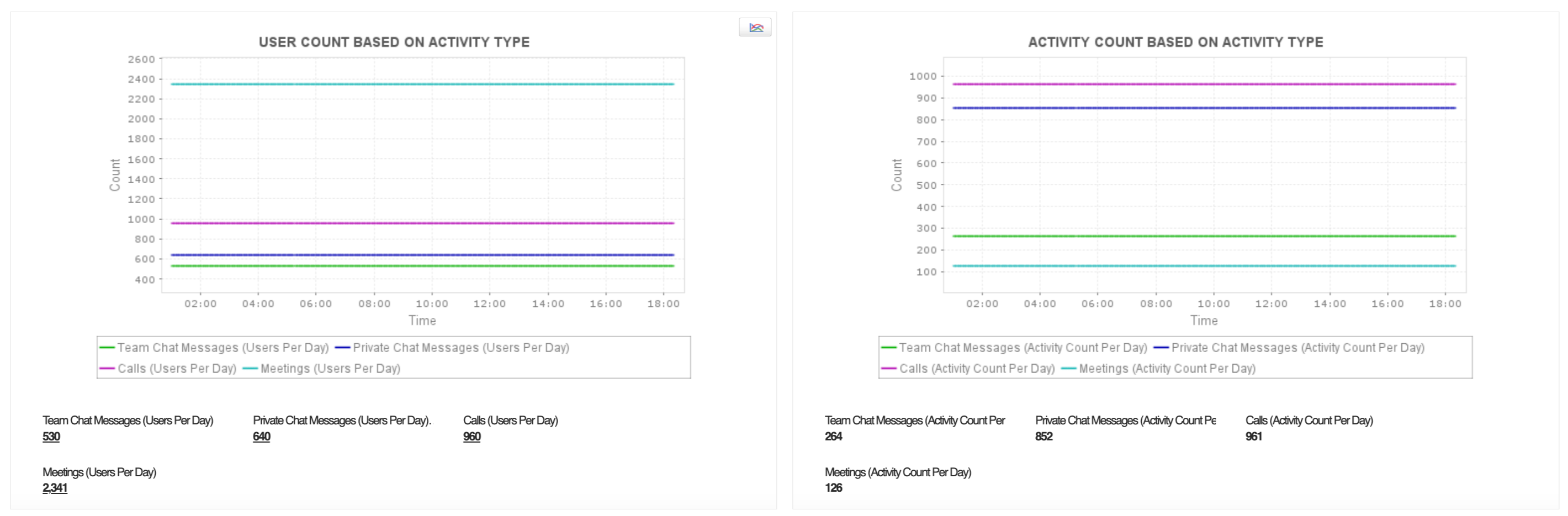
Applications Manager's Microsoft Teams monitoring tool lets you visualize a range of crucial usage metrics such as the number of users per device type, user count per activity type, and activity count per activity type. You can also configure reports for Microsoft Teams performance metrics and analyze trends to understand user choices regarding activity and device types. These reports can be generated on demand, scheduled to be emailed, and can even be exported as PDF for later use.
Get started within a few minutes!
With Applications Manager's Microsoft Teams monitoring, get crucial insights into the health and performance of your teams and channels. Optimize your service's functioning of the service for better end-user experiences. Quickly get started by downloading a full-fledged, free, 30-day trial now!

