Free Edition
A discovery search mailbox, often simply a discovery mailbox, is a specialized mailbox created by default to facilitate eDiscovery searches across an organization’s Microsoft Exchange environment. It enables administrators to perform searches for content across multiple mailboxes, ensuring they can retrieve relevant information efficiently. This is particularly important for legal compliance and internal audits where precise data retrieval can make all the difference.
ManageEngine Exchange Reporter Plus, an extensive tool used for reporting, auditing, monitoring, and creating alerts for critical activities in your Exchange environment, simplifies tracking the various metrics for discovery search mailboxes with its comprehensive reports.
Supported Exchange Server versions:
Exchange Reporter Plus provides a multitude of preconfigured mailbox-specific reports to view details on discovery mailboxes such as the discovery mailbox size, its growth, the quotas, used up space, and more.
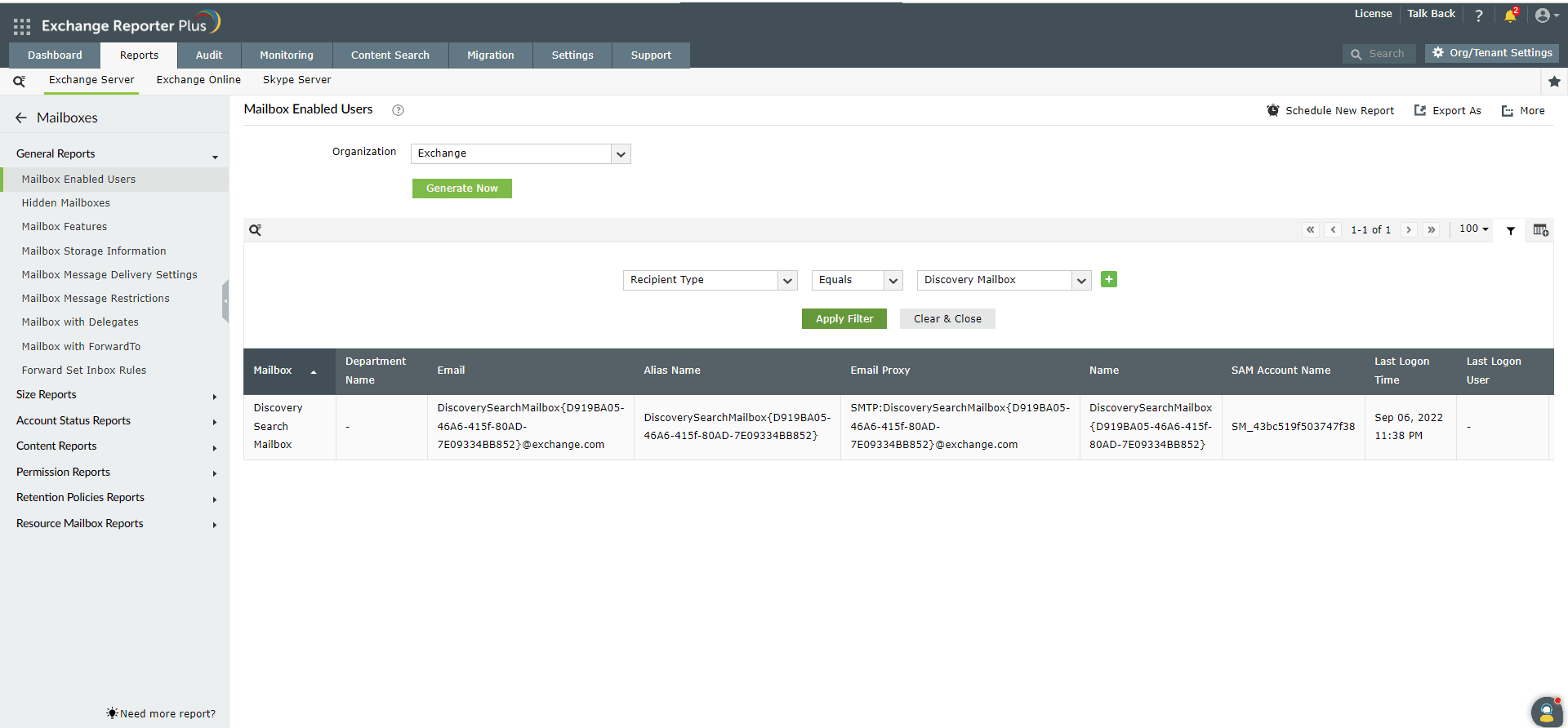
Lists all the discovery mailboxes, including their email addresses, the server hosting each mailbox, the user who last logged in, and the corresponding last log-on time. This report helps administrators find all the discovery mailboxes and ensure quick identification of inactive discovery mailboxes.
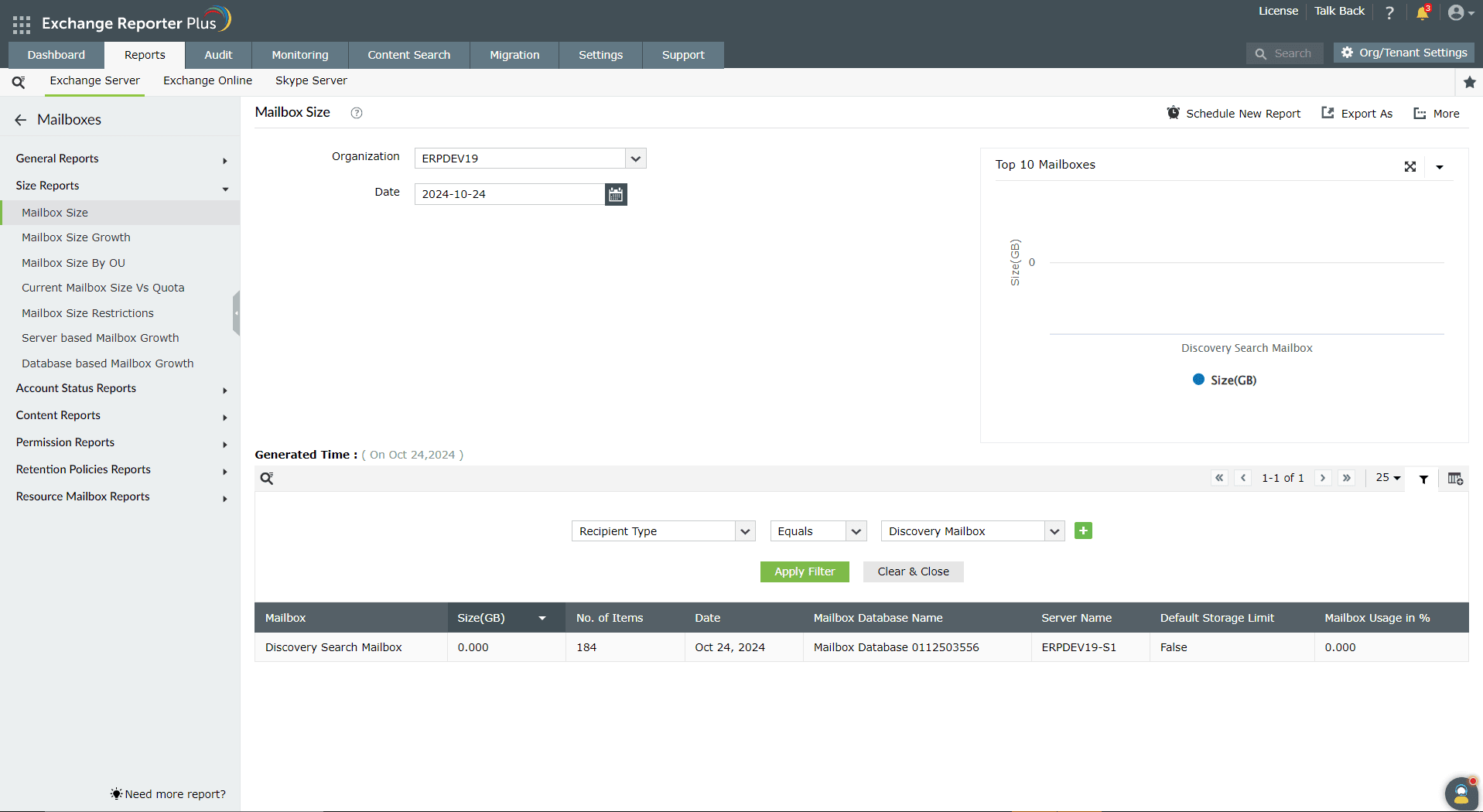
Displays the size of the discovery mailbox for a specified date, along with key metrics such as the number of items, mailbox database name, server name, and mailbox usage percentage. This report helps administrators ensure optimal performance by quickly identifying discovery mailboxes that are approaching size limits or experiencing unusual growth.
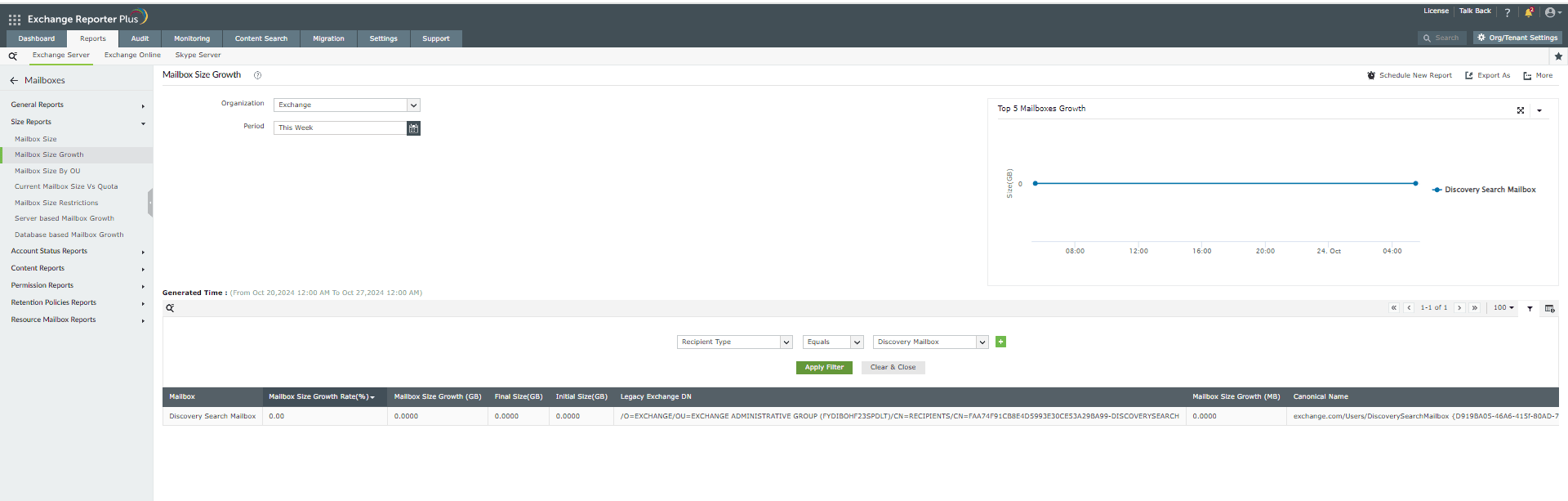
Shows how the size of a discovery mailbox has changed over a specified period, with key metrics such as mailbox size growth rate (in %), initial and final sizes, and the overall growth in both MB and GB. This report helps administrators track trends in discovery mailbox size, identify sudden growth patterns, and take proactive measures to prevent performance issues.
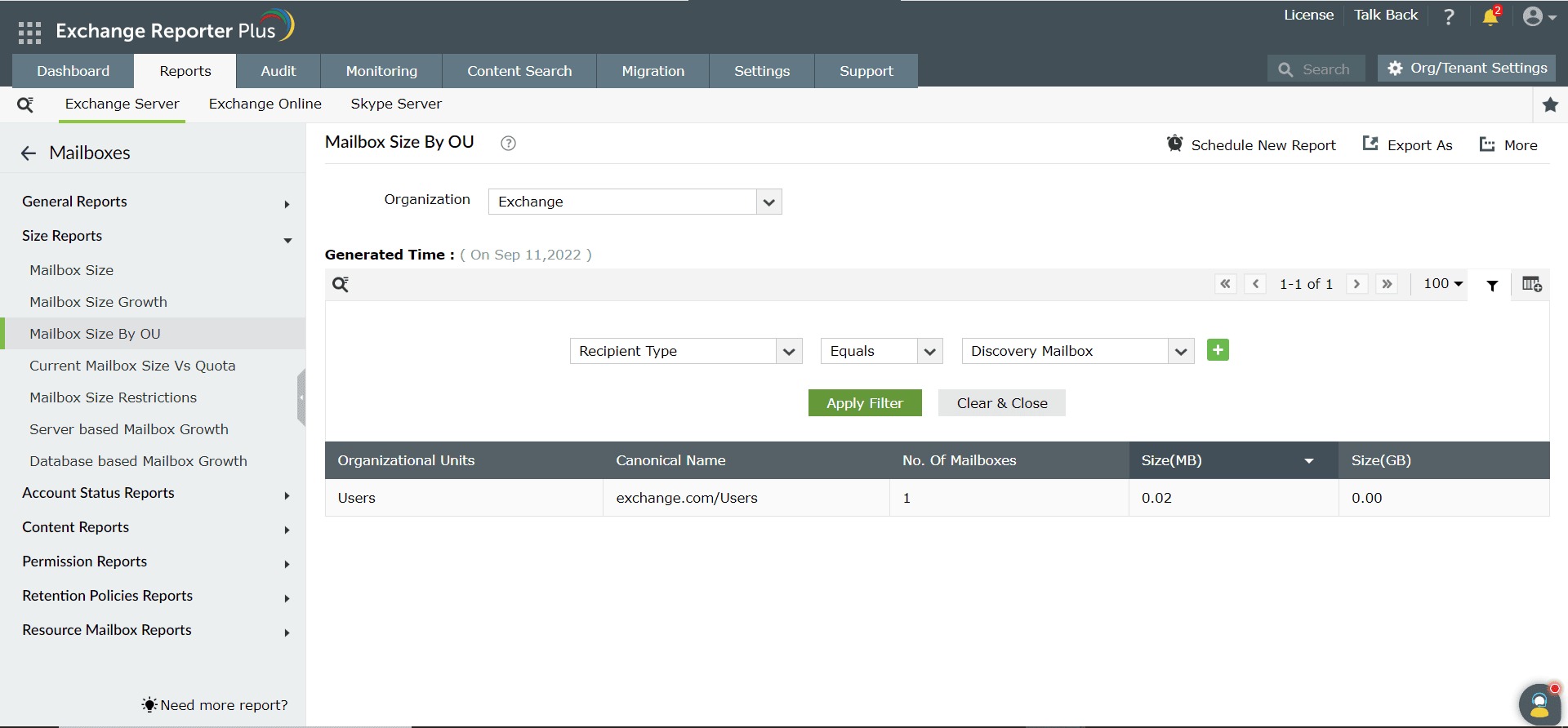
Displays the size of all discovery mailboxes within a specified organizational unit along with key metrics such as the number of mailboxes and their total size in MB and GB. This report helps administrators efficiently assess the discovery mailbox sizes across different OUs, enabling them to identify potential storage bottlenecks or areas where additional resources might be needed.
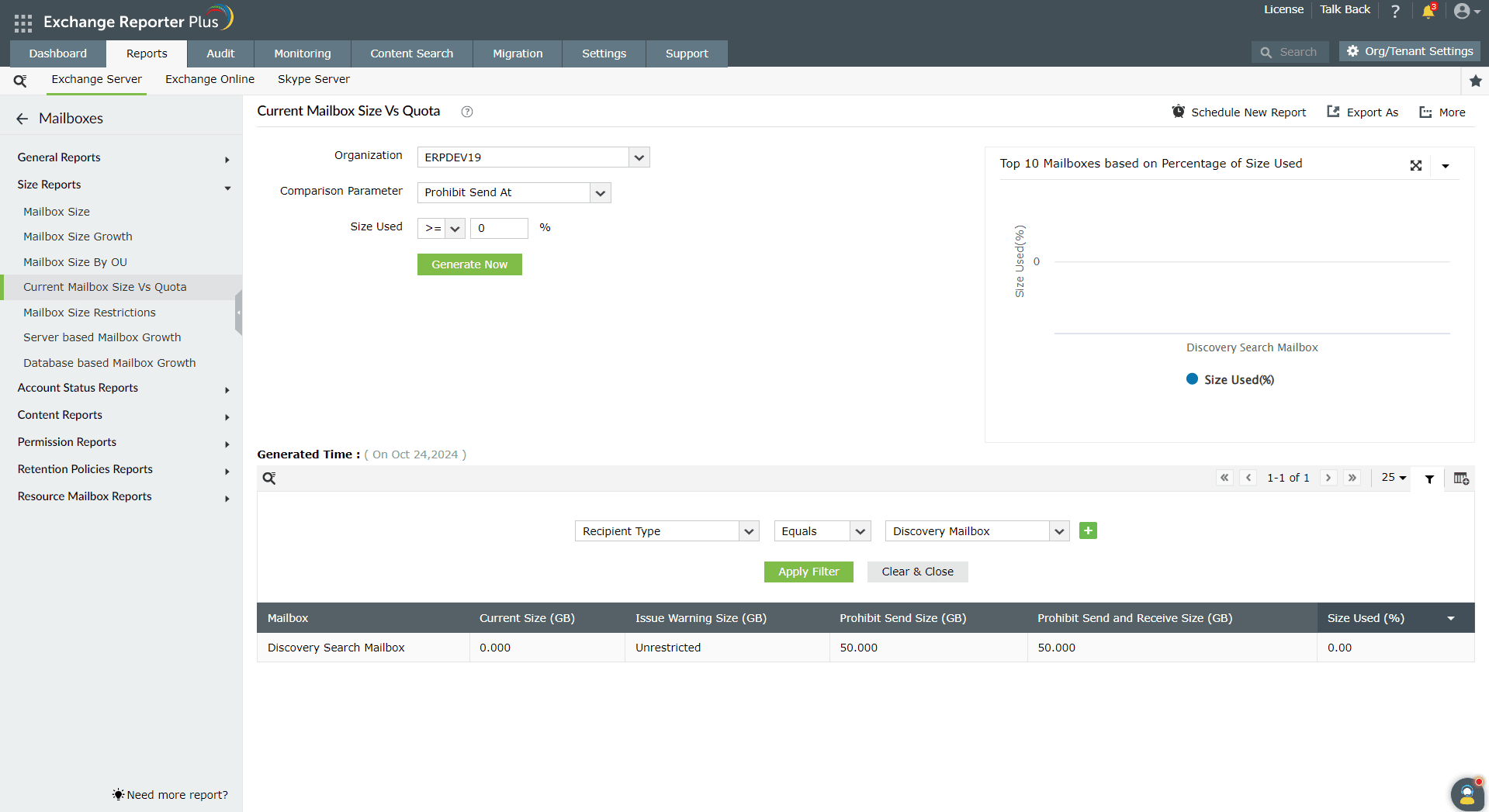
Displays each discovery mailbox’s current size alongside its allocated mailbox quota, with key metrics including the current size, issue warning size, prohibit send size, prohibit send and receive size, and size used (in %). This report helps administrators monitor discovery mailbox usage with respect to defined quotas, enabling them to take preventive measures to avoid service disruptions caused by discovery mailboxes reaching storage limits.
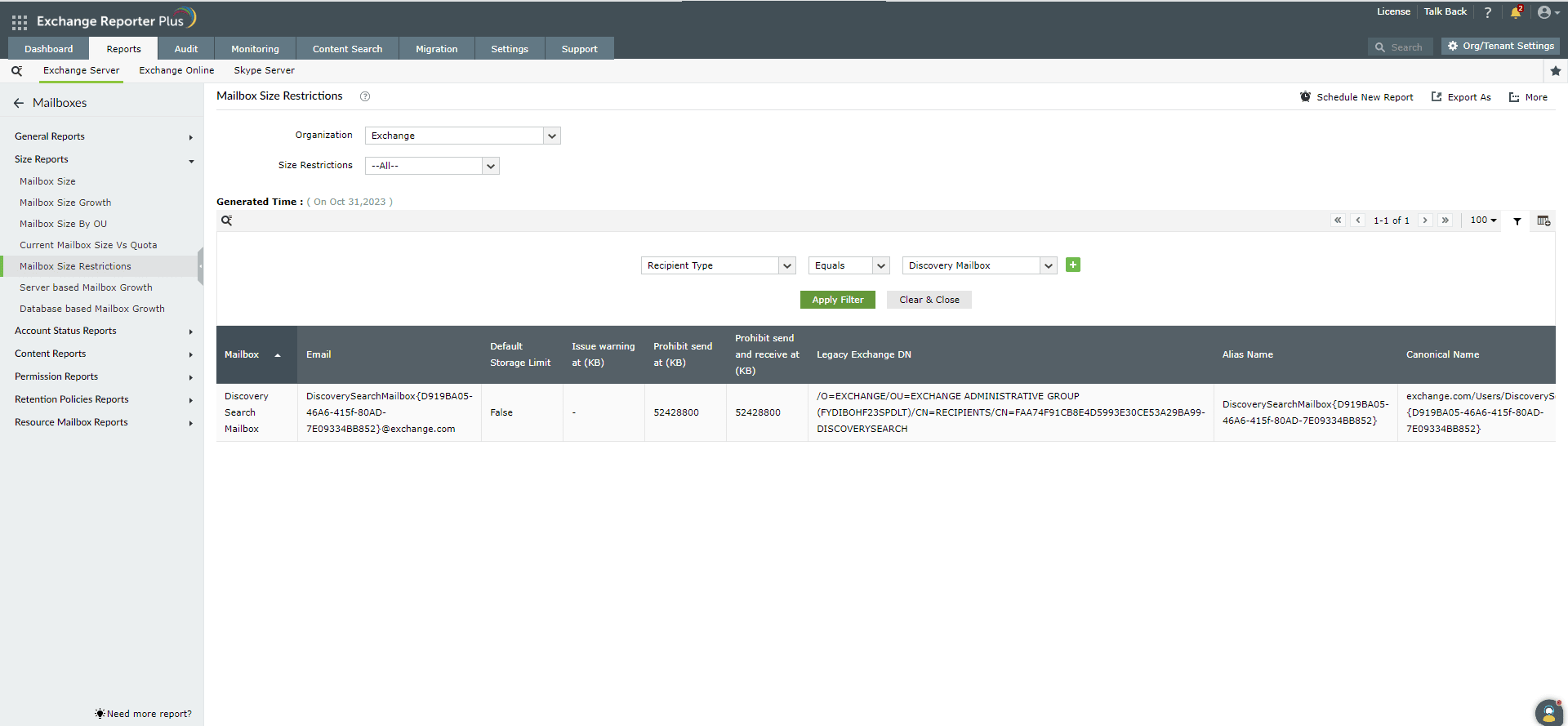
Displays the size restrictions applied to each discovery search mailbox, including the email ID, whether the default storage limit is implemented, and the thresholds for issue warning, prohibit send, and prohibit send and receive. The report also includes the alias and canonical name for each discovery mailbox. This report helps administrators ensure that appropriate storage limits are enforced, enabling them to prevent service disruptions caused by discovery mailboxes reaching storage limits.
Fill this form, and we'll contact you rightaway.
Our technical support team will get in touch with you at the earliest."