
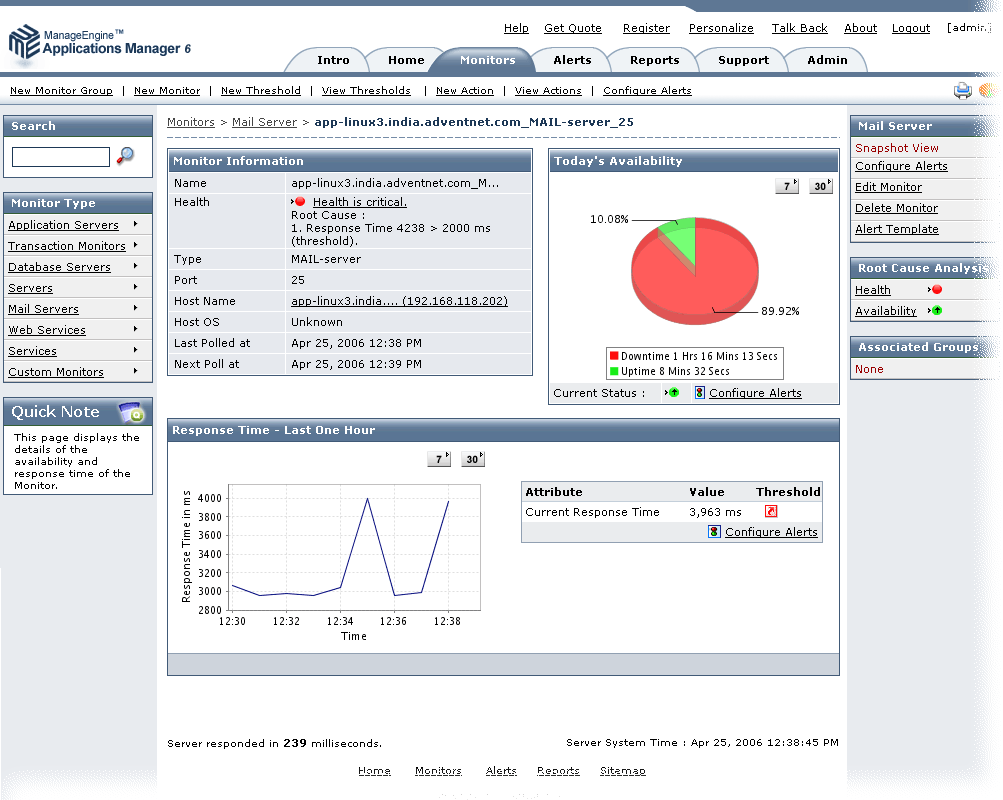
Applications Manager provides in-depth availability and performance monitoring of Mail Servers. Applications Manager connects to the Mail server and performs SMTP, IMAP operations and POP operations, sends e-mail receives e-mail, Checks SMTP, IMAP and POP servers to ensure availability.
The Mail Server Management feature enables performance management by monitoring the response time of the server and updates the status based on a given threshold and also provides comprehensive management reports. It also ensures availability and health through automated event escalation via email, SMS etc. and helps taking corrective action by executing user scripts that can help restart a service etc.
The components that are monitored in Mail Server:
| Availability | Gives the availability of mail server |
| Response Time | Gives the response time of mail server |

It allows us to track crucial metrics such as response times, resource utilization, error rates, and transaction performance. The real-time monitoring alerts promptly notify us of any issues or anomalies, enabling us to take immediate action.
Reviewer Role: Research and Development

"I like Applications Manager because it helps us to detect issues present in our servers and SQL databases."
Carlos Rivero
Tech Support Manager, Lexmark
Trusted by over 6000+ businesses globally