Virtual Machine Monitoring
Since many businesses depend on the availability of virtual servers, use of virtual machine monitoring tools is vital. ManageEngine Applications Manager's VM monitoring tool provides extensive metric data to monitor your virtual machine servers and their guest virtual machines, and helps you ensure they are performing well at all times.
Ensure high uptime and peak performance of guest virtual machines
Applications Manager connects with virtual machine servers through APIs and determines the health status as well as the performance of host servers and their corresponding virtual machines. With out-of-the-box reports, graphical views, alarms, thresholds and comprehensive fault management capabilities, administrators can maximize VM server uptime with Applications Manager's virtual machine monitoring software and also ensure that the guest virtual machines are running at peak performance.
Some of the virtual machine metrics provided by Applications Manager's virtual machine monitoring tool include:
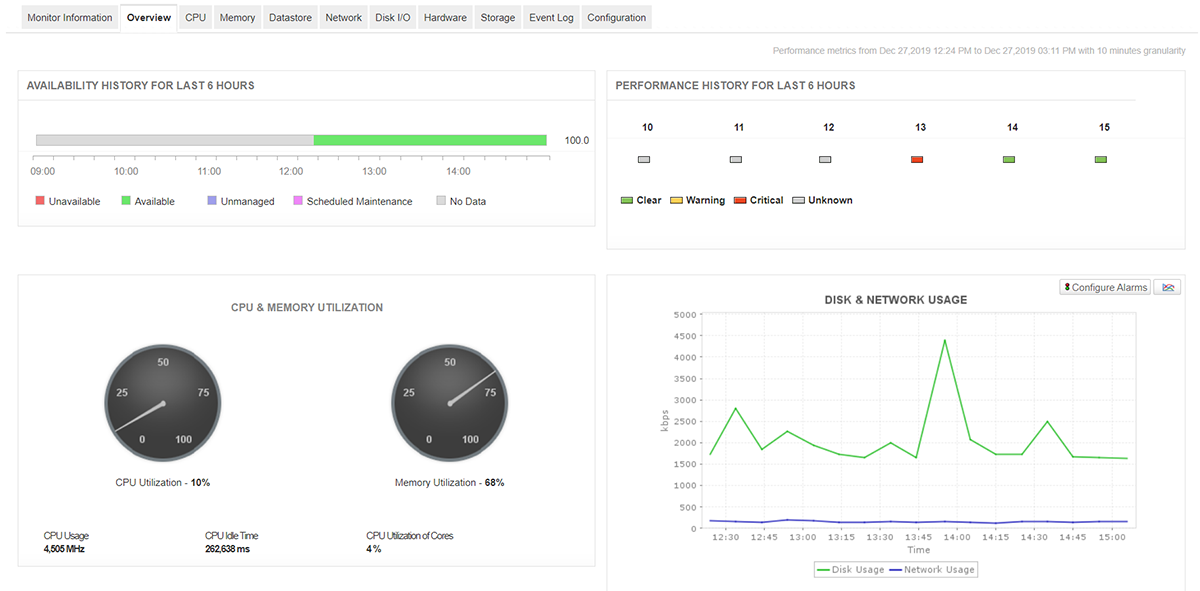
Availability, Health & CPU Usage
Monitor Virtual Machine Performance, including current availability and health status of the virtual machines. Troubleshoot problems through the Root Cause Analysis (RCA) window. Know what portion of the VM server's CPU is used by each virtual machine and which virtual machine is consuming more CPU.
Also identify the hardware details of the virtual machine server through hardware monitoring and minimize server downtimes caused due to a faulty hardware component.
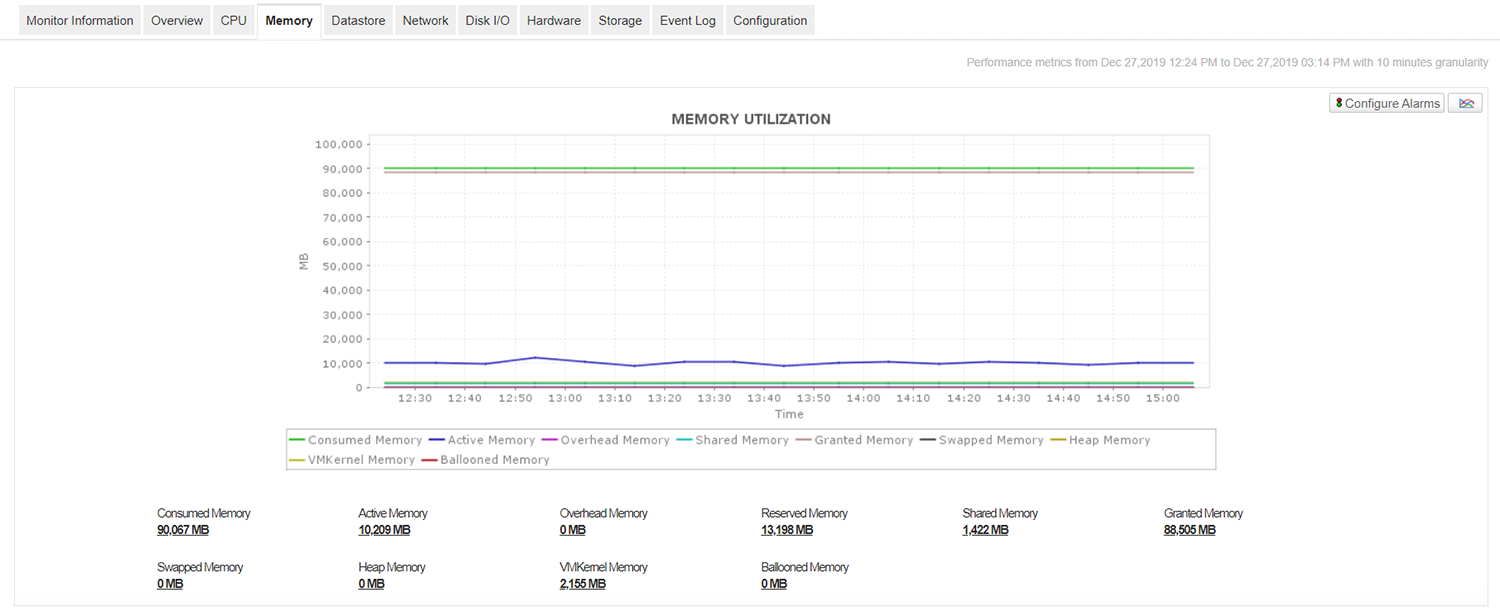
Memory Utilization
Avoid the problem of your virtual machines running out of memory. Get notified when the memory usage is high or memory becomes dangerously low. Metrics shown include consumed memory, active memory, overhead memory, shared memory, granted memory, reserved memory, etc.

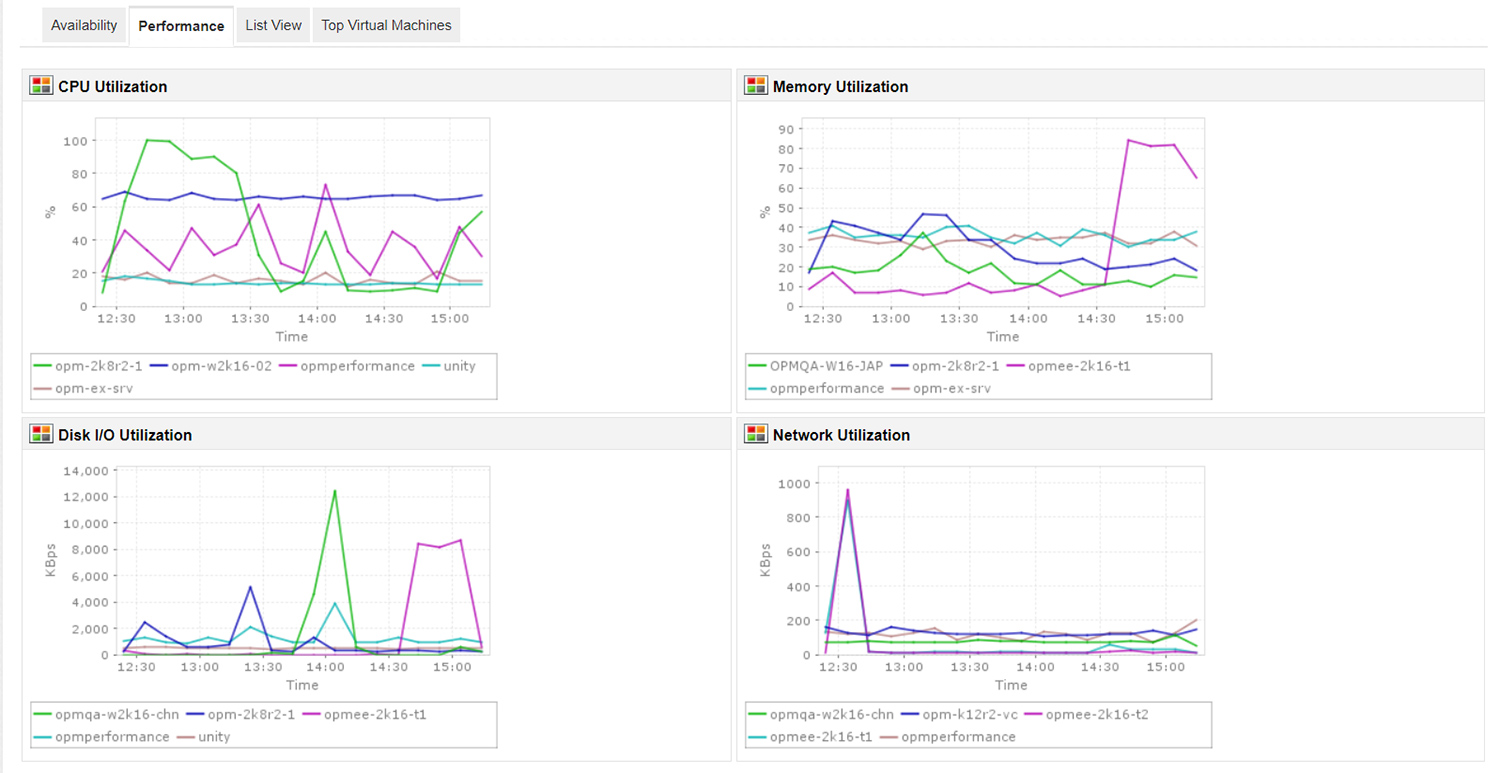
Top Virtual Machines
Get an overview of the virtual machines that are consuming your resources and take necessary action with our VM management software. Metrics provided include Top CPU consumers, Top Memory Consumers, Top Disk I/O consumers, Top Network consumers and the health history of each virtual machine.
ManageEngine Applications Manager's virtual machine performance monitoring tool also provides out-of-the-box reports that help analyze the overall performance of virtual machines and help in capacity planning.
Benefits of using Applications Manager's virtual machine monitor:
- Ensure high uptime and peak performance of the VMs in the virtual servers.
- Gain insight into the performance of your virtual environment; troubleshoot and resolve problems before end users are affected.
- Plan capacity and make educated decisions about allocating virtual machines to host servers.
- Manage both physical and virtual components of your IT infrastructure using a single console.
- Agentless monitoring solution that is easy to set up and manage.
Supported apps

