
With its highly reliable and scalable design, Linux is one of the most popular operating systems for business across the globe. As the number of distributions in the organizations increase, Linux performance monitoring becomes complicated. Needless to say, Linux server performance monitoring is one of the core responsibilities of the IT team in order to detect performance issues that could impact business service continuity. As a result, the need for Linux monitoring tools becomes inevitable for IT teams that have to monitor Linux servers.
Applications Manager's Linux performance monitoring empowers administrators by providing extensive support for various Linux distributions. Ensure key performance metrics of your Linux monitor like CPU, memory, disk utilization, etc are within permissible limits by getting instant notification when thresholds are violated.
Our Linux monitoring software will help you ensure optimal Linux performance monitoring of Linux distributions including CentOS, Debian, Fedora, Mandriva, Red Hat Linux, Redhat Enterprise Linux, SuSe, Ubuntu, and zLinux.
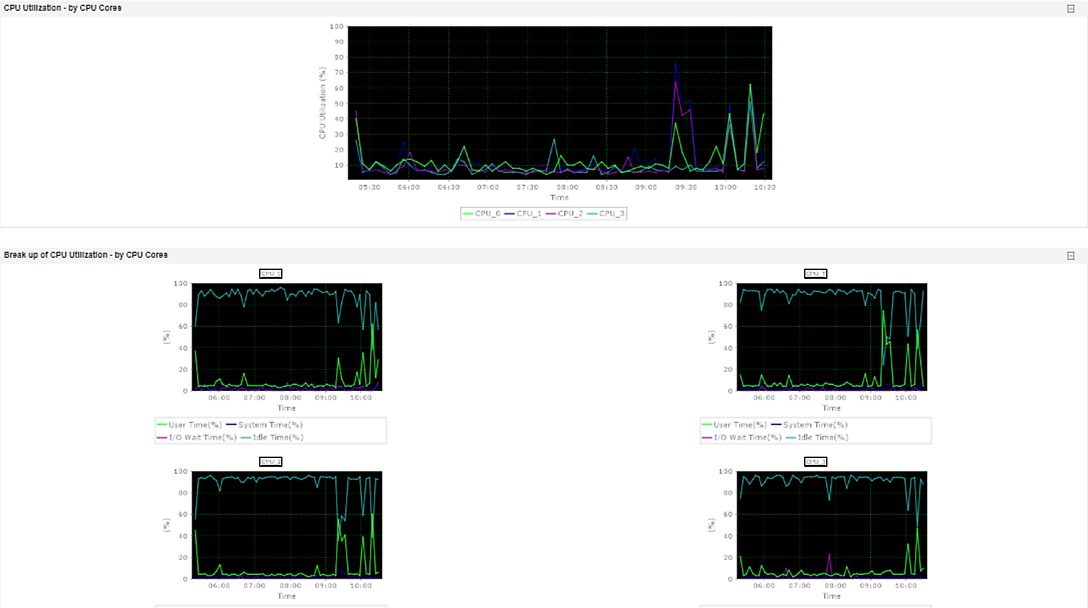
Optimal Linux server monitoring tools play a vital role in ensuring the performance and availability of your applications. Leverage Applications Manager's Linux server monitoring capabilities to monitor the critical metrics of your Linux servers. Linux server health monitoring will help you guarantee maximum health and availability of your Linux server monitor. With SSH and SNMP modes for Linux monitoring, collect and monitor Linux server performance statistics such as overall resource usage, resource usage by workload, and resolve issues by drilling into performance metrics.
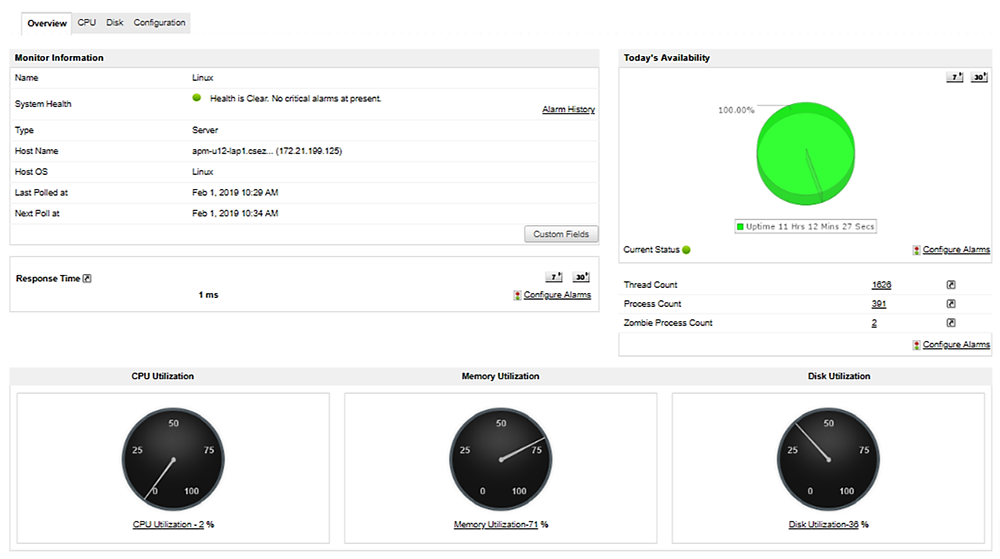
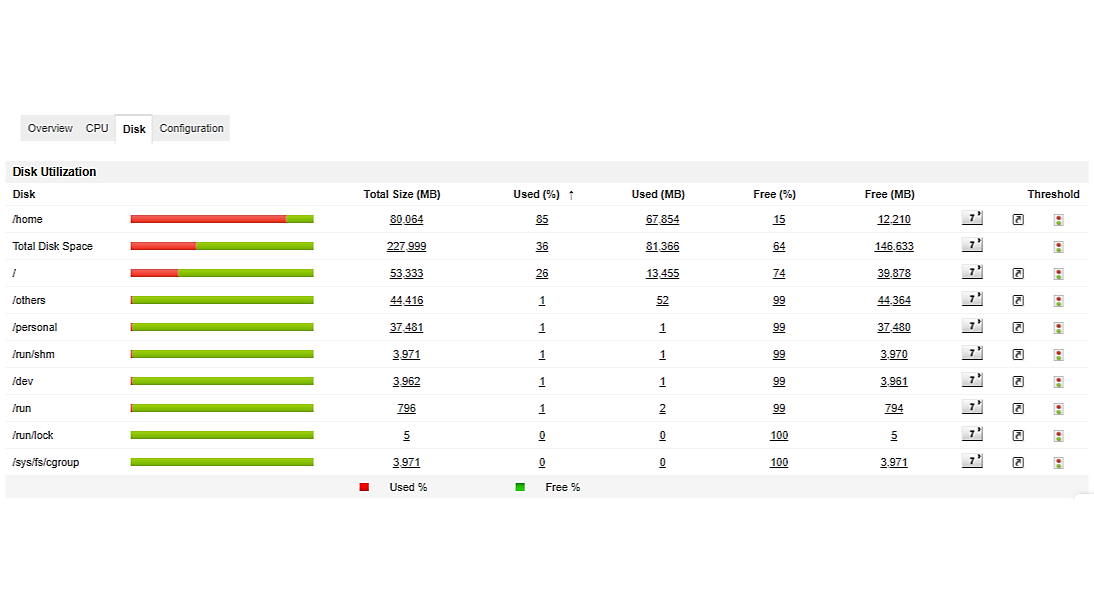
Our Linux server monitoring software provides a single pane of glass from which administrators can track key Linux monitoring server metrics such as CPU usage, memory usage, disk I/O utilization, system load, network traffic, process details, thread count, process count, zombie process count, etc.
Simplify Linux server performance monitoring by gaining deep visibility into metrics from every layer of the server. Compare performance across the layers and diagnose where exactly the performance bottleneck lies. With our extensive fault management capabilities, determine the root cause of issues faster and minimize risks associated with performance outages in your Linux server monitor. Track Linux server performance closely, and get immediate alerts when thresholds are violated.

See how Applications Manager can meet your Linux monitoring requirements. Schedule a personalised demo.
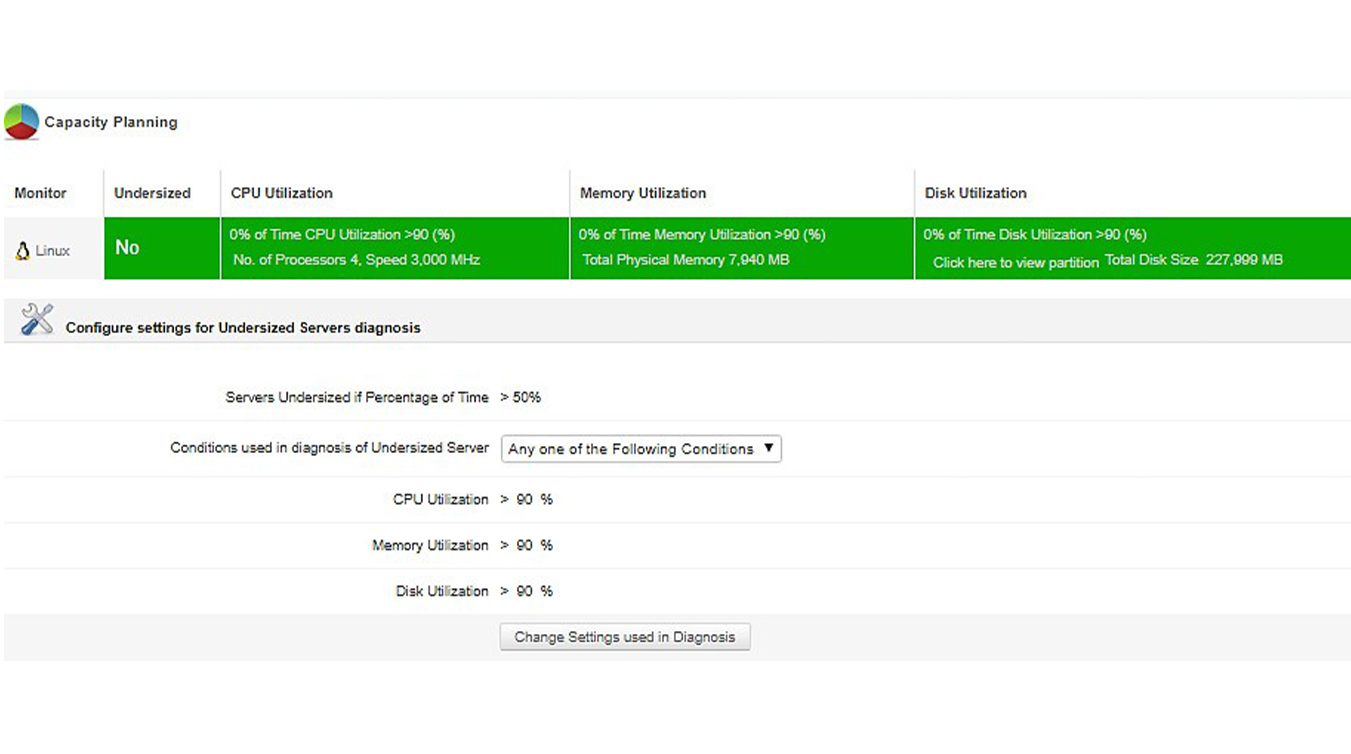
Request DemoOur Linux server monitoring software not only helps you analyze historical performance trends of your Linux servers but also helps you forecast the growth and utilization trends of Linux servers based on machine learning powered analytics. Additionally, you can plan load distribution and capacity management for your Linux monitor by identifying whether your servers are working at full capacity or are being underutilized.
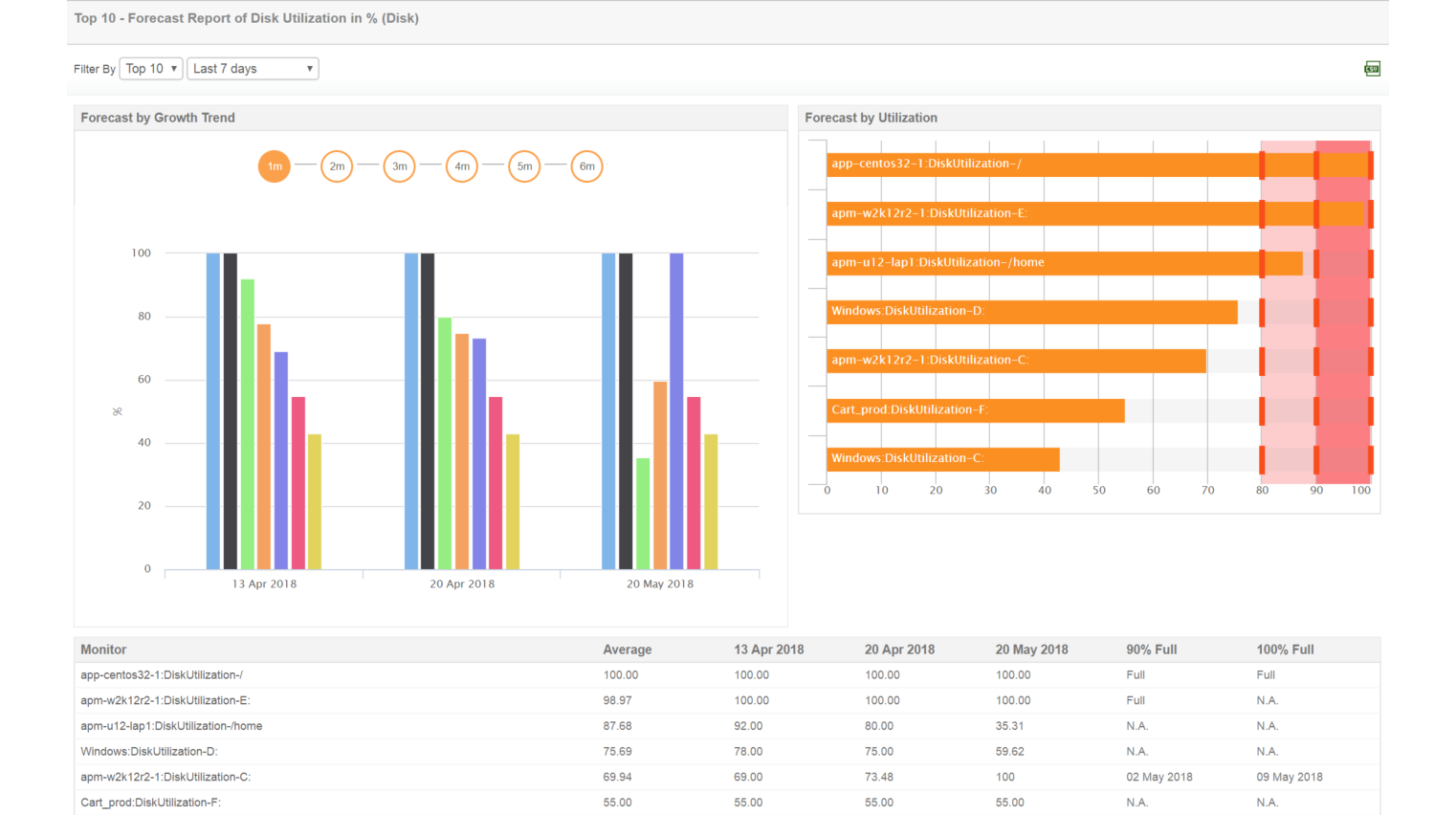
Applications Manager's Linux monitoring tool proactively monitors critical hardware details like processor health, physical/logical drive failures, power supply rating, disk & array, memory, CPU fan speed, temperature, voltage, etc for hardware servers (HP and Dell). Configure the health status of hardware servers based on criticality through hardware monitoring.
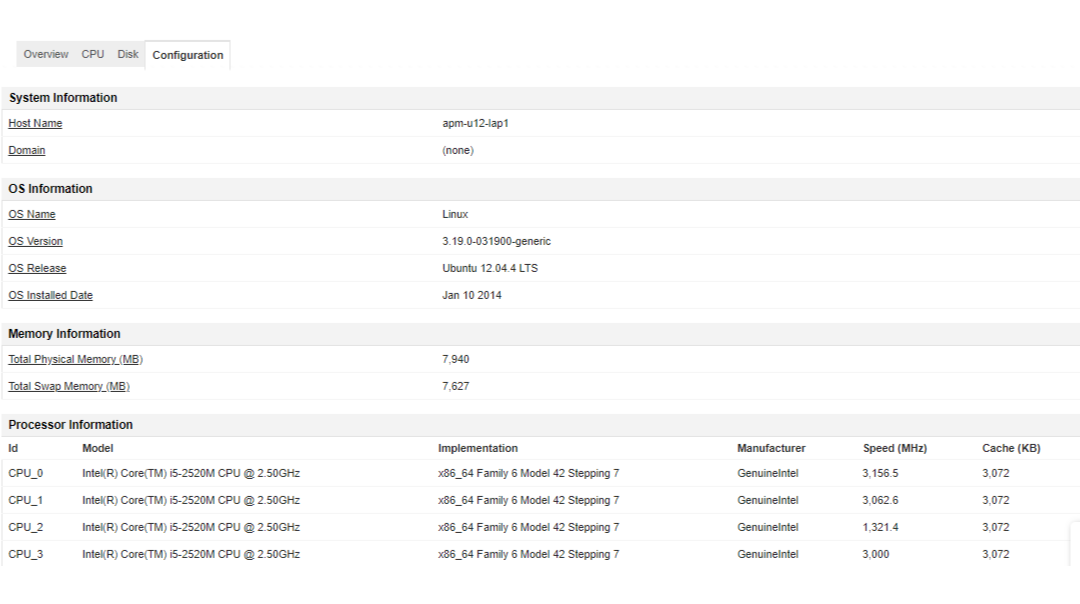
To learn why Applications Manager is one of the best Linux server monitoring tools, take a 30-day, free trial now!

It allows us to track crucial metrics such as response times, resource utilization, error rates, and transaction performance. The real-time monitoring alerts promptly notify us of any issues or anomalies, enabling us to take immediate action.
Reviewer Role: Research and Development

"I like Applications Manager because it helps us to detect issues present in our servers and SQL databases."
Carlos Rivero
Tech Support Manager, Lexmark
Trusted by over 6000+ businesses globally