SQL Server Performance Monitor
MS SQL is a relational database management system (RDBMS) whose wide range of transaction processing, business intelligence and analytics applications allows IT teams to rely on it for data storage and access. Any performance degradation or unavailability of these servers can not only severely impact the performance of the entire service, but also result in customer dissatisfaction and lost revenue.
As a result, there is a need for DB Admins to have a proper SQL server performance monitoring solution in order to keep their server performances intact. Also, while most monitoring tools generate notifications in case of performance issues, an ideal SQL server performance monitor tool will not only alert you but also provides comprehensive insight into the root cause of the issues and helps you troubleshoot them quickly.
Monitor the overall performance with Applications Manager's SQL server performance monitor
Applications Manager helps database administrators to manage, and monitor SQL server performance and availability of their SQL databases. It is one among the best SQL monitoring tools which provides an intuitive web client that helps you ease your monitoring efforts and allows you to visualize, manage and monitor SQL server database farms effectively. It also helps keep track of usage patterns, offer insights to plan capacity and help you get notified about impending problems in your database.
- Get deep visibility into critical SQL server KPIs
- Optimize your server performance with MS SQL performance monitor.
- Track your resource usage stats with SQL server monitor.
- Monitor various ongoing sessions using SQL database performance monitoring tool.
- Monitor all your data availability operations with SQL performance monitor.
Get deep visibility into critical SQL server KPIs
For optimal SQL server monitoring, it's necessary to monitor certain parameters which play a major role in your system performance. While buffer storages help in providing sufficient memory for a query to be properly processed, cache plays a major role in providing storage for faster execution of SQL queries. With Applications Manager's SQL performance monitoring tool, it becomes easier to monitor parameters like these, which allows SQL DB admins to keep track of server performance and diagnose issues effectively. Our SQL server performance monitor dashboard offers a holistic view of all the KPIs on a single platform.
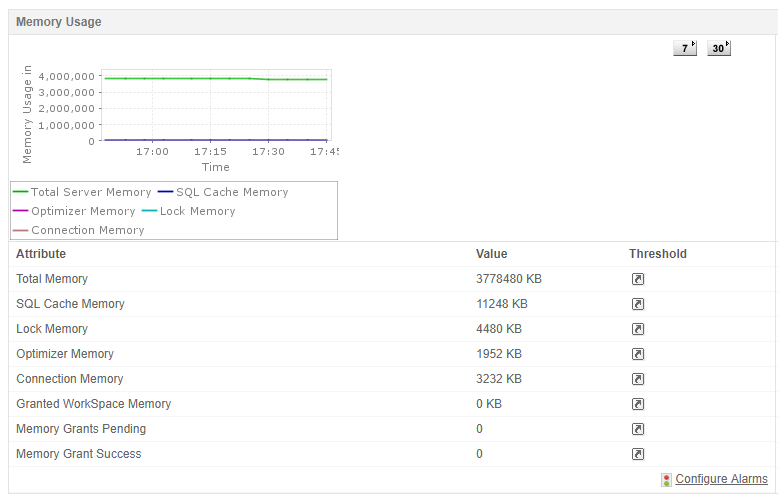
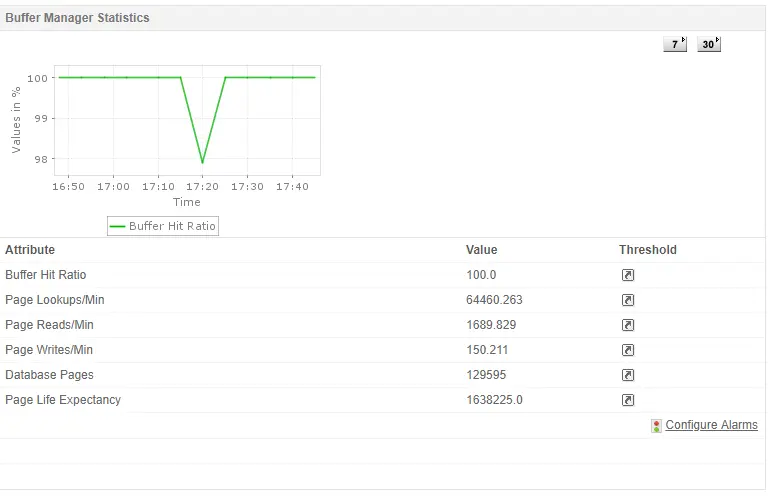
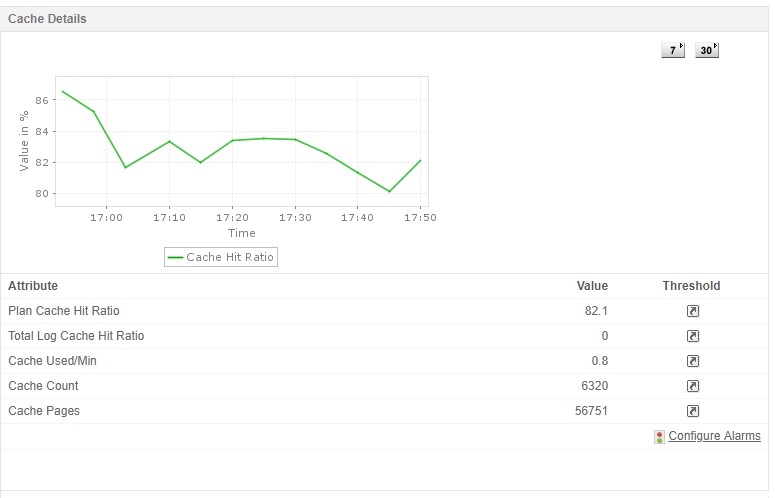
Optimize your server performance with MS SQL performance monitor.
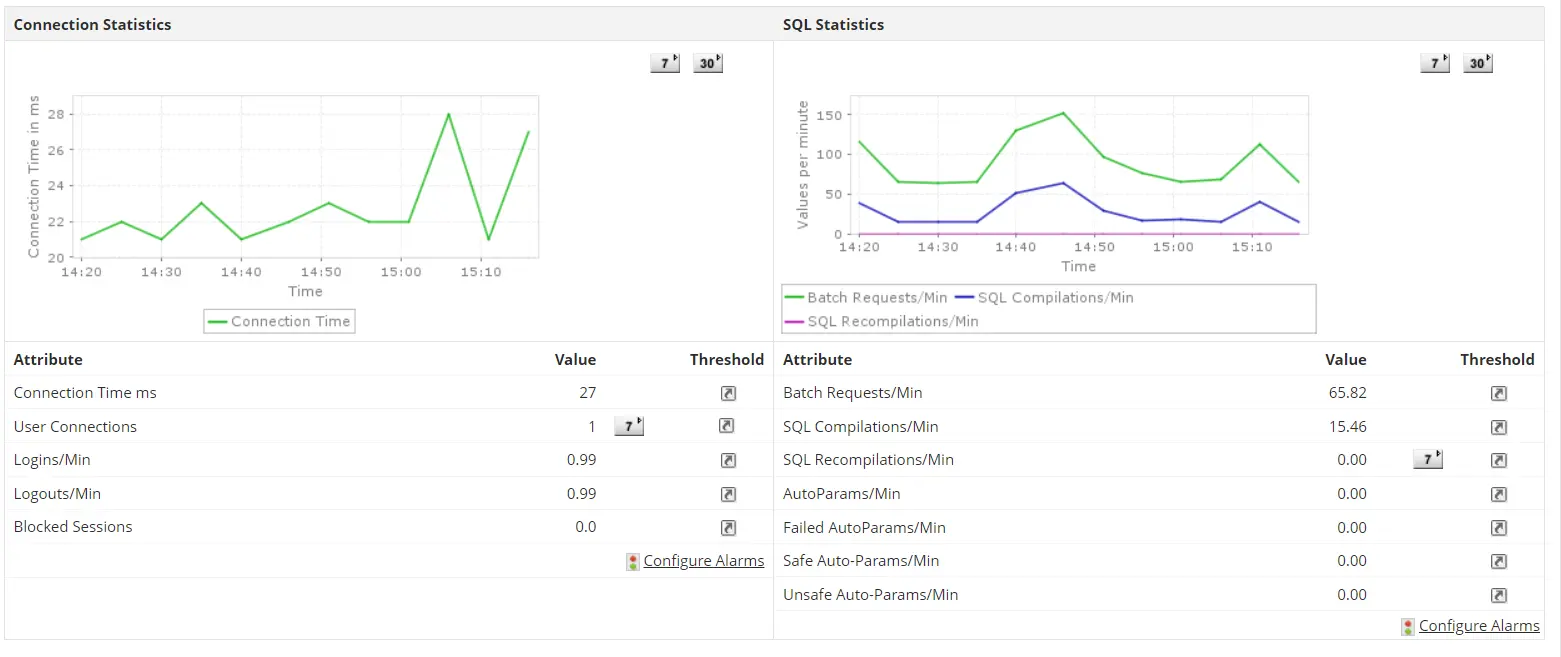
Given the enormous amount of queries processed by an SQL server, and how sometimes some queries can lead to unusual memory usage and processor time, it is important for DB Admins to monitor SQL server by keeping check on the performance stats of your SQL queries based on some parameters shown below in order to diagnose SQL performance issues. Monitor the health of all your servers and configure respective alarms whenever these SQL server performance monitoring metrics breach their intended threshold limits.

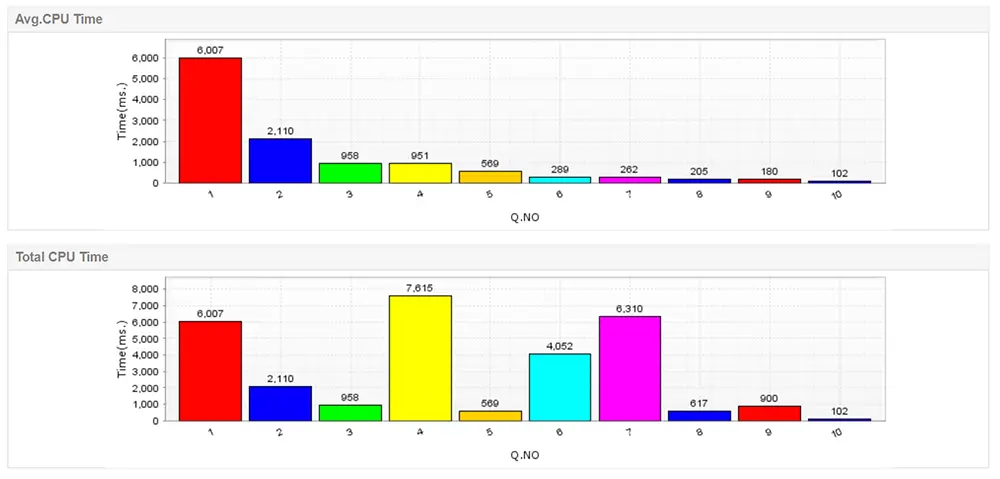
Visit our page on SQL performance tuning where you can get detailed information on the parameters used to optimize your SQL database and how Applications Manager helps monitor them.
Track your resource usage stats with SQL server monitor.
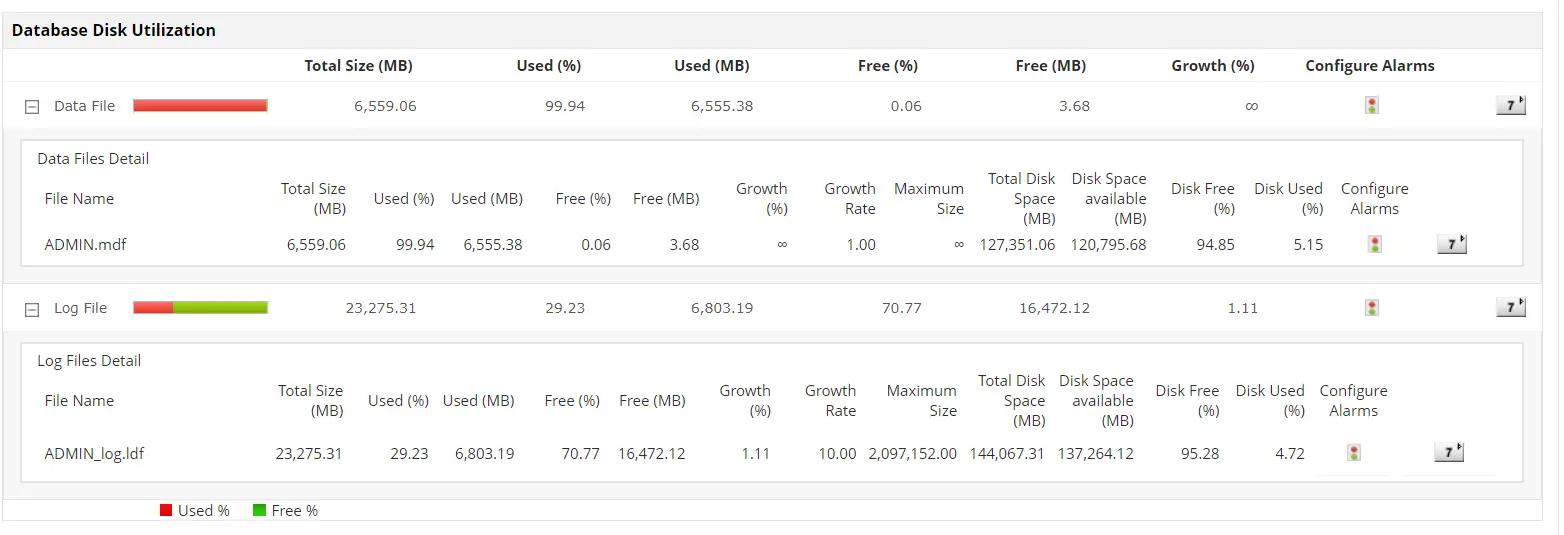
Keeping track of disk space utilization remains one of the biggest challenges DB admins face when it comes to SQL server performance monitoring. Not only is the disk growth tracking important to know how much memory load your server is under, it is equally important for your SQL database monitor to measure the free space on the disk volumes that comprise of the respective database log files in order to ensure there is enough space for data to grow inside your database. Keeps track of all your resource usage stats of data files and log files along with transaction, log flush details, and other key SQL server performance metrics, allowing DB Admins to regulate and optimize the performance of the SQL server effectively.
Monitor various ongoing sessions using SQL database performance monitoring tool.
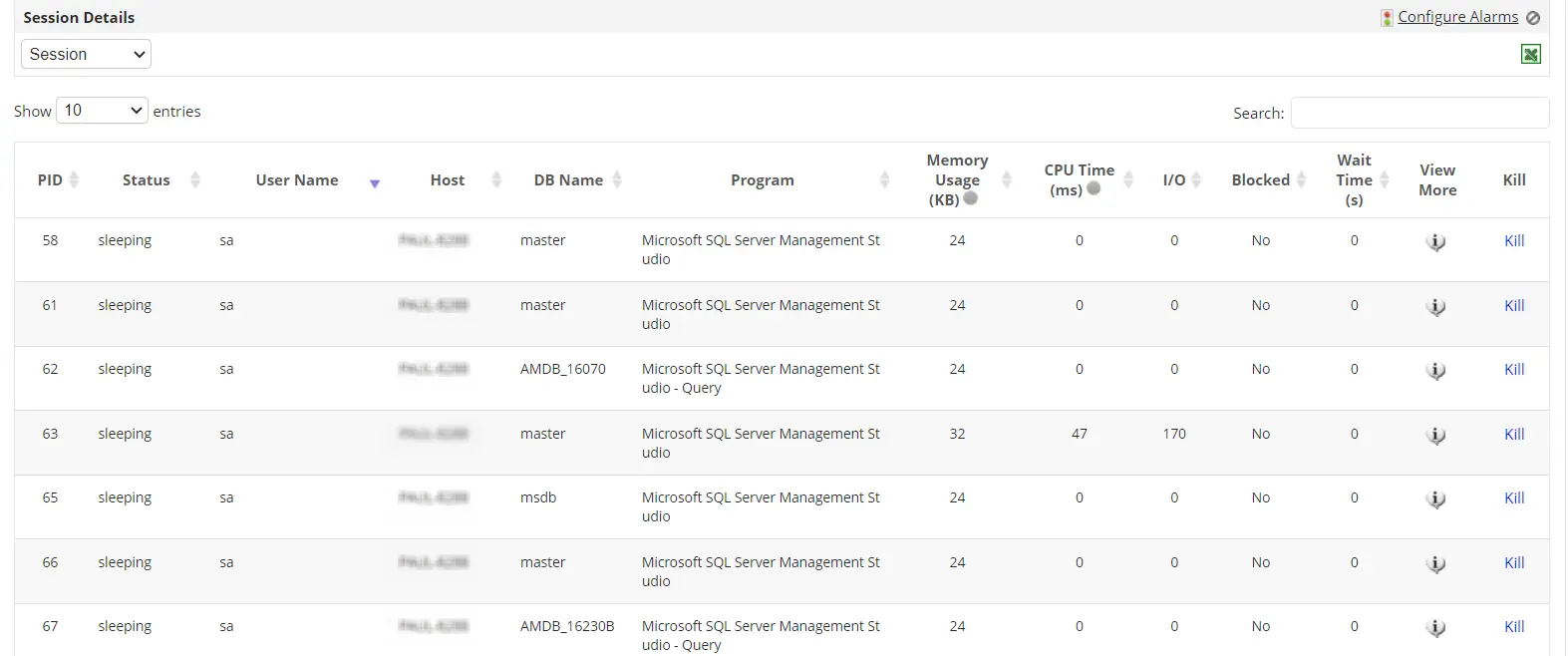
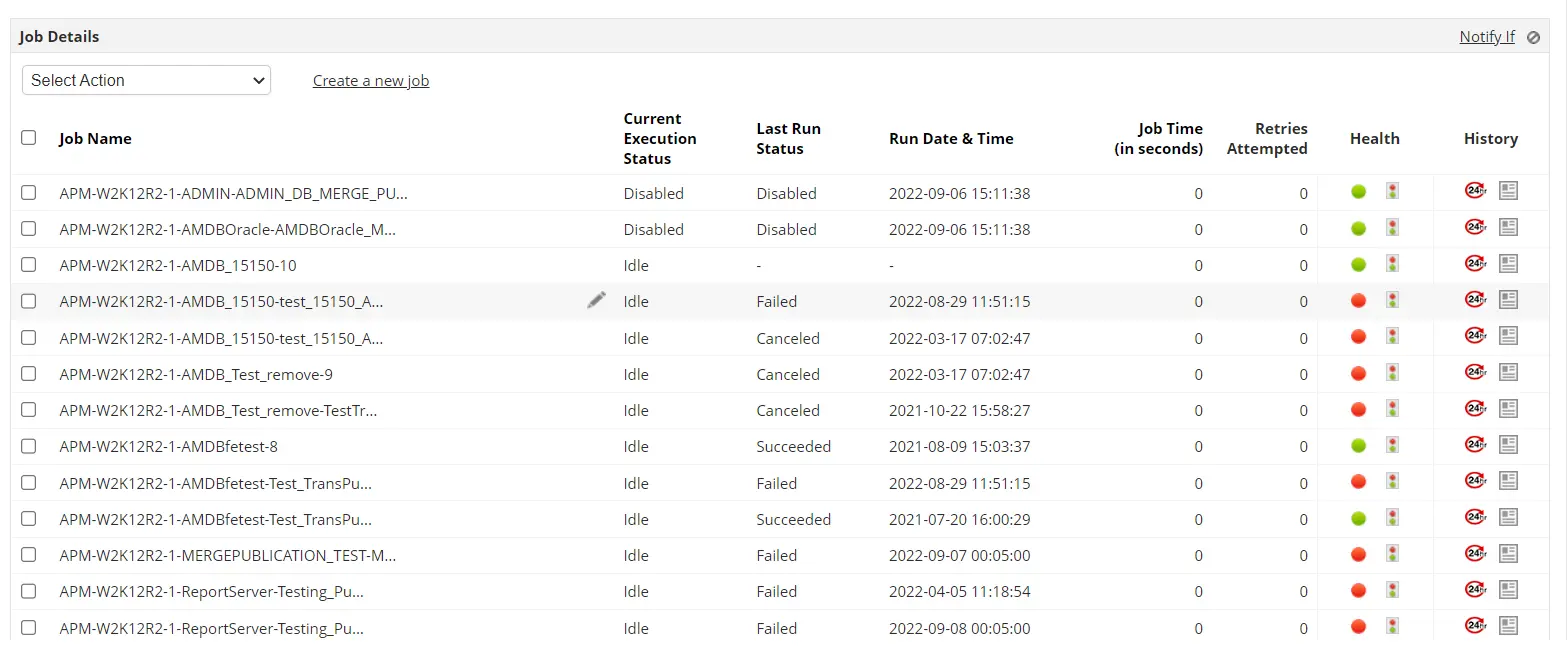
Applications Manager's SQL server database monitoring capabilities help you trace problematic SQL sessions down till query, identify resource intensive session(s) and troubleshoot any issues that arise due to any session consuming excess resources or in case of session overload. The SQL server performance monitor allows you to keep track of the jobs that are scheduled to run, the last outcome of jobs that have run during the current session and to find out the current status of individual jobs.
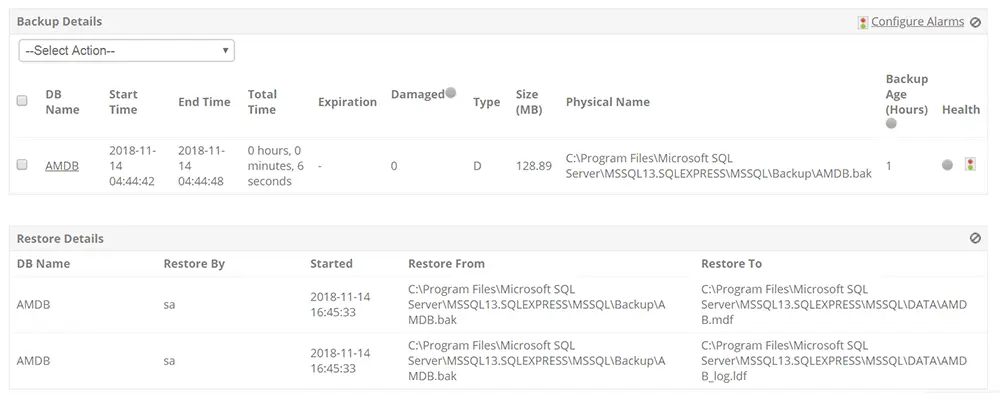
Monitor all your data availability operations with SQL performance monitor.
Data loss can be catastrophic to businesses and taking backups of your database is an inevitable part of SQL server performance monitoring. With Applications Manager's SQL performance monitor, you can save and retrieve all your essential data with the help of Backup/Restore feature. The SQL performance monitor lets you track the total time taken, along with their start and end time, allowing users to keep a close watch on your backup durations.
The one-stop solution for all your SQL server performance monitoring needs.
While most SQL server performance monitoring tools provide performance statistics of your SQL server, Applications Manager's SQL monitoring software enables users to gain end to end visibility into the performance of your servers with its robust monitoring, alerting and analytical capabilities. Its ease of use, robust monitoring capabilities and affordable pricing makes Applications Manager's SQL server monitor one of the best available solutions in the market today.

