
Service Oriented Architectures help enterprises integrate simple web services to build complex business processes. ManageEngine Applications Manager Web Services Management capability helps enterprises to gain more visibility in to these Web Services that are used in Service Oriented Architectures.
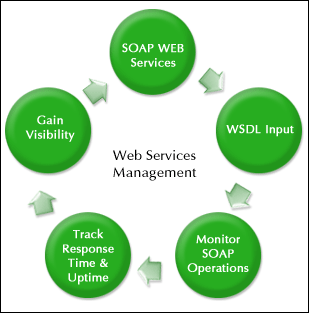
ManageEngine Applications Manager provides a flexible approach to manage an SOA that uses SOAP Web Services. It helps the Application Support team to monitor the availability and performance of their Web Services and give business managers the visibility they need to ensure their line-of-business applications meet SLAs. The Web Service Monitoring capability helps Operations to make active Simple Object Access Protocol (SOAP) requests to a Web Service and monitor the response time and availability.
A simple wizard in the Web Client guides you through the whole setup process and you could be monitoring your Web Services in minutes.
| Application Performance Monitoring Solutions | |
|---|---|

It allows us to track crucial metrics such as response times, resource utilization, error rates, and transaction performance. The real-time monitoring alerts promptly notify us of any issues or anomalies, enabling us to take immediate action.
Reviewer Role: Research and Development

"I like Applications Manager because it helps us to detect issues present in our servers and SQL databases."
Carlos Rivero
Tech Support Manager, Lexmark
Trusted by over 6000+ businesses globally