Active Directory monitoring: Common issues and how to overcome them
Active Directory (AD) sits at the heart of enterprise IT. It authenticates users, manages access to resources, and enforces security policies across the network. But with that central role comes complexity, and that often leads to issues.
When AD problems go undetected, they can cause login failures, policy delays, and unexpected service disruptions. This is where Active Directory monitoring becomes essential. By keeping an eye on the right metrics, you can spot problems early, prevent downtime, and maintain a smooth user experience.
Here's a look at some of the most common AD challenges and how monitoring can help you address them.
1. Slow user logons
Slow logons are a common user complaint. What should be a quick login ends up taking much longer, often without an obvious cause.
There are several reasons this can happen:
- LDAP bind times are too high, delaying authentication
- Domain controllers (DCs) are either overloaded or unreachable
- DNS resolution is failing or taking too long
- Group Policy Objects (GPOs) are slow to apply due to scripts or policy issues.
Monitoring LDAP bind time can help you track how fast DCs respond to authentication requests. You should also monitor the availability and resource usage of your domain controllers, along with DNS resolution performance. Watching GPO processing times for both user and computer policies can also provide insight into where delays are happening.
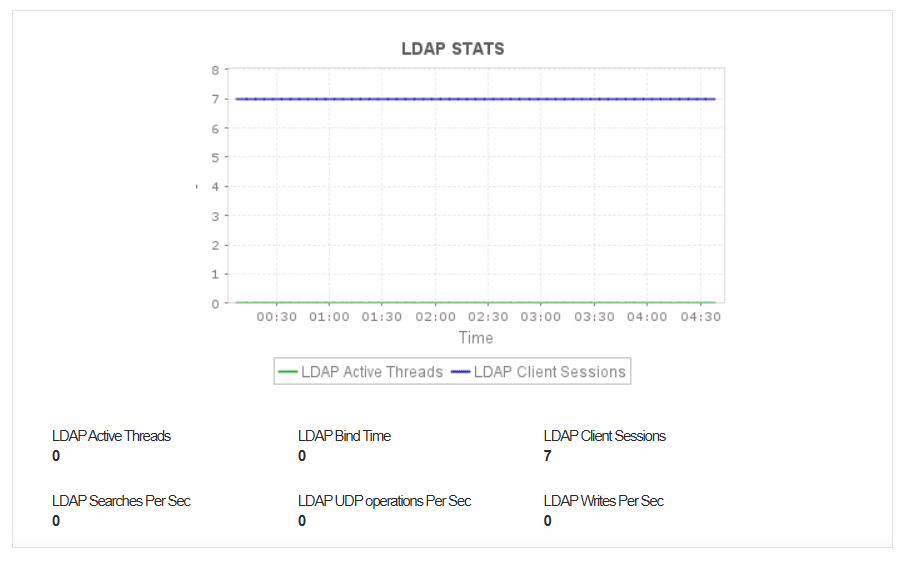
2. Replication failures between domain controllers
Active Directory relies on consistent replication across domain controllers. When replication fails or lags behind, inconsistencies begin to surface.
Common causes include:
- Network issues that interrupt communication between DCs
- Stale or misconfigured DNS records
- Incorrect site links or subnet configurations
- Replication queues growing too long to process in time
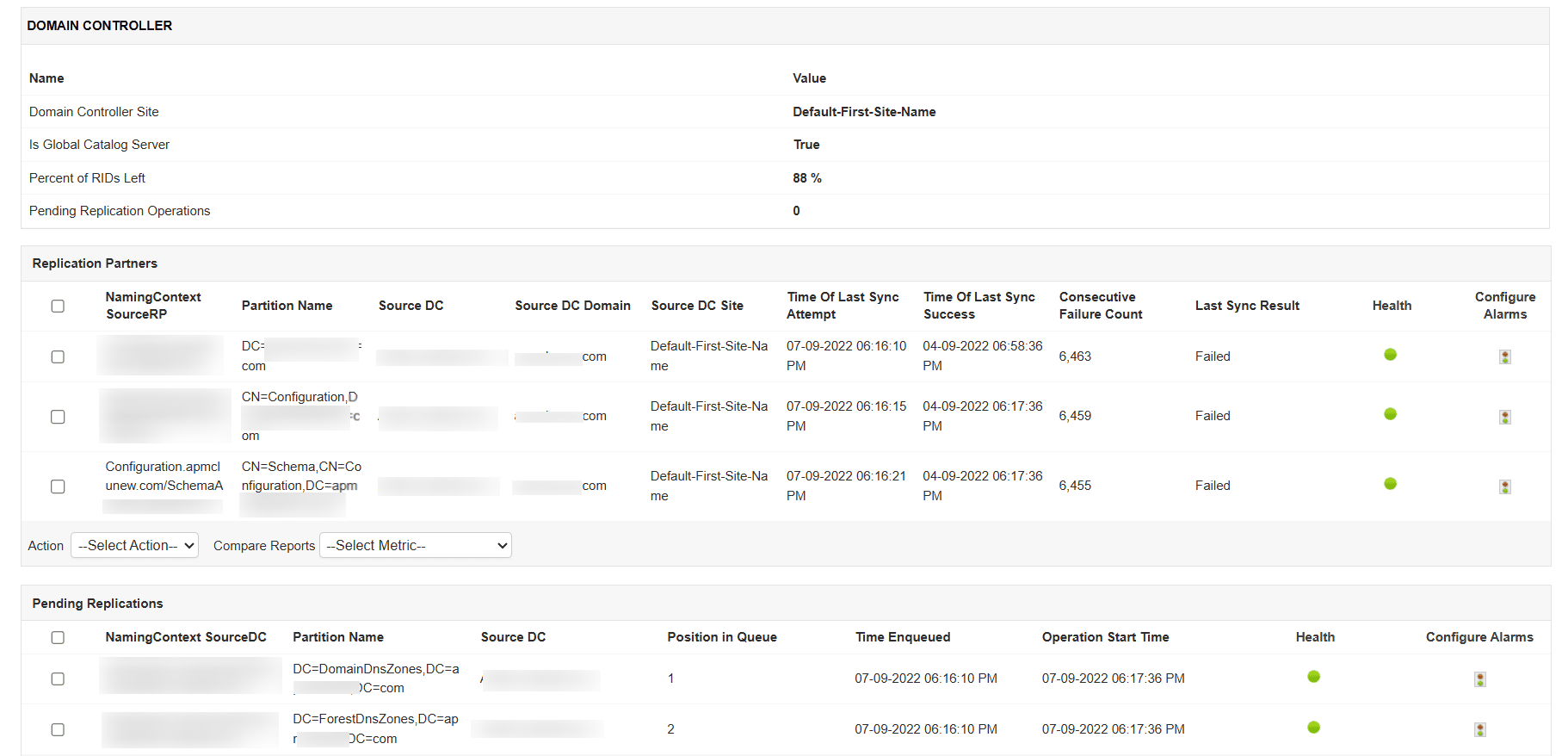
Monitoring replication latency, queue length, and failure events can help detect problems early. Regular checks on network paths and DNS health between sites also reduce the chance of unexpected replication delays.
3. Frequent account lockouts
Account lockouts frustrate users and generate unnecessary support tickets. In some cases, they may even point to a deeper security issue.
Why it happens:
- Users forget to update saved passwords in apps or devices
- Scheduled tasks or services are still using old credentials
- Systems attempt repeated logins with incorrect passwords
Tracking account lockout events can help you identify which users are affected and which machines are triggering the issue. Analyzing authentication failure trends helps detect misconfigurations or suspicious activity. Monitoring password expiration status is also useful to avoid unexpected lockouts caused by outdated credentials.
4. FSMO role unavailability
FSMO (Flexible Single Master Operations) roles are essential for the smooth functioning of your AD environment. When a domain controller holding one of these roles is unavailable, certain operations can fail.
You may run into issues when:
- All FSMO roles are hosted on a single domain controller that goes offline
- Network or DNS problems prevent the FSMO role holder from being reached
- Role distribution has not been optimized for failover or load balancing
To avoid surprises, monitor the availability of each FSMO role holder. Keep an eye on the performance of the servers hosting these roles and check for any service interruptions. Reviewing FSMO role distribution regularly can help prevent bottlenecks.
5. Authentication failures
When users are unable to authenticate, it affects everything from application access to file sharing. Repeated failures can also signal security misconfigurations or attack attempts.
You may run into issues when:
- Kerberos ticketing issues or SPN errors
- Time differences between client machines and domain controllers
- Problems with fallback protocols like NTLM
- Misconfigured trust relationships
Tracking authentication attempts for Kerberos and NTLM can help detect where and why failures are occurring. Monitoring time synchronization across domain-joined machines is also essential, especially for Kerberos to function correctly. It's a good idea to regularly audit SPN registrations and validate domain trusts.
6. DNS issues affecting AD services
Active Directory depends heavily on DNS to function. When DNS is misconfigured or slow, core AD operations begin to fail.
You may run into issues when:
- Missing or outdated SRV records
- Slow DNS responses or query failures
- Improper zone configurations or DNS forwarding problems
Monitoring DNS resolution times, record availability, and response errors can help detect issues early. Verifying the presence of critical records like _ldap._tcp.dc._msdcs.<domain> ensures that clients and services can always locate domain controllers when needed.
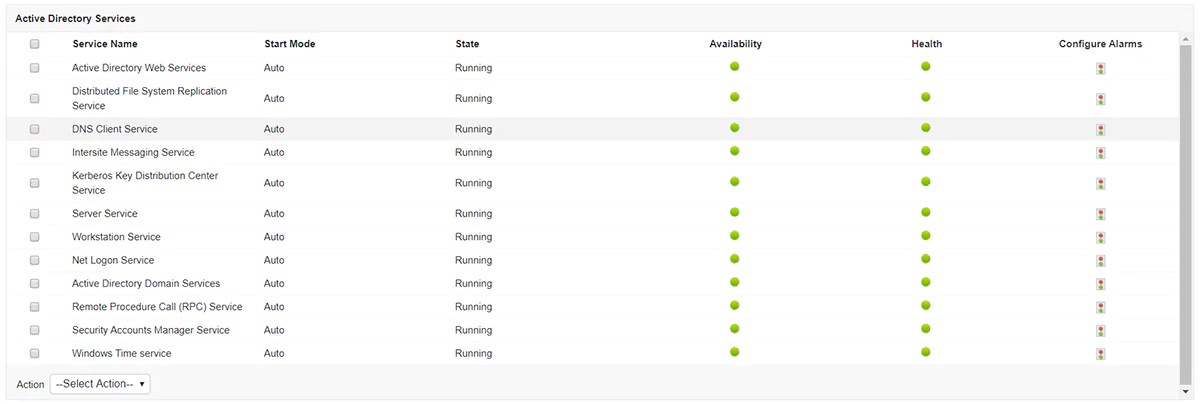
7. Resource Bottlenecks in domain controllers
Sometimes, the domain controllers themselves are the root of the problem. If they’re running at full capacity, authentication and replication can slow down or stop entirely.
You may run into issues when:
- High CPU or memory usage
- Delays caused by disk I/O
- A growing NTDS database that is not being managed efficiently
Monitoring system-level metrics such as CPU, memory, and disk performance can give you early warnings. You should also track NTDS-specific metrics, including database size and cache efficiency. These insights help you optimize performance and scale resources before users start noticing slowdowns.
Conclusion
Active Directory is one of those services that you only notice when it’s not working. Whether it’s slow logons, authentication hiccups, or replication lags, even a small issue can have a big impact on productivity and security.
With the right monitoring strategy in place, you can detect problems early, understand their root causes, and take corrective action before they escalate.
Download a free, 30-day trial of Applications Manager and keep your AD environment running smoothly.

