1 Million and Counting

Saint Gobain
NASA
Time Warner Cable
Loreal Paris
Siemens
DHL

When VM issues go unnoticed, they get expensive fast

Most VM issues do not begin as obvious failures. They build quietly through rising CPU and memory usage, recurring process-level strain, and machines that gradually become less efficient over time. In multi-hypervisor environments, the problem multiplies. When VMware, Hyper-V, Nutanix AHV, and XenServer are monitored through separate tools, visibility gets fragmented, teams switch between consoles, and critical signals are easy to miss. That is where the cost adds up. More time spent troubleshooting, more capacity wasted across underused VMs, and more risk of performance issues reaching users. OpManager simplifies this by bringing VMware, Hyper-V, Nutanix, and XenServer monitoring into a single console, without the overhead of managing separate tools or licenses.

How OpManager helps you stay ahead of VM issues

When VM issues start building, the hardest part is knowing what is changing, what is driving the strain, and where your team needs to act first. OpManager helps you stay ahead by bringing together the right VM-level signals, so it is easier to monitor performance, understand workload behavior, find wasted capacity, and make faster decisions before small issues spread.

Keep an eye on VM health before small issues turn into bigger ones

  • Monitor uptime, availability, and responsiveness for every VM, so your team knows when a machine starts becoming unstable or unavailable.
  • Stay on top of the VMs behind important business services without waiting for users to tell you something feels off.
VM health
VM resource usage

See when a VM is starting to use more than it should

  • Track CPU, memory, disk, and network usage for each VM to catch unusual spikes and sustained resource stress early.
  • Spot changes in behavior before they turn into recurring slowdowns, performance complaints, or drawn-out troubleshooting.

Find out what inside the VM is actually causing the problem

Process-level insights
VM Sprawl Detection

Catch wasted capacity hiding in idle and oversized VMs

Track VM snapshots before they impact performance

Automation and Workflow Actions
VM monitor | with OpManager
WATCH NOW

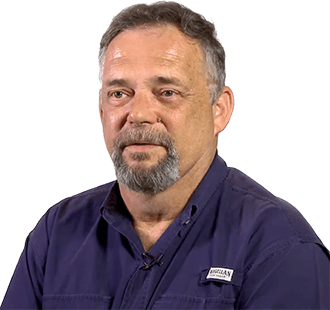
"80% of our systems are virtual,” says Jimmy Elenis

See how they keep it all under control with OpManager

What changes for your team with OpManager

Your team spends less time chasing symptoms

With OpManager, teams can start with clear VM health, usage, and process-level signals instead of digging through scattered checks. That makes it easier to understand where to look first and move faster when performance issues show up.

Slowdowns are easier to address before they affect the business

OpManager helps surface unusual VM behavior earlier through performance monitoring, auto-adaptive thresholds, and trend visibility. That gives your team more time to respond before slowdowns start affecting users or critical services.

Waste becomes easier to spot and harder to justify

With real usage data from OpManager, idle, oversized, and underused VMs are easier to identify. Teams can clean up low-value machines, reclaim capacity, and reduce waste with more confidence.

Resource decisions become more informed

OpManager gives teams historical VM data they can actually use for sizing, cleanup, and allocation decisions. Instead of relying on assumptions, they can make changes based on how VMs behave over time.

Growth feels more manageable

As VM environments expand, OpManager gives teams one place to monitor health, usage, and activity across more machines. That makes it easier to stay organized without adding more manual effort.

Common VM management challenges OpManager helps you handle

Why is my VM slow even when CPU and memory usage look normal?

What’s happening

The VM is running, but users still report slowness. Basic CPU and memory checks don’t reveal the real issue, making troubleshooting slow and unclear.

What OpManager makes easier

OpManager provides deeper VM visibility beyond basic metrics, helping teams identify whether performance issues are workload-related, temporary, or recurring.

Common questions teams ask before choosing a VM monitoring tool

What is virtual machine monitoring?


Virtual machine monitoring is the process of tracking the health, availability, performance, and resource usage of individual virtual machines. It helps teams catch slowdowns early, understand unusual behavior, and keep important workloads stable.

How is virtual machine monitoring different from virtualization monitoring?


Virtual machine monitoring focuses on individual VMs: how they are performing, how much they are using, and whether they are healthy. Virtualization monitoring is broader and usually includes hosts, hypervisors, clusters, and storage as well.

What should you monitor in a virtual machine?


Teams usually monitor CPU, memory, disk activity, network usage, uptime, availability, and usage trends. Process-level visibility is also useful when you need to understand what inside the VM is actually causing the issue.

Why do VMs slow down even when the wider environment looks fine?


Because not every problem starts at the infrastructure layer. A VM can slow down because of workload spikes, inefficient applications, recurring background activity, or poor resource allocation inside the machine itself.

How can virtual machine monitoring help reduce waste?


It helps teams find idle, underused, or oversized VMs so they can reclaim capacity, reduce VM sprawl, and make more informed rightsizing decisions.

Does OpManager support VMware and Hyper-V virtual machine monitoring?


Yes. OpManager supports monitoring virtual machines across VMware and Hyper-V environments from a centralized view.

Are recurring VM issues slowing your team down?

Request a demo to see how OpManager helps you monitor VM performance, reduce wasted capacity, and troubleshoot faster.

Next step:
Request a personalized demo Talk to our experts
Trusted by over 25,000 customers globally

Loved by customers all over the world


“Easy Implementation, Excellent support & Lower Cost Tool - Team Lead, IT Services Industry”

Reviewer Role: Infrastructure and Operations

Company size: 500M - 1B USD

We have been using OpManager since 2011 and our overall experience has been excellent. The tool plays a vital role in providing the value to our organization and to the customers we are supporting.

“OpManager - 10 steps ahead of the competition - Network Services Manager, Government Organization”

Reviewer Role: Infrastructure and Operations

Company size: 5,000 - 50,000 Employees

I have a long standing relationship with ManageEngine. OpManager has always been the most comprehensive and easy to use product on the market.

“Great Monitoring tool - CIO in Finance Industry”

Reviewer Role: CIO

Company size: 1B - 3B USD

ManageEngine provides a suite of tools that have made improvements to the availability of our internal applications. From monitoring, management and alerting, we have been able to achieve peak performance within our data center.

Capterra
Getapp
Software Advice
G2
Altaleb Alshenqiti

“OpManager helps me monitor all aspects of the data-center and equipment like servers, switches and routers. It is fast, intuitive and centralized.”

Altaleb Alshenqiti

NGHA

Donald Stewart

“Donald Stewart, IT Manager of Crest Industries is happy with ManageEngine OpManager for its end-to-end network monitoring.”

Donald Stewart

IT Manager, Crest Industries