Log File Monitoring
Log files generated by systems and applications capture critical information including operation status, errors, and performance data. For IT administrators managing mission-critical applications such as Oracle, SAP, ERP, and IIS, real-time visibility into these logs is essential for maintaining system health and responding to issues before they escalate.
OpManager's agent-based log file monitoring feature enables continuous, real-time monitoring of system and application text log files on the end Windows servers, providing administrators with immediate insight into system and application activity.
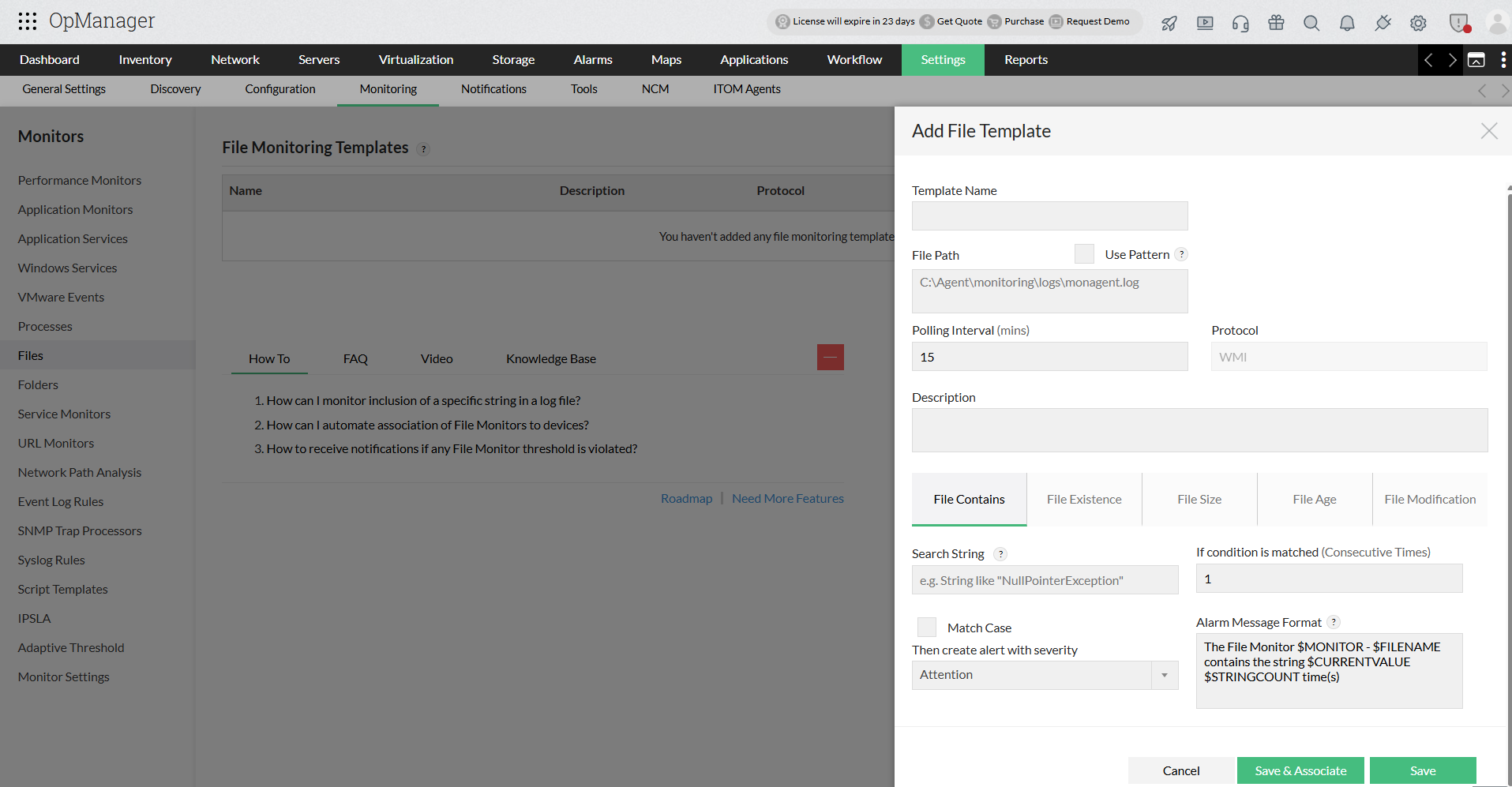
Advantages of Log File Monitoring:
- Additional security.
- Problems with network infrastructure are becoming more widely known.
- Enhanced server, service, and application availability.
- Rapid identification of protocol errors and network breakdowns.
- Detecting failing services and processes quickly.
Highlights of Log File Monitor
- Real-time Log Monitoring & Alerting: The agent monitors the log files every 10 seconds once for the configured string. Once the application or system prints the string in its log, the agent captures it in real-time and raises an alarm in OpManager.
- Match String & Case: The agent scans the log files for exact string match. The string can be a regex (regular expression) and can also include special characters. In addition to these you can also configure the agent to match the case of the string.
- Latest Content Scanning: When the log files are scanned, the last scanned position is noted. The subsequent scan starts from the previously scanned position. This helps scan the only latest log prints.
- Unobtrusive Log File Reading: To avoid log file getting locked while monitoring, the agent monitors only the log files that have shared read access.
- Log Entry Counters: The Monitoring Agent also tracks duplicate entries and raises alert. This will be helpful in cases where you need to be alerted if the error message gets printed for N consecutive times.
- Secure Communication: The communication between OpManager server and agent takes place via the default HTTPS mode. This secures the data communicated between the agent and OpManager server.
- Lightweight & easy to install: The monitoring agent is very lightweight and does not consume much of the system resources. It is also easy to install.
- DateTime Pattern Recognition: OpManager automatically tracks date-stamped log files by matching a configured DateTime pattern, eliminating the need for daily manual reconfiguration as applications generate new files each day.
- Regex Support: OpManager supports regex-based search strings for log file monitoring, enabling pattern-based detection across complex log entries without requiring delimiters or flags.
Note:
- At present the agent monitors log files printed in English only. Support for other languages will be included down the line.
- The agent supports Windows 2008 and above devices only.
To learn how to configure log file monitoring and DateTime Pattern Recognition in OpManager, refer to the help documentation.
OpManager - 10 Steps Ahead Of The Competition, One Step Away From Being Unequalled.

Easy Implementation, Excellent Support & Lower Cost Tool
Easy Implementation With A Feature Rich Catalogue, Support Has Some Room For Improvement
Great Monitoring Tool
Simple Implementation, Easy To Use. Very Intuitive.
 Recognized as a May 2019 Gartner Peer Insights Customers' Choice for Network Performance Monitoring and Diagnostics Software.
- Recognised as an April 2019 Gartner Peer Insights Customers' Choice for IT Infrastructure Monitoring Tools.
 Network Management and Monitor Vendor of the Year 2018, 2019.
  Entered the 2019 Gartner NPMD Magic Quadrant.
 Ranked #2 in the Infotech Research Software Reviews Data Quadrant 2018.