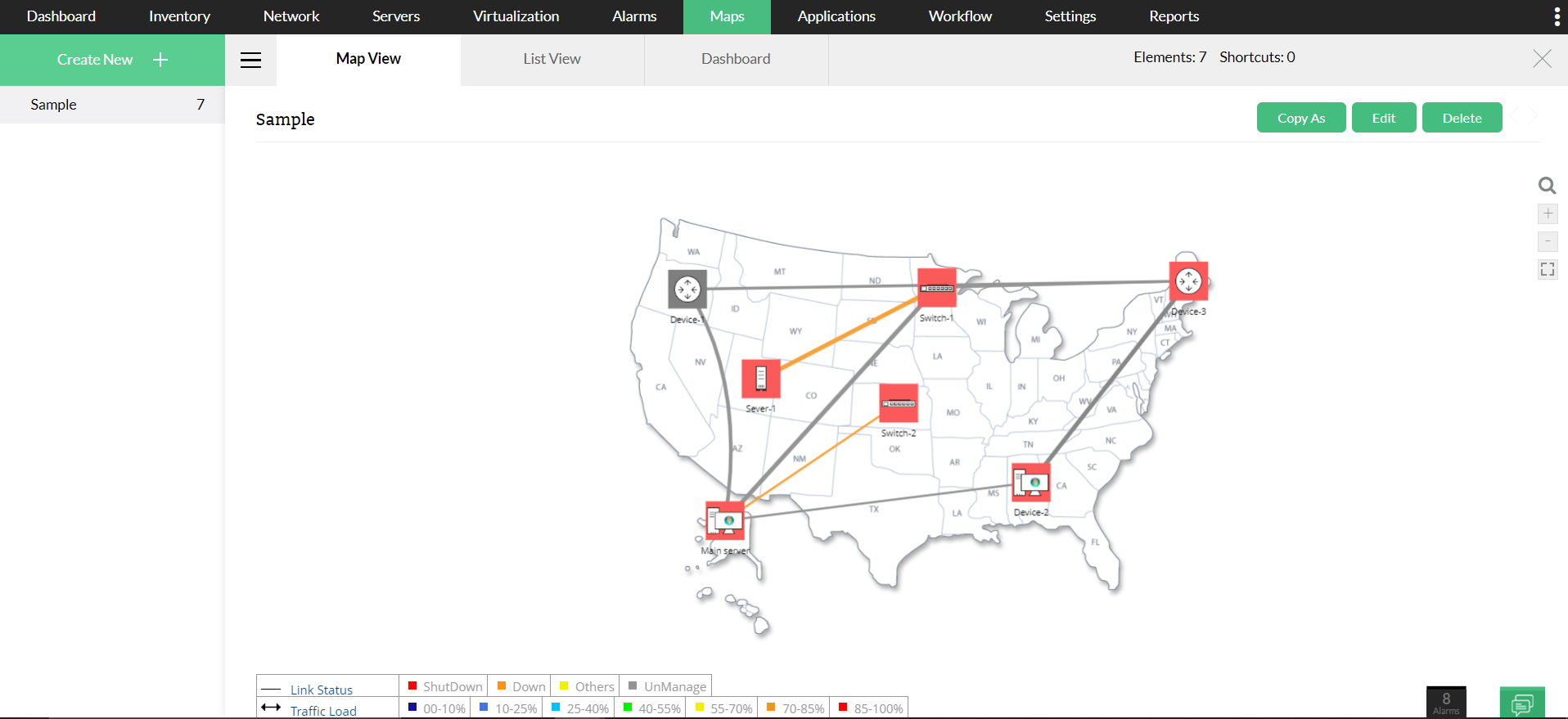
Business views are a graphical representation of devices according to the business service they cater to. Business views with interface links and interfaces that has data collection will have a table (legend) at the bottom of the map.
The link status or interface status is the availability or health status of the link or interface between any two devices in the map. It reflects the severity of the interface - Up/Down/Threshold alarms. Interface status severity can be configured based on your preferred Admin/Operator status. This configuration is available under Settings- > Interface Templates -> Settings.
Traffic load is the transmitted/received traffic between the devices in a BV. The color code defines the amount of traffic between two nodes.
The color codes in the traffic load section indicates traffic in links between the devices in a business views.You can configure the traffic load severity color code under Settings -> System settings -> Map Settings. You can set color codes for various severities and % traffic according to your preference.
Also, the interface status alerts can also be configured under the Interface discovery section.
Note:
More about Business views in OpManager.