How to upgrade your OpManager-Slack app integration
For users with OpManager build number after 125340, an enhanced version of the Slack integration app is available. If you upgrade from an older version of OpManager to 125340 or above, you need to upgrade your Slack integration app and reconfigure your settings. To do so:
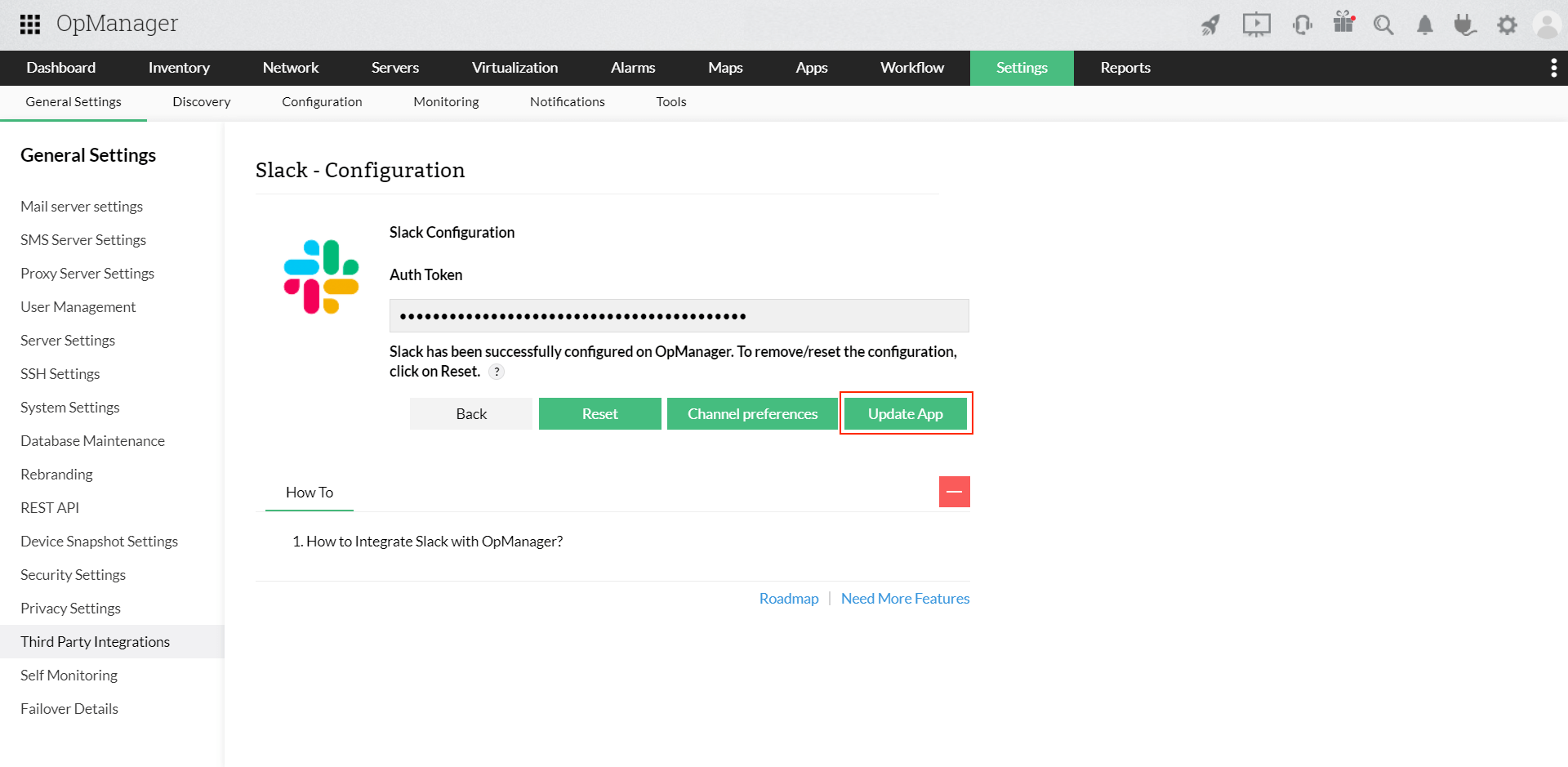
- Go to Settings → General Settings → Third Party Integrations and click "Slack".
- If you haven't updated your Slack App yet, there will be a "Update App" button available in this page. Click it to start the update process.
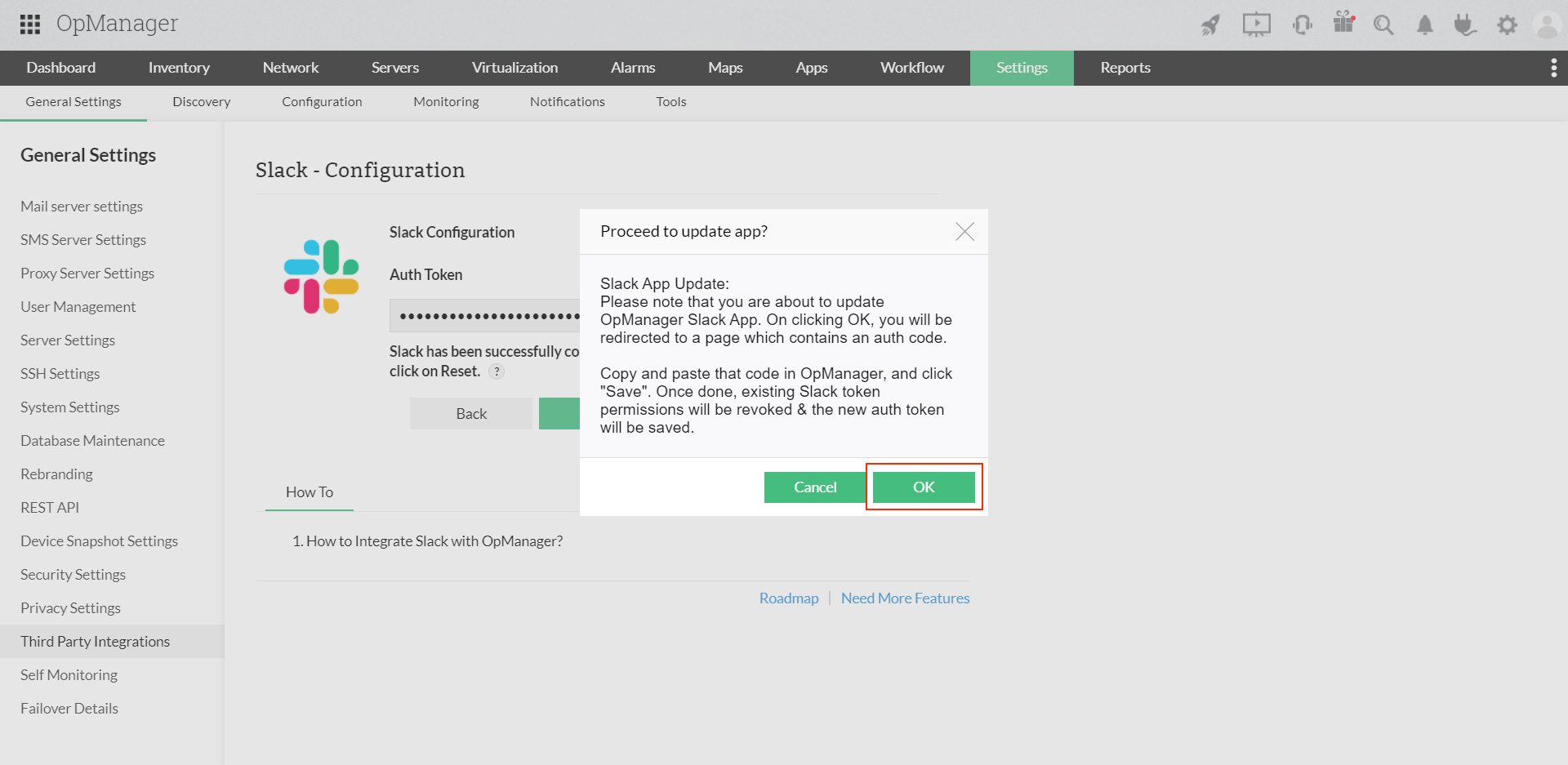
- A confirmation dialog box will be displayed, click "OK" to continue with the update.
- Once clicked, you will be taken to a page containing the new authcode for the Slack App. Click "Copy Auth Code" to copy it to your clipboard.

- Paste the new auth code in your Slack configuration page and click "Save". Once you do this, the existing authtoken and its permissions will be revoked and the new authcode will be saved.
- The "Update App" button will still be available if you happen to quit the update process halfway. It will be disabled only after you paste the new authcode and click "Save".
