Schedule demo
 
 
 Schedule demo

Every layer of Azure, covered

Azure environments don't fail at one layer. A spike in your Service Bus queue affects your app's response time. A saturated VM drives up database latency. Applications Manager monitors across all these layers so you see the full picture, not just the piece that's already broken.

Compute
Analytics
Containers
Databases
Integration Environments
Network Infrastructure
Storage Accounts

Analytics

Get full observability into your Azure Synapse Analytics environments:

  • Monitor SQL pools, Spark pools, and data pipeline activity in real time
  • Track storage utilization, memory consumption, and query performance KPIs
  • Identify bottlenecks in data workflows before they affect downstream reporting

Learn more

Compute

Monitor Azure Compute services end-to-end with real-time Azure performance monitoring metrics:

  • Track HTTPS status codes, errors, and active connections across Azure App Service.
  • Monitor function execution counts, failures, and memory usage with Azure Functions monitoring.
  • Get visibility into CPU, disk I/O, network throughput, and uptime for Azure Virtual Machines.
  • Monitor instance health and autoscale events across VM Scale Sets.

Containers

Get complete visibility into your Azure Kubernetes Service and container environments:

  • Monitor nodes, pods, and Persistent Volumes for health and resource consumption.
  • Trace data transactions across Azure Kubernetes Service workloads in real time.
  • Get alerts on performance degradation and availability issues before users notice.
  • Stay ahead of capacity constraints with trend-based Azure performance monitoring.

Learn more

Databases

Centralize Azure Database monitoring across all instances from a single Azure monitoring dashboard:

  • Monitor Azure SQL, Cosmos DB, MySQL, PostgreSQL, MariaDB, and Redis from one place.
  • Track query performance, connection statistics, and cache utilization in real time.
  • Use built-in AI to forecast performance trends and surface anomalies before they escalate.
  • Receive alerts before performance issues reach end users.

Learn more

Integration Environments

Get deep visibility into your Azure integration services and messaging infrastructure:

  • Monitor queues, topics, and namespaces in Azure Service Bus to clear delivery bottlenecks.
  • Track connection counts, message throughput, and resource utilization in real time.
  • Detect and remove inactive topics to free up storage.
  • Use smart alerting to stay ahead of performance anomalies in integration pipelines.

Learn more

Network

Maintain optimum health across your entire Azure network:

  • Monitor Application Gateways, Firewalls, Load Balancers, and Virtual Networks from one place.
  • Track data transfer rates, traffic patterns, error rates, and link health in real time.
  • Detect network performance anomalies early, before SLAs are breached.
  • Get visibility into ExpressRoute Circuits, VPN Gateways, and DNS Zones.

Learn more

Storage

Keep your Azure Storage accounts performing at their best:

  • Monitor replication status, blob latency, file throughput, and transaction metrics in real time.
  • Get visibility into Standard and Premium Storage accounts, Backup Vaults, Recovery Service Vaults, and Storage Sync Services.
  • Make data-driven decisions to keep storage costs and performance in check.

Learn more

What you can actually do with Azure visibility

Monitoring data is only useful if it changes how you operate. Here is what Applications Manager makes possible.

One platform for your entire IT stack

Azure is rarely the only thing your team manages. Applications Manager gives you a single view across your Azure environment and everything running alongside it — VMs, application servers, web services, ERPs, and databases, without switching between tools.

  • Monitor multi-cloud and hybrid environments without losing visibility across vendors.
  • Support for 150+ technologies means your full stack is covered, not just Azure.
  • Integrate with NPM, ITSM, Slack, and ServiceNow for a connected operations workflow.
  • Avoid pay-as-you-go pricing overhead, see our flat-rate pricing plans.
Cloud Apps - ManageEngine Applications Manager
Azure Monitoring - ManageEngine Applications Manager
Azure Cloud Monitoring - ManageEngine Applications Manager


Cut unnecessary Azure cloud spend

Azure costs have a way of growing faster than usage does. Applications Manager gives you the billing visibility to stay ahead of it.

  • Access granular billing data broken down by instance, resource, and geography.
  • Spot idle or over-provisioned resources before they drain budget.
  • Use AI-powered forecasting to predict future resource needs and size your environment accurately.
Minimize cloud spend - ManageEngine Applications Manager

Always know what you are monitoring

As Azure environments scale, manually keeping track of what is running becomes a liability. Applications Manager automates discovery so your monitoring keeps pace with your infrastructure.
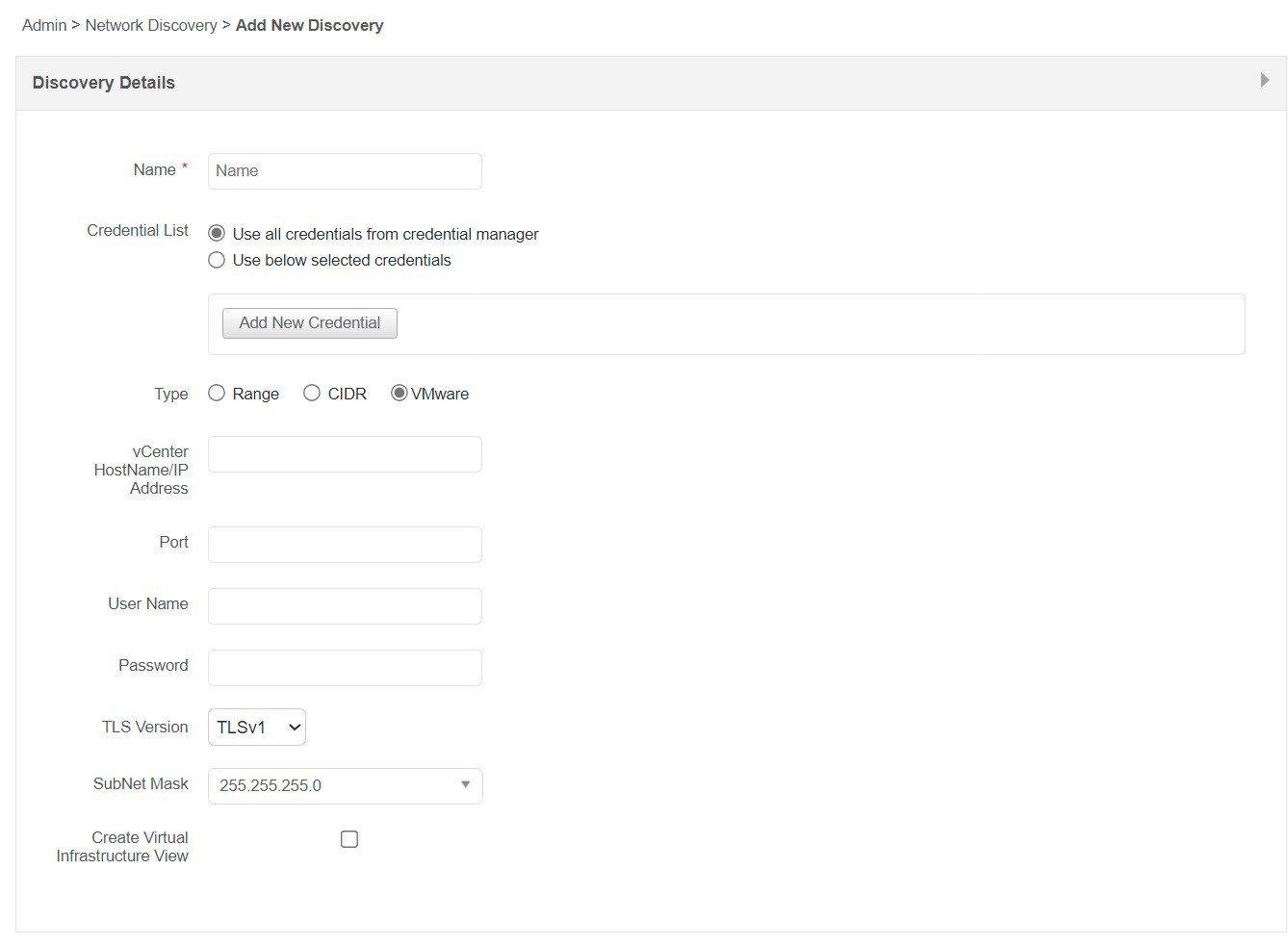
  • Auto-discover new Azure resources and components as your cloud scales, with no manual setup.
  • Map resource dependencies to understand how services relate and isolate root causes faster.
  • Track resource consumption, latency, disk I/O, and queue wait time from the Azure monitoring dashboard.
Azure Monitoring Solutions - ManageEngine Applications Manager
Azure Monitoring Services - ManageEngine Applications Manager


Keep visibility intact during your Azure migration

Moving to Azure introduces a window where things can go wrong quietly. Applications Manager keeps you informed throughout.

  • Forecast costs and resource utilization ahead of migration to avoid budget surprises.
  • Identify peak traffic hours and plan maintenance windows for minimum disruption.
  • Flag critical servers and databases to ensure nothing is missed during the migration window.
Azure Performance Monitoring - ManageEngine Applications Manager

Alerts and reports that work without babysitting

The goal is not to watch dashboards, it is to get notified when something needs attention and have the data ready when it does.
  • Set adaptive thresholds for Azure performance monitoring metrics that behave dynamically, cutting false positives.
  • Receive alerts via SMS, email, or Slack the moment thresholds are crossed.
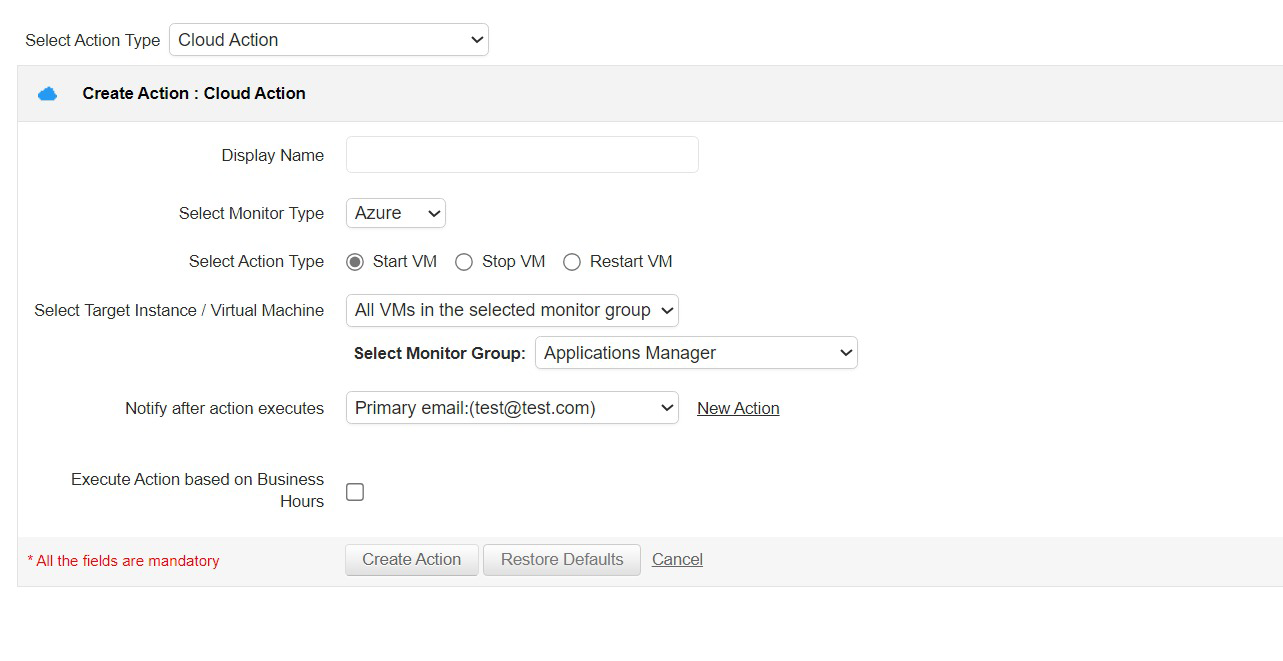
  • Automate corrective actions, start or stop Azure instances without waiting on manual intervention.
  • Schedule performance reports per metric, time period, and geography so stakeholders always have current data.
Azure Application Monitoring - ManageEngine Applications Manager


Bring all your Azure instances under one roof today!

Get a 30-day, free trial. No credit card required.

Loved by customers and critics all over the world

Gartner Peer Insights

The best thing about ManageEngine Applications Manager is that you can monitor all your IT infrastructure such as the servers, databases from one place. Using this tool will save your IT team a lot of work.

GetApp

The tool provides a lot of insights into the performance of my database, which has been helpful in identifying bottlenecks.

Aidcares

With a single view of everything from servers to databases, monitoring our application infrastructure has become simple. Applications Manager has made our lives way easier. The tool helps us stay aware of the performance of our critical applications 24x7.

ManageEngine recognized in the 2023 Gartner® Magic Quadrant™ for Application Performance Monitoring and Observability.

Learn more

ManageEngine recognized as a Customers' Choice in the 2023 Gartner Peer Insights™ Voice of the Customer for Application Performance Monitoring and Observability report.

Learn more

Frequently asked questions

What is Azure monitoring?
 

Azure monitoring is the act of monitoring, collecting and analyzing KPIs of various services offered by Microsoft Azure Cloud. With the help of Azure monitoring solutions like ManageEngine Applications Manager—IT admins can ensure security, high performance and proper resource allocation of the cloud services.

Why is Azure cloud monitoring important?
 

Since Microsoft Azure is a sophisticated cloud service, understanding and ensuring the health and performance of the applications running on it can be challenging. This necessitates the use of Azure monitoring services. Applications Manager's Azure performance monitoring tool helps you keep your services up and running by collecting, analyzing and acting on the telemetry from your cloud and on-premises environments.

How does Azure monitor work?
 

Applications Manager's Microsoft Azure monitoring system fetches configuration and performance metrics via Azure APIs. We use Azure service specific APIs to discover the resources and fetch their configuration metrics and 'Azure Monitor' APIs to fetch performance metrics from Azure monitor (native monitoring of Azure). Applications Manager then aggregates the procured Azure monitoring metrics and data, and processes it into meaningful information in the form of dashboards and graphs that is easy to interpret for Azure server monitoring services.

How to use Azure monitor?
 

Monitoring Azure KPIs with the help of Applications Manager's Azure monitoring dashboard enables you to obtain rich, actionable insights into your Azure environment and helps you proactively monitor Azure performance KPIs that are vital to your applications by fetching the stats real time and aggregating them for historical analysis. With Azure application performance monitoring (Azure APM), you can also identify slow performing queries in your Azure applications by monitoring SQL databases. For more information on how to execute Azure performance monitoring with Applications Manager, refer here.

What are the factors to consider while choosing an Azure monitoring tool?
 

While evaluating Azure cloud monitoring tools in the market, following are some of the key factors that needs to be considered:

  • Real-time Monitoring Capabilities: The tool must possess the ability to monitor all essential components of your Azure environment in real-time, including virtual machines, databases, storage, and applications. This allows for swift identification and resolution of any potential issues.
  • Scalability and flexibility: As your Azure environment expands, the monitoring tool should have the capability to grow with it. It should be equipped to handle large amounts of data and seamlessly integrate with new components.
  • Alerting and Notification: A robust alerting system is crucial in a monitoring tool, providing timely notifications for critical events or performance issues.
  • Integration with existing systems: The tool should seamlessly integrate with existing Azure services and other third-party systems, streamlining processes and avoiding duplication of efforts.
  • Cost efficiency: When considering a monitoring tool, it is important to evaluate its cost and ensure it aligns with your budget. Some tools may offer a free trial or a pay-per-use model, which can be more cost-effective for smaller businesses.
  • Ease of use: The monitoring tool should have a user-friendly interface that is easy to navigate, use, and comprehend. This enables swift identification and resolution of issues without spending excessive time on the tool itself.
  • Security and compliance: The tool must prioritize strong security measures to safeguard data and prevent cyber attacks. It is crucial to ensure the tool is equipped with robust security features and complies with standard data protection regulations.
Ultimately, the best Azure monitoring tool for your needs will depend on your specific requirements and goals. Applications Manager covers all these essential factors and facilitates you with seamless Azure cloud monitoring experience. Try now!

Loved by customers all over the world

"Standout Tool With Extensive Monitoring Capabilities"

It allows us to track crucial metrics such as response times, resource utilization, error rates, and transaction performance. The real-time monitoring alerts promptly notify us of any issues or anomalies, enabling us to take immediate action.

Reviewer Role: Research and Development

carlos-rivero
"I like Applications Manager because it helps us to detect issues present in our servers and SQL databases."
Carlos Rivero

Tech Support Manager, Lexmark

Trusted by thousands of leading businesses globally



