SSL Certificate Monitoring
Get timely alerts and never let your TLS and SSL certificates expire
SSL certificate monitoring is the continuous checking of SSL/TLS certificates for expiration, validity, and trust issues, with alerts sent before a certificate lapses. Applications Manager’s SSL certificate monitor tracks days to expiry across all your endpoints and notifies your team by email, SMS, or Slack so renewals never slip. Our SSL/TLS certificate management software keeps track of all the certificate expirations to ensure that your web servers never succumb to unsafe and insecure connections.
Applications Manager's SSL certificate monitoring helps you to:
- Prevent unplanned TLS & SSL certificate expiration.
- Automate the job of managing SSL certificates.
- Improve website security and avoid damage to brand reputation.
- Deliver web content to clients seamlessly.
See how Applications Manager catches expiring SSL certificates before they cause outages
Why SSL certificate expiration monitoring matters more in 2026
In August 2024, Apple introduced a proposal (CA/Browser Forum Ballot SC-081v3) to significantly reduce the validity period of digital certificates. Following several months of deliberation, the measure has been officially adopted. The CA/Browser Forum unanimously approved a phased reduction that will lower maximum certificate lifespans from 398 days down to 47 days by 2029, which has already been implemented in March 2026 to be done in phases. Cutting TLS certificate lifespans to 47 days by 2029 is a major shift. Organizations need to plan ahead and adopt automation to handle this transition, beginning with SSL certificate monitoring.
Monitor SSL certificates from one dashboard
Since many TLS and SSL certificates could be distributed across an organization, it can be difficult to track certificate expiry manually. Applications Manager acts as an effective SSL certificate monitoring tool that manages several certificates automatically. Monitor the expiration of your TLS and SSL certificates to renew them on-time. Reduce operational costs and time by automatically monitoring multiple TLS/SSL certificates. Access and monitor crucial information regarding the certificates' authority to make sure they aren't blacklisted.

SSL certificate expiration monitoring with threshold alerts
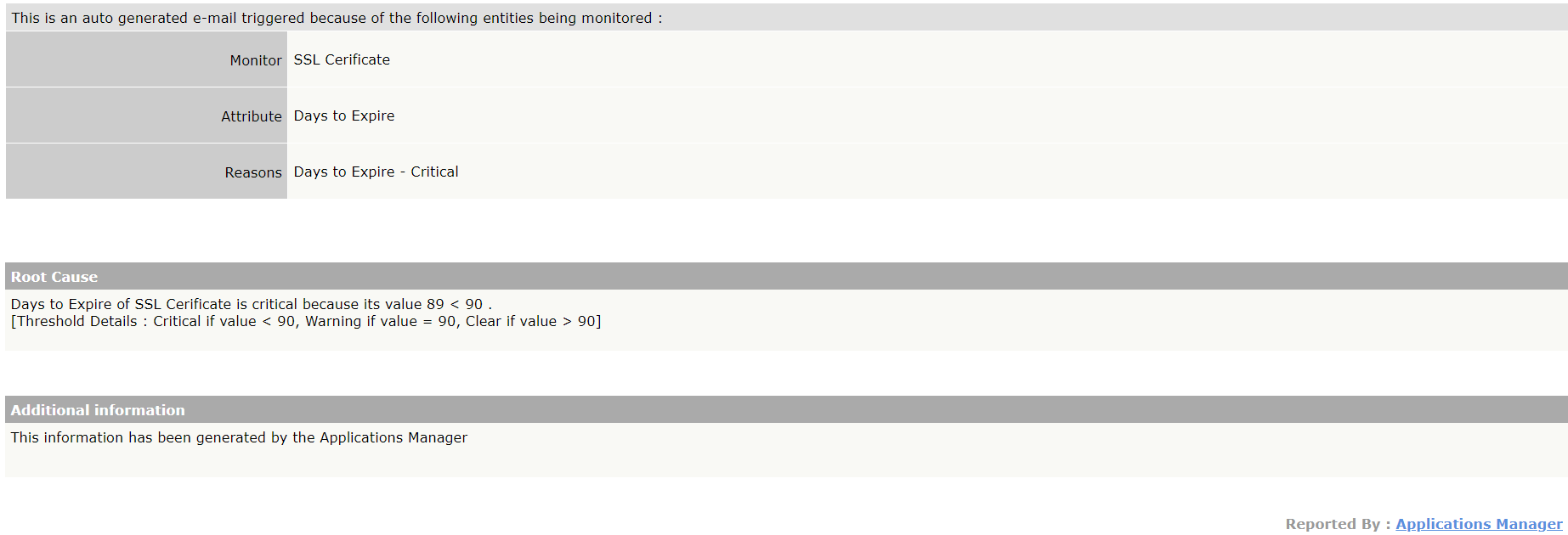
Our SSL certificate monitor keeps track of the expiry date of the certificate and the number of days left to expiry. By defining thresholds for the expiry date, you can trigger Applications Manager to alert you and escalate it. Track and monitor SSL certificate expiry to help renew certificates proactively and lower the likelihood of website failures and service downtime caused by expired TLS and SSL certificates.
Pair SSL monitoring with brand reputation checks
Get maximum results by integrating Applications Manager's SSL monitoring in synergy with our brand reputation monitor. Discern unsafe pages within your site and understand why— whether it was identified as a "Suspected Malware", "Phishing/Deceptive", or as an "Unwanted Software"— and quickly address to amend it. Monitor SSL certificates to get alerted immediately upon discovery of such instances and automatically escalate it via email, SMS or Slack.

Go beyond SSL monitoring: websites, servers, and 200+ technologies
Apart from monitoring SSL certificate expiration, Applications Manager also offers extensive website monitoring that can help you monitor the health, availability and performance of your websites. Gain insights into various key metrics, optimize your website performance and create seamless website experiences for your end users. Track the changes made in your websites with our website content monitor to avoid defacement of any kind.
Applications Manager supports 200+ infrastructure types — including application servers, databases, middleware, VMs, web servers and services - both on premise as well as on the cloud. Monitor SSL certificate expirations to complement your entire IT infrastructure monitoring and ensure seamless end-user experience for your patrons.
How to set up an SSL certificate monitor in Applications Manager?
- Download Applications Manager's latest version provided in this link.
- Install the software by following the installation steps.
- Click on New Monitor, and click SSL/TLS Certificate.
- Follow the steps to add the SSL certificate monitor given here.
- After the monitor is added, click on Monitors.
- From the list of monitors added, click on SSL/TLS Certificate that was added.
- You can start tracking the metrics. Check out our interactive demo
Ready to start monitoring TLS & SSL certificates with Applications Manager?
Simply download a 30-day free trial of Applications Manager's TLS/SSL certificate monitor to start tracking your TLS and SSL certificates in just a few minutes!
More on SSL certificate monitoring:
What is an SSL certificate?
+What are TLS & SSL certificates used for?
+What is SSL certificate monitoring?
+What happens when an SSL certificate expires?
+How long are SSL certificates valid in 2026?
+How often should SSL certificates be checked?
+What’s the difference between SSL monitoring and certificate lifecycle management?
+Can I monitor internal or self-signed certificates?
+How to check expiration date and validity of TLS & SSL certificates?
+How to monitor your SSL certificate expiration and TLS certificate expiration with Applications Manager?
+Last updated:
Loved by customers all over the world

"Standout Tool With Extensive Monitoring Capabilities"
It allows us to track crucial metrics such as response times, resource utilization, error rates, and transaction performance. The real-time monitoring alerts promptly notify us of any issues or anomalies, enabling us to take immediate action.
Reviewer Role: Research and Development

"I like Applications Manager because it helps us to detect issues present in our servers and SQL databases."
Carlos Rivero
Tech Support Manager, Lexmark