PAM Integration
Applications Manager offers a seamless, out-of-the-box integration with ManageEngine PAM360 that enables you to effectively manage and secure all the resource credentials that are monitored by Applications Manager in your IT infrastructure. PAM360 stores passwords securely and shares them with the relevant Applications Manager server, facilitating privilege access in an efficient manner. This seamless integration also enables automatic password sync for monitored resources, eliminating the need for manual updates. This not only enhances security but also ensures data integrity and security in real-time.
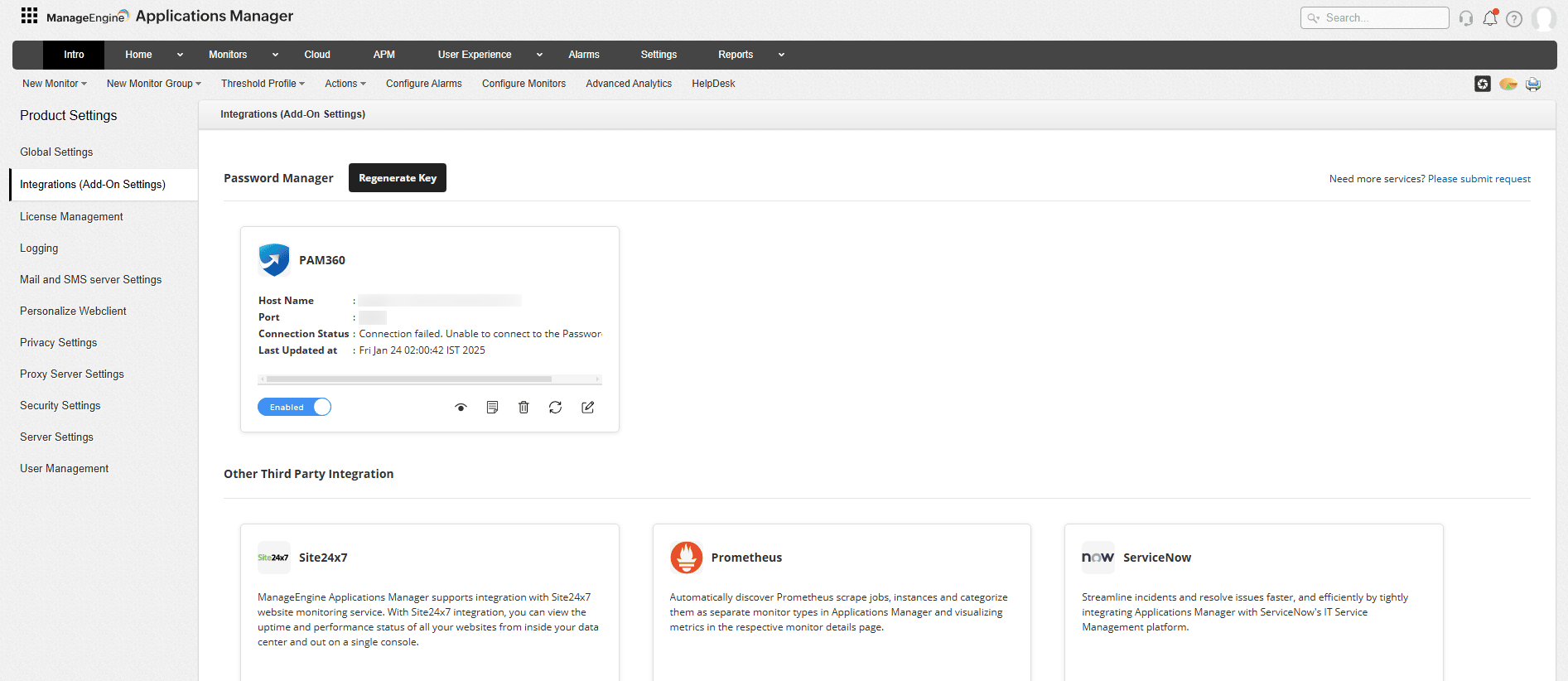
Secure and fetch credentials automatically
Efficiently manage all your resource credentials through a centralized, and secured platform, eliminating the hassle of manual intervention and preventing any duplication of credentials. Automatically fetch and display the credentials for all your monitored resources simultaneously into your Applications Manager console without the need for entering them individually. This enables you to fetch your resource credentials in a quick and secured manner, avoiding the need for manual updates as well as preventing any forms of credential errors.
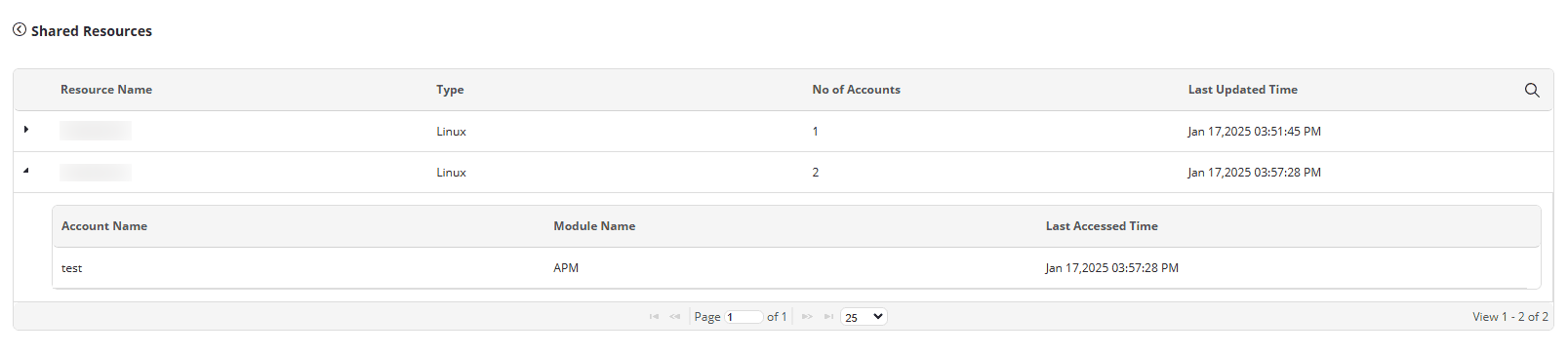
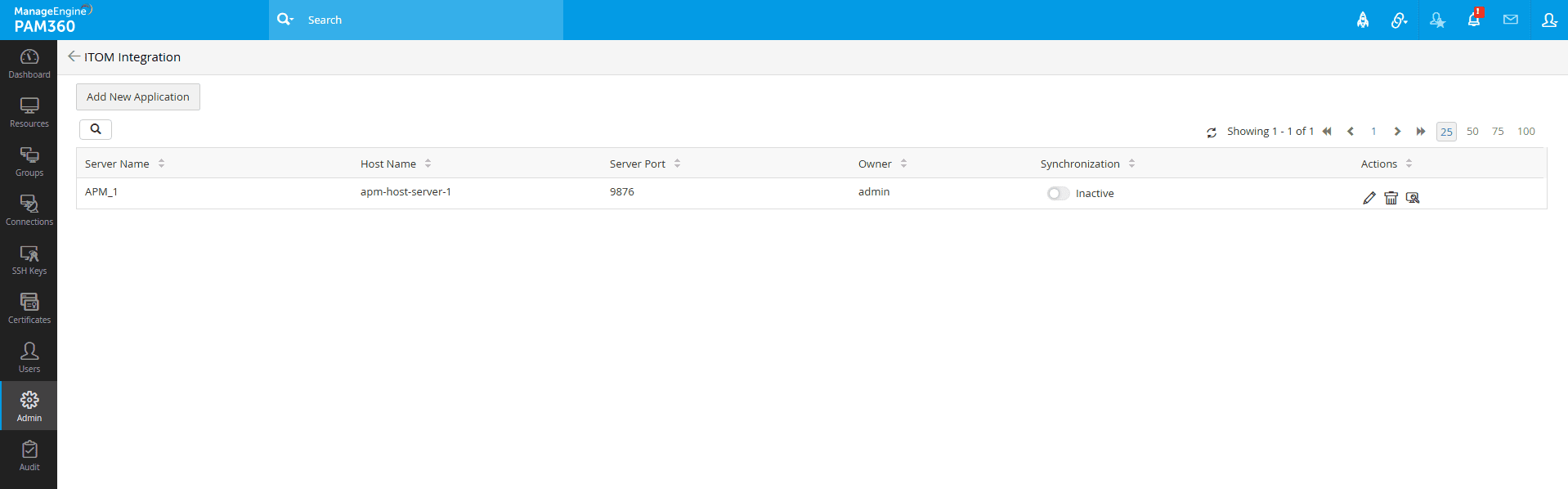
Sync resources and password changes in real-time
Automatically sync changes that are made to the resources and credentials directly to their respective resources and their corresponding credentials monitored in the Applications Manager console. By leveraging the power of two-way sync, any modifications that are made to the resource credentials or configurations in PAM360 will be synced automatically to your Applications Manager console in real-time, ensuring the smooth functioning and monitoring of infrastructure resources without any hiccups. In case authentication fails for a monitored resource during data collection, the sync process will be initiated instantly, and details will be updated for that resource if any modifications are detected.
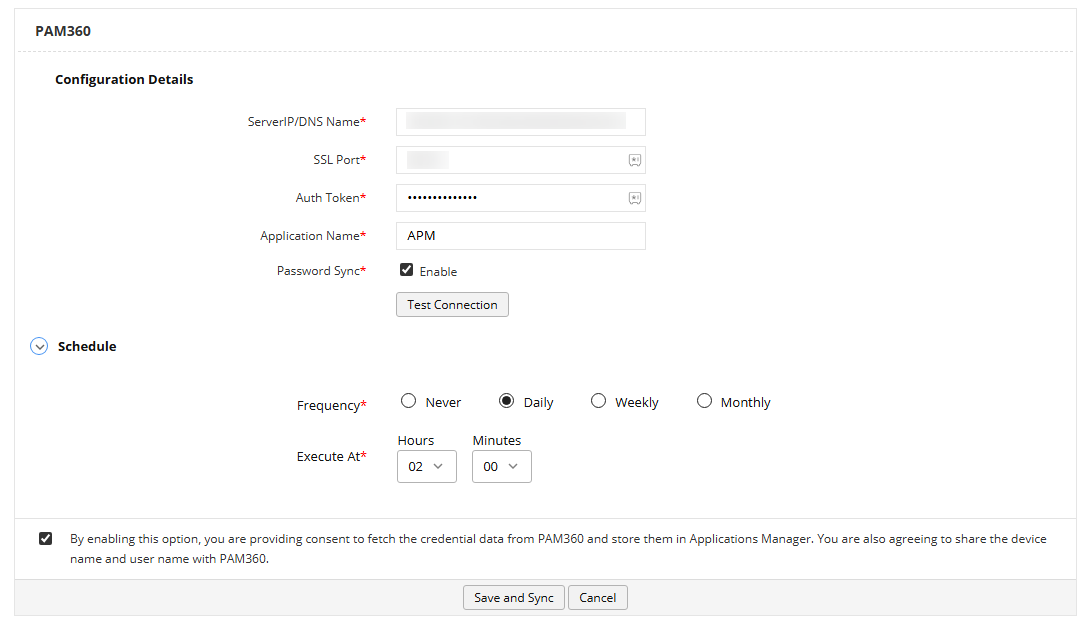
Schedule credential syncs at your convenience
Establish scheduled syncs between PAM360 and Applications Manager console as and when necessary. Choose to sync credentials on a daily, weekly, or monthly basis, offering flexibility and ensuring that your resource credentials remain secure and up-to-date periodically.
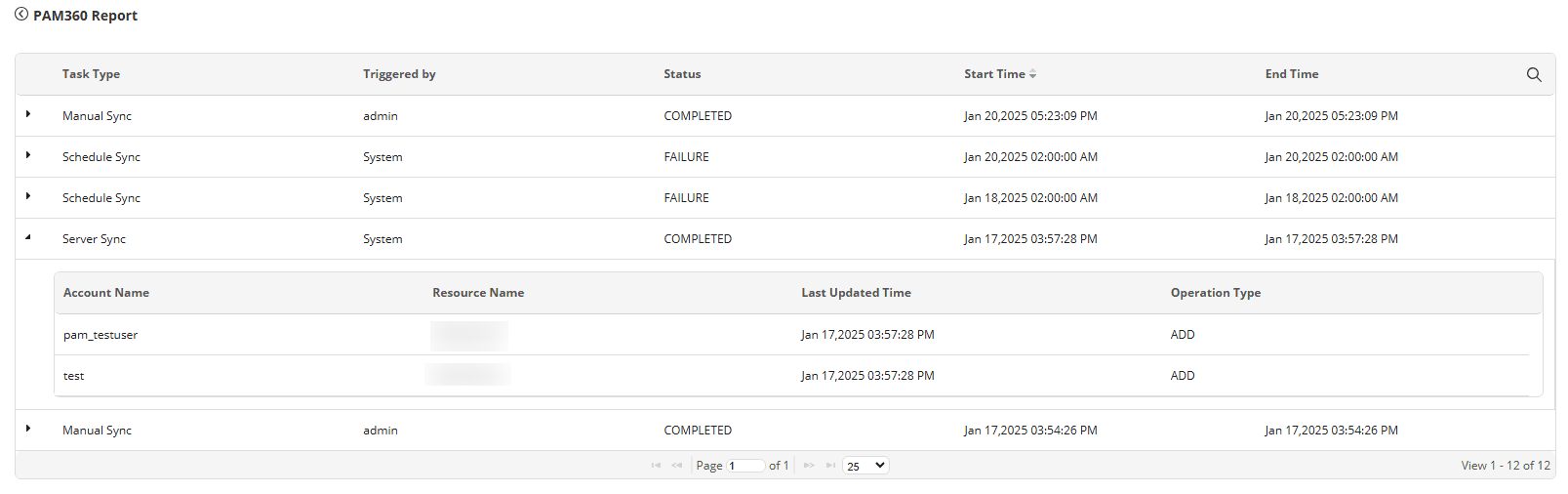
View sync operation reports
Obtain comprehensive insights into the sync processes that have occurred, including updated credentials, sync operation statuses, types of operations performed, and all the errors that have occurred till date. The sync report must list all tasks, whether manually or automatically triggered, with their statuses and timestamps. These reports are crucial for administrators to promptly identify and resolve any issues, ensuring smooth and effective management of credentials.
Integrate with PAM in 3 easy steps:
- Login into Applications Manager and navigate to Settings → Product Settings → Integrations (Add-on Settings).
- Click on PAM360 under Password Manager.
- Specify the required details and click Save.
To view detailed steps on PAM integration with Applications Manager, click here.

